編輯:關於Android編程
本文實例講述了Android自定義dialog簡單實現方法。分享給大家供大家參考,具體如下:
@Override
 protected void onCreate(Bundle savedInstanceState) {
 super.onCreate(savedInstanceState);
 setContentView(R.layout.function_music);
 // 實例化新的窗口
 Window w = getWindow();
 // 獲取默認顯示數據
 Display display = w.getWindowManager().getDefaultDisplay();
 // 獲取窗口的背景圖片
 Resources resources = musicActivity.getResources();
 Drawable drawable = resources.getDrawable(R.drawable.operate_bg);
 // 設置窗口的背景圖片
 w.setBackgroundDrawable(drawable);
 // 窗口的標題為空
 w.setTitle(null);
 // 定義窗口的寬和高
 int width = (int) (display.getWidth() * 0.8);
 int height = (int) (display.getHeight() * 0.5);
 // 設置窗口的大小
 w.setLayout(width, height);
 // 設置窗口的顯示位置
 w.setGravity(Gravity.CENTER);
 // 設置窗口的屬性
 WindowManager.LayoutParams wl = w.getAttributes();
 w.setAttributes(wl);
 // 獲取控件
 findView();
}
更多關於Android開發相關內容感興趣的讀者可查看本站專題:《Android開發入門與進階教程》
希望本文所述對大家Android程序設計有所幫助。
 Android 自定義注解框架
前言在我們的項目中,我們幾乎天天和一些固定的代碼打交道,比如在Activity中你要寫findViewById(int)方法來找到控件,然而這樣子的代碼對於一個稍微有點資
 Android學習筆記034之數據存儲—SQLite數據庫
前面我們介紹了Android數據存儲的兩種方法:文件存儲和SharedPreference存儲,這一篇我們來學習一下Android存儲數據的另外一種方式—&m
 [Android編譯(二)] 從谷歌官網下載android 6.0源碼、編譯並刷入nexus 6p手機
1 前言經過一周的奮戰,終於從谷歌官網上下載最新的android 6.0.1_r62源碼,編譯成功,並成功的刷入nexus6p,接著root完畢,現寫下這篇博客記錄一下實
 Unity3d之Animation(動畫系統)
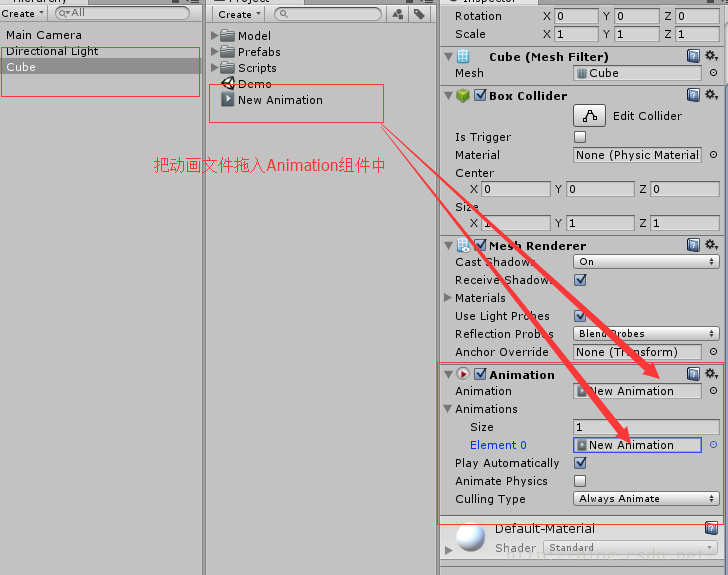
1,動畫系統配置創建游戲對象並添加Animation組件,然後將動畫文件拖入組件。進入動畫文件的Debug屬性面板選中Legacy屬性 選中游戲對象,打開Ani