編輯:關於Android編程
本文實例講述了Android實現多線程斷點下載的方法。分享給大家供大家參考。具體實現方法如下:
package cn.itcast.download;
import java.io.File;
import java.io.FileInputStream;
import java.io.FileNotFoundException;
import java.io.FileOutputStream;
import java.io.IOException;
import java.io.InputStream;
import java.io.RandomAccessFile;
import java.net.HttpURLConnection;
import java.net.MalformedURLException;
import java.net.ProtocolException;
import java.net.URL;
import cn.itcast.mutiledownload.StreamTool;
import android.app.Activity;
import android.os.Bundle;
import android.os.Handler;
import android.os.Message;
import android.view.View;
import android.view.View.OnClickListener;
import android.widget.Button;
import android.widget.EditText;
import android.widget.ProgressBar;
import android.widget.TextView;
import android.widget.Toast;
public class MutiledownloadActivity extends Activity implements OnClickListener {
  private ProgressBar pb;
  private Button bt;
  private TextView tv;
  private EditText et;
  boolean flag = true;
  boolean stopflag = false;
  private Handler handler = new Handler() {
    @Override
    public void handleMessage(Message msg) {
      pb.setProgress(total);
      int max = pb.getMax();
      if (total >= (max - 1)) {
        total = max;
        flag = false;
      }
      int result = total * 100 / max;
      tv.setText("當前進度 :" + result + "%");
      super.handleMessage(msg);
    }
  };
  int total = 0;
  @Override
  public void onCreate(Bundle savedInstanceState) {
    super.onCreate(savedInstanceState);
    setContentView(R.layout.main);
    pb = (ProgressBar) this.findViewById(R.id.pb);
    bt = (Button) this.findViewById(R.id.bt);
    tv = (TextView) this.findViewById(R.id.tv_process);
    et = (EditText) this.findViewById(R.id.et);
    bt.setOnClickListener(this);
  }
  @Override
  public void onClick(View v) {
    switch (v.getId()) {
    case R.id.bt:
      // 創建一個子線程 定期的更新ui
      if("開始下載".equals(bt.getText().toString())){
        bt.setText("暫停");
        stopflag = false; //開始下載
      }
      else {
        bt.setText("開始下載");
        stopflag = true;
      }
        new Thread() {
          @Override
          public void run() {
            super.run();
            while (flag) {
              try {
                sleep(1000);
                // 如果total > = 文件長度
                Message msg = new Message();
                handler.sendMessage(msg);
              } catch (InterruptedException e) {
                e.printStackTrace();
              }
            }
          }
        }.start();

        // 開始執行下載的操作
        String path = et.getText().toString().trim();
        if ("".equals(path)) {
          Toast.makeText(this, "路徑不能為空", 1).show();
          return;
        }
        try {
          URL url = new URL(path);
          HttpURLConnection conn = (HttpURLConnection) url
              .openConnection();
          conn.setRequestMethod("GET");
          conn.setConnectTimeout(5000);
          conn.setRequestProperty("User-Agent",
              "Mozilla/4.0 (compatible; MSIE 6.0; Windows NT 5.1; SV1)");
          int code = conn.getResponseCode();
          if (code == 200) {
            int len = conn.getContentLength();
            RandomAccessFile file = new RandomAccessFile(
                "/mnt/sdcard/" + getFilenName(path), "rwd");
            // 1.設置本地文件大小跟服務器的文件大小一致
            file.setLength(len);
            // 設置進度條的最大值
            pb.setMax(len);
            // 2 .假設開啟3 個線程
            int threadnumber = 3;
            int blocksize = len / threadnumber;
            /**
             * 線程1 0~ blocksize 線程2 1*bolocksize ~ 2*blocksize 線程3
             * 2*blocksize ~ 文件末尾
             */
            for (int i = 0; i < threadnumber; i++) {
              int startposition = i * blocksize;
              int endpositon = (i + 1) * blocksize;
              if (i == (threadnumber - 1)) {
                // 最後一個線程
                endpositon = len;
              }
              DownLoadTask task = new DownLoadTask(i, path,
                  startposition, endpositon);
              task.start();
            }
          }
        } catch (Exception e) {
          Toast.makeText(this, "下載出現異常", 0).show();
          e.printStackTrace();
        }
      break;
    }
  }
  class DownLoadTask extends Thread {
    int threadid;
    String filepath;
    int startposition;
    int endpositon;
    public DownLoadTask(int threadid, String filepath, int startposition,
        int endpositon) {
      this.threadid = threadid;
      this.filepath = filepath;
      this.startposition = startposition;
      this.endpositon = endpositon;
    }
    @Override
    public void run() {
      try {
        File postionfile = new File("/mnt/sdcard/" + threadid + ".txt");
        URL url = new URL(filepath);
        HttpURLConnection conn = (HttpURLConnection) url
            .openConnection();
        System.out.println("線程" + threadid + "正在下載 " + "開始位置 : "
            + startposition + "結束位置 " + endpositon);
        if (postionfile.exists()) {
          FileInputStream fis = new FileInputStream(postionfile);
          byte[] result = StreamTool.getBytes(fis);
          String str = new String(result);
          if (!"".equals(str)) {
            int newstartposition = Integer.parseInt(str);
            if (newstartposition > startposition) {
              startposition = newstartposition;
            }
          }
        }
        // "Range", "bytes=2097152-4194303")
        conn.setRequestProperty("Range", "bytes=" + startposition + "-"
            + endpositon);
        conn.setRequestMethod("GET");
        conn.setConnectTimeout(5000);
        conn.setRequestProperty("User-Agent",
            "Mozilla/4.0 (compatible; MSIE 6.0; Windows NT 5.1; SV1)");
        InputStream is = conn.getInputStream();
        RandomAccessFile file = new RandomAccessFile("/mnt/sdcard/"
            + getFilenName(filepath), "rwd");
        // 設置 數據從文件哪個位置開始寫
        file.seek(startposition);
        byte[] buffer = new byte[1024];
        int len = 0;
        // 代表當前讀到的服務器數據的位置 ,同時這個值已經存儲的文件的位置
        int currentPostion = startposition;
        // 創建一個文件對象 ,記錄當前某個文件的下載位置
        while ((len = is.read(buffer)) != -1) {
          if (stopflag) {
            return;
          }
          file.write(buffer, 0, len);
          synchronized (MutiledownloadActivity.this) {
            total += len;
          }
          currentPostion += len;
          // 需要把currentPostion 信息給持久化到存儲設備
          String position = currentPostion + "";
          FileOutputStream fos = new FileOutputStream(postionfile);
          fos.write(position.getBytes());
          fos.flush();
          fos.close();
        }
        file.close();
        System.out.println("線程" + threadid + "下載完畢");
        // 當線程下載完畢後 把文件刪除掉
        if (postionfile.exists()) {
          postionfile.delete();
        }
      } catch (Exception e) {
        e.printStackTrace();
      }
      super.run();
    }
  }
  public String getFilenName(String path) {
    int start = path.lastIndexOf("/") + 1;
    return path.substring(start, path.length());
  }
}
希望本文所述對大家的Android程序設計有所幫助。
 Android熱補丁動態修復實踐
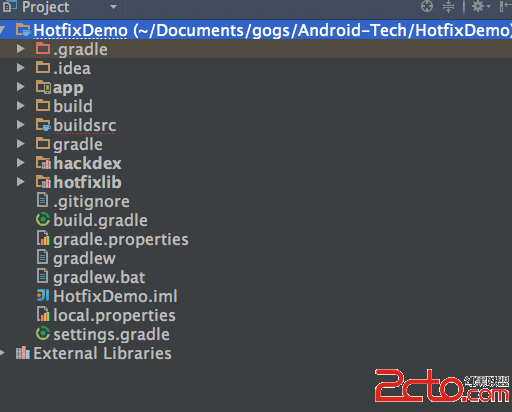
前言好幾個月之前關於Android App熱補丁修復火了一把,源於QQ空間團隊的一篇文章安卓App熱補丁動態修復技術介紹,然後各大廠的開源項目都出來了,本文的實踐基於Ho
 Android的下拉刷新/上拉加載控件
事實上之所以會有之前的那篇博文的出現,是起因於前段時間自己在寫一個練手的App時很快就遇到這種需求。其實我們可以發現類似這樣下拉刷新、上拉加載的功能正在變得越來越普遍,可
 Android實現的ListView分組布局改進示例
本文實例講述了Android實現的ListView分組布局改進方法。分享給大家供大家參考,具體如下:由於是在網上轉載的一篇文章,在這裡就不多說廢話了,首先看一下最終的效果
 ym——Android仿QQ5.0側滑菜單ResideMenu源碼分析
原創博客地址:點擊傳送 AndroidResideMenu 先看看如何使用: 把項目源碼下載下來導入工程,可以看到 ResideMenu為引用工程,再看