編輯:關於Android編程
///// 第一步:獲取NotificationManager
		NotificationManager nm = (NotificationManager)
				getSystemService(Context.NOTIFICATION_SERVICE);

		///// 第二步:定義Notification
		Intent intent = new Intent(this, OtherActivity.class);
		//PendingIntent是待執行的Intent
		PendingIntent pi = PendingIntent.getActivity(this, 0, intent,
				PendingIntent.FLAG_CANCEL_CURRENT);
		Notification notification = new Notification.Builder(this)
				.setContentTitle("title")
				.setContentText("text")
				.setSmallIcon(R.drawable.ic_launcher).setContentIntent(pi)
				.build();
		notification.flags = Notification.FLAG_NO_CLEAR;

		/////第三步:啟動通知欄,第一個參數是一個通知的唯一標識
		nm.notify(0, notification);

		//關閉通知
		//nm.cancel(0);
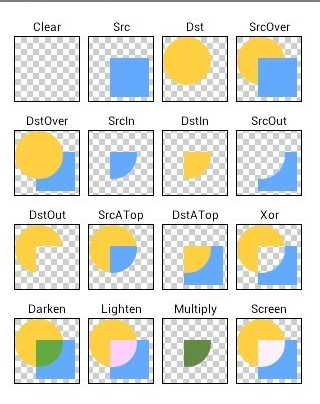 Android UI效果之繪圖篇(三)
一、 PorterDuffXfermodePorterDuffXfermode類似於數據集合裡面的交集並集概念,只是數據裡面取的是兩個集合,而我們這裡取的是兩個圖形之間的
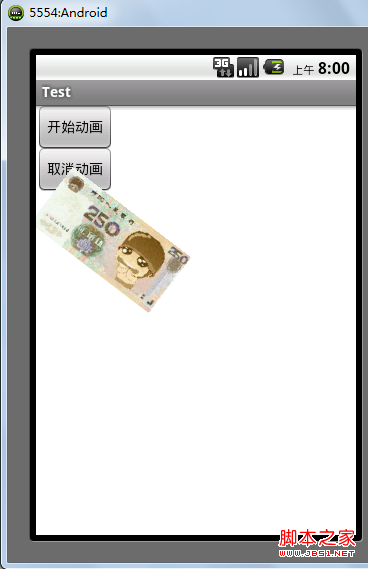 Android 動畫之RotateAnimation應用詳解
android中提供了4中動畫: AlphaAnimation 透明度動畫效果 ScaleAnimation 縮放動畫效果 TranslateAnimation 位移動畫
 Android應用開發中View繪制的一些優化點解析
一個通常的錯誤觀念就是使用基本的布局結構(例如:LinearLayout、FrameLayout等)能夠在大多數情況下 產生高效率 的
 關於Android滑動沖突的解決方法(二)
之前的一遍學習筆記主要就Android滑動沖突中,在不同方向的滑動所造成沖突進行了了解,這種沖突很容易理解,當然也很容易解決。今天,就同方向的滑動所造成的沖突進行一下了解