編輯:關於Android編程
本文所述實例源自一個項目開發中的登錄驗證功能,具體的要求就是,在Android端輸入用戶名和密碼,在服務器端驗證MySQL數據庫中是否有此用戶,實現之前當然首要的是,如何使Android端的數據發送到服務器端,具體的實現方法如下:
服務器端:ManageServlet.java代碼如下:
public class ManageServlet extends HttpServlet {
  public void doGet(HttpServletRequest request, HttpServletResponse response)
      throws ServletException, IOException {
    request.setCharacterEncoding("utf-8");
    response.setCharacterEncoding("utf-8");
    String name = request.getParameter("name");
    String password = request.getParameter("password");
    System.out.println("用戶名:"+name+" 密碼:"+password);
  }
  public void doPost(HttpServletRequest request, HttpServletResponse response)
      throws ServletException, IOException {
  }
}
在這裡實現的僅僅是把用戶端的數據在控制台打印出來,相信學過jsp開發的大神,剩下的數據驗證應該不在話下,在此不再贅述。
接下來就是Android端了:
主activity:MainActivity.java頁面代碼如下:
public class MainActivity extends Activity {
  private EditText textname = null;
  private EditText textpassword = null;
  private Button button = null;
  @Override
  protected void onCreate(Bundle savedInstanceState) {
    super.onCreate(savedInstanceState);
    setContentView(R.layout.activity_main);

    textname = (EditText)findViewById(R.id.name);
    textpassword = (EditText)findViewById(R.id.password);
    button = (Button)findViewById(R.id.button);

    button.setOnClickListener(new mybuttonlistener());

  }
  class mybuttonlistener implements OnClickListener{
    boolean result=false;
    String name;
    String password;
    public void onClick(View v) {
      try {
        name = textname.getText().toString();
        name = new String(name.getBytes("ISO8859-1"), "UTF-8");
        password = textpassword.getText().toString();
        password = new String(password.getBytes("ISO8859-1"), "UTF-8");
      } catch (UnsupportedEncodingException e1) {
        // TODO Auto-generated catch block
        e1.printStackTrace();
      }
      try {
        result = NewsService.save(name,password);
      } catch (Exception e) {
        // TODO Auto-generated catch block
        e.printStackTrace();
      }
      if(result){
        Toast.makeText(MainActivity.this, R.string.ok, Toast.LENGTH_SHORT).show();
      }else{
        Toast.makeText(MainActivity.this, R.string.error, Toast.LENGTH_SHORT).show();
      }
    }
  }
}
布局文件如下:
<RelativeLayout xmlns:android="http://schemas.android.com/apk/res/android"
  xmlns:tools="http://schemas.android.com/tools"
  android:layout_width="match_parent"
  android:layout_height="match_parent"
  tools:context="${relativePackage}.${activityClass}"
  >
  <LinearLayout
    android:layout_width="fill_parent"
    android:layout_height="fill_parent"
    android:orientation="vertical"
    >
    <TextView
      android:layout_width="wrap_content"
      android:layout_height="wrap_content"
      android:text="@string/name" />
    <EditText
      android:id="@+id/name"
      android:layout_width="fill_parent"
      android:layout_height="wrap_content"
      android:hint="@string/playname"
      android:singleLine="true"
      />
    <TextView
      android:layout_width="wrap_content"
      android:layout_height="wrap_content"
      android:text="@string/password" />
    <EditText
      android:id="@+id/password"
      android:layout_width="fill_parent"
      android:layout_height="wrap_content"
      android:password="true"
      android:hint="@string/playpass"
      android:singleLine="true"
      />
    <Button
      android:id="@+id/button"
      android:layout_width="fill_parent"
      android:layout_height="wrap_content"
      android:onClick=""
      android:text="@string/submit"
      />
  </LinearLayout>
</RelativeLayout>
用於向服務器端發送數據的service(NewsService):
public class NewsService {
  /**
   * 登錄驗證
   * @param name 姓名
   * @param password 密碼
   * @return
   */
  public static boolean save(String name, String password){
    String path = "http://<span ><strong>192.168.1.104</strong></span>:8080/Register/ManageServlet";
    Map<String, String> student = new HashMap<String, String>();
    student.put("name", name);
    student.put("password", password);
    try {
      return SendGETRequest(path, student, "UTF-8");
    } catch (Exception e) {
      // TODO Auto-generated catch block
      e.printStackTrace();
    }
    return false;
  }
  /**
   * 發送GET請求
   * @param path  請求路徑
   * @param student  請求參數
   * @return 請求是否成功
   * @throws Exception
   */
  private static boolean SendGETRequest(String path, Map<String, String> student, String ecoding) throws Exception{
    // http://127.0.0.1:8080/Register/ManageServlet?name=1233&password=abc
    StringBuilder url = new StringBuilder(path);
    url.append("?");
    for(Map.Entry<String, String> map : student.entrySet()){
      url.append(map.getKey()).append("=");
      url.append(URLEncoder.encode(map.getValue(), ecoding));
      url.append("&");
    }
    url.deleteCharAt(url.length()-1);
    System.out.println(url);
    HttpsURLConnection conn = (HttpsURLConnection)new URL(url.toString()).openConnection();
    conn.setConnectTimeout(100000);
    conn.setRequestMethod("GET");
    if(conn.getResponseCode() == 200){
      return true;
    }
    return false;
  }
}
因為需要連接網絡,一定要在AndroidManifest.xml進行網絡權限配置:
<uses-permission android:name="android.permission.INTERNET"/>
至此基本已經完成Android向服務器端發送數據,希望本文實例對大家的Android程序設計有所幫助。
 Android EventBus 3.0.0 使用總結
前言EventBus框架 EventBus是一個通用的叫法,例如Google出品的Guava,Guava是一個龐大的庫,EventBus只是它附帶的一個小功能,因此實際項
 Android 自定義學習(5)自定義Progressbar
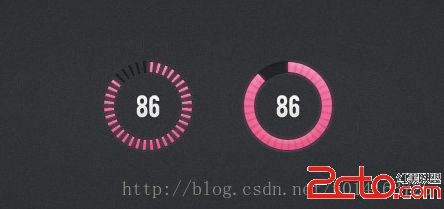
自定義View學習的最後一期了,先上效果圖。 相信大家心中都有自己的實現方法,這裡就貼上我的方法以供參考。/** * 刻度畫筆 */ private P
 AndroidStudio如何快速制作.so
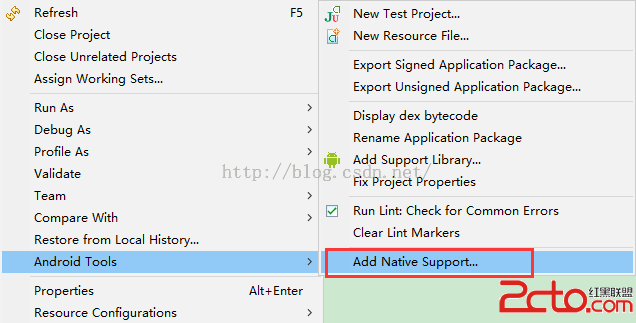
之前寫過一篇Eclipse制作.so的文章,使用的是GNUstep模擬Linux環境,過程現在看來是想相當麻煩,後來發現一個簡單的方法就是通過項目右鍵添加Native S
 Android EventBus的初步使用
項目使用的技術呢,說白了,就是將要傳遞的event(一個Object對象,可任意自定義),發送到公共的組件EventBus中進行存儲, 在通過