編輯:關於Android編程
<uses-permission android:name="android.permission.CALL_PHONE"/>
<uses-permission android:name="android.permission.INTERNET"/>
<uses-permission android:name="android.permission.READ_EXTERNAL_STORAGE"/>
<uses-permission android:name="android.permission.WRITE_EXTERNAL_STORAGE"/>
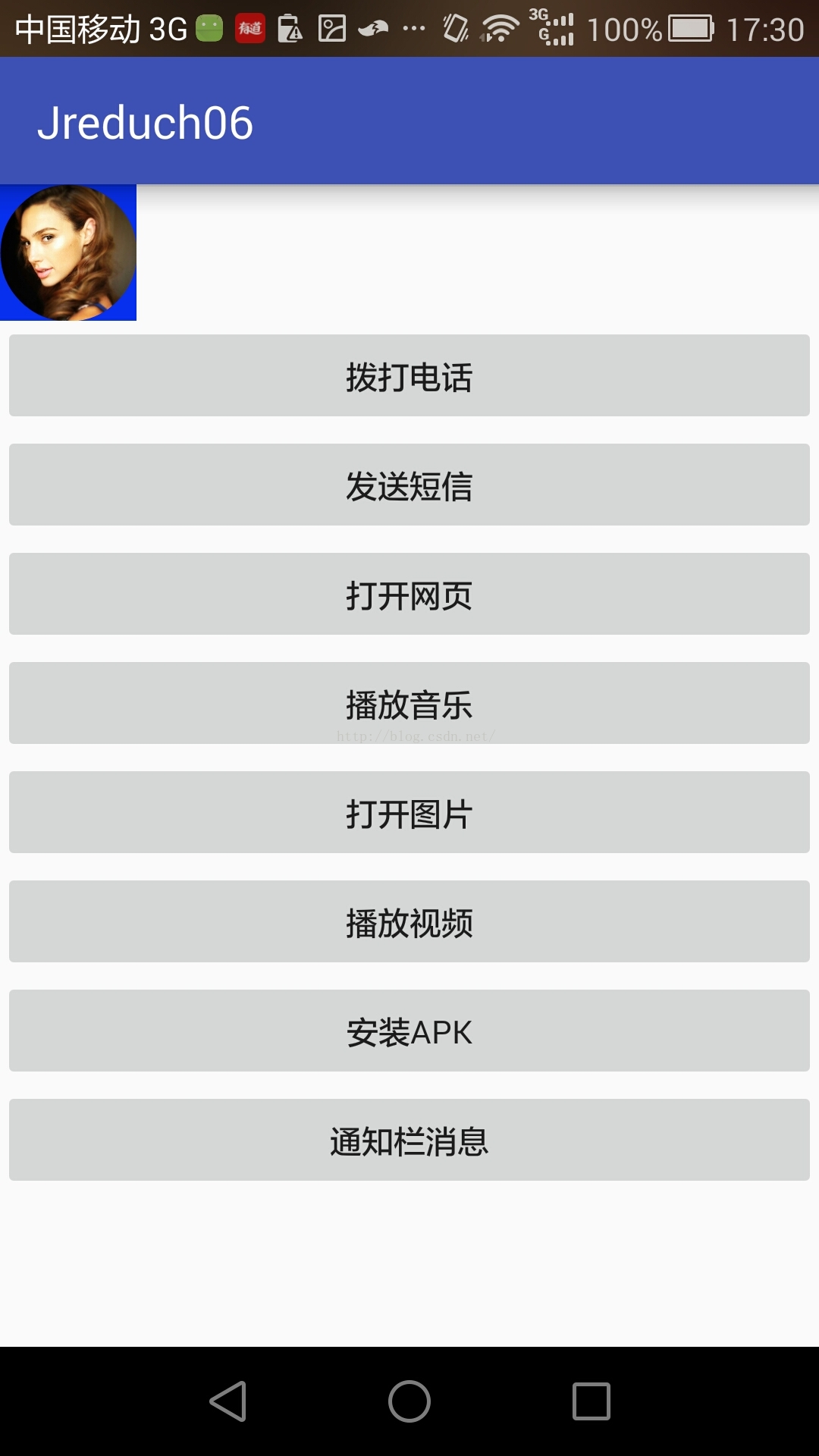
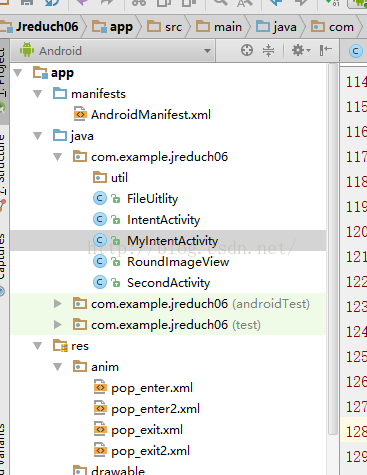
package com.example.jreduch06;

import android.Manifest;
import android.app.Activity;
import android.app.Notification;
import android.app.NotificationManager;
import android.app.PendingIntent;
import android.content.Intent;
import android.content.pm.PackageManager;
import android.database.Cursor;
import android.graphics.Bitmap;
import android.graphics.drawable.ColorDrawable;
import android.net.Uri;
import android.os.Bundle;
import android.provider.MediaStore;
import android.support.v4.app.ActivityCompat;
import android.support.v4.app.NotificationCompat;
import android.support.v7.app.AppCompatActivity;
import android.view.Gravity;
import android.view.View;
import android.view.WindowManager;
import android.widget.Button;
import android.widget.LinearLayout;
import android.widget.PopupWindow;

import java.io.File;

public class MyIntentActivity  extends AppCompatActivity implements View.OnClickListener {
    private PopupWindow pw;
    private View popView;
    private RoundImageView riv;
    @Override
    protected void onCreate(Bundle savedInstanceState) {
        super.onCreate(savedInstanceState);
        setContentView(R.layout.activity_intent);
        //加載PopWindow中的布局
        popView = getLayoutInflater().inflate(R.layout.pop_layout, null);
        //從主布局中取得控件
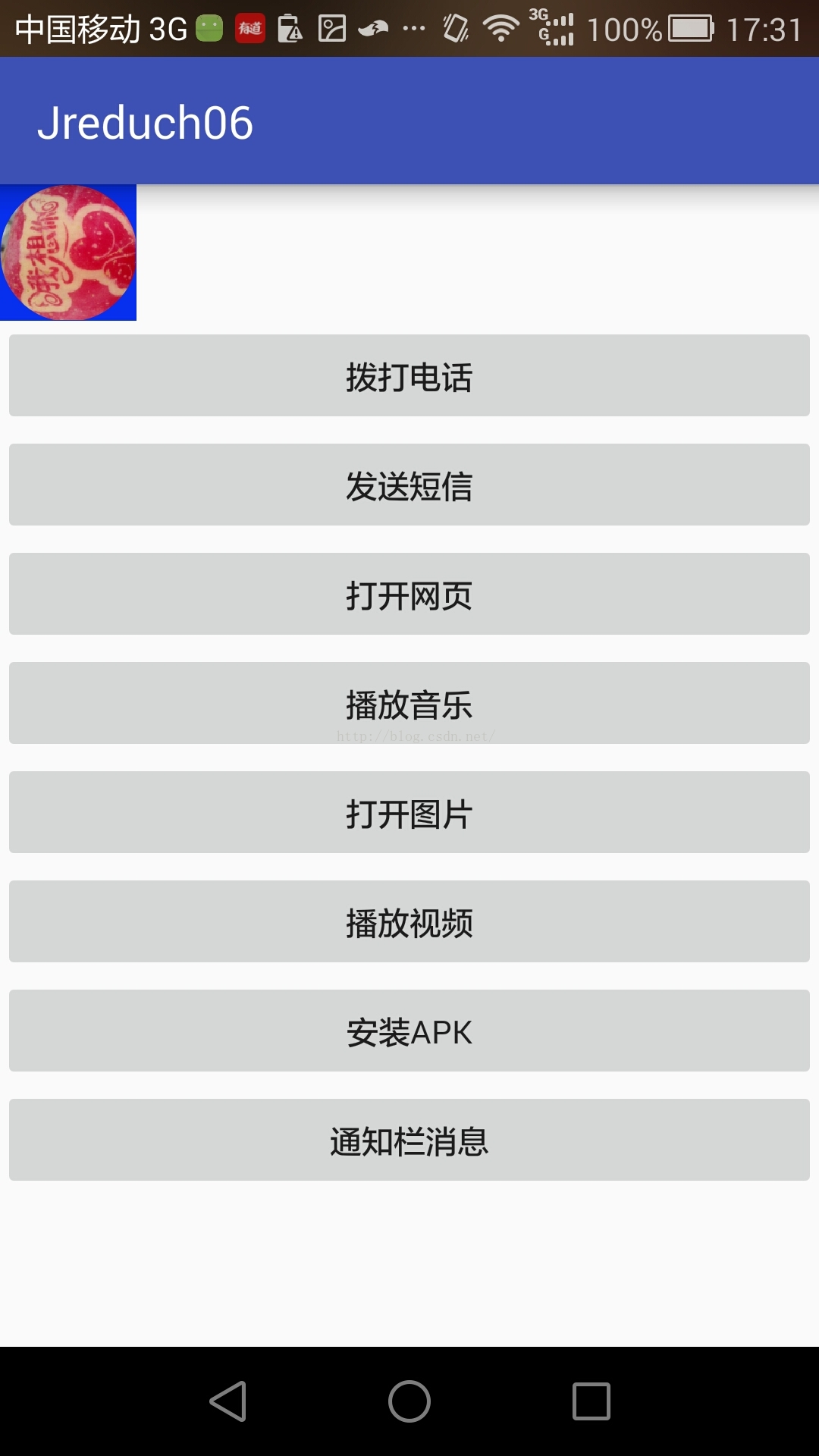
        Button bt1 = (Button) findViewById(R.id.bt1);
        Button bt2 = (Button) findViewById(R.id.bt2);
        Button bt3 = (Button) findViewById(R.id.bt3);
        Button bt4 = (Button) findViewById(R.id.bt4);
        Button bt5 = (Button) findViewById(R.id.bt5);
        Button bt6 = (Button) findViewById(R.id.bt6);
        Button bt7 = (Button) findViewById(R.id.bt7);
        Button bt8 = (Button) findViewById(R.id.bt8);
        //從PopWindow布局中取得控件
        Button xc = (Button)popView.findViewById(R.id.xc);
        Button xj = (Button)popView.findViewById(R.id.xj);
        Button bt = (Button)popView.findViewById(R.id.bt);

        riv = (RoundImageView) findViewById(R.id.riv);
        //注冊   本類監聽
        bt1.setOnClickListener(this);
        bt2.setOnClickListener(this);
        bt3.setOnClickListener(this);
        bt4.setOnClickListener(this);
        bt5.setOnClickListener(this);
        bt6.setOnClickListener(this);
        bt7.setOnClickListener(this);
        bt8.setOnClickListener(this);
        riv.setOnClickListener(this);
        xc.setOnClickListener(this);
        xj.setOnClickListener(this);
        bt.setOnClickListener(this);
        //顯示Intent,明確指定要跳轉的組件
//        Intent intent=new Intent(IntentActivity.this,SecondActivity.class);
//        startActivity(intent);

        //---------------------------------------


    }
    @Override
    public void onClick(View v) {
        int id = v.getId();
        switch (id) {
            case R.id.bt1:
                //隱式Intent 由Android系統幫助匹配
                //匹配規則  清單文件中的Intent-filter標簽中的action
                Uri uri1 = Uri.parse("tel:188655555555");
                Intent intent = new Intent(Intent.ACTION_CALL, uri1);
                if (ActivityCompat.checkSelfPermission(this, Manifest.permission.CALL_PHONE) != PackageManager.PERMISSION_GRANTED) {
                    // TODO: Consider calling
                    //    ActivityCompat#requestPermissions
                    // here to request the missing permissions, and then overriding
                    //   public void onRequestPermissionsResult(int requestCode, String[] permissions,
                    //                                          int[] grantResults)
                    // to handle the case where the user grants the permission. See the documentation
                    // for ActivityCompat#requestPermissions for more details.
                    return;
                }
                startActivity(intent);
                break;
            case R.id.bt2:
                Intent it1=new Intent(Intent.ACTION_VIEW);
                it1.putExtra("sms_body", "代開發票");
                it1.putExtra("sms_to", "10086");
                it1.setType("vnd.android-dir/mms-sms");
                startActivity(it1);
                break;
            case R.id.bt3:
                Uri uri2=Uri.parse("http://www.baidu.com");
                Intent it2=new Intent(Intent.ACTION_VIEW,uri2);
                startActivity(it2);
                break;
            case R.id.bt4:
                Intent it3=new Intent(Intent.ACTION_VIEW);
                File  file=new File("/sdcard/zyfzyf/Ifyou.aac");
                it3.setDataAndType(Uri.fromFile(file), "audio/*");
                startActivity(it3);
                break;
            case R.id.bt5:
                Intent it5=new Intent(Intent.ACTION_VIEW);
                File  file1=new File("/sdcard/DCIM/Camera/IMG_20150613_103420.jpg");
                it5.setDataAndType(Uri.fromFile(file1), "image/*");
                startActivity(it5);

                break;
            case R.id.bt6:
                Intent it4=new Intent(Intent.ACTION_VIEW);
                File  file2=new File("/sdcard/DCIM/Camera/VID_20150703_195112.mp4");
                it4.setDataAndType(Uri.fromFile(file2), "video/*");
                startActivity(it4);
                break;
            case R.id.bt7:
                Intent it6=new Intent(Intent.ACTION_VIEW);
                it6.setDataAndType(Uri.parse("file:///sdcard/Android/data/com.sankuai.meituan/files/group_meituan.apk"),
                        "application/vnd.android.package-archive");
                startActivity(it6);
                break;
            case R.id.bt8:
                notification();
                break;
            case R.id.riv://點擊頭像打開PopWindow
                pw=getPopWindow(popView);
                break;
            case R.id.xc:
                phonePhoto();
                break;
            case R.id.xj:
                takephoto();
                break;
            case R.id.bt:
                pw.dismiss();
                break;
        }
    }
    //消息欄通知
    public void notification(){
        //先定義一個Intent
        Intent intent=new Intent(this,SecondActivity.class);

        //使用PendingIntent 封裝Intent

        /*
        *PendingIntent的第四個參數的說明:
        * 常量:
        * FLAG_CANCEL_CURRENT 生成一個新的對象
        * FLAG_NO_CREATE若不存在,則創建一個新的對象
        * FLAG_ONE_SHOT創建的對象只能使用一次
        * FLAG_UPDATE_CURRENT已存在則直接使用
        * */

        PendingIntent pi=PendingIntent.getActivities(
                this,0, new Intent[]{intent},PendingIntent.FLAG_UPDATE_CURRENT);
        //獲取通知服務
        NotificationManager nm= (NotificationManager)
                getSystemService(Activity.NOTIFICATION_SERVICE);
        //構建一個通知
        Notification notification=new NotificationCompat.Builder(this)
                .setSmallIcon(R.mipmap.ic_launcher)
                .setTicker("A")
                .setContentInfo("我是通知欄消息")
                .setContentTitle("奧運會")
                .setContentText("PendingIntent的使用方法")
                .setAutoCancel(true)
                .setDefaults(Notification.DEFAULT_ALL)
                .setContentIntent(pi)
                .build();
        //通過通知服務,顯示通知
        nm.notify(0, notification);

    }

    /*
    * 調用圖庫
    * */
    public void phonePhoto(){
        Intent intent=new Intent(Intent.ACTION_PICK, MediaStore.Images.Media.EXTERNAL_CONTENT_URI);
        startActivityForResult(intent,2);

    }

    /*
    * 調用相機
    * */
    private String capturePath="";
    public void takephoto(){
        Intent camera=new Intent(MediaStore.ACTION_IMAGE_CAPTURE);
        File parent= FileUitlity.getInstance(getApplicationContext())
                .makeDir("head_imag");
        capturePath=parent.getPath()+File.separatorChar+System.currentTimeMillis()+".jpg";
        camera.putExtra(MediaStore.EXTRA_OUTPUT,Uri.fromFile(new File(capturePath)));
        camera.putExtra(MediaStore.EXTRA_VIDEO_QUALITY,1);
        startActivityForResult(camera, 1);
    }

    @Override
    protected void onActivityResult(int requestCode, int resultCode, Intent data) {
        super.onActivityResult(requestCode, resultCode, data);

        if (resultCode!=Activity.RESULT_OK){

            return;
        }
        //相機返回結果,調用系統裁剪啊
        if (requestCode==1){
          startPicZoom(Uri.fromFile(new File(capturePath)));

        }
        //相冊返回結果調用系統裁剪
        else if (requestCode==2){
            Cursor cursor=getContentResolver()
                    .query(data.getData(),new String[]{MediaStore.Images.Media.DATA}
                    ,null,null,null);
            cursor.moveToFirst();
            String  capturePath=cursor.getString(
                    cursor.getColumnIndex(
                            MediaStore.Images.Media.DATA));
            cursor.close();
            startPicZoom(Uri.fromFile(new File(capturePath)));
        }
        else if (requestCode==3){
          Bundle bundle= data.getExtras();
         if (bundle!=null){
             Bitmap bitmap=bundle.getParcelable("data");
             riv.setImageBitmap(bitmap);

         }
        }
    }

    /*
    調用系統裁剪功能

     */
    public  void  startPicZoom(Uri  uri){
        Intent intent=new Intent("com.android.camera.action.CROP");
        intent.setDataAndType(uri,"image/*");
        intent.putExtra("crop","true");//允許裁剪
        intent.putExtra("aspectX",1);//設置裁剪比例
        intent.putExtra("aspectY",1);
        //設置圖片寬度高度
        intent.putExtra("outputX",150);
        intent.putExtra("outputY",150);
        intent.putExtra("return-data",true);
        startActivityForResult(intent,3);

    }


    //設置屏幕背景透明度方法
    public void backgroundAlpha(float bgAlpha){
        WindowManager.LayoutParams ll=getWindow().getAttributes();
        ll.alpha=bgAlpha;
        getWindow().setAttributes(ll);
    }
    //構建一個PopWindow
    public PopupWindow getPopWindow(View view){
        PopupWindow popupWindow=new PopupWindow(view,
                LinearLayout.LayoutParams.MATCH_PARENT,
                LinearLayout.LayoutParams.WRAP_CONTENT,true);
        // popupWindow.setFocusable(true);
        //點擊pop外面是否消失
        popupWindow.setOutsideTouchable(true);

        popupWindow.setAnimationStyle(R.style.popStyle);
        //設置背景透明度
        backgroundAlpha(0.3f);
        //————————
        //設置View隱藏
        riv.setVisibility(View.GONE);
        popupWindow.setBackgroundDrawable(new ColorDrawable());
        popupWindow.showAtLocation(riv, Gravity.BOTTOM, 0, 0);
        popupWindow.setOnDismissListener(new PopupWindow.OnDismissListener() {
            @Override
            public void onDismiss() {
                //設置背景透明度
                backgroundAlpha(1f);
                //設置View可見
                riv.setVisibility(View.VISIBLE);
            }
        });
        return popupWindow;
    }

}
package com.example.jreduch06;

import android.content.Context;
import android.os.Environment;

import java.io.File;

public class FileUitlity {


	public final static String USER_HAED="head";

	private static String ROOT_CACHE;
	public static String ROOT_DIR="yt_xyt";
	private static FileUitlity instance = null;
	private FileUitlity() {
	}
	public static FileUitlity getInstance(Context context) {
		if (instance == null) {
			if (Environment.getExternalStorageState().equals(
					Environment.MEDIA_MOUNTED)) {
				ROOT_CACHE = (Environment.getExternalStorageDirectory() + "/"
						+ ROOT_DIR + "/");
			} else {
				ROOT_CACHE = (context.getFilesDir().getAbsolutePath() + "/"+ROOT_DIR+"/");
			}
			File dir = new File(ROOT_CACHE);
			if (!dir.exists()) {
				dir.mkdirs();
			}
			instance = new FileUitlity();
		}
		return instance;
	}
	public File makeDir(String dir) {
		File fileDir = new File(ROOT_CACHE + dir);
		if (fileDir.exists()) {
			return fileDir;
		} else {
			fileDir.mkdirs();
			return fileDir;
		}
	}


}
package com.example.jreduch06;

import android.content.Context;
import android.graphics.Bitmap;
import android.graphics.Canvas;
import android.graphics.Color;
import android.graphics.Paint;
import android.graphics.PixelFormat;
import android.graphics.PorterDuff;
import android.graphics.PorterDuffXfermode;
import android.graphics.Rect;
import android.graphics.drawable.BitmapDrawable;
import android.graphics.drawable.Drawable;
import android.util.AttributeSet;
import android.widget.ImageView;

public class RoundImageView extends ImageView {
	public RoundImageView(Context context) {
		super(context);
		// TODO Auto-generated constructor stub
	}

	public RoundImageView(Context context, AttributeSet attrs) {
		super(context, attrs);
		// TODO Auto-generated constructor stub
	}

	public RoundImageView(Context context, AttributeSet attrs, int defStyle) {
		super(context, attrs, defStyle);
		// TODO Auto-generated constructor stub
	}

	@Override
	protected void onDraw(Canvas canvas) {

		Drawable drawable = getDrawable();

		if (drawable == null) {
			return;
		}

		if (getWidth() == 0 || getHeight() == 0) {
			return;
		}

		Bitmap b = null;
		if(drawable instanceof BitmapDrawable){
			b = ((BitmapDrawable) drawable).getBitmap();
		}else if(drawable instanceof Drawable){
			b = Bitmap.createBitmap(
		                getWidth(),
		                getHeight(),
		                drawable.getOpacity() != PixelFormat.OPAQUE ? Bitmap.Config.ARGB_8888
		                : Bitmap.Config.RGB_565);
		                Canvas canvas1 = new Canvas(b);
		                // canvas.setBitmap(bitmap);
		                drawable.setBounds(0, 0, getWidth(),
		                getHeight());
		                drawable.draw(canvas1);
		}

		if (null == b) {
			return;
		}

		Bitmap bitmap = b.copy(Bitmap.Config.ARGB_8888, true);
		int w = getWidth(), h = getHeight();

		Bitmap roundBitmap = getCroppedBitmap(bitmap, w);
		canvas.drawBitmap(roundBitmap, 0, 0, null);

	}

	public static Bitmap getCroppedBitmap(Bitmap bmp, int radius) {
		Bitmap sbmp;
		if (bmp.getWidth() != radius || bmp.getHeight() != radius)
			sbmp = Bitmap.createScaledBitmap(bmp, radius, radius, false);
		else
			sbmp = bmp;
		Bitmap output = Bitmap.createBitmap(sbmp.getWidth(), sbmp.getHeight(),
				Bitmap.Config.ARGB_8888);
		Canvas canvas = new Canvas(output);

		final int color = 0xffa19774;
		final Paint paint = new Paint();
		final Rect rect = new Rect(0, 0, sbmp.getWidth(), sbmp.getHeight());

		paint.setAntiAlias(true);
		paint.setFilterBitmap(true);
		paint.setDither(true);
		canvas.drawARGB(0, 0, 0, 0);
		paint.setColor(Color.parseColor("#BAB399"));
		canvas.drawCircle(sbmp.getWidth() / 2 + 0.7f,
				sbmp.getHeight() / 2 + 0.7f, sbmp.getWidth() / 2 + 0.1f, paint);
		paint.setXfermode(new PorterDuffXfermode(PorterDuff.Mode.SRC_IN));
		canvas.drawBitmap(sbmp, rect, rect, paint);
		return output;
	}
}

 Android反編譯-逆天的反編譯
Jar包的反編譯: Java的世界是透明的,當編譯java程序的時候,是將java源文件轉成.class文件,java虛擬機去執行這些字節碼從而得到運行java程序的目的
 Android 天氣預報(2)
之前實現過了天氣預報的功能 但是真的好丑 真的只是實現功能 所以上一篇博客也沒有貼出圖片 這次 相對於第一個 首先是界面做了調整 其次就是 之前那個只能查看實時天氣 這個
 [android] 天氣app布局練習
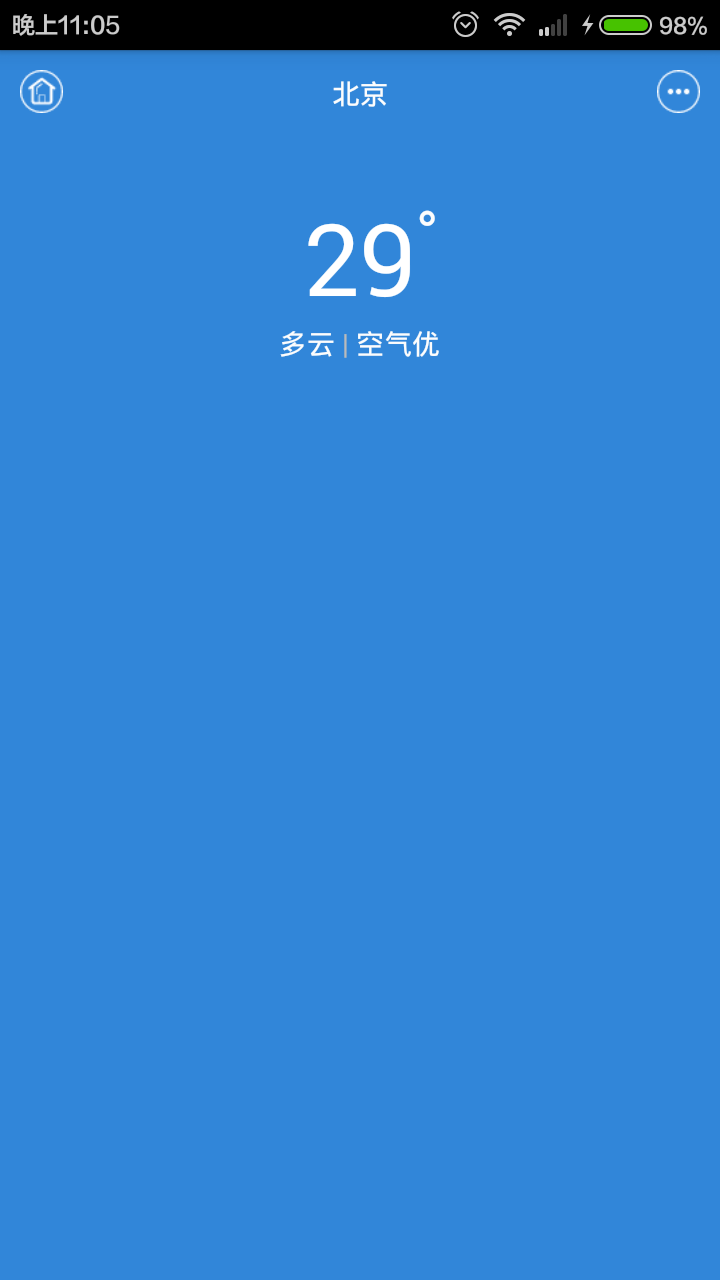
[android] 天氣app布局練習主要練習一下RelativeLayout和LinearLayout
 Android官方開發文檔Training系列課程中文版:如何避免ANR?
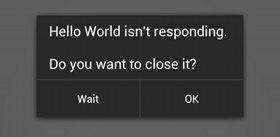
盡管你寫代碼可能通過了世界上所有的性能測試,但是它還是可能會讓人感覺到卡頓。當應用卡的不成樣子時,系統會給你彈一個”Application Not Respo