編輯:關於Android編程
今天學習”android中的撥號流程”,大部分情況,用戶是通過dialer輸入號碼,撥號通話的,那麼就從dialer開始吧。
DialpadFragment是撥打電話界面,當點擊撥打電話按鈕會回調其onClick方法:
public void onClick(View view) {
        switch (view.getId()) {
            case R.id.dialpad_floating_action_button:
                view.performHapticFeedback(HapticFeedbackConstants.VIRTUAL_KEY);
                handleDialButtonPressed();
                break;
            ....
        }
}
handleDialButtonPress方法中,主要代碼如下:
private void handleDialButtonPressed() {
    ....
    final Intent intent = CallUtil.getCallIntent(number);
    if (!isDigitsShown) {
       // must be dial conference add extra
       intent.putExtra(EXTRA_DIAL_CONFERENCE_URI, true);
    }
    intent.putExtra(ADD_PARTICIPANT_KEY, mAddParticipant && isPhoneInUse());
    DialerUtils.startActivityWithErrorToast(getActivity(), intent);
    hideAndClearDialpad(false);
    ....

}
可以看到這裡構造了一個intent,並且啟動了該intent對應的activity
public static Intent getCallIntent(String number) {
    return getCallIntent(getCallUri(number));
}

public static Intent getCallIntent(Uri uri) {
    return new Intent(Intent.ACTION_CALL, uri);
}
Intent.ACTION_CALL這樣的action對應的是/packages/services/Telephony模塊中的OutgoingCallBroadcaster類,該類是一個activity
此時程序進入了OutgoingCallBroadcaster類
@Override
protected void onCreate(Bundle icicle) {
        super.onCreate(icicle);
        setContentView(R.layout.outgoing_call_broadcaster);
        ....
        // 調用processIntent處理傳遞過來的intent
        processIntent(intent);
    ....
}
processIntent方法主要處理下面三種action
CALL (action for usual outgoing voice calls)CALL_PRIVILEGED (can come from built-in apps like contacts / voice dialer / bluetooth)CALL_EMERGENCY (from the EmergencyDialer that’s reachable from the lockscreen.)對於數據為tel: URI的電話處理流程為:OutgoingCallReceiver -> SipCallOptionHandler ->InCallScreen.對於數據為sip: URI的網絡電話,則跳過NEW_OUTGOING_CALL廣播,直接調用SipCallOptionHandler ->InCallScreen對於數據為voicemail: URIs的語音信箱處理同電話處理流程類似
private void processIntent(Intent intent) {
        final Configuration configuration = getResources().getConfiguration();

        // 如果當前設備不具有語音通信能力,則直接返回
        if (!PhoneGlobals.sVoiceCapable) {
            handleNonVoiceCapable(intent);
            return;
        }

        String action = intent.getAction();
        String number = PhoneNumberUtils.getNumberFromIntent(intent, this);
        // Check the number, don't convert for sip uri
        if (number != null) {
            if (!PhoneNumberUtils.isUriNumber(number)) {
                number = PhoneNumberUtils.convertKeypadLettersToDigits(number);
                number = PhoneNumberUtils.stripSeparators(number);
            }
        } else {
            Log.w(TAG, "The number obtained from Intent is null.");
        }

        // 下面代碼獲取調用Intent.ACTION_CALL所在包,檢查當前包是否具有撥打電話的權限
        AppOpsManager appOps = (AppOpsManager)getSystemService(Context.APP_OPS_SERVICE);
        int launchedFromUid;
        String launchedFromPackage;
        try {
            // 獲取啟動"ACTION_CALL"的uid和package
            launchedFromUid = ActivityManagerNative.getDefault().getLaunchedFromUid(
                    getActivityToken());
            launchedFromPackage = ActivityManagerNative.getDefault().getLaunchedFromPackage(
                    getActivityToken());
        } catch (RemoteException e) {
            launchedFromUid = -1;
            launchedFromPackage = null;
        }
        // 若當前UID和所在的package不具有"OP_CALL_PHONE"權限,則直接返回
        if (appOps.noteOpNoThrow(AppOpsManager.OP_CALL_PHONE, launchedFromUid, launchedFromPackage)
                != AppOpsManager.MODE_ALLOWED) {
            Log.w(TAG, "Rejecting call from uid " + launchedFromUid + " package "
                    + launchedFromPackage);
            finish();
            return;
        }

        // 如果callNow是true,表示當前是一個類似於緊急撥號的特殊通話,此時直接開啟通話,就不會走NEW_OUTGOING_CALL
        boolean callNow;

        // 對於緊急號碼和非緊急號碼設置不同的action
        final boolean isExactEmergencyNumber =
                (number != null) && PhoneNumberUtils.isLocalEmergencyNumber(this, number);
        final boolean isPotentialEmergencyNumber =
                (number != null) && PhoneNumberUtils.isPotentialLocalEmergencyNumber(this, number);

        if (Intent.ACTION_CALL_PRIVILEGED.equals(action)) {
            if (isPotentialEmergencyNumber) {
                action = Intent.ACTION_CALL_EMERGENCY;
            } else {
                action = Intent.ACTION_CALL;
            }
            intent.setAction(action);
        }
         // 當用戶輸入的號碼為空的時候,intent.getBooleanExtra(EXTRA_SEND_EMPTY_FLASH, false) == true
         if (intent.getBooleanExtra(EXTRA_SEND_EMPTY_FLASH, false)) {
                PhoneUtils.sendEmptyFlash(PhoneGlobals.getPhone());
                finish();
                return;
            } else {
                callNow = true;
            }

        ....


        if (callNow) {
            // 如果是緊急號碼或者輸入的號碼合法,則直接跳轉到InCallScreen界面
            PhoneGlobals.getInstance().callController.placeCall(intent);
        }

        // 構造一個"ACTION_NEW_OUTGOING_CALL" intent
        Intent broadcastIntent = new Intent(Intent.ACTION_NEW_OUTGOING_CALL);
        if (number != null) {
            broadcastIntent.putExtra(Intent.EXTRA_PHONE_NUMBER, number);
        }
        CallGatewayManager.checkAndCopyPhoneProviderExtras(intent, broadcastIntent);
        broadcastIntent.putExtra(EXTRA_ALREADY_CALLED, callNow);
        broadcastIntent.putExtra(EXTRA_ORIGINAL_URI, uri.toString());
        broadcastIntent.addFlags(Intent.FLAG_RECEIVER_FOREGROUND);

        // 發送一個打電話超時的message
        mHandler.sendEmptyMessageDelayed(EVENT_OUTGOING_CALL_TIMEOUT,
                OUTGOING_CALL_TIMEOUT_THRESHOLD);
        // 主要會發送根據構造出的intent,發送一個有序廣播,並且在OutgoingCallReceiver中處理
        sendOrderedBroadcastAsUser(broadcastIntent, UserHandle.OWNER,
                android.Manifest.permission.PROCESS_OUTGOING_CALLS,
                AppOpsManager.OP_PROCESS_OUTGOING_CALLS,
                new OutgoingCallReceiver(),
                null,  // scheduler
                Activity.RESULT_OK,  // initialCode
                number,  // initialData: initial value for the result data
                null);  // initialExtras
}
public void placeCall(Intent intent) {
        ....
        if (!(Intent.ACTION_CALL.equals(action)
              || Intent.ACTION_CALL_EMERGENCY.equals(action)
              || Intent.ACTION_CALL_PRIVILEGED.equals(action))) {
            Log.wtf(TAG, "placeCall: unexpected intent action " + action);
            throw new IllegalArgumentException("Unexpected action: " + action);
        }

        // Check to see if this is an OTASP call (the "activation" call
        // used to provision CDMA devices), and if so, do some
        // OTASP-specific setup.
        Phone phone = mApp.mCM.getDefaultPhone();
        if (TelephonyCapabilities.supportsOtasp(phone)) {
            checkForOtaspCall(intent);
        }

        mApp.setRestoreMuteOnInCallResume(false);

        CallStatusCode status = placeCallInternal(intent);

        switch (status) {
            // Call was placed successfully:
            case SUCCESS:
            case EXITED_ECM:
                if (DBG) log("==> placeCall(): success from placeCallInternal(): " + status);
                break;

            default:
                log("==> placeCall(): failure code from placeCallInternal(): " + status);
                handleOutgoingCallError(status);
                break;
        }

        // 最終無論如何都會顯示InCallScreen,並且根據當前錯誤碼狀態顯示指定的錯誤提示信息
    }
private CallStatusCode placeCallInternal(Intent intent) {
    ....
    int callStatus = PhoneUtils.placeCall(mApp,
                                              phone,
                                              number,
                                              contactUri,
                                              (isEmergencyNumber || isEmergencyIntent),
                                              rawGatewayInfo,
                                              mCallGatewayManager);
    ....
}
public static int placeCall(Context context, Phone phone, String number, Uri contactRef,
            boolean isEmergencyCall, RawGatewayInfo gatewayInfo, CallGatewayManager callGateway) {
     ....
     int status = CALL_STATUS_DIALED;
     try {
            // 和RIL建立連接,mCM是PhoneGlobals的屬性同時是CallManager類型
            connection = app.mCM.dial(phone, numberToDial, VideoProfile.STATE_AUDIO_ONLY);
        } catch (CallStateException ex) {
            return CALL_STATUS_FAILED;
        }

      if (null == connection) {
            status = CALL_STATUS_FAILED;
      }

      //
      startGetCallerInfo(context, connection, null, null, gatewayInfo);

      // 設置音頻相關
      setAudioMode();

            final boolean speakerActivated = activateSpeakerIfDocked(phone);

            final BluetoothManager btManager = app.getBluetoothManager();

      if (initiallyIdle && !speakerActivated && isSpeakerOn(app)
                    && !btManager.isBluetoothHeadsetAudioOn()) {
                PhoneUtils.turnOnSpeaker(app, false, true);
      }
     ....

     return status;
}
public Connection dial(Phone phone, String dialString, int videoState)
            throws CallStateException {
        Phone basePhone = getPhoneBase(phone);
        int subId = phone.getSubId();
        Connection result;
        // 檢查當前手機狀態是否可以撥打電話
        if (!canDial(phone)) {
            String newDialString = PhoneNumberUtils.stripSeparators(dialString);
            if (basePhone.handleInCallMmiCommands(newDialString)) {
                return null;
            } else {
                throw new CallStateException("cannot dial in current state");
            }
        }
        result = basePhone.dial(dialString, videoState);
        return result;
}
basePhone是一個phone對象,大部分情況是Phone的一個代理類PhoneProxy,然後根據PhoneProxy的mActivePhone判斷具體是那個Phone的子類的實現,有可能是下面類型:
com/android/internal/telephony/gsm/GSMPhone.java
com.android.internal.telephony.cdma.CDMAPhone
com.android.internal.telephony.sip.SipPhone
....
private static Phone getPhoneBase(Phone phone) {
        if (phone instanceof PhoneProxy) {
            return phone.getForegroundCall().getPhone();
        }
        return phone;
}
@Override
public Connection
    dial(String dialString, int videoState) throws CallStateException {
        return dial(dialString, null, videoState, null);
    }

    @Override
    public Connection
    dial (String dialString, UUSInfo uusInfo, int videoState, Bundle intentExtras)
            throws CallStateException {
        ....
        return dialInternal(dialString, null, VideoProfile.STATE_AUDIO_ONLY, intentExtras);
}
@Override
    protected Connection
    dialInternal (String dialString, UUSInfo uusInfo, int videoState, Bundle intentExtras)
            throws CallStateException {

        // Need to make sure dialString gets parsed properly
        String newDialString = PhoneNumberUtils.stripSeparators(dialString);

        // handle in-call MMI first if applicable
        if (handleInCallMmiCommands(newDialString)) {
            return null;
        }

        // Only look at the Network portion for mmi
        String networkPortion = PhoneNumberUtils.extractNetworkPortionAlt(newDialString);
        GsmMmiCode mmi =
                GsmMmiCode.newFromDialString(networkPortion, this, mUiccApplication.get());
        // mCT是GsmCallTracker類對象,這裡調用GsmCallTracker#dial
        if (mmi == null) {
            return mCT.dial(newDialString, uusInfo, intentExtras);
        } else if (mmi.isTemporaryModeCLIR()) {
            return mCT.dial(mmi.mDialingNumber, mmi.getCLIRMode(), uusInfo, intentExtras);
        } else {
            mPendingMMIs.add(mmi);
            mMmiRegistrants.notifyRegistrants(new AsyncResult(null, mmi, null));
            mmi.processCode();
            return null;
        }
    }
synchronized Connection
    dial (String dialString, int clirMode, UUSInfo uusInfo, Bundle intentExtras)
            throws CallStateException {
     ....
    if ( mPendingMO.getAddress() == null || mPendingMO.getAddress().length() == 0
                || mPendingMO.getAddress().indexOf(PhoneNumberUtils.WILD) >= 0
        ) {
           // 無效的號碼
            pollCallsWhenSafe();
        } else {
            // Always unmute when initiating a new call
            setMute(false);
            // mCi是CommandsInterface接口,其具體的實現類是com.android.internal.telephony.RIL
            mCi.dial(mPendingMO.getAddress(), clirMode, uusInfo, obtainCompleteMessage());
        }
    ....


}
    public void
    dial(String address, int clirMode, UUSInfo uusInfo, Message result) {
        RILRequest rr = RILRequest.obtain(RIL_REQUEST_DIAL, result);

        rr.mParcel.writeString(address);
        rr.mParcel.writeInt(clirMode);

        if (uusInfo == null) {
            rr.mParcel.writeInt(0); // UUS information is absent
        } else {
            rr.mParcel.writeInt(1); // UUS information is present
            rr.mParcel.writeInt(uusInfo.getType());
            rr.mParcel.writeInt(uusInfo.getDcs());
            rr.mParcel.writeByteArray(uusInfo.getUserData());
        }

        if (RILJ_LOGD) riljLog(rr.serialString() + "> " + requestToString(rr.mRequest));

        send(rr);
    }
可以看到,最終也是通過send方法發送”EVENT_SEND”消息,給到自己處理,厲害了,天啦魯,居然和短信的發送走到同一條路上,然後就是交給modem去具體操作了。
1. com.android.dialer.dialpad.DialpadFragment#onClick
2. com.android.dialer.dialpad.DialpadFragment#handleDialButtonPressed
3. com.android.phone.OutgoingCallBroadcaster#processIntent
4. com.android.phone.CallController#placeCall
5. com.android.phone.CallController#placeCallInternal
6. com.android.phone.PhoneUtils#placeCall(android.content.Context, com.android.internal.telephony.Phone, java.lang.String, android.net.Uri, boolean, com.android.phone.CallGatewayManager.RawGatewayInfo, com.android.phone.CallGatewayManager)
7. com.android.internal.telephony.CallManager#dial(com.android.internal.telephony.Phone, java.lang.String, int)
8. com.android.internal.telephony.PhoneProxy#dial(java.lang.String, int)
9. 以GSMPhone為例
   com.android.internal.telephony.gsm.GSMPhone#dialInternal
10.com.android.internal.telephony.RIL#dial(java.lang.String, int, com.android.internal.telephony.UUSInfo, android.os.Message)
11.com.android.internal.telephony.RIL#send
發送msg = mSender.obtainMessage(EVENT_SEND, rr);這樣的message給到RILSender處理
 Android項目之無線點餐(2)--用戶登錄的客戶端和服務器端實現
一、服務器端實現 (1)創建動態服務器項目 個部分代碼如下: package com.lc.dao; import java.sql.Connection; imp
 Android 擺動的球體
導語首先,看一下效果可能各位在別處看到過類似的東西,我在微信的文章末尾看到有個玩意,感覺有意思,就用代碼實現一下。這篇文章主要把握寫代碼的思路展示一下。看到上圖,我想各位
 搭建android應用開發環境
首先你需要以下四個工具: 1.JDK (Java Development kit) 2.Eclipse 3.Android SDK(Software Developme
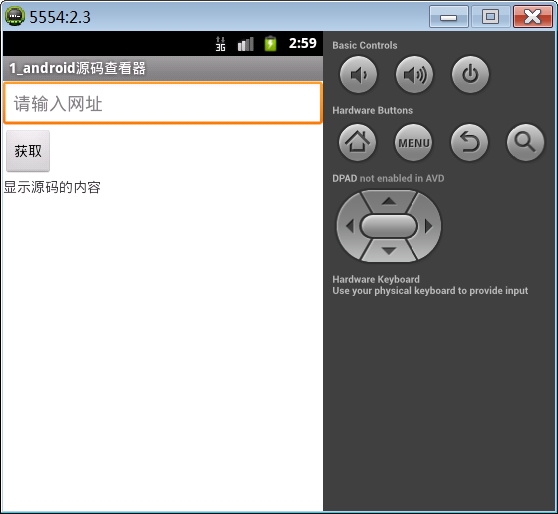 Android基礎第六篇(上)
1. 網頁源碼查看器網頁源碼查看器案例實現在EditText中輸入網址,點擊按鈕獲取,獲取到網頁源碼,顯示在TextView上。在IE浏覽器中,快捷鍵Shift+F12可