編輯:關於Android編程
Notification可以讓我們在獲得消息的時候,在狀態欄,鎖屏界面來顯示相應的信息;
// 默認通知 API16及之後可用
NotificationManager manager = (NotificationManager) getSystemService(Context.NOTIFICATION_SERVICE);
                PendingIntent pendingIntent3 = PendingIntent.getActivity(this, 0,
                        new Intent(this, MainActivity.class), 0);
                // 通過Notification.Builder來創建通知,注意API Level
                // API16之後才支持
                Notification notify3 = new Notification.Builder(this)
                        .setSmallIcon(R.drawable.message)
                        .setTicker("題目:" + "您有新短消息,請注意查收!")
                        .setContentTitle("Notification Title")
                        .setContentText("This is the notification message")
                        .setContentIntent(pendingIntent3).setNumber(1).build(); // 需要注意build()是在API
                // level16及之後增加的,API11可以使用getNotificatin()來替代
                notify3.flags |= Notification.FLAG_AUTO_CANCEL; // FLAG_AUTO_CANCEL表明當通知被用戶點擊時,通知將被清除。
                manager.notify(NOTIFICATION_FLAG, notify3);// 步驟4:通過通知管理器來發起通知。如果id不同,則每click,在status哪裡增加一個提示
Android的5.0
                NotificationManager manager = (NotificationManager) getSystemService(Context.NOTIFICATION_SERVICE);
                Notification.Builder builder = new Notification.Builder(this);
                Intent mIntent = new Intent(Intent.ACTION_VIEW, Uri.parse("http://blog.csdn.net/itachi85/"));
                PendingIntent pendingIntent = PendingIntent.getActivity(this, 0, mIntent, 0);
                builder.setContentIntent(pendingIntent);
                builder.setSmallIcon(R.drawable.message);
                builder.setLargeIcon(BitmapFactory.decodeResource(getResources(),     R.drawable.message));
                builder.setAutoCancel(true);
                builder.setContentTitle("普通通知");
                manager = (NotificationManager) getSystemService(NOTIFICATION_SERVICE);
                manager.notify(0, builder.build());
清除通知
                // 清除id為NOTIFICATION_FLAG的通知
                manager.cancel(NOTIFICATION_FLAG);
                // 清除所有的通知
                // manager.cancelAll();
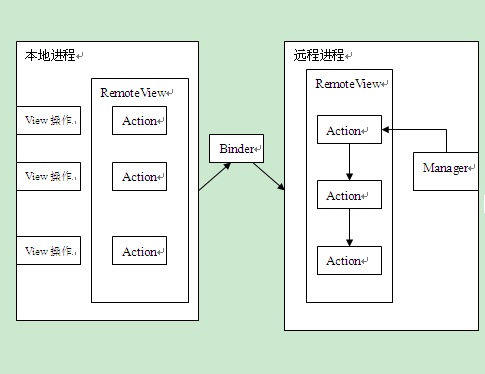 關於RemoteView的一點愚見(RemoteView在AppWidget中的工作流程)
前言由於公司環境惡劣,小菜鳥我本來想畫UML圖來顯示類與類之間的關系,可惜這個念頭無法達成,也只好用Word文檔來完成。待菜鳥我辭職了,再自己畫上UML圖和Gif動態圖,
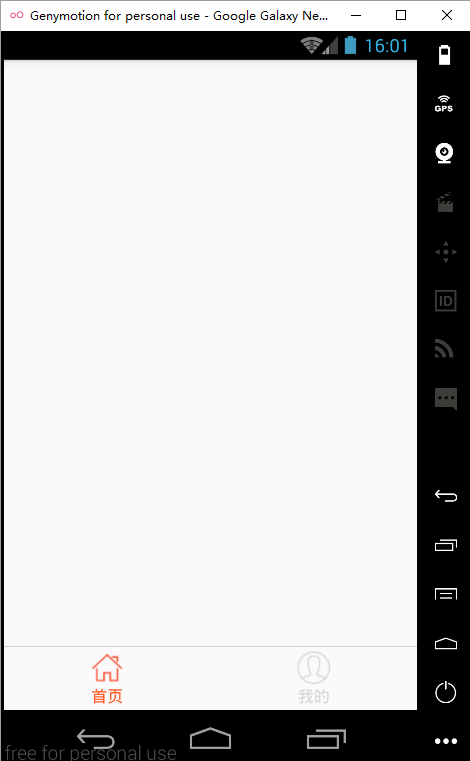 react native 實戰系列教程之Navigator實現頁面跳轉
主界面開發上一節,我們已經完成了首頁的開發,現在,我們繼續完成主界面的開發,就是添加底部‘首頁’和‘我的’兩個tabbar
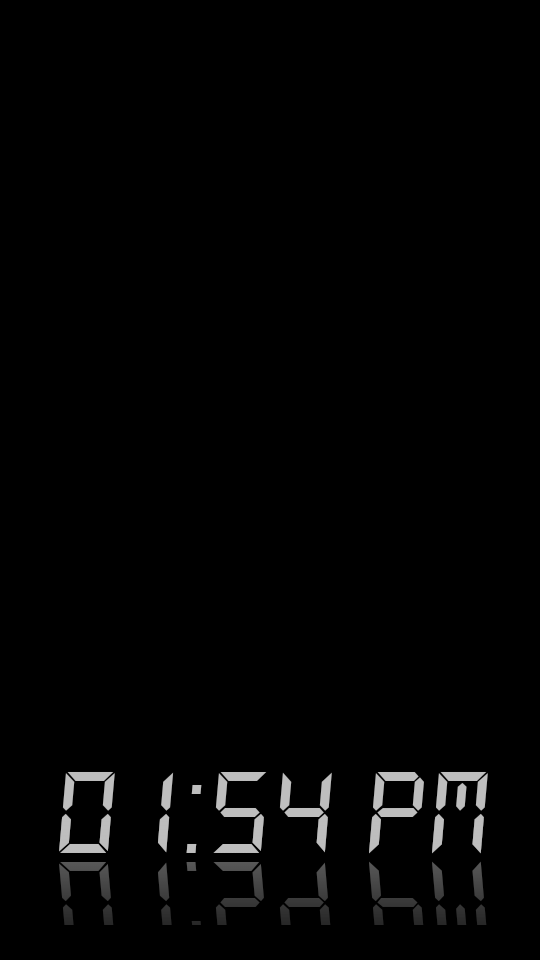 android顯示TextView文字的倒影效果實現代碼
今天記錄一下TextView的倒影效果,顯示一串文字,然後在文字的下方顯示出它的倒影,先上效果圖:最重要的就是View中getDrawingCache()方法,該方法可以
 Android開發之BroadcastReceiver詳解
BroadcastReceiver,顧名思義就是“廣播接收者”的意思,它是Android四大基本組件之一,這種組件本質上是一種全局的監聽器,用於監聽系統全局的廣播消息。它