編輯:關於Android編程
上節課我們學習了如何啟動一項由ThreadPoolExecutor所管理的線程任務。最後這節課我們將學習如何從任務中發送結果數據給UI線程。這項手段可以使任務在執行完畢後將結果顯示到UI中去。
每個APP擁有獨立的UI線程。只有在UI線程中創建的對象才可以訪問該線程中的其它對象。正因為運行任務的線程不是UI線程,所以它們不可以直接訪問UI對象。為了將數據從後台線程轉移到UI線程,需要使用運行在UI線程中的Handler對象。
Handler是Android系統框架管理線程的一部分。Handler對象專門用於接收消息處理消息。 一般來說,可以為新線程創建一個Handler,也可以為一個已經連接好的線程創建Handler。當你將Handler連接到UI線程時,處理消息的代碼都會運行在UI線程中。
在構建線程池的類的構造方法中實例化一個Handler對象,並將該對象的引用存儲於全局變量中。通過Handler(Looper)重載構造方法所實例化Handler可以與UI線程產生關聯。這個構造方法所使用的Looper參數是Android系統的線程管理框架的另一部分。當以指定的Looper實例初始化一個Handler對象時,Handler對象會運行在Looper對象所在的線程中。
private PhotoManager() {
...
    // Defines a Handler object that's attached to the UI thread
    mHandler = new Handler(Looper.getMainLooper()) {
    ...
在Handler內,重寫handleMessage()方法。Android系統會在Handler所管理的線程中接收到一條新的消息時回調該方法:
        /*
         * handleMessage() defines the operations to perform when
         * the Handler receives a new Message to process.
         */
        @Override
        public void handleMessage(Message inputMessage) {
            // Gets the image task from the incoming Message object.
            PhotoTask photoTask = (PhotoTask) inputMessage.obj;
            ...
        }
    ...
    }
}
為了將數據從後台進程轉移到UI進程,首先將數據的引用以及UI對象存儲於任務對象中。接下來,將該任務對象及狀態碼傳給由Handler對象所初始化的對象。在這個對象內,發送一條包含狀態碼的任務對象給Handler。因為Handler是運行在UI線程的,所以它可以將數據交給UI對象。
舉個例子,這裡有一個Runnable對象,運行於後台線程,它用於解碼一個Bitmap對象,並將其存儲於它所屬的對象PhotoTask中。該Runnable還會存儲一個狀態碼:DECODE_STATE_COMPLETED。
// A class that decodes photo files into Bitmaps
class PhotoDecodeRunnable implements Runnable {
    ...
    PhotoDecodeRunnable(PhotoTask downloadTask) {
        mPhotoTask = downloadTask;
    }
    ...
    // Gets the downloaded byte array
    byte[] imageBuffer = mPhotoTask.getByteBuffer();
    ...
    // Runs the code for this task
    public void run() {
        ...
        // Tries to decode the image buffer
        returnBitmap = BitmapFactory.decodeByteArray(
                imageBuffer,
                0,
                imageBuffer.length,
                bitmapOptions
        );
        ...
        // Sets the ImageView Bitmap
        mPhotoTask.setImage(returnBitmap);
        // Reports a status of "completed"
        mPhotoTask.handleDecodeState(DECODE_STATE_COMPLETED);
        ...
    }
    ...
}
...
PhotoTask還包含了一個用於展示Bitmap的ImageView的句柄。盡管引用Bitmap以及ImageView的是同一個對象,但是還是不能將Bitmap賦值給ImageView,因為當前並沒有處在UI線程中。
PhotoTask在層級內處於第二高度。它維護了圖像的解碼數據以及一個View對象。它會接收PhotoDecodeRunnable中的狀態碼,並將其傳給維護線程池以及Handler的那個對象。
public class PhotoTask {
    ...
    // Gets a handle to the object that creates the thread pools
    sPhotoManager = PhotoManager.getInstance();
    ...
    public void handleDecodeState(int state) {
        int outState;
        // Converts the decode state to the overall state.
        switch(state) {
            case PhotoDecodeRunnable.DECODE_STATE_COMPLETED:
                outState = PhotoManager.TASK_COMPLETE;
                break;
            ...
        }
        ...
        // Calls the generalized state method
        handleState(outState);
    }
    ...
    // Passes the state to PhotoManager
    void handleState(int state) {
        /*
         * Passes a handle to this task and the
         * current state to the class that created
         * the thread pools
         */
        sPhotoManager.handleState(this, state);
    }
    ...
}
PhotoManager收到從PhotoTask中發來的狀態碼,然後處理這個PhotoTask對象。因為狀態是TASK_COMPLETE,所以先創建一個Message,然後通過這個Message對象將狀態以及人物對象發送給Handler:
public class PhotoManager {
    ...
    // Handle status messages from tasks
    public void handleState(PhotoTask photoTask, int state) {
        switch (state) {
            ...
            // The task finished downloading and decoding the image
            case TASK_COMPLETE:
                /*
                 * Creates a message for the Handler
                 * with the state and the task object
                 */
                Message completeMessage =
                        mHandler.obtainMessage(state, photoTask);
                completeMessage.sendToTarget();
                break;
            ...
        }
        ...
    }
最後,在Handler.handleMessage()中檢查每條消息的狀態。如果消息的狀態為TASK_COMPLETE,那麼表明該任務已經終結,那麼Message中所包含的PhotoTask對象包含了一個Bitmap以及一個ImageView。因為Handler.handleMessage()是運行在UI線程的,所以它可以安全的將Bitmap賦給ImageView:
    private PhotoManager() {
        ...
            mHandler = new Handler(Looper.getMainLooper()) {
                @Override
                public void handleMessage(Message inputMessage) {
                    // Gets the task from the incoming Message object.
                    PhotoTask photoTask = (PhotoTask) inputMessage.obj;
                    // Gets the ImageView for this task
                    PhotoView localView = photoTask.getPhotoView();
                    ...
                    switch (inputMessage.what) {
                        ...
                        // The decoding is done
                        case TASK_COMPLETE:
                            /*
                             * Moves the Bitmap from the task
                             * to the View
                             */
                            localView.setImageBitmap(photoTask.getImage());
                            break;
                        ...
                        default:
                            /*
                             * Pass along other messages from the UI
                             */
                            super.handleMessage(inputMessage);
                    }
                    ...
                }
                ...
            }
            ...
    }
...
}
 DrySister看妹子應用(第一版)——3.圖片加載優化(寫個圖片緩存小框架)
1.一些BB上節我們把妹子圖片的數據來源從本地改成了解析Gank提供的接口數據,我們本節想對這個圖片加載類進行優化,比如加上顯示本地圖片的,另外還有一點就是緩存,我們現在
 Android 使用ViewPager自動滾動循環輪播效果
對Android 利用ViewPager實現圖片可以左右循環滑動效果,感興趣的朋友可以直接點擊查看內容詳情。主要介紹如何實現ViewPager自動播放,循環滾動的效果及使
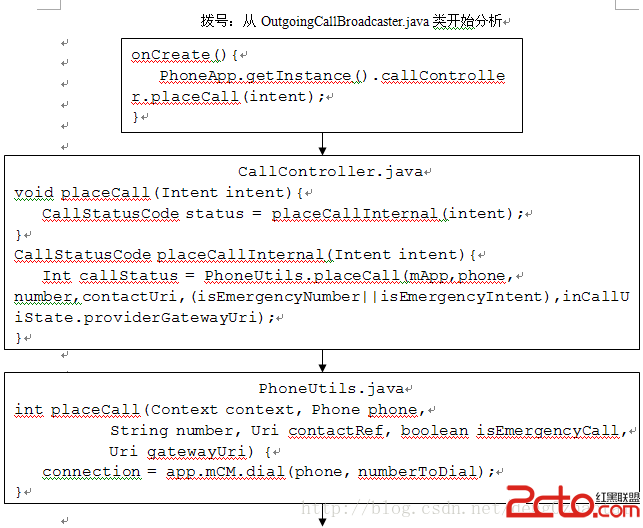 Android4.0(Phone)撥號啟動過程分析(三)與Framework層通信
由於Android幾乎所有的代碼都是公開的,如果要對Framework層分析就必需先拿到Framework層的代碼,我在前面已經搭建好了ubuntu14.04的環境,下載
 Android WebView 輸入框鍵盤不彈出
問題 在Android中使用內嵌的WebView加載HTML網頁時,如果html頁面中存在輸入框。那麼在有些手機設備中,當輸入框獲取焦點時,系統輸入法鍵盤無法正確彈出,從