編輯:關於Android編程
特點:
1)支持SPDY協議,共享一個socket來處理同一個服務器的所有請求。
2)無縫支持GZIP,來減少數據流量。
3)緩存相應數據來減少重復的網絡請求。
網絡協議:
SPDY(讀作“SPeeDY”)是Google開發的基於TCP的應用層協議,用以最小化網絡延遲,提升網絡速度,優化用戶的網絡使用體驗。SPDY並不是一種用於替代HTTP的協議,而是對HTTP協議的增強。新協議的功能包括數據流的多路復用、請求優先級以及HTTP報頭壓縮。(應用層Http、網絡層、傳輸層協議)
常用類:
OKHttpClient(客戶端對象)、
Request(訪問請求)、 RequestBody(請求實體對象)
Response(響應類)、 ResponseBody(響應結果類)
FormEncodingBuilder(表單構造器)、
MediaType(數據類型)
response.isSuccessful() response.body().string()
client.newCall(request)
Activity中的代碼:
package com.crs.demo.ui.okhttp;

import android.os.Bundle;
import android.view.View;
import android.widget.Button;
import android.widget.EditText;
import android.widget.TextView;

import com.crs.demo.R;
import com.crs.demo.base.BaseActivity;
import com.crs.demo.constant.UrlConstant;
import com.google.gson.Gson;
import com.squareup.okhttp.Request;
import com.squareup.okhttp.Response;

import org.json.JSONException;
import org.json.JSONObject;

import java.io.IOException;
import java.util.HashMap;

/**
 * Created on 2016/9/19.
 * Author:crs
 * Description:OKHttp網絡請求框架的使用
 */
public class OKHttpActivity extends BaseActivity implements View.OnClickListener {

    private Button btn_ok_http_get;
    private Button btn_ok_http_post;
    private TextView tv_ok_http_content;

    @Override
    protected void onCreate(Bundle savedInstanceState) {
        super.onCreate(savedInstanceState);
        setContentView(R.layout.activity_okhttp);

        initViews();
        initListener();

    }

    private void initViews() {
        btn_ok_http_get = findView(R.id.btn_ok_http_get);
        btn_ok_http_post = findView(R.id.btn_ok_http_post);
        tv_ok_http_content = findView(R.id.tv_ok_http_content);
    }

    private void initListener() {
        btn_ok_http_get.setOnClickListener(this);
        btn_ok_http_post.setOnClickListener(this);
    }

    @Override
    public void onClick(View v) {
        switch (v.getId()) {
            case R.id.btn_ok_http_get: {
                clickGet();
            }
            break;
            case R.id.btn_ok_http_post: {
                clickPost();
            }
            break;
        }
    }

    private void clickPost() {
        HttpUtils httpUtils = new HttpUtils();
        HashMap params = new HashMap<>();
        params.put("orderNo", "TH01587458");
        httpUtils.post(UrlConstant.ORDER_STATUS_POST, params, new HttpUtils.BaseCallBack() {
            @Override
            public void onSuccess(Response response, String json) {
                JSONObject jsonObject;
                try {
                    jsonObject = new JSONObject(json);
                    String status = jsonObject.getString("Status");
                    tv_ok_http_content.setText(status);
                } catch (JSONException e) {
                    e.printStackTrace();
                }
            }

            @Override
            public void onFail(Request request, IOException e) {

            }

            @Override
            public void onError(Response response, int code) {

            }
        });
    }

    private void clickGet() {
        HttpUtils httpUtils = new HttpUtils();
        httpUtils.get(UrlConstant.ORDER_STATUS, new HttpUtils.BaseCallBack() {
            @Override
            public void onSuccess(Response response, String json) {
                //使用json包解析  注意注解的使用
                Gson gson = new Gson();
                {
                    Entity entity = gson.fromJson(json, Entity.class);
                    AfterSaleType afterSaleType = entity.getAfterSaleType();
                    String shopService = afterSaleType.getShopService();
                    tv_ok_http_content.setText(shopService);
                }

                //只能使用內部類的形式去封裝對象,這樣就不會報錯
                {
                    //ResponseEntity responseEntity = gson.fromJson(json, ResponseEntity.class);
                    //ResponseEntity.AfterSaleType afterSaleType = responseEntity.getAfterSaleType();
                    //String shopService = afterSaleType.getShopServiceTousu();
                    //tv_ok_http_content.setText(shopService);
                }
            }

            @Override
            public void onFail(Request request, IOException e) {

            }

            @Override
            public void onError(Response response, int code) {

            }
        });
    }

}
網絡請求工具類HttpUtils中的代碼:
注意事項:
1)接口回調(回調結果到Activity中)。
2)子線程與主線程通訊。
3)OKHttp的兩個使用步驟。
package com.crs.demo.ui.okhttp;

import android.os.Handler;
import android.os.Looper;

import com.crs.demo.constant.IntConstant;
import com.crs.demo.utils.OKHttpUtils;
import com.google.gson.Gson;
import com.squareup.okhttp.Callback;
import com.squareup.okhttp.FormEncodingBuilder;
import com.squareup.okhttp.OkHttpClient;
import com.squareup.okhttp.Request;
import com.squareup.okhttp.RequestBody;
import com.squareup.okhttp.Response;

import java.io.IOException;
import java.util.HashMap;
import java.util.Map;
import java.util.Set;
import java.util.concurrent.TimeUnit;

/**
 * Created on 2016/9/19.
 * Author:crs
 * Description:網絡請求工具類的封裝
 */
public class HttpUtils {

    private OkHttpClient client;
    private Handler mHandler;

    public HttpUtils() {
        client = new OkHttpClient();
        //設置連接超時時間,在網絡正常的時候有效
        client.setConnectTimeout(IntConstant.REQUEST_TIME_OUT, TimeUnit.SECONDS);
        //設置讀取數據的超時時間
        client.setReadTimeout(IntConstant.REQUEST_TIME_OUT, TimeUnit.SECONDS);
        //設置寫入數據的超時時間
        client.setWriteTimeout(IntConstant.REQUEST_TIME_OUT, TimeUnit.SECONDS);

        //Looper.getMainLooper()  獲取主線程的消息隊列
        mHandler = new Handler(Looper.getMainLooper());
    }

    public void get(String url, BaseCallBack baseCallBack) {
        Request request = buildRequest(url, null, HttpMethodType.GET);
        sendRequest(request, baseCallBack);
    }


    public void post(String url, HashMap params, BaseCallBack baseCallBack) {
        Request request = buildRequest(url, params, HttpMethodType.POST);
        sendRequest(request, baseCallBack);

    }

    /**
     * 1)獲取Request對象
     *
     * @param url
     * @param params
     * @param httpMethodType 請求方式不同,Request對象中的內容不一樣
     * @return Request 必須要返回Request對象, 因為發送請求的時候要用到此參數
     */
    private Request buildRequest(String url, HashMap params, HttpMethodType httpMethodType) {
        //獲取輔助類對象
        Request.Builder builder = new Request.Builder();
        builder.url(url);

        //如果是get請求
        if (httpMethodType == HttpMethodType.GET) {
            builder.get();
        } else {
            RequestBody body = buildFormData(params);
            builder.post(body);
        }

        //返回請求對象
        return builder.build();
    }

    /**
     * 2)發送網絡請求
     *
     * @param request
     * @param baseCallBack
     */
    private void sendRequest(Request request, final BaseCallBack baseCallBack) {
        client.newCall(request).enqueue(new Callback() {
            @Override
            public void onFailure(Request request, IOException e) {
                callBackFail(baseCallBack,request, e);
            }

            @Override
            public void onResponse(Response response) throws IOException {
                if (response.isSuccessful()) {
                    String json = response.body().string();
                    //此時請求結果在子線程裡面,如何把結果回調到主線程裡?
                    callBackSuccess(baseCallBack,response, json);
                } else {
                    callBackError(baseCallBack,response, response.code());
                }
            }
        });
    }


    /**
     * 主要用於構建請求參數
     *
     * @param param
     * @return ResponseBody
     */
    private RequestBody buildFormData(HashMap param) {

        FormEncodingBuilder builder = new FormEncodingBuilder();
        //遍歷HashMap集合
        if (param != null && !param.isEmpty()) {
            Set> entries = param.entrySet();
            for (Map.Entry entity : entries) {
                String key = entity.getKey();
                String value = entity.getValue();
                builder.add(key, value);
            }
        }
        return builder.build();
    }

    //請求類型定義
    private enum HttpMethodType {
        GET,
        POST
    }

    //定義回調接口
    public interface BaseCallBack {
        void onSuccess(Response response, String json);

        void onFail(Request request, IOException e);

        void onError(Response response, int code);
    }


    //主要用於子線程和主線程進行通訊
   private void callBackSuccess(final BaseCallBack baseCallBack, final Response response, final String json){
       mHandler.post(new Runnable() {
           @Override
           public void run() {
               baseCallBack.onSuccess(response,json);
           }
       });
   }


    private void callBackError(final BaseCallBack baseCallBack, final Response response, final int code){
        mHandler.post(new Runnable() {
            @Override
            public void run() {
                baseCallBack.onError(response,code);
            }
        });
    }

    private void callBackFail(final BaseCallBack baseCallBack, final Request request, final IOException e){
        mHandler.post(new Runnable() {
            @Override
            public void run() {
                //相當於此run方法是在主線程執行的,可以進行更新UI的操作
                baseCallBack.onFail(request,e);
            }
        });
    }

}
注意事項:
1)使用注解@SerializedName("Code") 修改字段名
2)不要使用內部類嵌套的形式封裝實體模型
Entity模型
package com.crs.demo.ui.okhttp;

import com.google.gson.annotations.SerializedName;

/**
 * Created on 2016/9/19.
 * Author:crs
 * Description:請求結果實體模型
 */
public class Entity {
    @SerializedName("Code")
    private String code;
    @SerializedName("AfterSaleType")
    private AfterSaleType afterSaleType;

    public String getCode() {
        return code;
    }

    public void setCode(String code) {
        this.code = code;
    }

    public AfterSaleType getAfterSaleType() {
        return afterSaleType;
    }

    public void setAfterSaleType(AfterSaleType afterSaleType) {
        this.afterSaleType = afterSaleType;
    }
}
AfterSaleType模型:
package com.crs.demo.ui.okhttp;

import com.google.gson.annotations.SerializedName;

/**
 * Created on 2016/9/19.
 * Author:crs
 * Description:AfterSaleType實體模型
 */
public class AfterSaleType {
    @SerializedName("UnReceive")
    private String unReceive;
    @SerializedName("returnGoods")
    private String ReturnGoods;
    @SerializedName("ShopServiceTousu")
    private String ShopService;
    @SerializedName("ProductQuality")
    private String productQuality;
    @SerializedName("Invoice")
    private String invoice;
    @SerializedName("Other")
    private String other;

    public String getUnReceive() {
        return unReceive;
    }

    public void setUnReceive(String unReceive) {
        this.unReceive = unReceive;
    }

    public String getReturnGoods() {
        return ReturnGoods;
    }

    public void setReturnGoods(String returnGoods) {
        ReturnGoods = returnGoods;
    }

    public String getShopService() {
        return ShopService;
    }

    public void setShopService(String shopService) {
        ShopService = shopService;
    }

    public String getProductQuality() {
        return productQuality;
    }

    public void setProductQuality(String productQuality) {
        this.productQuality = productQuality;
    }

    public String getInvoice() {
        return invoice;
    }

    public void setInvoice(String invoice) {
        this.invoice = invoice;
    }

    public String getOther() {
        return other;
    }

    public void setOther(String other) {
        this.other = other;
    }
}
 手機qq怎麼導出聊天記錄 手機QQ聊天記錄在哪個文件夾
手機qq聊天記錄裡有重要的信息要怎麼導出?手機qq聊天記錄保存在哪個文件夾,我們一起來看看吧!手機qq導出聊天記錄方法:一、導出與好友的聊天記錄: 操作方
 android 打造炫酷導航欄(仿UC頭條)
年後開始上班甚是清閒,所以想搗鼓一些東西。在翻閱大神傑作Android 教你打造炫酷的ViewPagerIndicator 不僅僅是高仿MIUI的時候看到下面有一條評論說
 Android研究之屬性動畫(Property Animation)完全解析詳解下
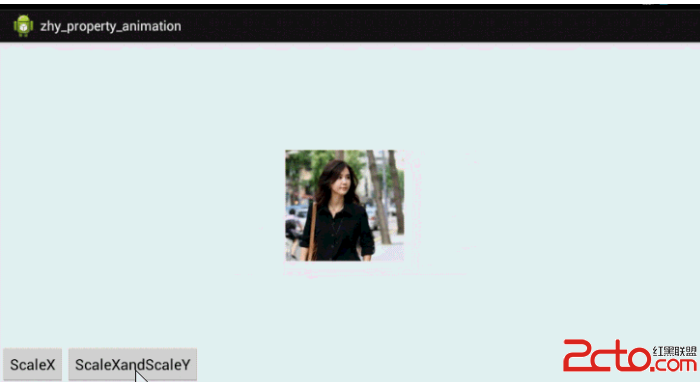
?? 上一篇Android研究之屬性動畫(Property Animation)完全解析詳解上已經基本展示了屬性動畫的核心用法: ObjectAnimator實現動畫,V
 unity3d發布apk在android虛擬機中運行的詳細步驟(unity3d導出android apk)
unity3d發布apk在android虛擬機中運行的詳細步驟(unity3d導出android apk),總的流程分為以下6個步驟:1、安裝java_jdk2、配置ja