編輯:關於Android編程
在textView的背景加上矩形的效果
public class TestView extends TextView {

    public TestView(Context context) {
        super(context);
    }

    @Override
    protected void onDraw(Canvas canvas) {
        Paint paint1 = new Paint();
        paint1.setColor(getResources().getColor(android.R.color.holo_blue_light));
        paint1.setStyle(Paint.Style.FILL);
        Paint paint2 = new Paint();
        paint2.setColor(Color.YELLOW);
        paint2.setStyle(Paint.Style.FILL);
        canvas.drawRect(0,0,getMeasuredWidth(),getMeasuredHeight(),paint1);
        canvas.drawRect(10,10,getMeasuredWidth()-10,getMeasuredHeight()-10,paint2);
        canvas.save();
        canvas.translate(10,0);
        super.onDraw(canvas);
        canvas.restore();
    }
}
public class TestView extends TextView {

    public TestView(Context context) {
        super(context);
    }

    @Override
    protected void onDraw(Canvas canvas) {
        Paint paint1 = new Paint();
        paint1.setColor(getResources().getColor(android.R.color.holo_blue_light));
        paint1.setStyle(Paint.Style.FILL);
        Paint paint2 = new Paint();
        paint2.setColor(Color.YELLOW);
        paint2.setStyle(Paint.Style.FILL);
        canvas.drawRect(0,0,getMeasuredWidth(),getMeasuredHeight(),paint1);
        canvas.drawRect(10,10,getMeasuredWidth()-10,getMeasuredHeight()-10,paint2);
        canvas.save();
        canvas.translate(10,0);
        super.onDraw(canvas);
        canvas.restore();
    }
}
 CoreText(五):省略號
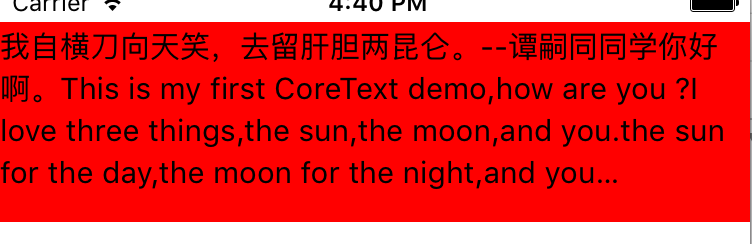
直接附代碼:#import "MyView.h"#import // 行距const CGFloat kGlobalLineLeading = 5.0
 Android圖片選擇器 豐富的配置選項
最近也是剛好項目用到,於是就動手寫了一個Android 圖片選擇器的庫。支持圖庫多選/單選/圖片裁剪/拍照/自定義圖片加載庫,極大程度的簡化使用。截圖優點1、通過實現Im
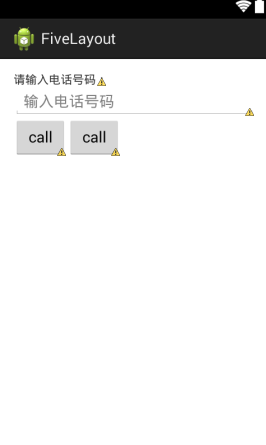 Android開發-之五大布局詳解
在html中大家都知道布局是什麼意思了,簡單來說就是將頁面劃分模塊,比如html中的div、table等。那麼Android中也是這樣的。Android五大布局讓界面更加
 Windows下搭建Android開發環境
工具/原料JDKEclipseADTJDK的安裝和Java環境變量的設置1、JDK下載地址 JDK下載地址:http://www.or