編輯:關於Android編程
Picasso(Context context, Dispatcher dispatcher, Cache cache, Listener listener,
      RequestTransformer requestTransformer, List extraRequestHandlers, Stats stats,
      Bitmap.Config defaultBitmapConfig, boolean indicatorsEnabled, boolean loggingEnabled) {
    this.context = context;
    this.dispatcher = dispatcher;
    this.cache = cache;
    this.listener = listener;
    this.requestTransformer = requestTransformer;
    this.defaultBitmapConfig = defaultBitmapConfig;

    int builtInHandlers = 7; // Adjust this as internal handlers are added or removed.
    int extraCount = (extraRequestHandlers != null ? extraRequestHandlers.size() : 0);
    List allRequestHandlers =
        new ArrayList(builtInHandlers + extraCount);

    // ResourceRequestHandler needs to be the first in the list to avoid
    // forcing other RequestHandlers to perform null checks on request.uri
    // to cover the (request.resourceId != 0) case.
    allRequestHandlers.add(new ResourceRequestHandler(context));
    if (extraRequestHandlers != null) {
      allRequestHandlers.addAll(extraRequestHandlers);
    }
    allRequestHandlers.add(new ContactsPhotoRequestHandler(context));
    allRequestHandlers.add(new MediaStoreRequestHandler(context));
    allRequestHandlers.add(new ContentStreamRequestHandler(context));
    allRequestHandlers.add(new AssetRequestHandler(context));
    allRequestHandlers.add(new FileRequestHandler(context));
    allRequestHandlers.add(new NetworkRequestHandler(dispatcher.downloader, stats));
    requestHandlers = Collections.unmodifiableList(allRequestHandlers);

    this.stats = stats;
    this.targetToAction = new WeakHashMap
在Picasso構造的過程中:啟動了一個線程CleanupThread
private static class CleanupThread extends Thread {
    private final ReferenceQueue
CleanupThread線程裡面是有一個while(true){}循環,這個就會在手機鎖屏後持續運行一段時間才會被掛起的,這個過程就增加了耗電,然後打開查看CPU使用情況,發現app一直被占用一點點,正常情況下,app的退到後台後,cpu應該是不會一直被占用的,如下圖:
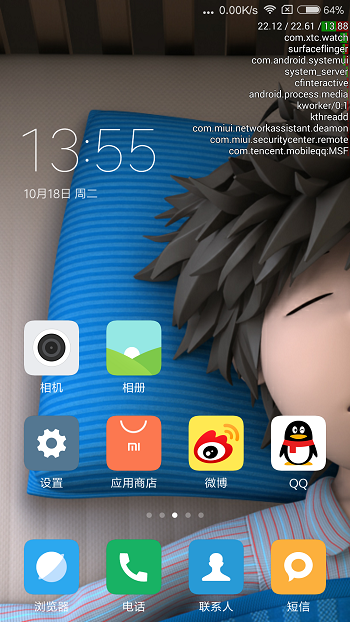
包名com.xtc.watch在退到後台之後仍然在占用CPU的資源執行一些東西,然後打開AndroidStudio,查看monitor裡面的cpu的方法跟蹤功能(Start method tracing)
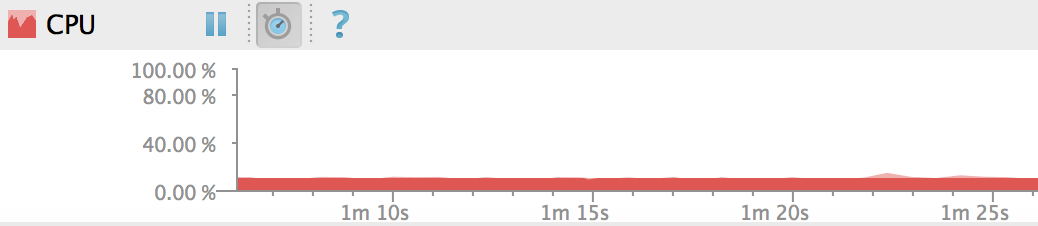 ,紅色部分就表示cpu被占用的比例,過一段時間後再次點擊Start Method Tracing按鈕停止方法跟蹤,然後AndroidStudio會自動生成一個後綴名為.trace的分析文件:

上圖中Thread後面的是執行方法所在線程的名稱,Wall Clock Time表示程序從運行到終止所花費的時間,Thread Time是線程執行的時長,CPU Time是CPU的運行時間,在Thread列表裡面的就表示在方法跟蹤期間有執行過的線程,下面有顏色的長條是線程執行的時間信息Wall clock time和cpu time,如果在程序退到後台,手機鎖屏後,仍然不斷有程序裡面的線程在跑,那麼就存在了耗電風險了,你想想,程序退到後台,手機鎖屏了,這時候所有程序線程有在方法跟蹤期間的縣城都已經展示出來了,如果發現程序耗電,很可能就是由於線程還在不斷的運行造成的
- 在Service裡面執行一些循環代碼,也
可能造成耗電;如果Service是前台Service,那Service的進程優先級會比較高,或者是一些後台常駐Service,在這些Service執行無限循環的代碼,耗電耗到手機發燙:
public class PushService extends Service {

    private static final String tag = PushService.class.getSimpleName();

    private ExecutorService executorService = Executors.newSingleThreadExecutor();

    private Queue taskQueue = new LinkedList<>();

    @Override
    public void onCreate() {
        super.onCreate();
        Log.i(tag, this.getPackageName() + ":" + this.getClass().getSimpleName() + " onCreate.");
        Runnable task = null;
        while (!executorService.isShutdown()) {
            if ((task = taskQueue.poll()) != null) {
                task.run();
            }
        }
    }

    @Override
    public void onDestroy() {
        super.onDestroy();
        Log.i(tag, this.getPackageName() + ":" + this.getClass().getSimpleName() + " onDestroy.");
        executorService.shutdownNow();
    }
}
while循環裡面的poll()方法並不是阻阻塞的,因此會一直重復的跑這段代碼導致CUP即使在手機鎖屏的時候仍然高速的在運行著循環代碼
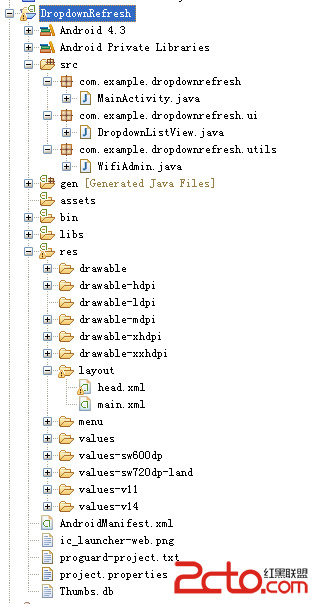 Android常用控件之下拉刷新Wifi列表
有些列表信息需要手動去更新,此時比較常用的就是下拉刷新列表,在這裡就使用下拉列表來刷新當前Wifi信息 目錄結構 界面 關鍵代碼 下拉列表類 p
 OPENGL---Ps 徑向模糊算法(glsl)
功能本人之前也介紹過,但是這裡轉載,是因為這個版本是Opengl實現的,大家可以看一下,也可以順便學習一下Opengl。Opengl 實現徑向模糊,可用於實現放射性效果:
 Android中的Touch事件
Activity或View類的onTouchEvent()回調函數會接收到touch事件。一個完整的手勢是從ACTION_DOWN開始,到ACTION_UP結束。簡單的情
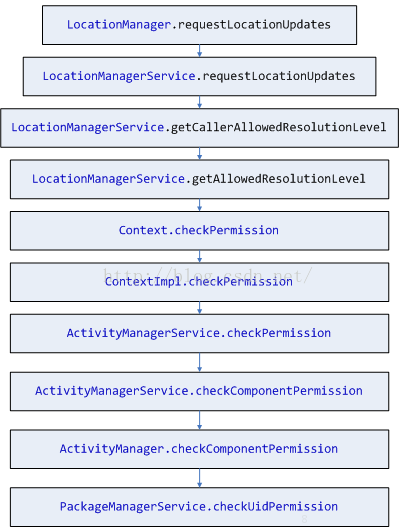 Android 6.0 Runtime permission
Android版本升級到6.0之後,為了一改往日安全受人诟病的形象,將權限授權的安裝時授予的基礎上,對於一部分危險的權限采用動態控制授權的方式。類似國內手機安全助手權限控