編輯:關於Android編程
	public void getCharAndNumr()
	{
	   // String val = "",va="";
		String a="",b="",c="",d="";

	    Random random = new Random();
//	    for(int i = 0; i < 1; i++)
//	    {
	       // String charOrNum = random.nextInt(2) % 2 == 0 ? "char" : "num"; // 輸出字母還是數字


	        //  if("char".equalsIgnoreCase(charOrNum)) // 字符串
	       // if(true)
	        //{
	            int choice = random.nextInt(2) % 2 == 0 ? 65 : 97; //取得大寫字母還是小寫字母
	            //a += (char) (choice + random.nextInt(26));
	            b += (char) (choice + random.nextInt(26));
	            choice = random.nextInt(2) % 2 == 0 ? 65 : 97; //取得大寫字母還是小寫字母
		        a += (char) (choice + random.nextInt(26));
	       // }
	     //  else if("num".equalsIgnoreCase(charOrNum)) // 數字
//	    	 if(true)
//	        {
//	            //val += String.valueOf(random.nextInt(10));
//	    	   int choice = random.nextInt(2) % 2 == 0 ? 65 : 97; //取得大寫字母還是小寫字母
//	           a += (char) (choice + random.nextInt(26));
//	           // b += (char) (choice + random.nextInt(26));
//
//	        }
	        TextView tw1=(TextView) findViewById(R.id.textView3);
		   // String a="",b="";
			 c = String.valueOf((int)(Math.random() * 9+1)) ;
			 d = String.valueOf((int)(Math.random() * 9+1)) ;
			 tw1.setText(a+""+c+""+b+""+d+"");
	 //   }

			// ContentValues values = new ContentValues();
			 //values.put("name", tw1.getText().toString());
			// db.insert("tb_1", null, values);

}  Android xml實現animation的4種動畫效果實例代碼
animation有四種動畫類型:分別為alpha(透明的漸變)、rotate(旋轉)、scale(尺寸伸縮)、translate(移動),二實現的分發有兩種,一種是ja
 Android藍牙完全學習手冊
1.前言市面上關於Android的技術書籍很多,幾乎每本書也都會涉及到藍牙開發,但均是上層應用級別的,而且篇幅也普遍短小。對於手機行業的開發者,要進行藍牙模塊的維護,就必
 Android自定義View—帶有刪除按鈕的EditText
MainActivity如下: package cc.textview5; import android.os.Bundle; import android.tex
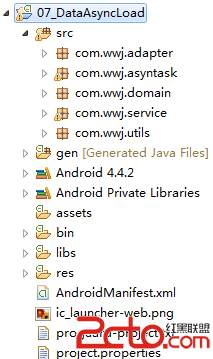 Android-搭建簡單服務端+ListView異步加載數據
Android-搭建簡單服務端+ListView異步加載數據2014年5月6日 本篇博文帶給大家的是教大家如何在MyEclipse中搭建一個服務端,並通過手機端與其通信,