編輯:關於Android編程

//
//  LCBusinessTableViewController.m
//  口碑頁面
//
//  Copyright ? 2016年 LongChuang. All rights reserved.
//

#import "LCBusinessTableViewController.h"
#import "LCBusinessData.h"
#import "LCMyBusinessTableViewCell.h"
@interface LCBusinessTableViewController ()

@end

@implementation LCBusinessTableViewController

{
    NSArray *_lcBusinessData;
}

- (void)viewDidLoad {
    [super viewDidLoad];

    _lcBusinessData = [self loadBusinessData];
    // 清空分割線的內邊距
    self.tableView.separatorInset = UIEdgeInsetsZero;
    // 添加頭部廣告
    [self setupTableHeaderView];
    // 添加尾巴
    [self setupTableFooterView];
}

- (void)setupTableHeaderView {
    UINib *nib = [UINib nibWithNibName:@"MyBusinessXib" bundle:nil];
    UIView *headerView = [[nib instantiateWithOwner:nil options:nil] firstObject];
    // xib的寬
    CGFloat xibW = headerView.bounds.size.width;
    // xib的高
    CGFloat xibH = headerView.bounds.size.height;
    // tableView的寬
    CGFloat tableViewW = self.tableView.bounds.size.width;
    // xib的高 3 * tableView的寬 4  / xib的寬 2 得到比率縮放之後的headerView的真實高度
    CGFloat headerRealHeight = xibH * tableViewW / xibW;
    headerView.frame = CGRectMake(0, 0, 0, headerRealHeight);
    // 設置tableView的頭部視圖
    self.tableView.tableHeaderView = headerView;
}
- (void)setupTableFooterView {
    UIButton *loadMoreDataBtn = [[UIButton alloc] init];
    [loadMoreDataBtn setTitle:@"加載更多" forState:UIControlStateNormal];
    [loadMoreDataBtn setTitleColor:[UIColor darkGrayColor] forState:UIControlStateNormal];
    [loadMoreDataBtn setTitleColor:[UIColor grayColor] forState:UIControlStateHighlighted];

    loadMoreDataBtn.frame = CGRectMake(0, 0, 0, 30);
    // 設置按鈕中的字體顏色
    loadMoreDataBtn.titleLabel.font = [UIFont systemFontOfSize:13];
    //    loadMoreDataBtn.backgroundColor = [UIColor lightGrayColor];

    // 設置灰度 如果想要白色就傳1  如果想要純黑傳0
    loadMoreDataBtn.backgroundColor = [UIColor colorWithWhite:0.9 alpha:1];

    // 給按鈕添加監聽事件
    [loadMoreDataBtn addTarget:self action:@selector(loadMoreDataBtnClick) forControlEvents:UIControlEventTouchUpInside];
    // 設置tableView尾部視圖
    self.tableView.tableFooterView = loadMoreDataBtn;


}
- (void)loadMoreDataBtnClick {

    // 創建控制器
    UIViewController *test = [[UIViewController alloc] init];
    test.view.backgroundColor = [UIColor yellowColor];
    // 跳轉到test控制器
    [self.navigationController pushViewController:test animated:YES];
}

// 返回有多少行
- (NSInteger)tableView:(UITableView *)tableView numberOfRowsInSection:(NSInteger)section {
    return _lcBusinessData.count;
}


// 每一組的每一行顯示什麼內容
- (UITableViewCell *)tableView:(UITableView *)tableView cellForRowAtIndexPath:(NSIndexPath *)indexPath {

    // 1.創建cell
    LCMyBusinessTableViewCell *cell = [tableView dequeueReusableCellWithIdentifier:@"business" forIndexPath:indexPath];
    // 2.設置cell內部子控件的數據
    cell.lcBusinessdata = _lcBusinessData[indexPath.row];
    // 3.返回cell
    return cell;
}

-(NSArray *)loadBusinessData
{
    // 通過url讀取字典數據
    NSArray *arr = [NSArray arrayWithContentsOfURL:[[NSBundle mainBundle] URLForResource:@"business.plist" withExtension:nil]];

    NSMutableArray *arrM = [NSMutableArray arrayWithCapacity:arr.count];
    for (NSDictionary *dict in arr ) {
        [arrM addObject:[LCBusinessData businessWithDict:dict]];
    }
    return arrM.copy;
}


// 返回每一組的頭部標題
- (NSString *)tableView:(UITableView *)tableView titleForHeaderInSection:(NSInteger)section {
    return @"熱門推薦";
}

@end
模型層,用於保存解析的數據
// // LCBusinessData.h // 口碑頁面 // // Copyright ? 2016年 LongChuang. All rights reserved. // #import模型層,解析數據的方法實現#import "UIKit/UIkit.h" @interface LCBusinessData : NSObject //配圖 @property (nonatomic, copy) NSString *icon; // 店名 @property (nonatomic, copy) NSString *name; // 優惠信息 @property (nonatomic, copy) NSString *discount; // 人均消費 @property (nonatomic, assign) CGFloat averagePrice; // 距離 @property (nonatomic, assign) CGFloat distance; // 打折 @property (nonatomic, assign) float offNum; // 評價 @property (nonatomic, assign) CGFloat level; +(instancetype)businessWithDict:(NSDictionary *)dict; @end
//
//  LCBusinessData.m
//  口碑頁面
//
//  Copyright ? 2016年 LongChuang. All rights reserved.
//

#import "LCBusinessData.h"


@implementation LCBusinessData


+(instancetype)businessWithDict:(NSDictionary *)dict
{
    id obj = [[self alloc]init];
    [obj setValuesForKeysWithDictionary:dict];
    return obj;
}
@end
自定義視圖中星級UIView的自定義聲明和實現
// // LCLevelView.h // 外賣星級顯示 // // Copyright ? 2016年 LongChuang. All rights reserved. // #import/** * 應根據得到的數據自動生成不同圖案的星星圖片 */ @interface LCLevelView : UIView // 對外預留接口,根據傳入的數據,通過屬性的set方法,自動識別該生成何種星星 @property(nonatomic,assign)CGFloat level; @end
//
//  LCLevelView.m
//  外賣星級顯示
//
//  Copyright ? 2016年 LongChuang. All rights reserved.
//

#import "LCLevelView.h"

@implementation LCLevelView

-(void)setLevel:(CGFloat)level
{
    // 強轉獲取整數部分
    NSInteger grade = (NSInteger)level;

    // 根據整數部分生成全星圖片
    for (NSInteger i = 0; i < grade; i++) {
        [self createStartImage:@"full_star" position:i];
    }
    // 判斷是否需要生成半顆星圖片
    if (level - grade) {
        [self createStartImage:@"half_star" position:grade++];
    }

    // 生成空的星星
    for (NSInteger i = grade; i < 5; i++) {
        [self createStartImage:@"empty_star" position:i];
    }


}

-(void)createStartImage:(NSString *)imageName position:(NSInteger)position
{
    UIImageView *imageview = nil;
    // 當星級評分發生變化時,無需重新創建,直接更改原來5張的圖片名稱即可,修改名稱放到判斷條件外
    if (self.subviews.count == 5) {
        imageview = self.subviews[position];
    }else
    {
        // 設置坐標
        imageview = [[UIImageView alloc]init];
        CGRect startFrame = CGRectMake(0, 0, self.bounds.size.height, self.bounds.size.height);
        imageview.frame = CGRectOffset(startFrame, position * self.bounds.size.height, 0);
        // 創建出的圖片空間添加到自定義UIView
        [self addSubview:imageview];
    }

    // 無論是第幾次創建,都需要更換圖片
    imageview.image = [UIImage imageNamed:imageName];
}

@end


// // LCMyBusinessTableViewCell.h // 口碑頁面 // // 自定義cell的類 // Copyright ? 2016年 LongChuang. All rights reserved. // #import@class LCBusinessData; @interface LCMyBusinessTableViewCell : UITableViewCell // 定義模型數據,當接收數據的時候同過set方法設置模板上的數據 @property(nonatomic,strong)LCBusinessData *lcBusinessdata; @end
//
//  LCMyBusinessTableViewCell.m
//  口碑頁面
//
//  Created by Long on 16/8/11.
//  Copyright ? 2016年 LongChuang. All rights reserved.
//

#import "LCMyBusinessTableViewCell.h"
#import "LCBusinessData.h"
#import "LCLevelView.h"
@class LCLevelView;
@interface LCMyBusinessTableViewCell()
// 配圖
@property (weak, nonatomic) IBOutlet UIImageView *iconView;
// 店名
@property (weak, nonatomic) IBOutlet UILabel *nameLabel;
// 評分
@property (weak, nonatomic) IBOutlet UILabel *levelLabel;
// 人均消費
@property (weak, nonatomic) IBOutlet UILabel *averagePriceLabel;
// 打折
@property (weak, nonatomic) IBOutlet UILabel *offNumLabel;
// 距離
@property (weak, nonatomic) IBOutlet UILabel *distanceLabel;
// 優惠信息
@property (weak, nonatomic) IBOutlet UILabel *discountLabel;
// 減字label
@property (weak, nonatomic) IBOutlet UILabel *jian;
// 自定義星級
@property(weak,nonatomic)IBOutlet LCLevelView *levelStar;
@end

@implementation LCMyBusinessTableViewCell


-(void)setLcBusinessdata:(LCBusinessData *)lcBusinessdata
{
    _lcBusinessdata = lcBusinessdata;
    self.iconView.image = [UIImage imageNamed:lcBusinessdata.icon];
    self.nameLabel.text = lcBusinessdata.name;
    self.levelLabel.text = @(lcBusinessdata.level).description;
    self.averagePriceLabel.text = [NSString stringWithFormat:@"人均消費%.1f元",lcBusinessdata.averagePrice];
    // 如果是64位時CGFloat就是一個double 類型的數值在轉換成字符串時可能會出現靈異事件,如果出現就用float去替換
    self.offNumLabel.text = [NSString stringWithFormat:@"%@折", @(lcBusinessdata.offNum).description];
    self.distanceLabel.text = [NSString stringWithFormat:@"距離%.fm", lcBusinessdata.distance];
    self.discountLabel.text = lcBusinessdata.discount;
    // 自定義星星
    self.levelStar.level = lcBusinessdata.level;
}


/*
 layoutSubviews在以下情況下會被調用:
 1、init初始化不會觸發layoutSubviews
 但是是用initWithFrame 進行初始化時,當rect的值不為CGRectZero時,也會觸發
 2、addSubview會觸發layoutSubviews
 3、設置view的Frame會觸發layoutSubviews,當然前提是frame的值設置前後發生了變化
 4、滾動一個UIScrollView會觸發layoutSubviews
 5、旋轉Screen會觸發父UIView上的layoutSubviews事件
 6、改變一個UIView大小的時候也會觸發父UIView上的layoutSubviews事件
 */
- (void)layoutSubviews {
    [super layoutSubviews];

    self.jian.backgroundColor = [UIColor orangeColor];

}

@end
 C#程序員學習Android開發系列之按鈕事件的4種寫法
經過前兩篇blog的鋪墊,我們今天熱身一下,做個簡單的例子。目錄結構還是引用上篇blog的截圖。具體實現代碼:public class MainActivity exte
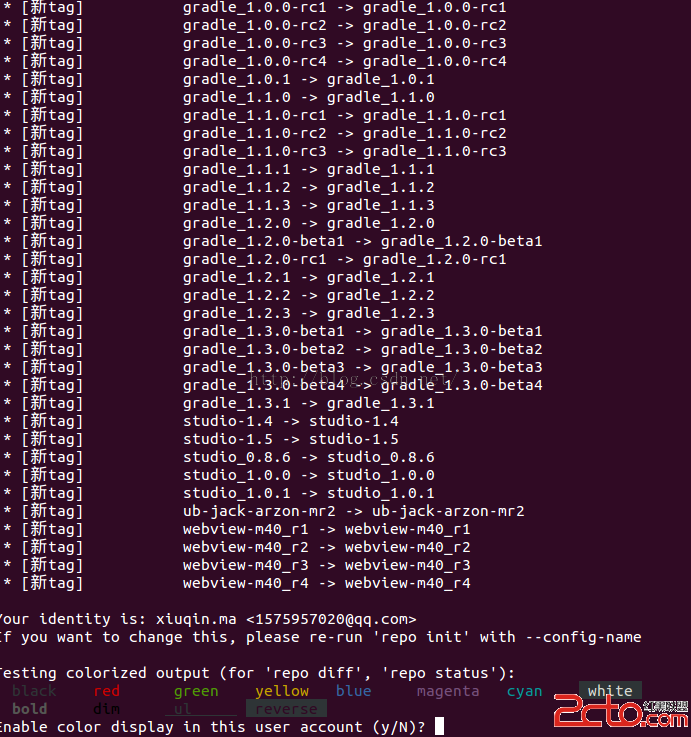 編譯android源碼4---ubuntu下載Android源代碼
1.下載repo信息mkdir ~/binPATH=~/bin:$PATH //放到環境變量中cd ~/bingit clone git://aosp.tuna.tsin
 【Android圖像處理】實現鏡面濾鏡的另一種方式
今天在慕課網看了一個視頻,介紹了幾種圖像處理的方法,其中有一種就是鏡面效果,但是他是通過自定義view的方式實現的,但是算法都大同小異。他的自定義view:package
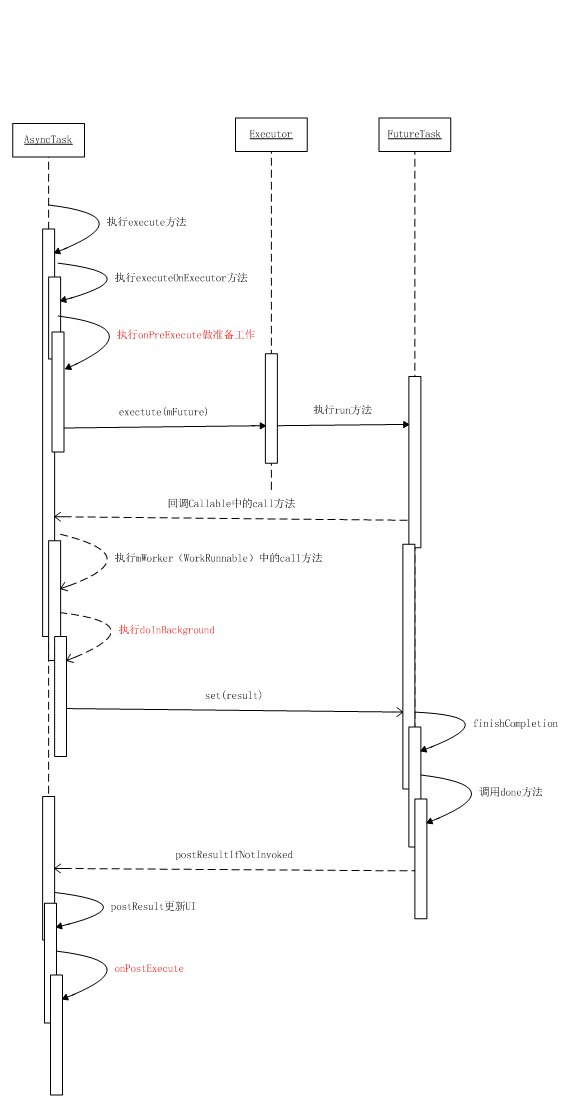 深入分析AsyncTask
1. 什麼是AsyncTaskAsyncTask 即 asynchronous task,異步任務。AsyncTask實際上是圍繞Thread和Handler設計的一個輔