編輯:關於Android編程
首先上效果圖


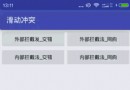
第一張圖是進入該界面的效果,頂部是一個viewpager,下面每個塊都是自定義的view HomeButton,第二張圖是點擊右邊第一個方塊的效果,點擊時方塊整體有收縮的效果,中間會顯示手印,手指抬起時又恢復原樣。
在之前的一篇文章已經詳細介紹了view的繪制流程,這裡不多說,除了知道view的繪制流程外,我們還應該落實到實處,要做好自定義view當然要熟悉drawable和canvas,多在這兩塊下功夫,然後可能需要加上一些小技巧,本文的例子主要是用canvas和matrix加上動畫做的效果,這裡貼一下關於Matrix的介紹。
Matrix的對圖像的處理可分為四類基本變換:
Translate 平移變換
Rotate 旋轉變換
Scale 縮放變換
Skew 錯切變換
除平移變換(Translate)外,旋轉變換(Rotate)、縮放變換(Scale)和錯切變換(Skew)都可以圍繞一個中心點來進行,如果不指定,在默認情況下是圍繞(0, 0)來進行相應的變換的。
針對每種變換,Android提供了pre、set和post三種操作方式。其中
set用於設置Matrix中的矩陣值。
pre是先乘,post是後乘,因為矩陣的乘法不滿足交換律,因此先乘、後乘必須要嚴格區分。先乘相當於矩陣運算中的右乘。後乘相當於矩陣運算中的左乘。
事實上,圖像處理時,矩陣的運算是從右邊往左邊方向進行運算的。這就形成了越在右邊的矩陣(右乘),越先運算(先乘),反之亦然。
post是後乘,當前的矩陣乘以參數給出的矩陣。可以連續多次使用post,來進行多種變換。例如,需要將圖片旋轉60度,然後平移到(100,,100)的地方,那麼可以這樣做:
Matrix m = new Matrix();
m.postRotate(60);
m.postTranslate(100,100);
這樣就達到了效果。
pre是前乘,參數給出的矩陣乘以當前的矩陣。上面的例子,如果使用pre的話就要這樣做:
Matrix m = new Matrix();
m.setTranslate(100,100);
m.preRotate(60);
HomeButton類,自定義view繼承ImageView
package com.chm.test.view;

import android.app.Activity;
import android.content.Context;
import android.content.res.TypedArray;
import android.graphics.Bitmap;
import android.graphics.BitmapFactory;
import android.graphics.Canvas;
import android.graphics.Color;
import android.graphics.Matrix;
import android.graphics.Paint;
import android.util.AttributeSet;
import android.view.MotionEvent;
import android.view.animation.Animation;
import android.view.animation.ScaleAnimation;
import android.widget.ImageView;

import com.chm.test.R;
import com.chm.test.myInterface.HomeClickListener;
import com.chm.test.utils.BitmapUtils;


public class HomeButton extends ImageView {


    private Bitmap bitmap;
    private Bitmap home_flight;
    private Bitmap label_new;
    private int state = 0; //是否按下

    private int color;
    private float textsize;
    private boolean big;
    private int home;
    private String text;

    private int screenW;
    private int screenH;

    //點擊事件
    private HomeClickListener listener = null;

    private int[] colors = {getResources().getColor(R.color.red),
            getResources().getColor(R.color.orange),
            getResources().getColor(R.color.blue),
            getResources().getColor(R.color.purple),
            getResources().getColor(R.color.air),
            getResources().getColor(R.color.texi),
            getResources().getColor(R.color.jingdian)};


    private Bitmap[] bitmaps = {
            BitmapFactory.decodeResource(getResources(), R.drawable.home_hotel),
            BitmapFactory.decodeResource(getResources(),
                    R.drawable.home_groupbuy),
            BitmapFactory.decodeResource(getResources(), R.drawable.home_train),
            BitmapFactory.decodeResource(getResources(),
                    R.drawable.home_lastmin),
            BitmapFactory
                    .decodeResource(getResources(), R.drawable.home_flight),
            BitmapFactory.decodeResource(getResources(), R.drawable.home_car),
            BitmapFactory.decodeResource(getResources(),
                    R.drawable.home_scenery)

    };

    public HomeButton(Context context) {
        super(context);
    }

    public HomeButton(Context context, AttributeSet attrs) {
        super(context, attrs);
        bitmap = BitmapUtils.zoomImage(BitmapFactory.decodeResource(
                getResources(), R.drawable.fingerprint), 127, 122);

        label_new = BitmapFactory.decodeResource(getResources(), R.drawable.label_new);
        TypedArray typedArray = context.obtainStyledAttributes(attrs,
                R.styleable.HomeButton);
        color = typedArray.getInt(R.styleable.HomeButton_backcolor, 0);
        textsize = typedArray.getDimension(R.styleable.HomeButton_textSize, 24);
        big = typedArray.getBoolean(R.styleable.HomeButton_big, true);
        home = typedArray.getInt(R.styleable.HomeButton_home, 0);
        text = typedArray.getString(R.styleable.HomeButton_text);
        System.out.println("color:" + color + " textsize:" + textsize + " big:"
                + big + " home:" + home);
        home_flight = bitmaps[home];

        screenW = ((Activity) context).getWindow().getWindowManager()
                .getDefaultDisplay().getWidth() / 2 - 16;
        if (big) {
            screenH = screenW;
        } else {
            screenH = screenW / 2 - 4;
        }
    }

    @Override
    protected void onMeasure(int widthMeasureSpec, int heightMeasureSpec) {
        // 重新設置View大小
        setMeasuredDimension(screenW, screenH);
    }

   /*
     * orange 2182F7 light red 7359EF 紫 B551A5 Blue CE8A39 air CEBE00 texi
    * 9CAA00 jingdian 00AA73
    */

    @Override
    protected void onDraw(Canvas canvas) {
        super.onDraw(canvas);

        canvas.drawColor(colors[color]);
        Paint paint = new Paint();
        paint.setColor(Color.WHITE);
        paint.setTextSize(24);
        if (big) {
            Matrix matrix = new Matrix();
            matrix.postTranslate(this.getWidth() / 2 - home_flight.getWidth()
                    / 2, this.getHeight() / 2 - home_flight.getHeight() / 2);
            canvas.drawText(text, 10, 40, paint);
            canvas.drawBitmap(home_flight, matrix, paint);
        } else {
            Matrix matrix_small = new Matrix();
            matrix_small.postTranslate(10, this.getHeight() / 2 - home_flight.getHeight() / 2);
            canvas.drawBitmap(home_flight, matrix_small, new Paint());
            if (home == 3) {
                paint.setTextSize(16);
                canvas.drawText("夜宵酒店", home_flight.getWidth() + 20, this.getHeight() / 2 - home_flight.getHeight() / 2 + 10, paint);
                canvas.drawText("加載中...", home_flight.getWidth() + 20, this.getHeight() / 2 + home_flight.getHeight() / 2, paint);
            } else if (home == 5) {
                paint.setTextSize(16);
                canvas.drawText("送機", home_flight.getWidth() + 20, this.getHeight() / 2 - home_flight.getHeight() / 2 + 10, paint);
                canvas.drawText("免費叫出租", home_flight.getWidth() + 20, this.getHeight() / 2 + home_flight.getHeight() / 2, paint);
            } else {
                canvas.drawText(text, home_flight.getWidth() + 20, this.getHeight() / 2 + home_flight.getHeight() / 2, paint);
            }
            if (home == 6) {
                Matrix matrix_new = new Matrix();
                matrix_new.postTranslate(screenW - label_new.getWidth(), 0);
                canvas.drawBitmap(label_new, matrix_new, new Paint());
            }

        }
        //按下
        if (state == 1) {
            Matrix matrix2 = new Matrix();
            matrix2.postTranslate(this.getWidth() / 2 - bitmap.getWidth() / 2,
                    this.getHeight() / 2 - bitmap.getHeight() / 2);
            canvas.drawBitmap(bitmap, matrix2, new Paint());
        }
    }

    @Override
    public boolean onTouchEvent(MotionEvent event) {
        float start = 1.0f;
        float end = 0.95f;
        Animation scaleAnimation = new ScaleAnimation(start, end, start, end,
                Animation.RELATIVE_TO_SELF, 0.5f, Animation.RELATIVE_TO_SELF,
                0.5f);
        Animation endAnimation = new ScaleAnimation(end, start, end, start,
                Animation.RELATIVE_TO_SELF, 0.5f, Animation.RELATIVE_TO_SELF,
                0.5f);
        scaleAnimation.setDuration(200);
        scaleAnimation.setFillAfter(true);
        endAnimation.setDuration(200);
        endAnimation.setFillAfter(true);
        switch (event.getAction()) {
            case MotionEvent.ACTION_DOWN:
                this.startAnimation(scaleAnimation);
                state = 1;
                invalidate();
                break;
            case MotionEvent.ACTION_UP:
                this.startAnimation(endAnimation);
                state = 0;
                invalidate();
                if (listener != null) {
                    listener.onclick();
                }
                break;
            // 滑動出去不會調用action_up,調用action_cancel
            case MotionEvent.ACTION_CANCEL:
                this.startAnimation(endAnimation);
                state = 0;
                invalidate();
                break;
        }
        // 不返回true,Action_up就響應不了
        return true;
    }

    /**
     * 加入響應事件
     *
     * @param clickListener
     */
    public void setOnHomeClick(HomeClickListener clickListener) {
        this.listener = clickListener;
    }

}
HomeClickListener接口
public interface HomeClickListener {

   public void onclick();
}
HotelActivity類
package com.chm.test;

import android.content.Intent;
import android.graphics.BitmapFactory;
import android.os.Bundle;
import android.support.v4.view.ViewPager;
import android.view.LayoutInflater;
import android.view.View;
import android.view.ViewGroup;
import android.widget.ImageView;
import android.widget.LinearLayout;
import android.widget.RelativeLayout;

import com.chm.mylibrary.BaseActivity;
import com.chm.test.adapter.ViewPagerAdapter;
import com.chm.test.myInterface.HomeClickListener;
import com.chm.test.utils.BitmapUtils;
import com.chm.test.view.HomeButton;

import java.util.ArrayList;
import java.util.List;

public class HotelActivity extends BaseActivity implements View.OnClickListener,ViewPager.OnPageChangeListener {
    private ViewPager vp;
    private ViewPagerAdapter vpAdapter;
    private List views;
    private int width;
    private int height;

    private RelativeLayout relativeLayout;


    // 引導圖片資源
    private static final int[] pics = { R.drawable.home1, R.drawable.home2,
            R.drawable.home3, R.drawable.home4 };

    // 底部小店圖片
    private ImageView[] dots;

    // 記錄當前選中位置
    private int currentIndex;
    private View view;


    @Override
    public void onCreate(Bundle savedInstanceState) {
        super.onCreate(savedInstanceState);

       setContentView(R.layout.index);

        HomeButton button  = (HomeButton) findViewById(R.id.hotel);
        button.setOnHomeClick(new HomeClickListener() {

            @Override
            public void onclick() {
                Intent intent     =new Intent();
                intent.setClass(HotelActivity.this, HotelActivity.class);
                startActivity(intent);
            }
        });

        //等到屏幕的大小
        width  = this.getWindowManager().getDefaultDisplay().getWidth();
        //以670*240的圖片為例,正常中不要這樣用
        height =width*240/670;
        relativeLayout       =(RelativeLayout) findViewById(R.id.relative);
        LinearLayout.LayoutParams layoutParams = (LinearLayout.LayoutParams) relativeLayout.getLayoutParams();
        layoutParams.width       =width;
        layoutParams.height       =height;
        relativeLayout.setLayoutParams(layoutParams);

        views = new ArrayList();

        LinearLayout.LayoutParams mParams = new LinearLayout.LayoutParams(
                LinearLayout.LayoutParams.WRAP_CONTENT,
                LinearLayout.LayoutParams.WRAP_CONTENT);

        // 初始化引導圖片列表
        for (int i = 0; i < pics.length; i++) {
            ImageView iv = new ImageView(this);
            iv.setLayoutParams(mParams);
            //改變大小
//       iv.setImageResource(pics[i]);
            iv.setImageBitmap(BitmapUtils.zoomImage(BitmapFactory.decodeResource(getResources(), pics[i]), width, height));
            views.add(iv);
        }
        vp = (ViewPager) findViewById(R.id.viewpager);

        RelativeLayout.LayoutParams params    = new RelativeLayout.LayoutParams(width, height);
        params.leftMargin=10;
        params.topMargin=10;
        params.rightMargin=10;
        vp.setLayoutParams(params);

        // 初始化Adapter
        vpAdapter = new ViewPagerAdapter(views);
        vp.setAdapter(vpAdapter);
        // 綁定回調
        vp.setOnPageChangeListener(this);

        // 初始化底部小點
        initDots();

    }

    private void initDots() {
        LinearLayout ll = (LinearLayout) findViewById(R.id.ll);
        dots = new ImageView[pics.length];

        // 循環取得小點圖片
        for (int i = 0; i < pics.length; i++) {
            dots[i] = (ImageView) ll.getChildAt(i);
            dots[i].setEnabled(true);// 都設為灰色
            dots[i].setOnClickListener(this);
            dots[i].setTag(i);// 設置位置tag,方便取出與當前位置對應
        }

        currentIndex = 0;
        dots[currentIndex].setEnabled(false);// 設置為白色,即選中狀態
    }

    /**
     * 設置當前的引導頁
     */
    private void setCurView(int position) {
        if (position < 0 || position >= pics.length) {
            return;
        }

        vp.setCurrentItem(position);
    }

    /**
     * 這只當前引導小點的選中
     */
    private void setCurDot(int positon) {
        if (positon < 0 || positon > pics.length - 1 || currentIndex == positon) {
            return;
        }

        dots[positon].setEnabled(false);
        dots[currentIndex].setEnabled(true);

        currentIndex = positon;
    }

    // 當滑動狀態改變時調用
    @Override
    public void onPageScrollStateChanged(int arg0) {

    }

    // 當當前頁面被滑動時調用
    @Override
    public void onPageScrolled(int arg0, float arg1, int arg2) {

        vp.requestDisallowInterceptTouchEvent(true);
    }

    // 當新的頁面被選中時調用
    @Override
    public void onPageSelected(int arg0) {
        // 設置底部小點選中狀態
        setCurDot(arg0);
    }

    @Override
    public void onClick(View view) {
        int position = (Integer) view.getTag();
        setCurView(position);
        setCurDot(position);
    }

}
布局文件index.xml
 Android基礎入門教程——10.1 TelephonyManager(電話管理器)
本節引言: 本章節是Android基礎入門教程的最後一章,主要講解是一些零零散散的一些知識點,以及一些遺漏 知識點的補充,這些零散的知識點包括,各
 RecyclerView.ItemAnimator終極解讀(三)--繼承DefaultItemAnimator實現自定義動畫
DefaultItemAnimator是Android OS中一個默認的RecyclerView動畫實現類,如果產品需求沒有特別復雜的動畫要求,可以使用DefaultIt
 RecyclerView的通用適配器的高級使用
前言博主由於項目中頻繁的使用了V7包中的RecyclerView來代替ListView的列表展示,所以抽空基於ListView的通用適配器的原理,給RecyclerVie
 微信網頁 第三方登錄原理詳解
微信開放平台和公眾平台的區別1.公眾平台面向的時普通的用戶,比如自媒體和媒體,企業官方微信公眾賬號運營人員使用,當然你所在的團隊或者公司有實力去開發一些內容,也可以調用公