編輯:關於Android編程
小輪子01的用途, 可以做提示窗, 也在很多直播的App中比較常見, 尾巴會放出實例工程.

聲明: 使用Facebook POP了.
- (instancetype)initWithFrame:(CGRect)frame
{

self = [super initWithFrame:frame];
if (self) {
self.backgroundColor = [[UIColor blackColor] colorWithAlphaComponent:0.3];
[self addSubview:self.flyView];
UITapGestureRecognizer *tapGes = [[UITapGestureRecognizer alloc] initWithTarget:self action:@selector(tapClickAction)];
[self addGestureRecognizer:tapGes];
}
return self;
}
- (UIView *)flyView
{
if (!_flyView) {
_flyView = [[UIView alloc] init];
}
return _flyView;
}
- (void)startFly:(FlyType)type
{
switch (type) {
case FlyTypeUToD:
{
_flyView.frame = CGRectMake(SCREEN_WIDTH_XT / 2 - self.fly_w / 2, -self.fly_h, self.fly_w, self.fly_h);
}
break;
case FlyTypeDToD:
{
_flyView.frame = CGRectMake(SCREEN_WIDTH_XT / 2 - self.fly_w / 2, SCREEN_HEIGHT_XT + self.fly_h, self.fly_w, self.fly_h);
}
default:
break;
}
_flyView.backgroundColor = [UIColor purpleColor];
POPSpringAnimation *anim = [POPSpringAnimation animationWithPropertyNamed:kPOPViewCenter];
anim.toValue = [NSValue valueWithCGPoint:self.center];
// 速度
anim.springSpeed = 5;
// 彈力--晃動的幅度 (springSpeed速度)
anim.springBounciness = 10.0f;
[_flyView pop_addAnimation:anim forKey:@"animationShow"];
}
- (void)tapClickAction
{
POPSpringAnimation *anim = [POPSpringAnimation animationWithPropertyNamed:kPOPViewCenter];
anim.toValue = [NSValue valueWithCGPoint:CGPointMake(self.center.x, SCREEN_HEIGHT_XT + self.fly_h)];
[_flyView pop_addAnimation:anim forKey:@"animationRemove"];
anim.springSpeed = 5;
dispatch_after(dispatch_time(DISPATCH_TIME_NOW, (int64_t)(0.1 * NSEC_PER_SEC)), dispatch_get_main_queue(), ^{
[self removeFromSuperview];
});
}
 Android progressBar 自定義
在drawable文件夾中建立如下旋轉動畫文件 android:drawable=@drawable/loading1 android:p
 Android Sqlite數據庫常用操作
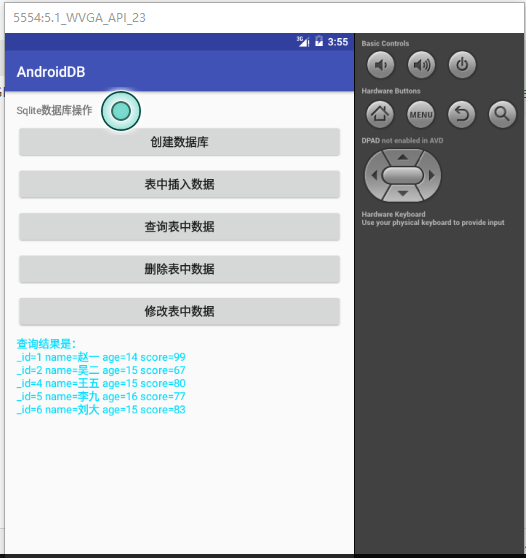
很久前也寫過一篇Android數據庫操作相關內容。在正式項目中,我們通常會使用數據庫開源框架如GreenDao來對數據庫進行操作。感覺很久沒有直接使用Sql語句了,這幾天
 Android開發:ListView控件:給Item綁定了點擊事件,卻點擊無效
一.問題引入ListView控件:給Item綁定了點擊事件,卻點擊無效。二.解決方案ListView使用了自定義布局文件,在布局文件中有button等控件時,這些控件獲取
 Qt on Android: Qt Quick 組件與對象動態創建詳解
在《Qt on Android: Qt Quick 事件處理之信號與槽》一文中介紹自定義信號時,舉了一個簡單的例子,定義了一個顏色選擇組件,當用戶在組建內點擊鼠標時,該組