編輯:關於Android編程
一.JSON的簡介:
JSON建構於兩種結構:
(1)“名稱/值”對的集合(A collection of name/value pairs)。不同的語言中,它被理解為對象(object),紀錄(record),結構(struct),字典(dictionary),哈希表(hash table),有鍵列表(keyed list),或者關聯數組 (associative array)。
(2)值的有序列表(An ordered list of values)。在大部分語言中,它被理解為數組(array)。
這些都是常見的數據結構。事實上大部分現代計算機語言都以某種形式支持它們。這使得一種數據格式在同樣基於這些結構的編程語言之間交換成為可能。
JSON具有以下這些形式:
對象是一個無序的“‘名稱/值’對”集合。一個對象以“{”(左括號)開始,“}”(右括號)結束。每個“名稱”後跟一個“:”(冒號);“‘名稱/值’ 對”之間使用“,”(逗號)分隔。

數組是值(value)的有序集合。一個數組以“[”(左中括號)開始,“]”(右中括號)結束。值之間使用“,”(逗號)分隔。

值(value)可以是雙引號括起來的字符串(string)、數值(number)、true、false、 null、對象(object)或者數組(array)。這些結構可以嵌套。
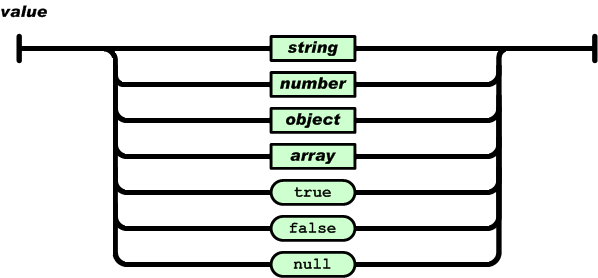
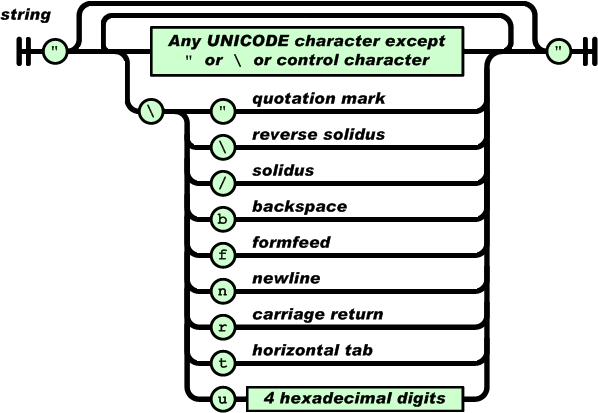
字符串(string)是由雙引號包圍的任意數量Unicode字符的集合,使用反斜線轉義。一個字符(character)即一個單獨的字符串(character string)。
字符串(string)與C或者Java的字符串非常相似。
數值(number)也與C或者Java的數值非常相似。除去未曾使用的八進制與十六進制格式。除去一些編碼細節。
二.ANDROID中JSON的API簡介:
1.JSONObject,JSONArry,JSONStringer類構建json文件
2.getType可以將要獲取的鍵的值轉換為指定的類型,如果無法轉換或沒有值得時候拋出異常JSONRException
optType也可以將要獲取的鍵的值轉換為指定的類型,如果無法轉換或沒有值得時候返回用戶提供或默認提供的值
三.Android中對於JSON的使用:
界面:
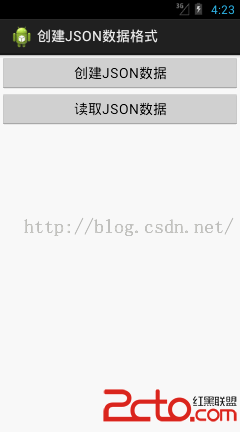
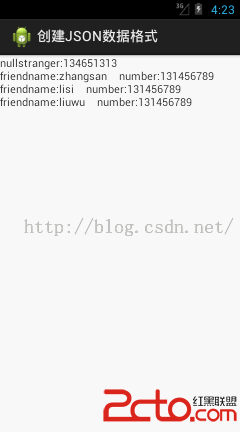
MainActivity的主要代碼:
package com.example.creatjson;

import java.io.BufferedReader;
import java.io.File;
import java.io.FileOutputStream;
import java.io.IOException;
import java.io.InputStreamReader;
import java.io.UnsupportedEncodingException;

import org.json.JSONArray;
import org.json.JSONException;
import org.json.JSONObject;

import android.app.Activity;
import android.content.Intent;
import android.os.Bundle;
import android.view.View;
import android.view.View.OnClickListener;
import android.widget.Button;

public class MainActivity extends Activity {

	private JSONObject mContactJson;
	private File file = null;
	private FileOutputStream fileOutputStream = null;

	@Override
	protected void onCreate(Bundle savedInstanceState) {
		super.onCreate(savedInstanceState);
		setContentView(R.layout.activity_main);
		init();
	}

	private void init() {
		Button btCreatJSON = (Button) findViewById(R.id.bt_write_json);
		btCreatJSON.setOnClickListener(new OnClickListener() {

			@Override
			public void onClick(View v) {
				Intent intent = new Intent(MainActivity.this, ShowJSON.class);
				intent.putExtra("JSON", creatJSON());
				startActivity(intent);
			}
		});

		Button btReadJSON = (Button) findViewById(R.id.bt_read_json);
		btReadJSON.setOnClickListener(new OnClickListener() {

			String line;

			@Override
			public void onClick(View v) {
				try {
					InputStreamReader inputStreamReader = new InputStreamReader(
							getAssets().open("Json.json"), "UTF-8");
					BufferedReader bufferedReader = new BufferedReader(
							inputStreamReader);
					StringBuilder stringBuilder = new StringBuilder();
					while ((line = bufferedReader.readLine()) != null) {
						stringBuilder.append(line);
					}
					inputStreamReader.close();
					bufferedReader.close();

					JSONObject mContactJson = new JSONObject(stringBuilder
							.toString());
					line = null;
					line += "stranger:" + mContactJson.get("stranger") + "\n";
					JSONArray jsonArray = mContactJson.getJSONArray("friend");
					for (int i = 0; i < jsonArray.length(); i++) {
						JSONObject jsonObject = jsonArray.getJSONObject(i);
						line += "friendname:"
								+ jsonObject.getString("friendname")
								+ "    number:" + jsonObject.getString("number")
								+ "\n";
					}

				} catch (Exception e) {
					e.printStackTrace();
				}
				Intent intent = new Intent(MainActivity.this, ShowJSON.class);
				intent.putExtra("JSON", line);
				startActivity(intent);
			}
		});

	}

	private String creatJSON() {
		try {
			mContactJson = new JSONObject();
			JSONArray mFriend = new JSONArray();

			JSONObject friend1 = new JSONObject();
			friend1.put("friendname", "zhangsan");
			friend1.put("number", "131456789");

			JSONObject friend2 = new JSONObject();
			friend2.put("friendname", "lisi");
			friend2.put("number", "131456789");

			JSONObject friend3 = new JSONObject();
			friend3.put("friendname", "liuwu");
			friend3.put("number", "131456789");

			mFriend.put(friend1);
			mFriend.put(friend2);
			mFriend.put(friend3);

			mContactJson.put("friend", mFriend);
			mContactJson.put("stranger", "134651313");
		} catch (JSONException e) {
			e.printStackTrace();
		}

		return mContactJson.toString();
	}
}
 關於activity啟動流程的一點愚見
前言Activity在android開發中作為顯示的組件,它在整個Acndroid開發中占有著重要的地位。已經開發了Android一段時間的我對Activity七大生命周
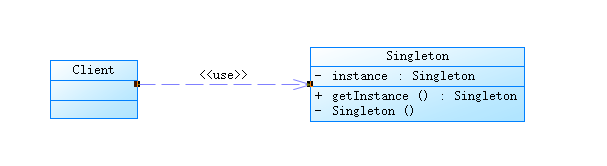 java/android 設計模式學習筆記(一)---單例模式
前段時間公司一些同事在討論單例模式(我是最渣的一個,都插不上嘴 T__T ),這個模式使用的頻率很高,也可能是很多人最熟悉的設計模式,當然單例模式也算是最簡單的設計模式之
 基於Android移動終端的微型餐飲管理系統的設計與實現2-側滑菜單
今天我先來寫一下側滑菜單,如圖: 側滑菜單的實現方法有很多,網上也有完整的開源框架,現在如果用Android Studio開發的話,一開始選模板的時候就可以選擇
 android Fragment入門
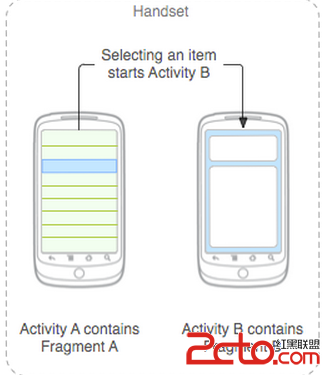
Fragment是android3.0引入的,為什麼google推出Fragment呢?主要目的是用在大屏幕設備上--例如平板電腦上,支持更加動態和靈活的UI設計。平板電
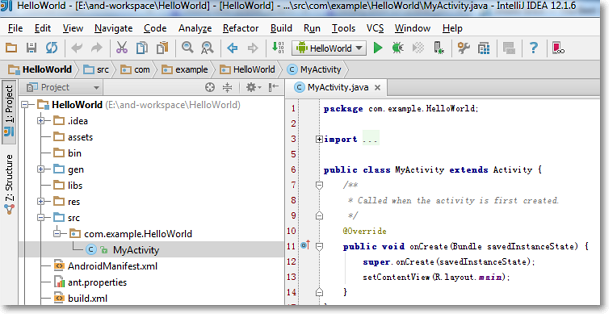 Intellij IDEA + Android SDK + Genymotion Emulator打造最佳Android開發環境
一直使用Eclipse環境開發Android,也嘗鮮使用過Android