編輯:關於Android編程
在應用程序的詳情介紹時,有評論的版塊,該頁評論最多顯示5條,而每條最大字數是140個字符,每條評論可能根據字數不同,所占據的高度也不一樣,如有的是1行,有的是2、3行,且評論可以翻頁。
圖片效果如下:

如何解決這樣的問題呢?
首先必須知道的是評論控件不要固定不變,而是需要動態計算並動態添加到顯示面板中的。
下面通過實例來說一下。
定義布局的時候,可以用AbsoluteLayout,因為高度是動態量取的,所以具體坐標是可以求得的。參考如下:
該布局文件寬度設置不變,高度根據內容填充。只需將這個布局方在需要顯示評論內容的地方。
顯示數據,需要根據數據來計算高度,首先把數據設置到控件中,然後通過View.measure(int widthMeasureSpec, int heightMeasureSpec)量取高度,並為該View設置坐標。參考代碼:
/**
	 * 初始化、動態計算高度
	 */
	public void initCommentView() {
		record_temp = new CommentRecord();
		mPositionRecord = new ArrayList();
		mHeightRecord = new ArrayList();
		int currentHeight = 0;

		int maxNum = cachedComments.size();
		int sum = 0;
		for (int i = comment_begin_index; i < maxNum; i++) {
			if (null != mCommentCache && !mCommentCache.empty()) {
				comment_temp = mCommentCache.pop();
			} else {
				comment_temp = new CommentSimpleView(mContext);
			}
			mCommentUI.add(comment_temp);

			comment_temp.setData(cachedComments.get(i));
			comment_temp.measure(width, height);
			if (MAX_COMMENT_HEIGHT > currentHeight) {
				comment_content.addView(
						comment_temp,
						new AbsoluteLayout.LayoutParams(1386, comment_temp
								.getMeasuredHeight(), 0, FIRST_COMMENT_INTERVAL
								+ currentHeight));
				mPositionRecord.add(FIRST_COMMENT_INTERVAL + currentHeight);
				mHeightRecord.add(comment_temp.getMeasuredHeight());
				currentHeight = currentHeight
						+ comment_temp.getMeasuredHeight();
				comment_end_index++;
				sum++;
				if (sum < 5) {
					comment_temp.show_Divider();
				} else if (sum == 5) {
					comment_temp.hide_Divider();
				}
			}
			if (MAX_COMMENT_HEIGHT < currentHeight) {
				compareHeight = 1;
				isEnd = false;
				RelativeLayout.LayoutParams rl = (LayoutParams) comment_content
						.getLayoutParams();
				rl.setMargins(0, 60, 0, 0);
				rl.width = 1386;
				rl.height = MAX_COMMENT_HEIGHT+20;
				comment_content.setLayoutParams(rl);
				break;
			}
			if (MAX_COMMENT_HEIGHT == currentHeight) {
				compareHeight = 0;
				if (maxNum == comment_end_index) {
					isEnd = true;
					comment_pagedown.setFocusStatus(false);
				} else {
					isEnd = false;
				}
			}

		}
		record_temp.setHeightRecord(mHeightRecord);
		record_temp.setPositionRecord(mPositionRecord);
		record_temp.setBegin_index(comment_begin_index);
		record_temp.setEnd_index(comment_end_index);
		if (MAX_COMMENT_HEIGHT > currentHeight) {
			isEnd = true;
			comment_pagedown.setFocusStatus(false);
		}

	}
其中全局的寬、高定義如下:
int width = MeasureSpec.makeMeasureSpec(1386, MeasureSpec.EXACTLY);
int height = MeasureSpec.makeMeasureSpec(0, MeasureSpec.UNSPECIFIED);
/**
	 * 點擊下一頁時,判斷是否有空間剩余,若有剩余則用上一頁數據補充,false:無剩余
	 * @return
	 */
	private boolean hasExtraSpace() {
		if(null != cachedComments && cachedComments.size()-comment_end_index >=5){ //剩下的評論大於5條
			return false;
		}
		int beginIndex = 0;
		if(1 == compareHeight){
			beginIndex = comment_end_index;
		}else if(0 == compareHeight){
			beginIndex = comment_end_index+1;
		}
		int maxSize = cachedComments.size();
		int HeightSum = 0;
		for(int i = beginIndex;i position = record_temp.getPositionRecord();
		List height = record_temp.getHeightRecord();
		if(null == position || null == height){
			return;
		}
		int m = 0;
		for(int i= begin;i<=end;i++){
			if(null != mCommentCache && !mCommentCache.empty()){
				comment_temp = mCommentCache.pop();
			}else{
				comment_temp = new CommentSimpleView(mContext);
			}
			mCommentUI.add(comment_temp);
			comment_temp.setData(cachedComments.get(i));
			comment_content.addView(comment_temp, new AbsoluteLayout.LayoutParams(1386,height.get(m), 0, position.get(m)));
			m++;
			if(5 == m){
				comment_temp.hide_Divider();
			}else{
				comment_temp.show_Divider();
			}
		}
		isEnd = false;
		comment_begin_index = begin;
		comment_end_index = end;
	}
public class comment_pageup_click implements OkButtonViewClick {

		@Override
		public void onOkButtonViewClick() {
			if(1 == currentPage){
//				Toast.makeText(mContext, 已是第一頁, Toast.LENGTH_SHORT).show();
				comment_pageup.setFocusStatus(false);
				return;
			}else{
				currentPage = currentPage - 1;
				comment_content.removeAllViews();
				while (!mCommentUI.isEmpty()) {
					mCommentCache.push(mCommentUI.remove(0));
				}
				showPageUp();
				comment_pagedown.setFocusStatus(true);
			}

		}
	}

	class comment_pagedown_click implements OkButtonViewClick {

		@Override
		public void onOkButtonViewClick() {
			if(isEnd){
//				Toast.makeText(mContext, 已是最後一頁, Toast.LENGTH_SHORT).show();
				comment_pagedown.setFocusStatus(false);
				return;
			}
			else if(!isEnd){ //不到最後一頁
				if(!hasExtraSpace()){ //下一頁無剩余空間,即該頁不是倒數第二頁
					mCommentRecord.push(record_temp);
					currentPage = currentPage + 1;
					if(1 == compareHeight){
						comment_begin_index = comment_end_index;
						comment_end_index --;
					}else{
						comment_begin_index = comment_end_index+1;
					}
					if(currentPage%4 ==0){ //預加載數據
						ParserHelper.getParserHelper().requestComment(1, 30, 9, callback);
					}
					comment_content.removeAllViews();
					while (!mCommentUI.isEmpty()) {
						mCommentCache.push(mCommentUI.remove(0));
					}
					initCommentView();
				}else {    //下一頁有剩余空間,即該頁為倒數第二頁
					mCommentRecord.push(record_temp);
					currentPage = currentPage + 1;
					comment_content.removeAllViews();
					while (!mCommentUI.isEmpty()) {
						mCommentCache.push(mCommentUI.remove(0));
					}
					showLastPage();
				}
				comment_pageup.setFocusStatus(true);
			}
		}
	}
package com.helios.module.commentData;

import java.util.List;

public class CommentRecord {
		int begin_index;
		int end_index;
		List  positionRecord;
		List  heightRecord;

		public CommentRecord() {
			super();
		}
		public int getBegin_index() {
			return begin_index;
		}
		public void setBegin_index(int begin_index) {
			this.begin_index = begin_index;
		}
		public int getEnd_index() {
			return end_index;
		}
		public void setEnd_index(int end_index) {
			this.end_index = end_index;
		}
		public List getPositionRecord() {
			return positionRecord;
		}
		public void setPositionRecord(List positionRecord) {
			this.positionRecord = positionRecord;
		}
		public List getHeightRecord() {
			return heightRecord;
		}
		public void setHeightRecord(List heightRecord) {
			this.heightRecord = heightRecord;
		}
}
 Android 常用 adb 命令總結
針對移動端 Android 的測試, adb 命令是很重要的一個點,必須將常用的 adb 命令熟記於心, 將會為 Android 測試帶來很大的方便,其中很多命令將會用
 Android入門之PopupWindow用法實例解析
本文實例介紹一下PopupWindow對話框。PopupWindow是阻塞對話框,只有在外部線程 或者 PopupWindow本身做退出操作才可以執行。PopupWind
 Andriod下完全自定義控件和在自定義控件中使用自定義屬性
首先,自定義控件分為三類:自定義的組合控件繼承View的自定義控件繼承ViewGroup的自定義控件在這裡,我要寫的是第二種,也就是繼承自View的自定義控件,第一種自定
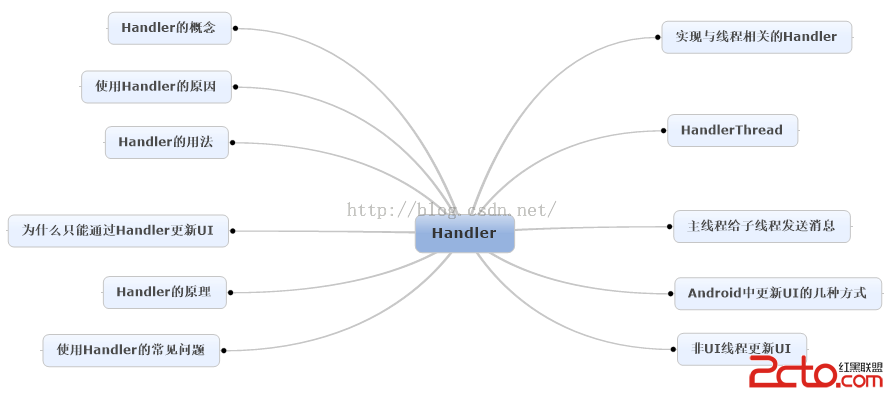 Android消息機制Handler解析(源碼+Demo)
Handler是開發人員在面試過程中最常見的問題之一了,這篇文章將較為全面地對Handler進行解讀,包括源碼層,以及使用方法。如果看完文章有疑問,歡迎在評論中一起探討基