編輯:關於Android編程
splash: 濺,灑
展現產品的logo提升產品的知名度 初始化操作(創建數據庫,讀取配置文件) 連接服務器檢查軟件授權 連接服務器檢查軟件的更新整體取消掉標題欄:在清單文件中加一修改主題
android:theme=”@android:style/Theme.Light.NoTitleBar”
PackageManager:獲取各種包的信息(版本、應用程序圖標、包信息等)
xUtils-2.6.8.jar 斷點下載
使用:
HttpUtils httputils=new HttpUtils();
httputils.download(url,target,autoResume,callback);
//url:下載的路徑
//targer:存放的路徑sd
//autoResume:true是否斷點續傳
//callback:下載回傳
new RequestCallBack(){
    重寫onSuccess();
    重寫onFailure();
    重寫onload();//顯示下載進度在textview中當前/總進度
}
            HttpUtils http=new HttpUtils();
            final File file=new File(Environment.getExternalStorageDirectory(),"xxx.apk");
            http.download(data.downLoadUrl, file.getAbsolutePath(), true, new RequestCallBack(){
                //下載失敗
                @Override
                public void onFailure(HttpException arg0, String arg1) {

                }
                //下載成功
                @Override
                public void onSuccess(ResponseInfo arg0) {
                    //下載成功,替換安裝模板代碼
                    ToastUtils.show(SplashActivity.this, "下載成功");
                    Intent intent=new Intent();
                    intent.setAction("android.intent.action.VIEW");
                    intent.addCategory("android.intent.category.DEFAULT");
                    intent.setDataAndType(Uri.fromFile(file), "application/vnd.android.package-archive");
                    startActivity(intent);

                }});
Itent intent=new Intent();
intent.setAction("android.intent.action.VIEW");
intent.addCategory("android.intent.category.DEFAULT");
intent.setDataAndType(Uri.fromFile(file),"application/vnd.android.package-archive");
startActivity(intent);
市面上常用界面-九宮格
就是在res目錄下建立一個drawable文件中定義一個xml文件,設置屬性background時引用這個xml文件就行。
//背景顏色選擇- //按住時
- //聚焦時
- //默認狀態
按住圖標顯示不一樣的圖片,新建一個tupian.xml文件,引用圖標時R.drawable.tupian.xml
//圖標狀態選擇- //按住時
- //聚焦時
- //默認狀態
Button可實現,當點擊按鈕的時候滾動起來
設置屬性
android:focusableInTouchMode="true"
android:ellipsize="marquee"
android:text="顯示的內容"
TextView也可以實現滾動走馬燈:需要自定義TextView,實現裡面的所有構造函數並重寫isFocused()直接返回true
@Override
@ExportedProperty(category = "focus")
public boolean isFocused() {
    return true;
}
並設置下面幾個屬性
這樣textview跑馬燈效果就可以跑起來了
設置一條線可以使用View
public class SettingCheckView extends LinearLayout {

public SettingCheckView(Context context, AttributeSet attrs) {
    super(context, attrs);
    initial(context);

    String bigtitle=attrs.getAttributeValue("http://schemas.android.com/apk/res/com.cca.mobilephone", "bigtitle");
    TextView tv_title=(TextView) findViewById(R.id.tv_ui_setting);
    tv_title.setText(bigtitle);

}
public SettingCheckView(Context context) {
    super(context);
    initial(context);
}
private void initial(Context context) {
    this.setOrientation(LinearLayout.VERTICAL);//
    this.addView(View.inflate(context, R.layout.ui_setting_view, null));
}
}
布局文件:
自定義屬性:
先聲明屬性命名空間
xmlns:mobilephone="http://schemas.android.com/apk/res/com.cca.mobilephone"
在values定義一個attrs.xml文件,在裡面聲明功能
//或者
做到這裡就可以使用自定義組合控件了,功能可以設置文本內容,想增加其他的屬性,在attrs中定義出來就可以使用了。
    AlertDialog.Builder builder=new Builder(context);
        View dialogview=View.inflate(context, R.layout.show_setup_dialog, null);
        builder.setView(view);
        builder.show();
//高低版本默認的背景色和字體顏色不一樣、使高低版本保持一致的樣式需
設置其背景色、文本字體色
AlertDialog.Builder builder=new Builder(MainActivity.this);
    View dialogview=View.inflate(context, R.layout.show_setup_dialog, null);
    AlertDialog dialog=builder.create();
    dialog.setView(dialogview,0,0,0,0);//設置對話框上下左右的距離
    dialog.show();
show_setup_dialog的xml布局文件如下:
自定義背景選擇器:btn_background.xml(要放在drawable文件下)
當有很多個界面有相同的方法,相同的布局時,都要存儲數據時,可定義一個父類讓其他的類來繼承它
//一句代碼,必須要放在Activity或者finish()的後面
overridePendingTransition(R.anim.trans_next_in, R.anim.trans_next_out);
在res目錄下建立一個anim文件夾:創建兩個xml:trans_next_in.xml和trans_next_out.xml如下
1、先聲明一個手勢識別器
private GestureDetector mGestureDetector;
2、初始化一個手勢識別器
//2、初始化手勢識別器
    mGestureDetector=new GestureDetector(getApplicationContext(), new GestureDetector.SimpleOnGestureListener(){

        @Override
        public boolean onFling(MotionEvent e1, MotionEvent e2,
                float velocityX, float velocityY) {
            /**
             * e1、手指觸摸屏幕的一瞬間
             * e2、手指離開屏幕的一瞬間
             * velocityX、velocityY:水平方向和豎直方向的速度
             *
             */
            if((e1.getRawX()-e2.getRawX())>150){
                showNext();
                overridePendingTransition(R.anim.trans_next_in, R.anim.trans_next_out);
                return true;
            }
            if((e2.getRawX()-e1.getRawX())>150){
                showPre();
                overridePendingTransition(R.anim.trans_pre_in, R.anim.trans_pre_out);
                return true;
            }

            return super.onFling(e1, e2, velocityX, velocityY);
        }

    });
3、第三步、使用戶識別手勢器的動作
//第三步、使用手勢識別器識別用戶的動作
@Override
public boolean onTouchEvent(MotionEvent event) {
    mGestureDetector.onTouchEvent(event);
    return super.onTouchEvent(event);
}
//用到一個系統的服務
private TelephonyManager tm=(TelephonyManager) this.getSystemService(Context.TELEPHONY_SERVICE);
//獲取手機序列號
String sim=tm.getSimSerialNumber();
data/data/com.android.providers.contacts.database.contacts2.db
對應三張表:
查找聯系人工具類:
public class ContactsInfoUtils {

public static List getContactsInfo(Context context){

List infocontacts=new ArrayList();
    //獲取內容提供者的解析器
    ContentResolver resolver=context.getContentResolver();
    Uri uri=Uri.parse("content://com.android.contacts/raw_contacts");
    Uri dataUri=Uri.parse("content://com.android.contacts/data");
    //游標
    Cursor cursor=resolver.query(uri, new String[]{"contact_id"}, null, null, null);
    //遍歷游標集合
    while(cursor.moveToNext()){
        String id=cursor.getString(0);
        System.out.println("id"+id);
        ContactsInfo infos=new ContactsInfoUtils().new ContactsInfo();
        Cursor datacursor=resolver.query(dataUri, new String[]{"data1"}, "raw_contact_id=?", null, null);
        while(datacursor.moveToNext()){
            String data1=datacursor.getString(0);
            String mimetype=datacursor.getString(1);
            if("vnd.android.cursor.item/name".equals(mimetype)){
                //姓名
                infos.name=data1;
            }else if("vnd.android.cursor.item/phone_v2".equals(mimetype)){
            //電話
                infos.phone=data1;
            }else if("vnd.android.cursor.item/email_v2".equals(mimetype)){
            //電話
            infos.email=data1;
            }
        }
        infocontacts.add(infos);
    }
    return infocontacts;

}
public class ContactsInfo{
    public String name;
    public String email;
    public String phone;
}
}
public static String encode(String text){

    try {
        MessageDigest digest=MessageDigest.getInstance("md5");
        String password="234";
        byte[] result=digest.digest(password.getBytes());
        StringBuffer sb=new StringBuffer();
        for(byte b:result){
            String hex=Integer.toHexString(b&0xff)+2;//加鹽更好更安全
            if(hex.length()==1){
                sb.append("0");
            }
            sb.append(hex);
        }
        return sb.toString();
    } catch (NoSuchAlgorithmException e) {
        e.printStackTrace();
        return "";
    }
}
播放報警音樂:便捷方式:src下新建目錄raw可放音樂文件
    MediaPlayer mediaplayer=MediaPlayer.create(context, R.raw.uri);
            //循環播放
            mediaplayer.setLooping(true);
            //設置音量最大聲
            mediaplayer.setVolume(1.0f, 1.0f);

            mediaplayer.start();
            abortBroadcast();
Android 2.2引入了支持企業應用程序提供Android設備管理API。設備管理API提供了設備管理功能在系統水平。這些api允許您創建安全性敏感的應用程序是有用的在企業環境中,IT專業人員需要豐富的控制員工的設備。例如,內置Android電子郵件應用程序利用了新的api來改善交流的支持。通過電子郵件應用程序,交流管理員可以執行密碼策略——包括字母數字密碼或數字針——在設備。管理員也可以遠程擦除(即恢復工廠默認值)丟失或被盜的手機。用戶可以同步他們的電子郵件和日歷數據交換。
Email client
Security application that to remove wipe
Device management service and application
步驟:
1、先創建admim類繼承DeviceAdminReceiver
2、配置清單文件(參考api文檔)
還要新建一個 res目錄下xml文件夾並新建device_admin_sample.xml:
聲明中使用的安全策略的元數據提供了特定於設備管理員的附加信息,可通過DeviceAdminInfo類進行解析查看,以下為device_admin_sample.xml:的內容
3、主活動中書寫代碼
點擊按鈕一鍵鎖屏:
  public void lockscreen(View view){
    DevicePolicyManager dpm=(DevicePolicyManager) getSystemService(DEVICE_POLICY_SERVICE);
    ComponentName who=new ComponentName(this, Admin.class);
    if(dpm.isAdminActive(who)){
        //重置密碼
        //dpm.resetPassword("123", 0);
        //清除sd卡數據
        //dpm.wipeData(DevicePolicyManager.WIPE_EXTERNAL_STORAGE);

        dpm.lockNow();
        finish();
    }else{
        Toast.makeText(this, "請先激活應用程序", 0).show();
    }

}
使用時:先來到系統設置界面,找到安全、進入設備管理器、找到一鍵鎖屏,點擊激活一鍵鎖屏,此時可以使用了。
給用戶一個很好的體驗:來個按鈕“先激活應用程序”
    Intent intent = new Intent(DevicePolicyManager.ACTION_ADD_DEVICE_ADMIN);
     ComponentName who=new ComponentName(this, Admin.class);

    intent.putExtra(DevicePolicyManager.EXTRA_DEVICE_ADMIN, who);
     intent.putExtra(DevicePolicyManager.EXTRA_ADD_EXPLANATION,"請大家趕緊去激活程序吧,首次激活有大禮包!");
     startActivity(intent);
再來個卸載按鈕:
public void deleteLockScreen(View view){
    DevicePolicyManager dpm=(DevicePolicyManager) getSystemService(DEVICE_POLICY_SERVICE);
     ComponentName who=new ComponentName(this, Admin.class);
    dpm.removeActiveAdmin(who);

    Intent intent=new Intent();
    intent.setAction(Intent.ACTION_DELETE);
    intent.setData(Uri.parse("package:"+getPackageName()));
    startActivity(intent);
}
 protected void onCreate(Bundle savedInstanceState) {
    super.onCreate(savedInstanceState);
    setContentView(R.layout.activity_main);
    //獲取位置內容提供者
    LocationManager lm=(LocationManager) getSystemService(Context.LOCATION_SERVICE);

    Criteria criteria=new Criteria();
    //指定高精度
    criteria.setAccuracy(Criteria.ACCURACY_FINE);
    //指定高耗電量
    criteria.setPowerRequirement(Criteria.POWER_HIGH);
    //獲取最好的內容提供者
   String provider =lm.getBestProvider(criteria, true);

    lm.requestLocationUpdates(provider, 0, 0, new LocationListener() {
        //狀態改變時調用
        @Override
        public void onStatusChanged(String provider, int status, Bundle extras) {
        }
        //可用時調用
        @Override
        public void onProviderEnabled(String provider) {
        }
        @Override
        public void onProviderDisabled(String provider) {

        }
        @Override
        public void onLocationChanged(Location location) {
            location.getLatitude();//緯度
            location.getLongitude();//經度
            System.out.println("緯度:"+location.getLatitude()+"------經度:"+location.getLongitude());

            TextView text=new TextView(getApplication());
            text.setTextColor(Color.RED);
            text.setText("緯度:"+location.getLatitude()+"------經度:"+location.getLongitude());

        }
    } );

}
使用算法:導入modifyOffset.java和axisoffset.dat
直接到代碼中使用:
ModifyOffset no =ModifyOffset.getInstance(context.getClassLoader().getResourceAsStream("axisoffset.dat"));

//真實坐標X經度 Y為緯度
//不過查找時外國網站經度放在圍緯度後面:緯度,經度

PointDouble pt =new PointDouble(x,y);
PointDouble marpoint=mo.s2c(pt);

System.out.println(marpoint.toString());
//輸出的是x=。。。。,y=。。。。。經緯度
容易內存溢出
1、盡量復用convertview歷史的緩存,減少創建新的view對象
2、盡量的減少子孩子的id的查詢次數,定義一個viewHolder
View view;
viewHolder holder;
if(convertView!=null){
    //復用歷史的view對象
    view=convertView;
    holder=(viewHolder) view.getTag();
}else{
    //創建新的孩子時加上標簽
     holder=new viewHolder();
     view=View.inflate(getApplicationContext(), R.layout.item_callsmssafe, null);
     holder.black_phone=(TextView) view.findViewById(R.id.tv_black_phone);
     holder.black_mode=(TextView) view.findViewById(R.id.tv_black_mode);
     view.setTag(holder);

}
//內部類
class viewHolder{
    public TextView black_phone;
    public TextView black_mode;
    public ImageView black_delete;
}
listView顯示數據庫中的數據時,當listview發生變化時應更新listview數據
//通知listview更新數據
adapter.notifyDataSetChanged();
在清單文件中配置廣播接收者的特點是:不管應用程序進程是否存在都能接受到對應廣播
開啟服務:
Intent intent=new Intent(SettingActivity.this,CallSmsSafeService.class);
    startService(intent);
//服務裡面代碼動態注冊一個廣播接收者
public class CallSmsSafeService extends Service {
    private BlackNumberDao dao;
    private InnerReceiver receiver;
    @Override
    public IBinder onBind(Intent intent) {
        return null;
    }
    @Override
    public void onCreate() {
        dao=new BlackNumberDao(this);
    //動態注冊
        receiver=new InnerReceiver();
        IntentFilter filter=new IntentFilter();
        //設置關心短信到來的動作
        filter.addAction("android.provider.Telephony.SMS_RECEIVED");
        filter.setPriority(Integer.MAX_VALUE);
        //代碼注冊廣播接收者
        registerReceiver(receiver, filter);
        System.out.println("黑名單短信攔截開啟了!!!!!");
        super.onCreate();

    }

    @Override
    public void onDestroy() {
        super.onDestroy();
        unregisterReceiver(receiver);
        receiver=null;
    }
    //內部類廣播接收者
    private class InnerReceiver extends BroadcastReceiver{
        @Override
        public void onReceive(Context context, Intent intent) {
            //攔截短信
            Object[] objs=(Object[]) intent.getExtras().get("pdus");
            for(Object obj:objs){
                SmsMessage smsMessage=SmsMessage.createFromPdu((byte[])obj);
                String address=smsMessage.getOriginatingAddress();
                String result=dao.find(address);
                if("2".equals(result)||"3".equals(result)){
                    System.out.println("黑名單短信攔截模式。。。");
                    abortBroadcast();
                }
                //智能攔截
                String body=smsMessage.getMessageBody();
                if(body.contains("天使")){//分詞算法
                    SmsManager.getDefault().sendTextMessage("13531829360", null, "幫你攔截了天使客一條消息", null, null);

                    abortBroadcast();
                }
            }
        }
    }
}
服務斷電就會自動停止,用sp存儲不會保存狀態,讀取系統的的運行信息,調用系統的活動和服務管理者ActivityManager可以判斷服務是否正在後台運行
/**
 * 判斷系統的服務是否在後台運行
 * context:上下文
 * StringName: 服務的全路經名
 */
public static boolean isServiceRunning(Context context,String StringName){

    ActivityManager am=(ActivityManager) context.getSystemService(Context.ACTIVITY_SERVICE);
    List infos=am.getRunningServices(100);
    for(RunningServiceInfo info:infos){
            String className=info.service.getClassName();
            if(StringName.equals(className)){
                return true;
            }
    }
    return false;
}
分詞算法:
開源算法:
luncence
    /**
     * 掛斷電話的方法,利用反射
     */
    public void endCall() {
        try {
            Class clazz=CallSmsSafeService.class.getClassLoader().loadClass("android.os.ServiceManager");
            Method method=clazz.getDeclaredMethod("getService", String.class);
            IBinder ibinder=(IBinder) method.invoke(null, TELEPHONY_SERVICE);
            ITelephony iTelephony=ITelephony.Stub.asInterface(ibinder);
            iTelephony.endCall();


        } catch (Exception e) {
            e.printStackTrace();
        }
    }
//監視呼叫記錄的的數據庫,看什麼時候生成了,
//就把它刪除
Uri uri=Uri.parse("content://call_log/calls");
getContentResolver().registerContentObserver(uri, true,new ContentObserver(new Handler()) {

    @Override
    public void onChange(boolean selfChange) {
        super.onChange(selfChange);
        deleteCallLog(incomingNumber);
    }
});


/**
 * 刪除撥號記錄
 * @param incomingNumber
 */
public void deleteCallLog(String incomingNumber) {

    ContentResolver resolver=getContentResolver();
    Uri uri=Uri.parse("content://call_log/calls");
    resolver.delete(uri, "number=?", new String[]{incomingNumber});
}
    /**
 * 定義電話管理的服務
 */
private TelephonyManager tm;
private MyPhoneStateListener listener;

    /**
     * 實例化電話管理的服務
     */
    tm=(TelephonyManager) getSystemService(Context.TELEPHONY_SERVICE);
    //注冊電話的監聽器
    listener=new MyPhoneStateListener();
    //監聽電話的狀態的改變
    tm.listen(listener, PhoneStateListener.LISTEN_CALL_STATE);
監聽器的注冊
class MyPhoneStateListener extends PhoneStateListener{

    @Override
    public void onCallStateChanged(int state, String incomingNumber) {
        super.onCallStateChanged(state, incomingNumber);

        switch(state){
        case TelephonyManager.CALL_STATE_IDLE://空閒狀態
            break;

        case TelephonyManager.CALL_STATE_RINGING://響鈴狀態

            String mode=dao.find(incomingNumber);
            if(mode.equals("1")||mode.equals("3")){
                System.out.println("掛斷電話");

            }

            break;

        case TelephonyManager.CALL_STATE_OFFHOOK://接聽狀態
            break;

        }
    }

}
ActivityManager mActivityManager = (ActivityManager) context.getSystemService(Context.ACTIVITY_SERVICE) ;

//獲得系統運行的進程
List appList1 = mActivityManager
        .getRunningAppProcesses();
for (RunningAppProcessInfo running : appList1) {
    System.out.println(running.processName);
}
System.out.println("================");

//獲得當前正在運行的service
List appList2 = mActivityManager
        .getRunningServices(100);
for (ActivityManager.RunningServiceInfo running : appList2) {
    System.out.println(running.service.getClassName());
}

System.out.println("================");

//獲得當前正在運行的activity
List appList3 = mActivityManager
        .getRunningTasks(1000);
for (ActivityManager.RunningTaskInfo running : appList3) {
    System.out.println(running.baseActivity.getClassName());
}
System.out.println("================");

//獲得最近運行的應用
List appList4 = mActivityManager
        .getRecentTasks(100, 1);
for (ActivityManager.RecentTaskInfo running : appList4) {
    System.out.println(running.origActivity.getClassName());
    }
package com.cca.mobilephone.Utils;
import java.util.List;
import android.app.ActivityManager;
import android.app.ActivityManager.RunningServiceInfo;
import android.content.Context;
public class ServicerUtils {

/**
 * 判斷系統的服務是否在後台運行
 */
public static boolean isServiceRunning(Context context,String StringName){

    ActivityManager am=(ActivityManager) context.getSystemService(Context.ACTIVITY_SERVICE);
    List infos=am.getRunningServices(1000);
    for(ActivityManager.RunningServiceInfo info:infos){

            String className=info.service.getClassName();
            System.out.println(className);
            if(StringName.equals(className)){
                System.out.println(className);
                return true;
            }
    }
    return false;
}
}
package com.cca.mobilephone.db.dao;

import java.util.ArrayList;
import java.util.List;
import android.content.ContentValues;
import android.content.Context;
import android.database.Cursor;
import android.database.sqlite.SQLiteDatabase;

import com.cca.mobilephone.db.BlackNumberOpenHeloper;
import com.cca.mobilephone.domain.BlackNumberInfo;

public class BlackNumberDao {

private BlackNumberOpenHeloper openhelper;

/**
 * 數據庫的構造函數
 * @param context
 */
public BlackNumberDao(Context context) {
    super();
    openhelper=new BlackNumberOpenHeloper(context);
}


/**
 * 往數據庫中增加號碼
 * @param phone 增加的電話號碼
 * @param mode  模式
 * @return
 */
public boolean add(String phone,String mode){
    SQLiteDatabase db=openhelper.getWritableDatabase();
    ContentValues values=new ContentValues();
    values.put("phone", phone);
    values.put("mode", mode);

    long id=db.insert("blacknumberinfo", null, values);
    db.close();
    if(id!=-1){
        return true;
    }else{
    return false;
    }

}


/**
 * 修改黑名單的攔截模式
 * @param phone 要修改的黑名單號碼
 * @param newmode 新的攔截模式
 * @return 修改是否成功
 */
public boolean update(String phone,String newmode){

    SQLiteDatabase db=openhelper.getWritableDatabase();
    ContentValues values=new ContentValues();
    values.put("mode", newmode);
    int rowcount=db.update("blacknumberinfo", values, "phone=?", new String[]{phone});
    db.close();
    if(rowcount==0){
        return false;
    }else{
        return true;
    }
}
/**
 * 查找黑名單號碼的攔截模式
 * @param phone 要查找的電話號碼
 * @return  返回攔截的模式
 */
public String find(String phone){
    String mode=null;
    SQLiteDatabase db=openhelper.getReadableDatabase();
    Cursor cursor=db.query("blacknumberinfo", null, "phone=?", new String[]{phone},null, null, null);
    if(cursor.moveToNext()){
        mode=cursor.getString(cursor.getColumnIndex("mode"));;
    }
    cursor.close();
    db.close();
    return mode;

}

/**
 * 刪除黑名單號碼
 * @param phone  要刪除的號碼
 * @return  是否刪除成功
 */

public boolean delete(String phone){
    SQLiteDatabase db=openhelper.getWritableDatabase();
    int rowcount=db.delete("blacknumberinfo", "phone=?", new String[]{phone});
    db.close();
    if(rowcount==0){
        return false;
    }{
        return true;
    }
}
/**
 * 返回全部的黑名單信息
 * @return
 */
public List findAll(){

    SQLiteDatabase db=openhelper.getReadableDatabase();
    Cursor cursor=db.query("blacknumberinfo", null, null, null, null, null, "_id desc");
    List infos=new ArrayList();
    while(cursor.moveToNext()){
        String phone=cursor.getString(cursor.getColumnIndex("phone"));
        String mode=cursor.getString(cursor.getColumnIndex("mode"));
        BlackNumberInfo info=new BlackNumberInfo();
        info.setPhone(phone);
        info.setMode(mode);
        infos.add(info);
    }
    cursor.close();
    db.close();
    return infos;
}
/** * 分批加載返回的黑名單信息 * @return */ public ListfindPart(int startIndex,int maxCount){ SQLiteDatabase db=openhelper.getReadableDatabase(); Cursor cursor=db.rawQuery("select _id,phone,mode from blacknumberinfo order by _id desc limit ? offset ?", new String[]{ String.valueOf(maxCount),String.valueOf(startIndex) }); List infos=new ArrayList (); while(cursor.moveToNext()){ String phone=cursor.getString(cursor.getColumnIndex("phone")); String mode=cursor.getString(cursor.getColumnIndex("mode")); BlackNumberInfo info=new BlackNumberInfo(); info.setPhone(phone); info.setMode(mode); infos.add(info); } cursor.close(); db.close(); return infos; }
/** * 分頁加載返回的黑名單信息 * @return */ public ListfindPagper(int pagper){ SQLiteDatabase db=openhelper.getReadableDatabase(); Cursor cursor=db.rawQuery("select _id,phone,mode from blacknumberinfo order by _id desc limit ? offset ?", new String[]{ String.valueOf(10),String.valueOf(pagper*10) }); List infos=new ArrayList (); while(cursor.moveToNext()){ String phone=cursor.getString(cursor.getColumnIndex("phone")); String mode=cursor.getString(cursor.getColumnIndex("mode")); BlackNumberInfo info=new BlackNumberInfo(); info.setPhone(phone); info.setMode(mode); infos.add(info); } cursor.close(); db.close(); return infos; } /** * 獲取全部總條目 * @return */ public int getTotalCount(){ SQLiteDatabase db=openhelper.getReadableDatabase(); Cursor cursor=db.rawQuery("select count(*) from blacknumberinfo ",null); cursor.moveToNext(); int total=cursor.getInt(0); cursor.close(); db.close(); return total; } }
    /**
 * 拷貝資產目錄下的數據庫到Android系統下
 */
private void copyDB(final String name) {

    /*
     * 數據庫多時可能耗時
     */
    new Thread(){
        public void run() {
            File file=new File(getFilesDir(),name);
            if(file.exists()&&file.length()>0){
            System.out.println("數據庫已經加載過,無需在加載!");
            }else{

            try {
                InputStream is=getAssets().open(name);
                FileOutputStream fos=new FileOutputStream(file);
                byte[] buffer=new byte[1024];
                int len=-1;
                while((len=is.read(buffer))!=-1){
                    fos.write(buffer, 0, len);
                }
                is.close();
                fos.close();

            } catch (Exception e) {
                e.printStackTrace();
            }
            }
        };
    }.start();
}
    /**
 * 自定義吐司
 * @param address
 */
public void showToast(String address) {
    WindowManager wm = (WindowManager) getSystemService(Context.WINDOW_SERVICE);
    View view = View.inflate(getApplicationContext(), R.layout.item_toast, null);
    //設置背景,字體等自定義屬性
    int which=getSharedPreferences("config", 0).getInt("which", 0);
    int bgs[]={R.drawable.btn_gray_normal,R.drawable.btn_green_normal,R.drawable.btn_gray_pressed,R.drawable.call_show_bg,R.drawable.btn_disabled};
    view.setBackgroundResource(bgs[which]);

    TextView tv_address=(TextView) view.findViewById(R.id.tv_address);
    tv_address.setText(address);
//設置參數params
    WindowManager.LayoutParams params = new WindowManager.LayoutParams();
     params.height = WindowManager.LayoutParams.WRAP_CONTENT;
     params.width = WindowManager.LayoutParams.WRAP_CONTENT;
     params.format = PixelFormat.TRANSLUCENT;
     params.type = WindowManager.LayoutParams.TYPE_TOAST;
     params.flags = WindowManager.LayoutParams.FLAG_KEEP_SCREEN_ON
             | WindowManager.LayoutParams.FLAG_NOT_FOCUSABLE
             | WindowManager.LayoutParams.FLAG_NOT_TOUCHABLE;
    wm.addView(view, params);

}
及時退出吐司的顯示用:wm.removeView(view);
ImageView imgview= (ImageView) findViewById(R.id.imageview);
imgview.setOnTouchListener(new OnTouchListener() {
        int startx;
        int starty;
        @Override
        public boolean onTouch(View v, MotionEvent event) {

            switch(event.getAction()){
            case MotionEvent.ACTION_DOWN://手指第一次觸摸控件時調用
                //獲取控件在屏幕上的坐標
                startx=(int) event.getRawX();
                starty=(int) event.getRawY();
                break;

            case MotionEvent.ACTION_MOVE://手指在控件上移動的事件
                //手指移動後的偏移量
                int newx=(int) event.getRawX();
                int newy=(int) event.getRawY();
                int dx=newx-startx;
                int dy=newy-starty;
                //移動後的控件新坐標
                imgview.layout(imgview.getLeft()+dx, imgview.getTop()+dy,
                                imgview.getRight()+dx, imgview.getBottom()+dy);
                //移動後重新初始化控件坐標
                startx=(int) event.getRawX();
                starty=(int) event.getRawY();
                System.out.println("移動了控件"+startx+"---"+starty);
                break;

            case MotionEvent.ACTION_UP://手指離開控件的一瞬間

                break;
            }
            return true;


        }
    });
btn=(Button) findViewById(R.id.btn);
    btn.setOnClickListener(new OnClickListener() {
        @Override
        public void onClick(View v) {
            if(firsttime>0){
                secondtime=System.currentTimeMillis();
                if((secondtime-firsttime)<500){
                    Toast.makeText(getApplicationContext(), "雙擊了", 0).show();
                    firsttime=0;
                }else{
                    firsttime=0;
                }
                return ;
            }
            firsttime=System.currentTimeMillis();
            new Thread(){
                public void run() {
                    try {
                        Thread.sleep(500);
                        firsttime=0;
                    } catch (InterruptedException e) {
                        e.printStackTrace();
                    }
                };
            }.start();
        }
    });
//定義了多長的數組就是多次點擊,3就是連續3擊
private long[] mHits=new long[3];
/**
*四個參數:源數組,從第幾個開始拷貝,目標數組,從第幾個開始拷貝,拷貝的長度
*
*/
System.arraycopy(mHits, 1, mHits, 0, mHits.length-1);
mHits[mHits.length-1] = SystemClock.uptimeMillis();
if (mHits[0] >= (SystemClock.uptimeMillis()-500)) {

    Toast.makeText(getApplicationContext(), "多次擊了", 0).show();
}
    /**
 * 自定義吐司
 * @param address
 */
public void showToast(String address) {
    wm = (WindowManager) getSystemService(Context.WINDOW_SERVICE);
    view = View.inflate(getApplicationContext(), R.layout.item_toast, null);

    view.setOnTouchListener(new OnTouchListener() {
        int startx ;
        int starty ;

        @SuppressWarnings("deprecation")
        @Override
        public boolean onTouch(View v, MotionEvent event) {

            switch(event.getAction()){
            case MotionEvent.ACTION_DOWN://手指觸摸
                //獲取自定義吐司坐標
                startx=(int) event.getRawX();
                starty=(int) event.getRawY();

                break;
            case MotionEvent.ACTION_UP://手指離開
                //存儲控件的位置坐標
                 SharedPreferences sp = getSharedPreferences("config", MODE_PRIVATE);
                Editor edit=sp.edit();
                edit.putInt("lastx", params.x);
                edit.putInt("lasty", params.y);
                edit.commit();

                break;
            case MotionEvent.ACTION_MOVE://手指移動
                //獲取偏移量
                int newx=(int) event.getRawX();
                int newy=(int) event.getRawY();
                int dx=newx-startx;
                int dy=newy-starty;
                params.x +=dx;
                params.y +=dy;
                //判斷view控件是否移出屏幕范圍
                if(params.x>(wm.getDefaultDisplay().getWidth()-view.getWidth())){
                    params.x=wm.getDefaultDisplay().getWidth()-view.getWidth();
                }
                if(params.y>(wm.getDefaultDisplay().getHeight()-view.getHeight())){
                    params.x=wm.getDefaultDisplay().getHeight()-view.getHeight();
                }

                wm.updateViewLayout(view, params);
                //重新初始化控件坐標
                startx=(int) event.getRawX();
                starty=(int) event.getRawY();
                break;
            }

            return true;
        }
    });
    //設置背景顏色
    int which=getSharedPreferences("config", 0).getInt("which", 0);
    int bgs[]={R.drawable.btn_gray_normal,R.drawable.btn_green_normal,R.drawable.btn_gray_pressed,R.drawable.call_show_bg,R.drawable.btn_disabled};
    view.setBackgroundResource(bgs[which]);

    TextView tv_address=(TextView) view.findViewById(R.id.tv_address);
    tv_address.setText(address);
    params = new WindowManager.LayoutParams();
     params.height = WindowManager.LayoutParams.WRAP_CONTENT;
     params.width = WindowManager.LayoutParams.WRAP_CONTENT;
     params.format = PixelFormat.TRANSLUCENT;

     //左上對齊
     params.gravity=Gravity.LEFT+Gravity.TOP;
     SharedPreferences sp=getSharedPreferences("config", MODE_PRIVATE);
     params.x=sp.getInt("lastx", 0);
     params.y=sp.getInt("lasty", 0);
     params.type = WindowManager.LayoutParams.TYPE_PRIORITY_PHONE;
     params.flags = WindowManager.LayoutParams.FLAG_KEEP_SCREEN_ON
             | WindowManager.LayoutParams.FLAG_NOT_FOCUSABLE;

    wm.addView(view, params);

}
public class QuerryUsualNumber extends Activity {

    private ExpandableListView exl_listview;
    private SQLiteDatabase db;
    private TextView tv;
    private MyExpandableAdapter adapter;

    @Override
    protected void onCreate(Bundle savedInstanceState) {
        super.onCreate(savedInstanceState);
        db=SQLiteDatabase.openDatabase("/data/data/com.cca.mobilephone/files/commonnum.db", null, SQLiteDatabase.OPEN_READONLY);

        setContentView(R.layout.activity_querryusualnumber);

        exl_listview = (ExpandableListView) findViewById(R.id.exl_listview);
        adapter = new MyExpandableAdapter();
        //設置適配器
        exl_listview.setAdapter(adapter);

        //孩子被點擊的監聽器
        exl_listview.setOnChildClickListener(new OnChildClickListener() {
            @Override
            public boolean onChildClick(ExpandableListView parent, View v,
                    int groupPosition, int childPosition, long id) {
                //點擊條目獲得數據庫返回的數據,並分割提取號碼進行撥號
                String data=UsualNumberDao.getChildrenNameByPosition(db, groupPosition, childPosition);
                String datas[]=data.split("\n");
                String name=datas[0];

                String number=datas[1];
                Toast.makeText(getApplicationContext(), groupPosition+"--"+childPosition+":"+name+":"+number, 0).show();

                //點擊之後進行撥打指定號碼的電話
                Intent intent =new Intent();
                intent.setAction(Intent.ACTION_CALL);
                intent.setData(Uri.parse("tel:"+number));
                startActivity(intent);

                return true;
            }
        });
}
private class MyExpandableAdapter extends BaseExpandableListAdapter{

    /**
     * 獲取分組的個數
     */
    @Override
    public int getGroupCount() {
        return UsualNumberDao.getGroupCount(db);
    }
    /**
     * 獲取每個分組的孩子的個數
     */
    @Override
    public int getChildrenCount(int groupPosition) {
        return UsualNumberDao.getChildGroupCount(db,groupPosition);
    }
    @Override
    public Object getGroup(int groupPosition) {
        return null;
    }

    @Override
    public Object getChild(int groupPosition, int childPosition) {
        return null;
    }
    @Override
    public long getGroupId(int groupPosition) {
        return 0;
    }
    @Override
    public long getChildId(int groupPosition, int childPosition) {
        return 0;
    }

    @Override
    public boolean hasStableIds() {
        return false;
    }
    /**
     * 返回每個分組的view對象
     */
    @Override
    public View getGroupView(int groupPosition, boolean isExpanded,
            View convertView, ViewGroup parent) {
        //TextView tv;
        if(convertView==null){
        tv=new TextView(QuerryUsualNumber.this);
        }else{
            tv=(TextView) convertView;
        }
        tv.setTextSize(25);
        tv.setTextColor(Color.RED);
        tv.setText("      "+UsualNumberDao.getNameByGroupCountposition(db,groupPosition));
        return tv;
    }
    @Override
    public View getChildView(int groupPosition, int childPosition,
            boolean isLastChild, View convertView, ViewGroup parent) {

        if(convertView==null){
        tv=new TextView(QuerryUsualNumber.this);
        }else{
            tv=(TextView) convertView;
        }
        tv.setTextSize(20);
        tv.setTextColor(Color.BLACK);
        tv.setText(" "+UsualNumberDao.getChildrenNameByPosition(db,groupPosition, childPosition));
        return tv;
    }
    @Override
    public boolean isChildSelectable(int groupPosition,
            int childPosition) {

        return true;
    }
}
@Override
protected void onDestroy() {
    super.onDestroy();
    db.close();

}
/**
 * 短信備份
 *
 * @param view
 */
public void SMSBackUp(View view) {
    /**
     * 直接彈出一個進度條對話框
     */
    final ProgressDialog pb = new ProgressDialog(this);
    pb.setProgressStyle(ProgressDialog.STYLE_HORIZONTAL);
    pb.setMessage("正在備份......");

    pb.show();// show出來才能看得見
    new Thread() {
        public void run() {

            boolean result = SMSTool.SmsBackup(
                    new SMSTool.SmsBackupCallBack() {
                        /**
                         * 接口裡面的方法
                         */
                        @Override
                        public void callBackprogress(int progress) {
                            pb.setProgress(progress);
                        }

                        /**
                         * 接口裡面的方法
                         */
                        @Override
                        public void callBackMax(int max) {
                            pb.setMax(max);
                        }
                    }, ToolActivity.this, "back.xml");
            if (result) {
                ToastUtils.show(ToolActivity.this, "備份成功");
            } else {
                ToastUtils.show(ToolActivity.this, "備份失敗");

            }
            pb.dismiss();// 是否備份成功對話框都消失
        };
    }.start();

}
    /**
 * 短信備份的工具類
 *
 * @author Administrator
 *
 */
public class SMSTool {

/**
 * 接口回調,定義一些抽象方法
 *
 * @author Administrator
 *
 */
public interface SmsBackupCallBack {
    /**
     * 接口回調
     *
     * @param max  最大值
     *
     */
    public abstract void callBackMax(int max);

    /**
     * 接口回調
     *
     * @param progress
     */
    public abstract void callBackprogress(int progress);

}

/**
 * 短信備份的業務邏輯
 *
 * @param context   上下文
 *
 * @param filename 存進的文件名
 *
 * @return
 */
public static boolean SmsBackup(SmsBackupCallBack callBack,
        Context context, String filename) {

    try {
        ContentResolver resolver = context.getContentResolver();
        Uri uri = Uri.parse("content://sms/");
        Cursor cursor = resolver.query(uri, new String[] { "address",
                "date", "body", "type" }, null, null, null);
        File file = new File(Environment.getExternalStorageDirectory(),
                filename);
        FileOutputStream fos = new FileOutputStream(file);
        XmlSerializer serialer = Xml.newSerializer();
        // 設置序列化參數
        serialer.setOutput(fos, "utf-8");

        serialer.startDocument("utf-8", true);
        serialer.startTag(null, "info");
        cursor.moveToNext();
        int max = cursor.getCount();
        int progress = 0;

        //接口方法
        callBack.callBackMax(max);

        while (cursor.moveToNext()) {
            // cursor.moveToNext();
            serialer.startTag(null, "sms");

            serialer.startTag(null, "address");
            String address = cursor.getString(0);
            serialer.text(address);
            serialer.endTag(null, "address");

            serialer.startTag(null, "date");
            String date = cursor.getString(1);
            serialer.text(date);
            serialer.endTag(null, "date");

            serialer.startTag(null, "body");
            String body = cursor.getString(2);
            serialer.text(body);
            serialer.endTag(null, "body");

            serialer.startTag(null, "type");
            String type = cursor.getString(3);
            serialer.text(type);
            serialer.endTag(null, "type");

            serialer.endTag(null, "sms");
            progress++;

            //接口的方法
            callBack.callBackprogress(progress);

        }
        cursor.close();
        serialer.startTag(null, "info");
        serialer.endDocument();
        return true;
    } catch (Exception e) {
        e.printStackTrace();
        return false;
    }

}
}
org.kxml2.io.KXmlSerializer.text(KXmlSerializer.java:536)這是因為短信的內容中存在著搜狗輸入法的一些表情,無法識別,只要把帶有表情符號的短信刪除掉就可以成功備份
java.io.FileNotFoundException:
/storage/emulated/0/backup.xml: 07-22 10:56:50.440: W/System.err(305): at
open failed: EACCES (Permission denied)沒有權限齊全,短信的讀寫,sd卡、內存卡的讀寫權限等
1、時間換空間
(犧牲時間換取空間,流的讀寫)
2、空間換時間
(把文件的路徑存進數據庫,以後查詢就快很多,Android下的圖庫應用檢索)
3、時間換時間
(開機啟動速度的優化)
4、空間換空間
把內存換成硬盤,或者把硬盤換成內存
    public class AppManagerInfos {

    @SuppressWarnings("unused")
    public static List getAppManagerInfos(Context context) {

        List appinfos = new ArrayList();
        PackageManager pm = context.getPackageManager();
//獲取安裝在手機上的應用程序
        List infos = pm.getInstalledPackages(0);

        for (PackageInfo appInfo : infos) {
            AppInfo info = new AppInfo();
            // 獲得包名
            String packagename = appInfo.packageName;
            info.setPakageName(packagename);
            // 獲得應用名稱
            String appname = appInfo.applicationInfo.loadLabel(pm).toString();
            info.setAppname(appname);
            // 獲得應用圖標
            Drawable icon = appInfo.applicationInfo.loadIcon(pm);
            info.setIcon(icon);
            // 獲得應用app的絕對路徑
            String path = appInfo.applicationInfo.sourceDir;
            info.setPath(path);
            // 獲得應用app的大小
            File file = new File(path);
            long size = file.length();
            String sizedata = Formatter.formatFileSize(context, size);
            info.setSize(size);
            int flag = appInfo.applicationInfo.flags;
            if ((flag & ApplicationInfo.FLAG_SYSTEM) == 0) {
                // 用戶應用
                info.setUserapp(true);
            } else {
                // 系統應用
                info.setUserapp(false);
            }
            if ((flag & ApplicationInfo.FLAG_EXTERNAL_STORAGE) == 0) {
                // 存在手機內存
                info.setInRom(true);
            } else {
                // 存在sd內存卡
                info.setInRom(false);
            }
            appinfos.add(info);
        }
        return appinfos;
    }
}
    public class AppManagerActivity extends Activity {

private TextView tv_shji_byte;
private TextView tv_sd_byte;
private ListView lv_listview;
private LinearLayout ll_loading;
private List infos;
private List userapp;
private List systemapp;
private Handler handler = new Handler() {
    public void handleMessage(android.os.Message msg) {

        lv_listview.setAdapter(new MyAppManagerAdapter());
        ll_loading.setVisibility(View.INVISIBLE);
    };
};

@Override
protected void onCreate(Bundle savedInstanceState) {
    super.onCreate(savedInstanceState);

    setContentView(R.layout.activity_app_manager);

    tv_shji_byte = (TextView) findViewById(R.id.tv_shji_byte);
    tv_sd_byte = (TextView) findViewById(R.id.tv_sd_byte);
    lv_listview = (ListView) findViewById(R.id.lv_listview);
    ll_loading = (LinearLayout) findViewById(R.id.ll_loading);

    userapp = new ArrayList();
    systemapp = new ArrayList();

    File datafile = Environment.getDataDirectory();
    long datasize = datafile.getFreeSpace();

    File sdfile = Environment.getExternalStorageDirectory();
    long sdsize = sdfile.getFreeSpace();

    tv_shji_byte.setText("手機可用內存"
            + Formatter.formatFileSize(this, datasize));
    tv_sd_byte.setText("sd卡可用內存" + Formatter.formatFileSize(this, sdsize));

    fillData();

}
/**
 * 填充數據
 */
private void fillData() {
    new Thread() {
        public void run() {
            infos = AppManagerInfos
                    .getAppManagerInfos(AppManagerActivity.this);
            for (AppInfo info : infos) {
                if (info.isUserapp()) {
                    // 用戶程序
                    userapp.add(info);
                } else {
                    systemapp.add(info);
                    // 系統程序
                }
            }
            handler.sendEmptyMessage(0);
        };
    }.start();
}
private class MyAppManagerAdapter extends BaseAdapter {

    @Override
    public int getCount() {
        return userapp.size() + systemapp.size() + 2;
    }
    @Override
    public View getView(int position, View convertView, ViewGroup parent) {

        View view;
        HoldView holder;
        if (convertView != null && convertView instanceof RelativeLayout) {
            view = convertView;
            holder = (HoldView) view.getTag();
        } else {
            holder = new HoldView();
            view = View.inflate(AppManagerActivity.this,
                    R.layout.item_app_manager, null);
            holder.app_name = (TextView) view.findViewById(R.id.app_name);
            holder.app_location = (TextView) view
                    .findViewById(R.id.app_location);
            holder.app_icon = (ImageView) view.findViewById(R.id.app_icom);
            holder.app_size = (TextView) view.findViewById(R.id.app_size);
            view.setTag(holder);
        }
        AppInfo info;
        if (position == 0) {// 顯示textView用戶程序
            TextView tv_user = new TextView(AppManagerActivity.this);
            tv_user.setTextSize(15);
            tv_user.setBackgroundColor(Color.GREEN);
            tv_user.setTextColor(Color.BLACK);
            tv_user.setText("用戶程序" + userapp.size() + "個");
            return tv_user;
        } else if (position == userapp.size() + 1) {
            TextView tv_system = new TextView(AppManagerActivity.this);
            tv_system.setTextSize(15);
            tv_system.setBackgroundColor(Color.GREEN);
            tv_system.setTextColor(Color.BLACK);
            tv_system.setText("系統程序" + systemapp.size() + "個");
            return tv_system;

        } else if (position < userapp.size() + 1) {
            // 用戶程序
            info = userapp.get(position - 1);
        } else {
            // 系統程序
            info = systemapp.get(position - 2 - userapp.size());
        }
        holder.app_name.setText(info.getAppname());
        holder.app_icon.setImageDrawable(info.getIcon());
        holder.app_size.setText(Formatter.formatFileSize(
                AppManagerActivity.this, info.getSize()) + "M");
        if (info.isInRom()) {
            holder.app_location.setText("手機內存");
        } else {
            holder.app_location.setText("sd卡儲存");
        }
        return view;
    }
    @Override
    public Object getItem(int position) {
        return null;
    }

    @Override
    public long getItemId(int position) {
        return 0;
    }

    private class HoldView {
        TextView app_name;
        TextView app_location;
        ImageView app_icon;
        TextView app_size;
    }
}
android:fastScrollEnabled="true"
在幀布局中加入一個TextView
不過設置屬性時需要和之前區分系統用戶時的屬性相同,背景色、字體、大小,這樣才可以重合
    TextView tv_biaoshi=(TextView) findViewById(R.id.tv_biaoshi);
    /**
     * 給listview注冊一個滾動監聽器
     */
    lv_listview.setOnScrollListener(new OnScrollListener() {
        /**
         * 當狀態發生改變時執行此方法
         */
        @Override
        public void onScrollStateChanged(AbsListView view, int scrollState) {

        }
        /**
         * 當listview滾動時執行此方法
         */
        @Override
        public void onScroll(AbsListView view, int firstVisibleItem,
                int visibleItemCount, int totalItemCount) {

            if(firstVisibleItem>userapp.size()){
                tv_biaoshi.setText("系統程序"+systemapp.size()+"個");
            }else{
                tv_biaoshi.setText("用戶程序"+userapp.size()+"個");
            }
        }
    });
        //點擊條目彈出懸浮窗體
            TextView convertView=new TextView(AppManagerActivity.this);
            convertView.setTextSize(15);
            convertView.setTextColor(Color.RED);
            convertView.setText(info.getPakageName());

            popupwindow = new PopupWindow(convertView, 300, 100);
            popupwindow.setBackgroundDrawable(new ColorDrawable(Color.GREEN));

            //獲取點擊的條目view對象到窗體的寬高(左上對齊)存在location中x、y
            int []location=new int[2];
            view.getLocationInWindow(location);
            popupwindow.showAtLocation(parent, Gravity.TOP+Gravity.LEFT, 80, location[1]);
不過一般都是自定義懸浮窗體
View convertView=View.inflate(getApplicationContext(), R.layout.item_app_popupwindow, null);
布局文件item.app.popupwindow.xml
保證窗體中只有一個懸浮窗體,每次彈出前執行判斷;listview滾動時消失也執行此方法

public void dismissPopupwindow() {
    if(popupwindow!=null&& popupwindow.isShowing()){
        popupwindow.dismiss();
        popupwindow=null;
    }
確定一個變化的函數:
根據這個函數 動態計算在某個時間應該顯示什麼畫面

Canvas Bitmap  要求界面的窗體必須有背景,所以懸浮窗體必須設置背景才能啟動動畫

}
        //發送純文本
        Intent intent=new Intent();
        intent.setAction(Intent.ACTION_SEND);
        intent.addCategory("android.intent.category.DEFAULT");
        intent.setType("text/plain");
        //intent.setType("image/*");//圖片
        //intent.setType("video/*");//音頻、視頻
        //intent.setType("*/*");//所有類型
        intent.putExtra(Intent.EXTRA_TEXT, "請使用這款軟件");
        startActivity(intent);
動態注冊廣播接收者

    innerReceiver=new InnerUninstallAppReceiver();
    IntentFilter filter=new IntentFilter();
    filter.addAction(Intent.ACTION_PACKAGE_REMOVED);
    filter.addDataScheme("package");
    registerReceiver(innerReceiver, filter);


/**
 * 卸載軟件程序後需要更新數據注冊一個廣播接收者
 */
private void uninstallapp() {

    if(info.isUserapp()){
        Intent intent=new Intent();
        intent.setAction(Intent.ACTION_DELETE);
        intent.setData(Uri.parse("package:"+info.getPakageName()));
        startActivity(intent);
        }else{
            ToastUtils.show(this, "應用程序需要root權限才能卸載");

    }
}
/**
 * 內部類,廣播接收者,監聽軟件卸載的事件
 * @author Administrator
 *
 */
private class InnerUninstallAppReceiver extends BroadcastReceiver{

    @Override
    public void onReceive(Context context, Intent intent) {

        if(info.isUserapp()){
            userapp.remove(info);
        }else{
            systemapp.remove(info);
        }
        adapter.notifyDataSetChanged();
    }

}
/**
 * 打開軟件的功能
 */
public void openApp() {
    PackageManager pm=getPackageManager();
    Intent intent=pm.getLaunchIntentForPackage(info.getPakageName());
    if(intent!=null){
        startActivity(intent);
    }else{
        ToastUtils.show(this, "軟件無法啟動!");
    }

}
    /**
 * 查看應用程序全部信息
 */
private void showApp() {
    //查找上層應用程序源碼
  /*

     */
    Intent intent =new Intent();
    intent.setAction("android.settings.APPLICATION_DETAILS_SETTINGS");
    intent.addCategory("android.intent.category.DEFAULT" );
    intent.setData(Uri.parse("package:"+info.getPakageName()));
    startActivity(intent);

}
package com.cca.mobilephone.engine;
import java.util.ArrayList;
import java.util.List;

import android.app.ActivityManager;
import android.app.ActivityManager.RunningAppProcessInfo;
import android.content.Context;
import android.content.pm.ApplicationInfo;
import android.content.pm.PackageInfo;
import android.content.pm.PackageManager;
import android.content.pm.PackageManager.NameNotFoundException;
import android.graphics.drawable.Drawable;

import com.cca.mobilephone.domain.ProcessInfo;

/**
 * 獲取所有正在運行的進程信息
 * @author Administrator
 *
 */
public class TaskInfoProvifer {

public static List getRunningProcessInfo(Context context){
    List process=new ArrayList();
    ActivityManager am=(ActivityManager) context.getSystemService(Context.ACTIVITY_SERVICE);
    PackageManager pm=context.getPackageManager();

    //獲取正在運行的進程集合
    Listprocessrunninginfoinfo=am.getRunningAppProcesses();
    //遍歷集合
    for(RunningAppProcessInfo runninginfo:processrunninginfoinfo){
        ProcessInfo processinfo=new ProcessInfo();
        //進程包名
        String packageName=runninginfo.processName;
        processinfo.setPackageName(packageName);

        long menSize=am.getProcessMemoryInfo(new int[]{runninginfo.pid})[0].
                                                                    getTotalPrivateDirty()*1024;
        processinfo.setMenSize(menSize);
        try {
            PackageInfo packageinfo=pm.getPackageInfo(packageName, 0);
            //進程圖標
            Drawable icon=packageinfo.applicationInfo.loadIcon(pm);
            processinfo.setIcon(icon);
            //進程名稱
            String processName=packageinfo.applicationInfo.loadLabel(pm).toString();
            processinfo.setProcessName(processName);
            //
            if((packageinfo.applicationInfo.flags & ApplicationInfo.FLAG_SYSTEM)!=0){
                //系統進程
                processinfo.setUserProcess(false);
            }else{
                //用戶進程
                processinfo.setUserProcess(true);
            }
        } catch (NameNotFoundException e) {
            e.printStackTrace();
        }
        process.add(processinfo);
    }
    return process;
}

}
javabean類的信息
package com.cca.mobilephone.domain;
import android.graphics.drawable.Drawable;

/**
 * 進程包含的信息
 * @author Administrator
 *
 */
public class ProcessInfo {

private String packageName;
private String processName;
private Drawable icon;
private long menSize;
private boolean userProcess;
public String getPackageName() {
    return packageName;
}
public void setPackageName(String packageName) {
    this.packageName = packageName;
}
public String getProcessName() {
    return processName;
}
public void setProcessName(String processName) {
    this.processName = processName;
}
public Drawable getIcon() {
    return icon;
}
public void setIcon(Drawable icon) {
    this.icon = icon;
}
public long getMenSize() {
    return menSize;
}
public void setMenSize(long menSize) {
    this.menSize = menSize;
}
public boolean isUserProcess() {
    return userProcess;
}
public void setUserProcess(boolean userProcess) {
    this.userProcess = userProcess;
}
}
Listprocessinfo=TaskInfoProvifer.getRunningProcessInfo(getApplicationContext()); userprocess=new ArrayList (); systemprocess=new ArrayList (); for(ProcessInfo process:processinfo){ if(process.isUserProcess()){ //用戶程序 userprocess.add(process); }else{ //系統程序 systemprocess.add(process); } } //通知界面更新 handler.sendEmptyMessage(0);
public class AutoKillService extends Service {

    private InnerScrrenOffReceiver receiver;
    private Timer timer;
    private TimerTask task;
    @Override
    public IBinder onBind(Intent intent) {
        return null;
    }

    @Override
    public void onCreate() {
        super.onCreate();
        receiver=new InnerScrrenOffReceiver();
        IntentFilter filter=new IntentFilter();
        filter.addAction(Intent.ACTION_SCREEN_OFF);
        registerReceiver(receiver, filter);

        /**
         * 常用定時器,可設置為定時清理的功能
         */
        timer=new Timer();
        task=new TimerTask() {

            @Override
            public void run() {
            //System.out.println("每1秒執行一次");

            //清理的邏輯
            }
        };
        timer.schedule(task,0, 1000);

    }
    @Override
    public void onDestroy() {
        super.onDestroy();
        timer.cancel();
        task.cancel();
        unregisterReceiver(receiver);
        receiver=null;
    }

    private class InnerScrrenOffReceiver extends BroadcastReceiver{
        @Override
        public void onReceive(Context context, Intent intent) {
            //System.out.println("哈哈,屏幕鎖屏了");
            ActivityManager am=(ActivityManager) getSystemService(ACTIVITY_SERVICE);
            List infos=  am.getRunningAppProcesses();
            for(RunningAppProcessInfo info:infos){
                //殺死後台進程
                am.killBackgroundProcesses(info.processName);

            }

        }
    }
}
1、定義一個廣播接收者繼承AppwidgetProvider
2、在清單文件中配置廣播接收者
3、建立一個xml文件夾存放資源example_appwidget_info.xml
4、自定義布局example_appwidget的內容
        在手機桌面上創建第一個widget
    11-05 00:46:24.817: I/System.out(1687): onreceive 接收到了系統的廣播消息
    11-05 00:46:24.817: I/System.out(1687): onenable   (適合應用程序widget的初始化.)
    11-05 00:46:24.817: I/System.out(1687): onreceive 接收到了系統的廣播消息
    11-05 00:46:24.817: I/System.out(1687): onupdate (只要有新的widget被創建都會調用onupdate方法)
    11-05 00:46:27.347: I/System.out(1687): onreceive 接收到了系統的廣播消息

    如果界面上已經有一個widget被創建,再創建相同的widget
    11-05 00:47:34.728: I/System.out(1687): onreceive 接收到了系統的廣播消息
    11-05 00:47:34.728: I/System.out(1687): onupdate
    11-05 00:47:36.629: I/System.out(1687): onreceive 接收到了系統的廣播消息

    刪除一個widget
    11-05 00:48:48.019: I/System.out(1687): onreceive 接收到了系統的廣播消息
    11-05 00:48:48.019: I/System.out(1687): ondelete

    最後一個widget被刪除
    11-05 00:49:25.710: I/System.out(1687): onreceive 接收到了系統的廣播消息
    11-05 00:49:25.710: I/System.out(1687): ondelete
    11-05 00:49:25.710: I/System.out(1687): onreceive 接收到了系統的廣播消息
    11-05 00:49:25.710: I/System.out(1687): ondisabled (適合做應用程序掃尾的操作,)
    onenable 方法什麼時候調用
    ondisabled 方法什麼時候調用
    onupdate方法 在每次創建新的widget的時候都會調用 , 並且當時間片到的時候也會調用
public class MyWidget extends AppWidgetProvider {

@Override
public void onReceive(Context context, Intent intent) {//創建第一個桌面widget的時候調用
    super.onReceive(context, intent);
}

//每次創建widget時都會調用
@Override
public void onUpdate(Context context, AppWidgetManager appWidgetManager,
        int[] appWidgetIds) {

    Intent intent=new Intent(context,UpdateWidgetService.class);
    context.startService(intent);

    super.onUpdate(context, appWidgetManager, appWidgetIds);
}
//刪除widget會調用
@Override
public void onDeleted(Context context, int[] appWidgetIds) {
    super.onDeleted(context, appWidgetIds);
}
//對widget做初始化時調用
@Override
public void onEnabled(Context context) {
    super.onEnabled(context);
}
//結束widget是調用,做掃尾工作
@Override
public void onDisabled(Context context) {
    super.onDisabled(context);
    Intent intent=new Intent(context,UpdateWidgetService.class);
    context.stopService(intent);
}
}
public class UpdateWidgetService extends Service {

private Timer timer;
private TimerTask task;
@Override
public IBinder onBind(Intent intent) {
    // TODO Auto-generated method stub
    return null;
}
@Override
public void onCreate() {
    super.onCreate();

    timer=new Timer();
    task=new TimerTask(){

        @Override
        public void run() {

            System.out.println("更新widget裡面的內容");

            /*
             * 進程間通訊
             */
            ComponentName provider=new ComponentName(getApplicationContext(), MyWidget.class);
            /*
             * 告訴桌面布局文件去哪裡找
             */
            RemoteViews views=new RemoteViews(getPackageName(), R.layout.process_widget);
            views.setTextViewText(R.id.process_count, "正在運行的軟件"+ProcessInfoUtils.getRunningProcessCount(getApplicationContext())+"個");
            String availstr=Formatter.formatFileSize(getApplicationContext(), ProcessInfoUtils.getAvialRam(getApplicationContext()));
            views.setTextViewText(R.id.process_memory, "可用內存:"+availstr);
            am.updateAppWidget(provider, views);


        }};
        timer.schedule(task, 0, 5000);
}
@Override
public void onDestroy() {
    super.onDestroy();
    timer.cancel();
    task.cancel();
    timer=null;
    task=null;
}

}
反編譯 拖拽到目錄
<framelayout android:layout_height="0dp" android:layout_weight="1" android:layout_width="match_parent">


</framelayout>
    ActivityManager am=(ActivityManager) context.getSystemService(Context.ACTIVITY_SERVICE);
    List infos=am.getRunningAppProcesses();
    for(RunningAppProcessInfo info:infos){

        am.killBackgroundProcesses(info.processName);//參數為包名

    }
        <framelayout android:layout_height="match_parent" android:layout_width="match_parent">


        </framelayout>
    package com.cca.mobilephone.activity;

import java.util.ArrayList;
import java.util.List;

import android.app.Activity;
import android.os.Bundle;
import android.os.Handler;
import android.view.View;
import android.view.View.OnClickListener;
import android.view.ViewGroup;
import android.view.animation.Animation;
import android.view.animation.Animation.AnimationListener;
import android.view.animation.TranslateAnimation;
import android.widget.BaseAdapter;
import android.widget.ImageView;
import android.widget.LinearLayout;
import android.widget.ListView;
import android.widget.RelativeLayout;
import android.widget.TextView;

import com.cca.mobilephone.R;
import com.cca.mobilephone.db.dao.AppClockDao;
import com.cca.mobilephone.domain.AppInfo;
import com.cca.mobilephone.engine.AppManagerInfos;
/**
 * 設置程序加鎖的Activity
 * @author Administrator
 *
 */
public class AppLockedActivity extends Activity implements OnClickListener {

private TextView app_unlock;
private TextView app_locked;
/**
 * 兩種線性布局
 */
private LinearLayout ll_applocked;
private LinearLayout ll_appunlock;
/**
 * 兩種listview
 */
private ListView lv_locked;
private ListView lv_unlock;
/**
 * 正在加載的進度條
 */
private LinearLayout ll_loading;
/**
 * 所有程序的集合
 */
private List infos;
/**
 * 顯示未加鎖程序的個數
 */
private TextView tv_unlock_count;
/**
 * 顯示加鎖程序的個數
 */
private TextView tv_locked_count;
/**
 * 加鎖的數據庫
 */
private AppClockDao dao;
/**
 * 加鎖集合
 */
private List lockedInfo;
/**
 * 未加鎖集合
 */
private List unlockInfo;
/**
 * 未加鎖
 */
private MylockAdapter unlockadapter;
/**
 * 加鎖適配器
 */
private MylockAdapter lockedadapter;

private Handler handler=new Handler(){
    public void handleMessage(android.os.Message msg) {
        // 加載未加鎖的適配器
        lv_unlock.setAdapter(unlockadapter);
        // 加載加鎖的適配器
        lv_locked.setAdapter(lockedadapter);
        ll_loading.setVisibility(View.INVISIBLE);
    };
};

@Override
protected void onCreate(Bundle savedInstanceState) {
    super.onCreate(savedInstanceState);

    setContentView(R.layout.activity_applocked);
    tv_unlock_count = (TextView) findViewById(R.id.tv_unlock_count);
    tv_locked_count = (TextView) findViewById(R.id.tv_locked_count);

    ll_loading=(LinearLayout) findViewById(R.id.ll_loading);
    dao = new AppClockDao(this);

    app_unlock = (TextView) findViewById(R.id.app_unlock);
    app_locked = (TextView) findViewById(R.id.app_locked);
    // 兩種listview
    lv_locked = (ListView) findViewById(R.id.lv_locked);
    lv_unlock = (ListView) findViewById(R.id.lv_unlock);
    // 兩個不同點擊事件
    app_locked.setOnClickListener(this);
    app_unlock.setOnClickListener(this);
    // 兩個線性布局
    ll_applocked = (LinearLayout) findViewById(R.id.ll_applocked);
    ll_appunlock = (LinearLayout) findViewById(R.id.ll_appunlock);

    lockedInfo = new ArrayList();
    unlockInfo = new ArrayList();
    unlockadapter = new MylockAdapter(true);
    lockedadapter = new MylockAdapter(false);

    new Thread(){
        public void run() {
    // 獲得全部軟件程序
    infos = AppManagerInfos.getAppManagerInfos(getApplicationContext());

    /**
     * 遍歷集合,區分加鎖和未加鎖
     */
    for (AppInfo info : infos) {
        if (dao.find(info.getPakageName())) {
            lockedInfo.add(info);
        } else {
            unlockInfo.add(info);
        }
    }
            handler.sendEmptyMessage(0);
        };
    }.start();

}

@Override
public void onClick(View v) {
    switch (v.getId()) {
    case R.id.app_unlock:// 點擊未加鎖
        ll_appunlock.setVisibility(View.VISIBLE);
        ll_applocked.setVisibility(View.GONE);
        app_unlock.setBackgroundResource(R.drawable.tab_left_pressed);
        app_locked.setBackgroundResource(R.drawable.tab_left_default);

        break;
    case R.id.app_locked:// 點擊已加鎖
        ll_appunlock.setVisibility(View.GONE);
        ll_applocked.setVisibility(View.VISIBLE);
        app_unlock.setBackgroundResource(R.drawable.tab_left_default);
        app_locked.setBackgroundResource(R.drawable.tab_left_pressed);

        break;
    }
}
private class MylockAdapter extends BaseAdapter {
    /**
     * isunlock是否加鎖的標識符 true 為未加鎖 、 false 已加鎖
     */
    boolean isunlock;

    public MylockAdapter(boolean isunlock) {
        this.isunlock = isunlock;
    }
    @Override
    public int getCount() {
        int count = 0;
        if (isunlock) {
            count = unlockInfo.size();
            tv_unlock_count.setText("未加鎖軟件:" + count);
        } else {
            count = lockedInfo.size();
            tv_locked_count.setText("加鎖軟件:" + count);
        }

        return count;
    }

    @Override
    public View getView(int position, View convertView, ViewGroup parent) {
        final View view;
        ViewHolder holder;
        if (convertView != null && convertView instanceof RelativeLayout) {
            view = convertView;
            holder = (ViewHolder) view.getTag();
        } else {
            view = View.inflate(getApplicationContext(),
                    R.layout.item_unlock_app, null);
            holder = new ViewHolder();
            holder.img_appicom = (ImageView) view
                    .findViewById(R.id.img_appicom);
            holder.tv_appname = (TextView) view
                    .findViewById(R.id.tv_appname);
            holder.img_locked = (ImageView) view
                    .findViewById(R.id.img_locked);
            view.setTag(holder);
        }

        final AppInfo info;
        if (isunlock) {
            info = unlockInfo.get(position);
            holder.img_locked
                    .setImageResource(R.drawable.list_button_lock_pressed);
        } else {
            info = lockedInfo.get(position);
            holder.img_locked
                    .setImageResource(R.drawable.list_button_unlock_pressed);

        }

        holder.img_appicom.setImageDrawable(info.getIcon());
        holder.tv_appname.setText(info.getAppname());
        /**
         * 點擊加鎖按鈕移出條目,把數據加到數據庫
         */
        holder.img_locked.setOnClickListener(new OnClickListener() {
            @Override
            public void onClick(View v) {

                if (isunlock) {
                    TranslateAnimation am = new TranslateAnimation(Animation.RELATIVE_TO_SELF, 0,
                            Animation.RELATIVE_TO_SELF, 1.0f,
                            Animation.RELATIVE_TO_SELF, 0,
                                            Animation.RELATIVE_TO_SELF, 0);
                    am.setDuration(500);
                    view.startAnimation(am);
                    am.setAnimationListener(new AnimationListener() {
                        @Override
                        public void onAnimationStart(Animation animation) {
                        }
                        @Override
                        public void onAnimationRepeat(Animation animation) {
                        }
                        @Override
                        public void onAnimationEnd(Animation animation) {
                            // 未加鎖
                            unlockInfo.remove(info);
                            lockedInfo.add(info);
                            dao.insert(info.getPakageName());
                            // 通知界面更新
                            // notifyDataSetChanged();
                            unlockadapter.notifyDataSetChanged();
                            lockedadapter.notifyDataSetChanged();
                        }
                    });

                } else {
                    TranslateAnimation am = new TranslateAnimation(Animation.RELATIVE_TO_SELF, 0,
                            Animation.RELATIVE_TO_SELF, -1.0f,
                            Animation.RELATIVE_TO_SELF, 0,
                                            Animation.RELATIVE_TO_SELF, 0);
                    am.setDuration(500);
                    view.startAnimation(am);
                    am.setAnimationListener(new AnimationListener() {
                        @Override
                        public void onAnimationStart(Animation animation) {
                        }
                        @Override
                        public void onAnimationRepeat(Animation animation) {
                        }
                        @Override
                        public void onAnimationEnd(Animation animation) {
                            // 已經加鎖
                            lockedInfo.remove(info);
                            unlockInfo.add(info);
                            dao.delete(info.getPakageName());
                            // 通知界面更新
                            // notifyDataSetChanged();
                            unlockadapter.notifyDataSetChanged();
                            lockedadapter.notifyDataSetChanged();
                        }
                    });

                }

            }
        });

        return view;
    }

    @Override
    public Object getItem(int position) {
        return null;
    }

    @Override
    public long getItemId(int position) {
        return 0;
    }
}

static class ViewHolder {
    TextView tv_appname;
    ImageView img_appicom;
    ImageView img_locked;
}
}
活動中:
    Intent intent=new Intent();
    intent.setAction("com.cca.mobilesafe.watchdog");
    intent.putExtra("packageNmae",packageName);
    sendBroadcast(intent);
在服務中定義一個內部類廣播接收者
private class InnerWatchDogReceiver extends BroadcastReceiver{
    @Override
    public void onReceive(Context context, Intent intent) {

        temppackageName = intent.getStringExtra("packageName");

    }
}
在onCreate方法中注冊廣播接收者:
    //注冊一個廣播接收者
    receiver=new InnerWatchDogReceiver();
    IntentFilter filter=new IntentFilter();
    filter.addAction("com.cca.mobilephone.watchdog");
    registerReceiver(receiver, filter);
package com.cca.mobilephone.service;
import java.util.List;
import android.app.ActivityManager;
import android.app.ActivityManager.RunningTaskInfo;
import android.app.Service;
import android.content.BroadcastReceiver;
import android.content.Context;
import android.content.Intent;
import android.content.IntentFilter;
import android.os.IBinder;

import com.cca.mobilephone.activity.EnterPasswordActivity;
import com.cca.mobilephone.db.dao.AppClockDao;
/**
 * 看門狗服務,監視運行的軟件
 * @author Administrator
 *
 */
public class WatchDogLockService extends Service {

    private ActivityManager am;
    private boolean flags;
    private AppClockDao dao;
    private InnerWatchDogReceiver receiver;
/**
 * 臨時不需要保護的包名
 */
    private String temppackageName;
    @Override
    public IBinder onBind(Intent intent) {
        return null;

    }

    @Override
    public void onCreate() {
        super.onCreate();
        //注冊一個廣播接收者
        receiver=new InnerWatchDogReceiver();
        IntentFilter filter=new IntentFilter();
        filter.addAction("com.cca.mobilephone.watchdog");
        registerReceiver(receiver, filter);

        //獲取活動管理器
        am=(ActivityManager) getSystemService(ACTIVITY_SERVICE);
        flags=true;
        dao=new AppClockDao(this);
        new Thread(){
                public void run() {
                while(flags){
                //獲取任務站裡面的情況,對於任務棧裡面的信息進行排序,最近使用的排在最前面
                 List infos = am.getRunningTasks(100);
                String packageName=infos.get(0).topActivity.getPackageName();
                    if(dao.find(packageName)){
                        //程序需要被保護,彈出一個輸入密碼的對話框

                        //再次判斷是否需要保護
                        if(packageName.equals(temppackageName)){
                            //暫時不需要保護
                        }else{
                            //需要保護
                            Intent intent =new Intent(getApplicationContext(),EnterPasswordActivity.class);
                            intent.setFlags(Intent.FLAG_ACTIVITY_NEW_TASK);
                            intent.putExtra("packageName", packageName);
                            startActivity(intent);
                        }
                    }else{
                        //程序不需要被保護
                    }
                    try {
                        Thread.sleep(200);
                    } catch (InterruptedException e) {
                        e.printStackTrace();
                    }
                }
            };
        }.start();
    }
    @Override
    public void onDestroy() {
        super.onDestroy();
        flags=false;
        unregisterReceiver(receiver);
        receiver=null;
    }
    /**
     * 定義內部類廣播接收者,接收不需要保護的程序包名
     * @author Administrator
     *
     */
    private class InnerWatchDogReceiver extends BroadcastReceiver{
        @Override
        public void onReceive(Context context, Intent intent) {
            temppackageName = intent.getStringExtra("packageName");
        }
    }
}
當有手機衛士在後台運行時,界面的跳轉就不正常了,需要為打開密碼保護的程序Activity設置一個模式:打開運用時會在一個新的任務棧中運行,這樣就不會跳轉回手機衛士了
android:launchMode="singleInstance"
在低版本時運行還沒彈出密碼界面就已經進入程序界面了,可以看到一些信息了,需要優化代碼,執行效率更快
Listinfos = am.getRunningTasks(100);
這句代碼我們只需要獲取第一個運用程序的包名
Listinfos = am.getRunningTasks(1)定義為;
並定義為成員變量
優化程序後發現新增加的要保護的程序保護不了,想到數據庫查詢時已經把數據存儲在內存中固定了,所以要重新查詢即更新數據,可以使用廣播接收者、也可以使用內容觀察者來觀察數據庫的變化,增加和刪除一旦發現,重新查詢數據存進內存中。
    /**
 * 看門狗服務,監視運行的軟件
 * @author Administrator
 *
 */
public class WatchDogLockService extends Service {

    private ActivityManager am;
    private boolean flags;
    private AppClockDao dao;
    private InnerWatchDogReceiver receiver;
     private List infos ;
    private String packageName;
/**
 * 臨時不需要保護的包名
 */
    private String temppackageName;
    /**
     * 內容觀察者
     */
    private AppClockDaoObserver observer;
    private Intent intent;
    private List packname;
    @Override
    public IBinder onBind(Intent intent) {
        return null;

    }

    @Override
    public void onCreate() {
        super.onCreate();
        //注冊一個廣播接收者
        receiver=new InnerWatchDogReceiver();
        IntentFilter filter=new IntentFilter();
        filter.addAction("com.cca.mobilephone.watchdog");
        filter.addAction(Intent.ACTION_SCREEN_OFF);
        filter.addAction(Intent.ACTION_SCREEN_ON);
        registerReceiver(receiver, filter);

        intent = new Intent(getApplicationContext(),EnterPasswordActivity.class);
        intent.setFlags(Intent.FLAG_ACTIVITY_NEW_TASK);

        //獲取活動管理器
        am=(ActivityManager) getSystemService(ACTIVITY_SERVICE);

        dao=new AppClockDao(this);
        packname = dao.findAll();

        //注冊一個內容觀察者
        Uri uri=Uri.parse("content://com.cca.mobilephone.appclockdb");
        observer=new AppClockDaoObserver(new Handler());
        getContentResolver().registerContentObserver(uri, true, observer);

        showWhatchDogStart();
    }
    /*
    *對電量的優化,鎖屏後停止監控
    *
    */
    public void showWhatchDogStart() {
        if(flags==false){
            return ;
        }
        flags=true;
        new Thread(){
                public void run() {
                while(flags){
                //獲取任務站裡面的情況,對於任務棧裡面的信息進行排序,最近使用的排在最前面
                    infos= am.getRunningTasks(1);
                    packageName=infos.get(0).topActivity.getPackageName();
                    if(packname.contains(packageName)){
                        //程序需要被保護,彈出一個輸入密碼的對話框
                        //再次判斷是否需要保護
                        if(packageName.equals(temppackageName)){
                            //暫時不需要保護
                        }else{
                            //需要保護

                            intent.putExtra("packageName", packageName);
                            startActivity(intent);
                        }
                    }else{
                        //程序不需要被保護
                    }
                    try {
                        Thread.sleep(30);
                    } catch (InterruptedException e) {
                        e.printStackTrace();
                    }
                }
            };
        }.start();
    }
    @Override
    public void onDestroy() {
        super.onDestroy();
        flags=false;
        unregisterReceiver(receiver);
        receiver=null;
    }
    /**
     * 定義內部類廣播接收者
     * @author Administrator
     *
     */
    private class InnerWatchDogReceiver extends BroadcastReceiver{
        @Override
        public void onReceive(Context context, Intent intent) {
            if("com.cca.mobilephone.watchdog".equals(intent.getAction())){
                temppackageName = intent.getStringExtra("packageName");
            }else if(Intent.ACTION_SCREEN_OFF.equals(intent.getAction())){
                //屏幕鎖屏
                temppackageName=null;
                flags=false;
            }else if(Intent.ACTION_SCREEN_ON.equals(intent.getAction())){
                //屏幕解鎖
                showWhatchDogStart();
            }
        }
    }
    /**
     * 定義內容觀察者內部類
     * @author Administrator
     *
     */
    private class AppClockDaoObserver extends ContentObserver{

        public AppClockDaoObserver(Handler handler) {
            super(handler);
        }
        //觀察到數據庫內容發生變化
        @Override
        public void onChange(boolean selfChange) {
            super.onChange(selfChange);
            System.out.println("內容觀察者觀察到數據庫發生變化了");
            packname = dao.findAll();
        }
    }
}
數據庫中大聲發個消息
Uri uri=Uri.parse("content://com.cca.mobilesafe.applockdb");
context.getContentResolver().notifyChange(Uri,null);
注冊一個內容觀察者:
    Uri uri=Uri.parse("content://com.cca.mobilesafe.applockdb");
    observer=new ApplockDBObserver(new Handler());
    getContentResolver().registerContentObserver(uri,true,observer);
定義一個內容觀察者內部類
    /**
 * 定義內容觀察者內部類
 * @author Administrator
 *
 */
private class AppClockDaoObserver extends ContentObserver{
    public AppClockDaoObserver(Handler handler) {
        super(handler);
    }
    //觀察到數據庫內容發生變化
    @Override
    public void onChange(boolean selfChange) {
        super.onChange(selfChange);
        packname = dao.findAll();
    }
}
getFilesDir();  //data/data/<包名>/files 文件目錄
getCacheDir();  //data/data/<包名>/cache 緩存目錄
public class CleanCacheActivity extends Activity {

    protected static final int SCAN_STOP = 1;
    public static final int SEND_SCAN = 2;
    private ProgressBar pb;
    private TextView tv_scan_cache;
    private FrameLayout fl_scan_states;
    private PackageManager pm;
    private ListView lv_scan_listview;
    private Listcache;
    private MyAdapter adapter;
    /**
     * 消息機制
     */
    private Handler handler=new Handler(){
        public void handleMessage(android.os.Message msg) {
            switch(msg.what){
            case SCAN_STOP://掃描結束

                Toast.makeText(getApplicationContext(), "掃描完畢", 0).show();
                fl_scan_states.setVisibility(View.GONE);
                if(cache.size()>0){
                //設置適配器
                    adapter=new MyAdapter();
                lv_scan_listview.setAdapter(adapter);
                }else{
                     ToastUtils.show(CleanCacheActivity.this, "恭喜你,你的手機100分");
                }
                break;
            case SEND_SCAN://正在掃描


            String appname=(String) msg.obj;
            tv_scan_cache.setText("正在清理:"+appname);
            break;
            }
        };
    };
    @Override
    protected void onCreate(Bundle savedInstanceState) {
        super.onCreate(savedInstanceState);
        setContentView(R.layout.activity_clean_cache);
        //初始化數據
        pb=(ProgressBar) findViewById(R.id.pb);
        tv_scan_cache=(TextView) findViewById(R.id.tv_scan_cache);
        fl_scan_states=(FrameLayout) findViewById(R.id.fl_scan_states);
        lv_scan_listview=(ListView) findViewById(R.id.lv_scan_listview);
        pm=getPackageManager();
        //掃描緩存
        scanCache();


    }
    /**
     * 掃描手機應用分別獲取緩存信息
     */
    private void scanCache() {
        fl_scan_states.setVisibility(View.VISIBLE);
        cache=new ArrayList();
        //開子線程掃描程序緩存
        new Thread(){
            public void run() {
                pb.setMax(100);

             int progress=0;
            //1、掃描應用程序全部的包名
            Listinfos=pm.getInstalledPackages(0);
            for(PackageInfo info:infos){
                try {
                    //獲取每個程序的包名
                    String packagename=info.packageName;
                    //利用反射獲取指定的方法名
                    Method method=PackageManager.class.getMethod("getPackageSizeInfo", String.class,IPackageStatsObserver.class);

                    method.invoke(pm,packagename,new MyObserver());
                } catch (Exception e) {
                    e.printStackTrace();
                }
                //進度條的設置
                progress++;
                pb.setProgress(progress);
                try {
                    sleep(50);
                } catch (InterruptedException e) {
                    e.printStackTrace();
                }
            }
            //2、通知界面更新
            Message msg=Message.obtain();
            msg.what=SCAN_STOP;
            handler.sendMessage(msg);
        };
    }.start();
}
private class MyObserver extends IPackageStatsObserver.Stub{
    @Override
    public void onGetStatsCompleted(PackageStats pStats, boolean succeeded)
            throws RemoteException {
            try {
            //把掃描到的包名發送回主界面更新
                Message  msg=Message.obtain();
                msg.what=SEND_SCAN;
                String appname=pm.getPackageInfo(pStats.packageName, 0).
                        applicationInfo.loadLabel(pm).toString();
                msg.obj=appname;
                handler.sendMessage(msg);
                //主有有緩存大小的程序才需要存進集合中
                if(pStats.cacheSize>0){
                    CacheHolder holder=new CacheHolder();
                    holder. cachesize=pStats.cacheSize;//緩存大小
                    holder. packName=pStats.packageName;//代碼大小
                    holder. icon=pm.getPackageInfo(holder. packName, 0).applicationInfo.loadIcon(pm);
                    holder. appName=appname;
                    cache.add(holder);
                }
            } catch (Exception e) {
                e.printStackTrace();
            }
    }
}

private class CacheHolder{
    long cachesize;
    String packName;
    Drawable icon;
    String appName;
}
/**
 * listview的適配器
 * @author Administrator
 *
 */
private class MyAdapter extends BaseAdapter{
    @Override
    public int getCount() {
        return cache.size();
    }
    @Override
    public Object getItem(int position) {
        return null;
    }
    @Override
    public long getItemId(int position) {
        return 0;
    }
    @Override
    public View getView(int position, View convertView, ViewGroup parent) {
        View view;
        ViewHolder holder;
        //服用歷史緩存對象,優化listview
        if(convertView!=null){
            view=convertView;
            holder=(ViewHolder) view.getTag();
        }else{
            holder=new ViewHolder();
            view=View.inflate(getApplicationContext(), R.layout.item_cache_listview, null);
            holder.icon=(ImageView) view.findViewById(R.id.img_icon);
            holder.apname=(TextView) view.findViewById(R.id.tv_appname);
            holder.cachesize=(TextView) view.findViewById(R.id.tv_cachesize);
            holder.clearcache=(ImageView) view.findViewById(R.id.img_clear_button);
            view.setTag(holder);
        }
        final CacheHolder cacheholder=cache.get(position);
        holder.icon.setImageDrawable(cacheholder.icon);
        holder.apname.setText(cacheholder.appName);
        holder.cachesize.setText("緩存大小"+Formatter.formatFileSize(getApplicationContext(), cacheholder.cachesize));
        holder.clearcache.setOnClickListener(new OnClickListener() {
            @Override
            public void onClick(View arg0) {
                //打開應用程序信息
                Intent intent =new Intent();
                intent.setAction("android.settings.APPLICATION_DETAILS_SETTINGS");
                intent.addCategory("android.intent.category.DEFAULT" );
                intent.setData(Uri.parse("package:"+cacheholder.packName));
                startActivity(intent);

            }
        });
        if(cacheholder.cachesize==0){
            cache.remove(cacheholder);
            adapter.notifyDataSetChanged();
        }
        return view;
    }
}
private class ViewHolder{
    ImageView icon;
    TextView apname;
    TextView cachesize;
    ImageView clearcache;
}
 class ClearCacheObserver extends IPackageDataObserver.Stub {
        public void onRemoveCompleted(final String packageName, final boolean succeeded) {
           ToastUtils.show(CleanCacheActivity.this, "清除狀態"+succeeded);
         }
     }
 /**
  * 清理全部的緩存空間
  * @param view
  */
 public void AllClearCache(View view){
     Method[] methods=PackageManager.class.getMethods();
     for(Method method:methods){
         if("freeStorageAndNotify".equals(method.getName())){
             try {
                method.invoke(pm, Long.MAX_VALUE*1024,new ClearCacheObserver());
            } catch (Exception e) {
                e.printStackTrace();
            }
             scanCache();
             return ;
         }
     }
 }
}
在drawable下建立一個progress_horizontal.xml
//整個進度條背景 - //緩存到的背景
- //當前背景
設置進度條的屬性引用它
android:progressDrawable="@drawable/progress_horizontal"
這樣就自定義好了進度條
具體的配置也可配置一下節點
share.xml下
在share節點下
android:shape="rectangle" //圓角矩形//弧度 //固定顏色不可和漸變色一起使用
    //打開應用程序信息,手動清除
        Intent intent =new Intent();
        intent.setAction("android.settings.APPLICATION_DETAILS_SETTINGS");
        intent.addCategory("android.intent.category.DEFAULT" );
        intent.setData(Uri.parse("package:"+cacheholder.packName));
        startActivity(intent);
/**
  * 清理全部的緩存空間
  * @param view
  */
 public void AllClearCache(View view){
     Method[] methods=PackageManager.class.getMethods();
     for(Method method:methods){
         if("freeStorageAndNotify".equals(method.getName())){
             try {
                method.invoke(pm, Long.MAX_VALUE*1024,new ClearCacheObserver());
            } catch (Exception e) {
                e.printStackTrace();
            }
             scanCache();
             return ;
         }
     }
 }
1、最原始的查殺方式
基於文件的的特征碼(缺點:只能查殺已知的病毒,不能查殺未知的病毒)
2、基於程序的行為去查殺(主動防御)
替換系統的API(看雪論壇)
3、人工智能(學習模式+數據庫)
字符串與字符串之間的距離
數據庫的實現:
    package com.cca.mobilephone.db.dao;

import android.database.Cursor;
import android.database.sqlite.SQLiteDatabase;
/**
 * 病毒數據庫
 * @author Administrator
 *
 */
public class AntiVriusDao {
    /**
     * 在數據庫中查找程序特征碼是否存在,存在就是病毒軟件,不存在就不是
     * @param md5
     * @return
     */
    public static String isVriusdb(String md5){

        SQLiteDatabase db=SQLiteDatabase.openDatabase("/data/data/com.cca.mobilephone/files/antivirus.db",
                                    null, SQLiteDatabase.OPEN_READONLY);
        Cursor cursor=db.rawQuery("select desc from datable where md5=?", new String[]{md5});
        String desc=null;
        if(cursor.moveToNext()){
             desc=cursor.getString(0);
        }
        db.close();
        cursor.close();
        return desc;
    }
}
ui布局·:
        <framelayout android:layout_height="wrap_content" android:layout_width="wrap_content">


        </framelayout>
代碼的實現:
public class AntiVirusActivity extends Activity {

    private ImageView img_rotate;
    private LinearLayout ll_add_text;
    private ProgressBar verits_pb;
    @Override
    protected void onCreate(Bundle savedInstanceState) {
        super.onCreate(savedInstanceState);

        setContentView(R.layout.activity_antivures);
        img_rotate=(ImageView) findViewById(R.id.img_rotate);
        ll_add_text=(LinearLayout) findViewById(R.id.ll_add_text);
        verits_pb=(ProgressBar) findViewById(R.id.verits_pb);
        /*
         * 旋轉動畫
         */
        RotateAnimation ra=new RotateAnimation(0, 360,
                Animation.RELATIVE_TO_SELF, 0.5f,
                Animation.RELATIVE_TO_SELF, 0.5f);
        ra.setDuration(2000);
        ra.setRepeatCount(Animation.INFINITE);

        img_rotate.startAnimation(ra);

        //掃描手機應用程序
        scanVirus();
    }

    /**
     * 掃描手機應用程序,查找手機病毒程序
     */
    private void scanVirus() {
        /**
         * 遍歷手機應用程序的信息,查詢他的特征碼在病毒數據庫中是否存在
         */
        PackageManager pm=getPackageManager();
        List pakageinfos=pm.getInstalledPackages(PackageManager.GET_UNINSTALLED_PACKAGES);
        verits_pb.setMax(pakageinfos.size());
        int progress=0;
        for(PackageInfo info:pakageinfos){
            try {
                String apkpath=info.applicationInfo.sourceDir;
                File file=new File(apkpath);
                MessageDigest digest=MessageDigest.getInstance("md5");
                FileInputStream fis=new FileInputStream(file);
                byte[] buffer=new byte[1024];
                int len=0;
                while((len=fis.read(buffer))!=-1){
                    digest.update(buffer, 0, len);
                }
                byte [] result=digest.digest();
                StringBuffer sb=new StringBuffer();
                for(byte b:result){
                    String str=Integer.toHexString(b&0xff);
                    if(str.length()==1){
                        sb.append("0");
                    }
                    sb.append(str);
                }
                progress++;
                verits_pb.setProgress(progress);
                String md5=sb.toString();
                /**
                 * 查找md5是否存在病毒數據庫中
                 */
                final String desc=AntiVriusDao.isVriusdb(md5);
                final String appname=(String) info.applicationInfo.loadLabel(pm);
                runOnUiThread(new Runnable() {

                    @Override
                    public void run() {
                        TextView tv=new TextView(AntiVirusActivity.this);
                        if(desc!=null){
                            //發現病毒
                            tv.setTextColor(Color.RED);
                            tv.setText(appname+":發現病毒");
                        }else{
                            //掃描安全
                            tv.setTextColor(Color.GREEN);
                            tv.setText(appname+":掃描安全");
                        }
                        ll_add_text.addView(tv, 0);
                    }
                });
                Thread.sleep(50);
            } catch (Exception e) {
                e.printStackTrace();
            }
        }
    }
}
getPackageManager().setComponentEnabledSetting(getComponentName(),
            PackageManager.COMPONENT_ENABLED_STATE_DISABLED,
            PackageManager.DONT_KILL_APP);
    /*
     * 旋轉動畫
     */
    RotateAnimation ra=new RotateAnimation(0, 360,
            Animation.RELATIVE_TO_SELF, 0.5f,
            Animation.RELATIVE_TO_SELF, 0.5f);
    ra.setDuration(2000);
    ra.setRepeatCount(Animation.INFINITE);

    img_rotate.startAnimation(ra);
/**
 * 獲取應用程序的簽名信息、使用MD5加密,要加上標志位PackageManager.GET_SIGNATURES ,系統默認不解析 TODO
 */
System.out.println("程序名"+info.applicationInfo.loadLabel(pm));
System.out.println("簽名:"+MD5Utils.encode(info.signatures[0].toCharsString()));
    /**
     * 獲取程序的校驗碼
     */
    //apk的路徑
    String apkpath=info.applicationInfo.sourceDir;
    File file=new File(apkpath);
    MessageDigest digest=MessageDigest.getInstance("md5");

    //這裡使用MD5 也可以使用  "sha-1"  獲取

    FileInputStream fis=new FileInputStream(file);
    byte[] buffer=new byte[1024];
    int len=0;
    while((len=fis.read(buffer))!=-1){
        digest.update(buffer, 0, len);
    }
    byte [] result=digest.digest();
    StringBuffer sb=new StringBuffer();
    for(byte b:result){
        String str=Integer.toHexString(b&0xff);
        if(str.length()==1){
            sb.append("0");
        }
        sb.append(str);
    }
    /**
 *創建快捷圖標
 */
private void createShortCut() {
    SharedPreferences sp=getSharedPreferences("config", MODE_PRIVATE);
    boolean shortcut=sp.getBoolean("shortcut", false);
    if(!shortcut){
        //快捷方式的圖片
    //快捷方式的名稱
    //快捷方式干什麼事情
    //快捷圖標其實是顯示在桌面的,讓桌面幫我們創建快捷圖標
    //給桌面發送消息
    Intent intent=new Intent(); //發送廣播的意圖
    intent.setAction("com.android.launcher.action.INSTALL_SHORTCUT");
    //設置數據
    intent.putExtra(Intent.EXTRA_SHORTCUT_NAME,"破荒衛士" );
    intent.putExtra(Intent.EXTRA_SHORTCUT_ICON, BitmapFactory.decodeResource(getResources(), R.drawable.ic_launcher));

    //快捷方式開啟對應的意圖
    Intent shortcutIntent=new Intent();
    shortcutIntent.setAction("com.cca.mobilesafe.home");
    shortcutIntent.addCategory(Intent.CATEGORY_DEFAULT);
    intent.putExtra(Intent.EXTRA_SHORTCUT_INTENT, shortcutIntent);
    //發送創建快捷方式的廣播
    sendBroadcast(intent);
    Editor edit=sp.edit();
    edit.putBoolean("shortcut", true);
    edit.commit();
    }

}
//消息的通知、先下兼容低版本
private void createNotification() {
    //獲取通知管理者
    NotificationManager nm=(NotificationManager) getSystemService(Context.NOTIFICATION_SERVICE);
    Notification notification=new Notification(R.drawable.ic_launcher, "破荒手機衛士正在保護你的手機!", System.currentTimeMillis());
    //設置通知的標志
    notification.flags=Notification.FLAG_NO_CLEAR;
    //意圖打開主界面
    Intent intent=new Intent();
    intent.setAction("com.cca.mobilesafe.home");
    intent.addCategory(Intent.CATEGORY_DEFAULT);

    PendingIntent contentIntent= PendingIntent.getActivity(this, 0, intent, PendingIntent.FLAG_UPDATE_CURRENT);
    notification.setLatestEventInfo(this, "破荒手機衛士", "正在保護你的手機", contentIntent);
    nm.notify(0, notification);

}
package com.cca.mobilephone.Utils;

import android.util.Log;

/**
 * 應用程序的Log的控制
 * @author Administrator
 *
 */
public class Logger {

    private static final int  VERBOSE=1;
    private static final int  DEBUG=2;
    private static final int  INFO=3;
    private static final int  WARN=4;
    private static final int  ERROR=5;
    private static  int  LOGLEVEL=4;

    public static void v(String tag,String msg){
        if(VERBOSE>LOGLEVEL){
            Log.v(tag, msg);
        }
    }
    public static void d(String tag,String msg){
        if(DEBUG>LOGLEVEL){
            Log.d(tag, msg);
        }
    }
    public static void i(String tag,String msg){
        if(INFO>LOGLEVEL){
            Log.i(tag, msg);
        }
    }
    public static void w(String tag,String msg){
        if(WARN>LOGLEVEL){
            Log.w(tag, msg);
        }
    }
    public static void e(String tag,String msg){
        if(ERROR>LOGLEVEL){
            Log.e(tag, msg);
        }
    }
}
package com.cca.mobilephone.log;

import java.io.FileNotFoundException;
import java.io.FileOutputStream;
import java.io.IOException;
import java.io.PrintWriter;
import java.io.StringWriter;
import java.lang.Thread.UncaughtExceptionHandler;
import android.app.Application;
import com.cca.mobilephone.Utils.Logger;
/**
 * 代表的就是當前手機衛士的應用程序
 * 《b》一定要注意在清單文件Application中配置,點Browser會自動匹配
 * @author Administrator
 *
 */
public class MobileSafeApplication extends Application {

    //開天地,老母子方法
    @Override
    public void onCreate() {
        super.onCreate();
        Thread.currentThread().setUncaughtExceptionHandler(new MyExceptionHandler());
    }
    /**
     * 捕獲異常信息存進sd中,再上傳至服務器中
     * @author Administrator
     *
     */
    private class MyExceptionHandler implements UncaughtExceptionHandler{

        @Override
        public void uncaughtException(Thread thread, Throwable ex) {
            Logger.i("","發生了異常,被哥捕獲到了。。。。。");
            //並不能把異常消化掉,只是在應用程序掛掉之前,來一個留遺囑的時間

            try {

                    //獲取手機適配的信息
                Field[] fields=Builder.class.getDeclaredFields();
                StringBuffer sb=new StringBuffer();
                for(Field field:fields){
                    String value=field.get(null).toString();
                    String name=field.getName();
                    sb.append(value);
                    sb.append(":");
                    sb.append(name);
                    sb.append("\n");
                }

                //輸出異常信息
                FileOutputStream out=new FileOutputStream("/mnt/sdcard/error.log");
                //阻塞性方法,直接寫到內存中,內存輸出流
                StringWriter wr=new StringWriter();
                PrintWriter err=new PrintWriter(wr);//打印輸出流,異步輸出流
                ex.printStackTrace(err);
                String errorlog=wr.toString();
                out.write(errorlog.getBytes());
                out.flush();
                out.close();

            } catch (Exception e) {
                e.printStackTrace();
            }

            //ActivityManager 可以殺死別的進程,不能自殺,而專注於自殺是 android.os.Process
            android.os.Process.killProcess(android.os.Process.myPid());
        }
    }
}
操作方法:直接到目錄把 sdk/tools/proguard/proguard-android這個文件拷貝到工程目錄下就可以導出apk文件了
混淆工作原理:
全局替換 :類名、變量名、方法名
想把什麼給保留出來,只要增加一下類似的語句
-keep class com.cca.mobilesafe.domain.AppInfo
1、內付費互聯網公司
2、軟件付費
3、免費軟件+廣告
cpm:千次有效展現
cpc:點擊
cpa:完整有效點擊
cpd:下載
廣告主
代理公司(有米、百度聯盟)
小程序員
TelephonyManager:電話管理的服務 SmsManager :信息的管理服務 DevicesManager :設備的超級管理者 ActivityManager:活動管理器:獲取進程和服務的管理器,相當於window系統的任務管理器,獲取的是動態信息 PackageManager:獲取各種包的信息(版本、應用程序圖標、包信息等)相當於window系統的軟件管理,獲取的是靜態的信息 AppWidgetManager 桌面小控件 NotificationManager 通知的管理 LocationManager 位置提供者 WindowManager窗口管理者
 Android仿微信圖片點擊全屏效果
廢話不多說,先看下效果:先是微信的再是模仿的先說下實現原理,再一步步分析這裡總共有2個Activity一個就是主頁,一個就是顯示我們圖片效果的頁面,參數通過Intent傳
 Android開發實例之登錄界面的實現
本文要演示的Android開發實例是如何完成一個Android中的miniTwitter登錄界面,下面將分步驟講解怎樣實現圖中的界面效果,讓大家都能輕松的做出美觀的登錄界
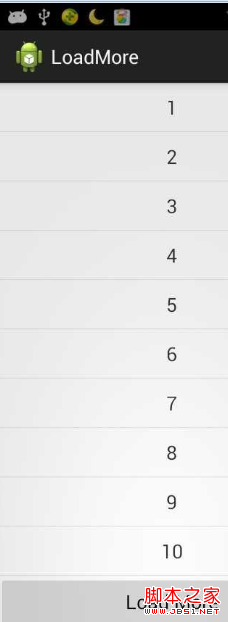 ListView 分頁加載更新實例分享
ListView是android中最常用的控件之一。 在實際運用中往往會遇到一次性加載全部數據過多,需要分頁加載增加程序運行效率! 本demo是將更新的監聽放在listv
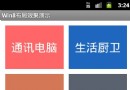 android界面布局之實現文本塊布局效果示例
復制代碼 代碼如下:package cn.aibow.android.layoutdemo1;import android.os.Bundle;import androi