編輯:關於Android編程
Android WebView常見問題解決方案匯總:
webview是一個使用方便、功能強大的控件,但由於webview的背景顏色默認是白色,在一些場合下會顯得很突兀(比如背景是黑色)。
此時就想到了要把webview的背景設置為透明,這樣就可以與其背景融為一體。
在2.X的平台下,一般設置webview背景為透明的方法如下:
wvContent.setBackgroundColor(0);
但當程序在4.0上使用時,發現居然這種設置方法無法,即使通過上面設置背景為0,照樣顯示出原來默認的白色背景。
通過網上查找,發現原來是由於硬件加速導致的,此時就想到了使用代碼關閉當前webview的硬件加速,方法如下:
wvContent.setLayerType(View.LAYER_TYPE_SOFTWARE,null);
這時發現又有新問題,如果要通過該代碼進行設置,SDK最低版本也要11(android 3.0)無法正常編譯
這時需要在布局文件中設置 android:layerType="software"
通過測試,在4.0和2.2都能正常運行,webview透明背景設置成功
需要在Activity的onDestory()中調用webView.destroy();
但是直接調用可能會引起如下錯誤:
06-10 15:01:11.402: E/ViewRootImpl(7502): sendUserActionEvent() mView == null
06-10 15:01:26.818: E/webview(7502): java.lang.Throwable: Error: WebView.destroy() called while still attached!
06-10 15:01:26.818: E/webview(7502): at android.webkit.WebViewClassic.destroy(WebViewClassic.java:4142)
06-10 15:01:26.818: E/webview(7502): at android.webkit.WebView.destroy(WebView.java:707)
06-10 15:01:26.818: E/webview(7502): at com.didi.taxi.ui.webview.OperatingWebViewActivity.onDestroy(OperatingWebViewActivity.java:236)
06-10 15:01:26.818: E/webview(7502): at android.app.Activity.performDestroy(Activity.java:5543)
06-10 15:01:26.818: E/webview(7502): at android.app.Instrumentation.callActivityOnDestroy(Instrumentation.java:1134)
06-10 15:01:26.818: E/webview(7502): at android.app.ActivityThread.performDestroyActivity(ActivityThread.java:3619)
06-10 15:01:26.818: E/webview(7502): at android.app.ActivityThread.handleDestroyActivity(ActivityThread.java:3654)
06-10 15:01:26.818: E/webview(7502): at android.app.ActivityThread.access$1300(ActivityThread.java:159)
06-10 15:01:26.818: E/webview(7502): at android.app.ActivityThread$H.handleMessage(ActivityThread.java:1369)
06-10 15:01:26.818: E/webview(7502): at android.os.Handler.dispatchMessage(Handler.java:99)
06-10 15:01:26.818: E/webview(7502): at android.os.Looper.loop(Looper.java:137)
06-10 15:01:26.818: E/webview(7502): at android.app.ActivityThread.main(ActivityThread.java:5419)
06-10 15:01:26.818: E/webview(7502): at java.lang.reflect.Method.invokeNative(Native Method)
06-10 15:01:26.818: E/webview(7502): at java.lang.reflect.Method.invoke(Method.java:525)
06-10 15:01:26.818: E/webview(7502): at com.android.internal.os.ZygoteInit$MethodAndArgsCaller.run(ZygoteInit.java:1187)03-10 15:01:26.818: E/webview(7502): at com.android.internal.os.ZygoteInit.main(ZygoteInit.java:1003)
06-10 15:01:26.818: E/webview(7502): at dalvik.system.NativeStart.main(Native Method)
如上所示,webview調用destory時,webview仍綁定在Activity上.這是由於自定義webview構建時傳入了該Activity的context對象,因此需要先從父容器中移除webview,然後再銷毀webview:rootLayout.removeView(webView);
mWebView.getSettings().setSupportZoom(true);
mWebView.getSettings().setBuiltInZoomControls(true);
if (DeviceUtils.hasHoneycomb())
mWebView.getSettings().setDisplayZoomControls(false);
注意:setDisplayZoomControls是在Android 3.0中新增的API.
覆寫WebViewClient中的onReceivedError()方法:
/**
 * 顯示自定義錯誤提示頁面,用一個View覆蓋在WebView
 */
protected void showErrorPage() {
    LinearLayout webParentView = (LinearLayout)mWebView.getParent();
    initErrorPage();
    while (webParentView.getChildCount() > 1) {
        webParentView.removeViewAt(0);
    }
    LinearLayout.LayoutParams lp = new LinearLayout.LayoutParams(LayoutParams.FILL_PARENT,LayoutParams.FILL_PARENT);
    webParentView.addView(mErrorView, 0, lp);
    mIsErrorPage = true;
}
protected void hideErrorPage() {
    LinearLayout webParentView = (LinearLayout)mWebView.getParent();

    mIsErrorPage = false;
    while (webParentView.getChildCount() > 1) {
        webParentView.removeViewAt(0);
    }
}
protected void initErrorPage() {
    if (mErrorView == null) {
        mErrorView = View.inflate(this, R.layout.online_error, null);
        Button button = (Button)mErrorView.findViewById(R.id.online_error_btn_retry);
        button.setOnClickListener(new OnClickListener() {
            public void onClick(View v) {
                mWebView.reload();
            }
        });
        mErrorView.setOnClickListener(null);
    }
}
@Override
public void onReceivedError(WebView view, int errorCode, String description, String failingUrl) {
mErrorView.setVisibility(View.VISIBLE);
super.onReceivedError(view, errorCode, description, failingUrl);
}
CookieSyncManager.createInstance(this);
CookieSyncManager.getInstance().startSync();
CookieManager.getInstance().removeSessionCookie();
但是CookieManager已經過時,不建議使用。
webView.clearCache(true);
webView.clearHistory();
m_webview.loadDataWithBaseURL(null, result,"text/html", "utf-8",null);
getScrollY()方法返回的是當前可見區域的頂端距整個頁面頂端的距離,也就是當前內容滾動的距離.
getHeight()或者getBottom()方法都返回當前WebView 這個容器的高度
getContentHeight 返回的是整個html 的高度,但並不等同於當前整個頁面的高度,因為WebView 有縮放功能, 所以當前整個頁面的高度實際上應該是原始html 的高度再乘上縮放比例. 因此,更正後的結果,准確的判斷方法應該是:
if(WebView.getContentHeight*WebView.getScale() == (webview.getHeight()+WebView.getScrollY()))
{ //已經處於底端 }
Android WebView是攔截不到頁面內的fragment跳轉的。但是url跳轉的話,又會引起頁面刷新,H5頁面的體驗又下降了。只能給WebView注入JS方法了。
有時候需要加上請求頭,但是非超鏈接的請求,沒有辦法再shouldOverrinding中攔截並用webView.loadUrl(String url,HashMap headers)方法添加請求頭
目前用了一個臨時的辦法解決:
首先需要在url中加特殊標記/協議, 如在onWebViewResource方法中攔截對應的請求,然後將要添加的請求頭,以get形式拼接到url末尾
在shouldInterceptRequest()方法中,可以攔截到所有的網頁中資源請求,比如加載JS,圖片以及Ajax請求等等
@SuppressLint("NewApi")
@Override
public WebResourceResponse shouldInterceptRequest(WebView view,String url) {
    // 非超鏈接(如Ajax)請求無法直接添加請求頭,現拼接到url末尾,這裡拼接一個imei作為示例
    String ajaxUrl = url;
    // 如標識:req=ajax
    if (url.contains("req=ajax")) {
       ajaxUrl += "&imei=" + imei;
    }
    return super.shouldInterceptRequest(view, ajaxUrl);

}
@Override
public void onLoadResource(WebView view, String url) {
  mEventListener.onWebViewEvent(CustomWebView.this, OnWebViewEventListener.EVENT_ON_LOAD_RESOURCE, url);
    if (url.indexOf(".jpg") > 0) {
     hideProgress(); //請求圖片時即顯示頁面
     mEventListener.onWebViewEvent(CustomWebView.this, OnWebViewEventListener.EVENT_ON_HIDE_PROGRESS, view.getUrl());
     }
    super.onLoadResource(view, url);
}
mWebView.setOnLongClickListener(new OnLongClickListener() {
          @Override
          public boolean onLongClick(View v) {
              return true;
          }
      });
  String temp = "

  + "\">


  + "\" height=\"" + "90%" + "\" scale=\"" + "noscale"

  + "\" type=\"" + "application/x-shockwave-flash"

  + "\"> ";

  String mimeType = "text/html";

  String encoding = "utf-8";

  web.loadDataWithBaseURL("null", temp, mimeType, encoding, "");
需要盡量避免在onPageFinished()中做業務操作,否則會導致重復調用,還有可能會引起邏輯上的錯誤.
需要給WebView設置 WebChromeClient,並在onReceiveTitle()回調中獲取
WebChromeClient webChromeClient = new WebChromeClient() {
            @Override
            public void onReceivedTitle(WebView view, String title) {
                super.onReceivedTitle(view, title);
                txtTitle.setText(title);
            }
        };
這個問題主要是因為會有惡意的js代碼注入,尤其是在已經獲取root權限的手機上,一些惡意程序可能會利用該漏洞安裝或者卸載應用.
關於詳細的情況可以參考: https://github.com/pedant/safe-java-js-webview-bridge, 該項目利用onJsPrompt() 替代了addJavaScriptInterface(),同時增加了異步回調,
很好地解決了webview js注入的安全問題.
 android ContentProvider實現資源共享實例
ContentProvider為存儲和讀取數據提供了統一的接口,使用ContentProvider,應用程序可以實現數據共享,android內置的許多數據都是使用Con
 android開發步步為營之31:TabActivity的用法Tab顯示在底部
Tab標簽頁是一個非常常用的控件,.net裡面就有multipage+tabstrip組合通過標簽的切換實現頁面的切換,同理html裡面我們常用frameset來
 Android控件系列之Toast使用介紹
Toast英文含義是吐司,在Android中,它就像烘烤機裡做好的吐司彈出來,並持續一小段時間後慢慢消失Toast也是一個容器,可以包含各種View,並承載著它們顯示。使
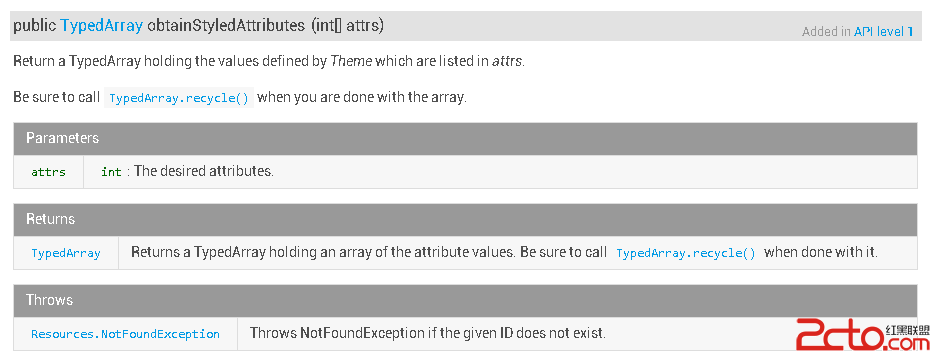 Android 自定義控件之第三講:obtainStyledAttributes 系列函數詳解
在項目中開發自定義控件時,或多或少都會用到 obtainStyledAttributes(AttributeSet, int[], int, int) 或者 obtain