編輯:關於Android編程
如果沒有應用程序篩選任何意圖的,什麼也不做。
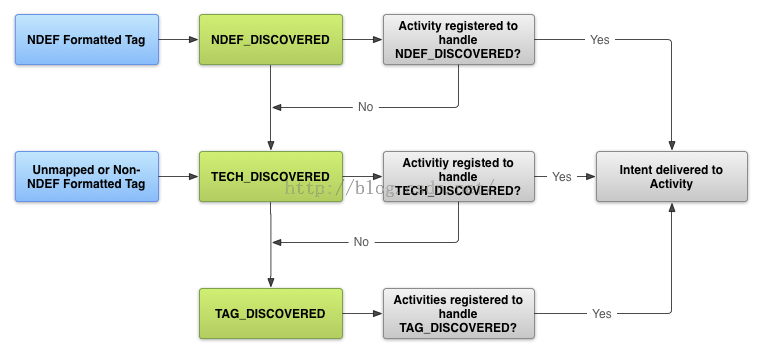
只要有可能,以NDEF消息和ACTION_NDEF_DISCOVERED意圖工作,因為它是最特定出的三個。此意向,您可以在比其他兩個意圖更適當的時間啟動應用程序,給用戶更好的體驗。
請求在Android清單NFC訪問
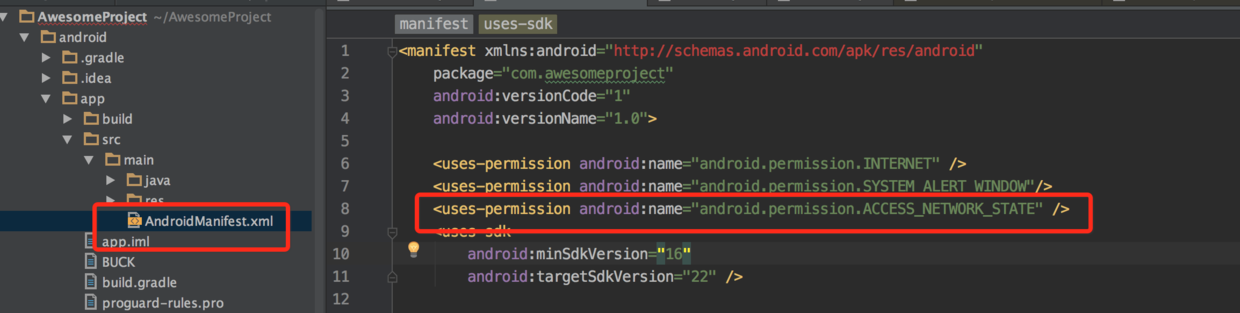
在可以訪問設備的NFC硬件,妥善處理NFC意圖,聲明在AndroidManifest.xml文件以下項目:
該NFC<使用許可權>元素訪問NFC硬件:
最低SDK版本,你的應用程序可以支持。 API級9只支持通過ACTION_TAG_DISCOVERED有限標簽調度,並只給出了通過額外的NDEF郵件中多余的訪問NDEF消息。沒有其他標簽屬性或I / O操作都可以訪問。 API級別10包括全面的讀/寫支持,以及前景NDEF推搡,和API級14提供了一個更簡單的方法來推動NDEF消息,Android Beam功能和額外的便利方法的其他設備來創建NDEF記錄。
用途特征元素所以只有您的應用程序在谷歌顯示出來玩的有NFC硬件設備:
如果應用程序使用NFC功能,但該功能是不是你的應用是至關重要的,你可以省略的用途,特征元素,並檢查是否getDefaultAdapter()是空在運行時檢查NFC avalailbility。
下面的例子在http://developer.android.com/index.html形式濾波器為一個URI。
ACTION TECH_DISCOVERED
您也可以指定多個高科技列表集。每個高科技列表套獨立考慮,你的行為被認為是一個比賽,如果任何一個高科技列表集是由getTechList()返回的技術的一個子集。這提供AND和OR語義匹配技術。下面的例子相匹配,可以支持NFCA和NDEF技術或可以支持NFC和NDEF技術代碼:android.nfc.tech.IsoDep android.nfc.tech.NfcA android.nfc.tech.NfcB android.nfc.tech.NfcF android.nfc.tech.NfcV android.nfc.tech.Ndef android.nfc.tech.NdefFormatable android.nfc.tech.MifareClassic android.nfc.tech.MifareUltralight
在AndroidManifest.xml文件指定<活動>元素中就像在下面的例子中的元素,你只是在<元數據>創建的資源文件:android.nfc.tech.NfcA android.nfc.tech.Ndef android.nfc.tech.NfcB android.nfc.tech.Ndef
...有關與標簽技術和動作TECH_DISCOVERED意圖,請參閱使用高級NFC文件中支持的標簽技術的更多信息。...
從意向獲取信息
public void onResume() {
  super.onResume();
  ...
  if (NfcAdapter.ACTION_NDEF_DISCOVERED.equals(getIntent().getAction())) {
    Parcelable[] rawMsgs = intent.getParcelableArrayExtra(NfcAdapter.EXTRA_NDEF_MESSAGES);
    if (rawMsgs != null) {
      msgs = new NdefMessage[rawMsgs.length];
      for (int i = 0; i < rawMsgs.length; i++) {
        msgs[i] = (NdefMessage) rawMsgs[i];
      }
    }
  }
  //process the msgs array
}
另外,您也可以從意向,其中將包含有效載荷,並允許您列舉標記的技術的Tag對象:
Tag tag = intent.getParcelableExtra(NfcAdapter.EXTRA_TAG);創建NDEF記錄的常見類型
NdefRecord uriRecord = new NdefRecord(
  NdefRecord.TNF_ABSOLUTE_URI ,
  "http://developer.android.com/index.html".getBytes(Charset.forName("US-ASCII")),
  new byte[0], new byte[0]);
前一個NDEF記錄的意圖過濾器是這樣的:
TNF MIME媒體
NdefRecord mimeRecord = NdefRecord.createMime("application/vnd.com.example.android.beam",
  "Beam me up, Android".getBytes(Charset.forName("US-ASCII")));
手動創建NdefRecord:
NdefRecord mimeRecord = new NdefRecord(
  NdefRecord.TNF_MIME_MEDIA ,
  "application/vnd.com.example.android.beam".getBytes(Charset.forName("US-ASCII")),
  new byte[0], "Beam me up, Android!".getBytes(Charset.forName("US-ASCII")));
前一個NDEF記錄的意圖過濾器是這樣的:
TNF_WELL_KNOWN與RTD_TEXT
public NdefRecord createTextRecord(String payload, Locale locale, boolean encodeInUtf8) {
  byte[] langBytes = locale.getLanguage().getBytes(Charset.forName("US-ASCII"));
  Charset utfEncoding = encodeInUtf8 ? Charset.forName("UTF-8") : Charset.forName("UTF-16");
  byte[] textBytes = payload.getBytes(utfEncoding);
  int utfBit = encodeInUtf8 ? 0 : (1 << 7);
  char status = (char) (utfBit + langBytes.length);
  byte[] data = new byte[1 + langBytes.length + textBytes.length];
  data[0] = (byte) status;
  System.arraycopy(langBytes, 0, data, 1, langBytes.length);
  System.arraycopy(textBytes, 0, data, 1 + langBytes.length, textBytes.length);
  NdefRecord record = new NdefRecord(NdefRecord.TNF_WELL_KNOWN,
  NdefRecord.RTD_TEXT, new byte[0], data);
  return record;
}
意圖過濾器是這樣的:
TNF_WELL_KNOWN與RTD_URI
使用createUri(String)方法:
NdefRecord rtdUriRecord1 = NdefRecord.createUri("http://example.com");
使用創建的URI(URI)的方法:
Uri uri = new Uri("http://example.com");
NdefRecord rtdUriRecord2 = NdefRecord.createUri(uri);
手動創建NdefRecord:
byte[] uriField = "example.com".getBytes(Charset.forName("US-ASCII"));
byte[] payload = new byte[uriField.length + 1];       //add 1 for the URI Prefix
byte payload[0] = 0x01;                   //prefixes http://www. to the URI
System.arraycopy(uriField, 0, payload, 1, uriField.length); //appends URI to payload
NdefRecord rtdUriRecord = new NdefRecord(
  NdefRecord.TNF_WELL_KNOWN, NdefRecord.RTD_URI, new byte[0], payload);
前一個NDEF記錄的意圖過濾器是這樣的:
TNF_EXTERNAL_TYPE
byte[] payload; //assign to your data
String domain = "com.example"; //usually your app's package name
String type = "externalType";
NdefRecord extRecord = NdefRecord.createExternal(domain, type, payload);
手動創建NdefRecord:
byte[] payload;
...
NdefRecord extRecord = new NdefRecord(
  NdefRecord.TNF_EXTERNAL_TYPE, "com.example:externalType", new byte[0], payload);
前一個NDEF記錄的意圖過濾器是這樣的:
使用更多通用的NFC標簽部署TNF_EXTERNAL_TYPE,以更好地支持Android的供電和非Android設備。
NdefMessage msg = new NdefMessage(
    new NdefRecord[] {
      ...,
      NdefRecord.createApplicationRecord("com.example.android.beam")}
喜氣洋洋NDEF消息給其它設備
package com.example.android.beam;

import android.app.Activity;
import android.content.Intent;
import android.nfc.NdefMessage;
import android.nfc.NdefRecord;
import android.nfc.NfcAdapter;
import android.nfc.NfcAdapter.CreateNdefMessageCallback;
import android.nfc.NfcEvent;
import android.os.Bundle;
import android.os.Parcelable;
import android.widget.TextView;
import android.widget.Toast;
import java.nio.charset.Charset;


public class Beam extends Activity implements CreateNdefMessageCallback {
  NfcAdapter mNfcAdapter;
  TextView textView;

  @Override
  public void onCreate(Bundle savedInstanceState) {
    super.onCreate(savedInstanceState);
    setContentView(R.layout.main);
    TextView textView = (TextView) findViewById(R.id.textView);
    // Check for available NFC Adapter
    mNfcAdapter = NfcAdapter.getDefaultAdapter(this);
    if (mNfcAdapter == null) {
      Toast.makeText(this, "NFC is not available", Toast.LENGTH_LONG).show();
      finish();
      return;
    }
    // Register callback
    mNfcAdapter.setNdefPushMessageCallback(this, this);
  }

  @Override
  public NdefMessage createNdefMessage(NfcEvent event) {
    String text = ("Beam me up, Android!\n\n" +
        "Beam Time: " + System.currentTimeMillis());
    NdefMessage msg = new NdefMessage(
        new NdefRecord[] { createMime(
            "application/vnd.com.example.android.beam", text.getBytes())
    /**
     * The Android Application Record (AAR) is commented out. When a device
     * receives a push with an AAR in it, the application specified in the AAR
     * is guaranteed to run. The AAR overrides the tag dispatch system.
     * You can add it back in to guarantee that this
     * activity starts when receiving a beamed message. For now, this code
     * uses the tag dispatch system.
     */
     //,NdefRecord.createApplicationRecord("com.example.android.beam")
    });
    return msg;
  }

  @Override
  public void onResume() {
    super.onResume();
    // Check to see that the Activity started due to an Android Beam
    if (NfcAdapter.ACTION_NDEF_DISCOVERED.equals(getIntent().getAction())) {
      processIntent(getIntent());
    }
  }

  @Override
  public void onNewIntent(Intent intent) {
    // onResume gets called after this to handle the intent
    setIntent(intent);
  }

  /**
  * Parses the NDEF Message from the intent and prints to the TextView
  */
  void processIntent(Intent intent) {
    textView = (TextView) findViewById(R.id.textView);
    Parcelable[] rawMsgs = intent.getParcelableArrayExtra(
        NfcAdapter.EXTRA_NDEF_MESSAGES);
    // only one message sent during the beam
    NdefMessage msg = (NdefMessage) rawMsgs[0];
    // record 0 contains the MIME type, record 1 is the AAR, if present
    textView.setText(new String(msg.getRecords()[0].getPayload()));
  }
}
請注意,此代碼注釋出一個AAR,你可以刪除。如果啟用了AIR,在AAR指定的應用程序總是收到Android Beam的消息。如果應用程序不存在,谷歌播放開始下載應用程序。因此,如果使用的AAR以下意圖過濾器是不適合的Android4.0設備或更高技術上必需的:
有了這個意圖過濾器中,com.example.android.beam應用程序現在可以在掃描NFC標簽或接收到的Android梁式com.example.android.beam的AAR,或當NDEF格式的消息包含一個開始類型應用程序/ vnd.com.example.android.beam的MIME紀錄。
 Android studio環境下的 NDK(jni)開發
前言1、什麼是NDK?NDK全稱是Native Development Kit,NDK提供了一系列的工具,幫助開發者快速開發C(或C++)的動態庫,並能自動將so和jav
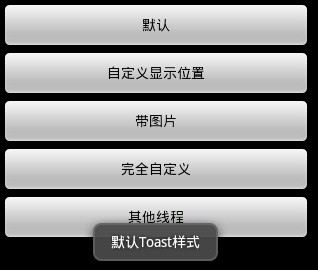 Android Toast的用法總結(五種用法)
Toast大家都很熟,不多說。直接上圖上代碼。 具體代碼如下:main.xml:<?xml version=1.0 enc
 android高仿微信表情輸入與鍵盤輸入代碼(詳細實現分析)
表情與鍵盤的切換輸入大部分IM都會需要到,之前自己實現了一個,還是存在些缺陷,比如說鍵盤與表情切換時出現跳閃問題,這個困擾了我些時間,不過所幸在Github(其代碼整體結
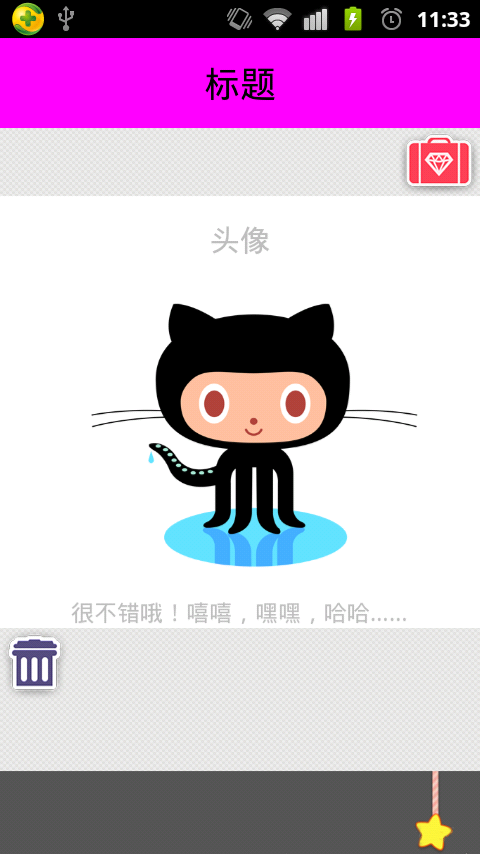 Android中ViewFlipper的使用及設置動畫效果實例詳解
本文實例講述了Android中ViewFlipper的使用及設置動畫效果。分享給大家供大家參考,具體如下:說到左右滑動,其實實現左右滑動的方式很多,有ViewPaer,自