編輯:關於Android編程
MainActivity.java
package com.itheima.mobilemultidownload;

import java.io.BufferedReader;
import java.io.File;
import java.io.FileInputStream;
import java.io.InputStream;
import java.io.InputStreamReader;
import java.io.RandomAccessFile;
import java.net.HttpURLConnection;
import java.net.URL;


import android.os.Bundle;
import android.os.Environment;
import android.os.Handler;
import android.app.Activity;
import android.view.Menu;
import android.view.View;
import android.widget.ProgressBar;
import android.widget.TextView;

public class MainActivity extends Activity {

	static int ThreadCount = 3;
	static int finishedThread = 0;

	int currentProgress;
	String fileName = QQPlayer.exe;
	//確定下載地址
	String path = http://192.168.13.13:8080/ + fileName;
	private ProgressBar pb;
	TextView tv;

	Handler handler = new Handler(){
		public void handleMessage(android.os.Message msg) {
			//把變量改成long,在long下運算,不然當文件很大時,文本進度就會出現負數的情況
			tv.setText((long)pb.getProgress() * 100 / pb.getMax() + %);
		}
	};
	@Override
	protected void onCreate(Bundle savedInstanceState) {
		super.onCreate(savedInstanceState);
		setContentView(R.layout.activity_main);
		pb = (ProgressBar) findViewById(R.id.pb);
		tv = (TextView) findViewById(R.id.tv);
	}

	public void click(View v){

		Thread t = new Thread(){
			@Override
			public void run() {
				//發送get請求,請求這個地址的資源
				try {
					//這次請求是為了獲取文件的大小,以方便設置虛擬的臨時文件的大小
					URL url = new URL(path);
					HttpURLConnection conn = (HttpURLConnection) url.openConnection();
					conn.setRequestMethod(GET);
					conn.setConnectTimeout(5000);
					conn.setReadTimeout(5000);

					if(conn.getResponseCode() == 200){
						//拿到所請求資源文件的長度
						int length = conn.getContentLength();

						//設置進度條的最大值就是原文件的總長度
						pb.setMax(length);

						File file = new File(Environment.getExternalStorageDirectory(), fileName);
						//生成臨時文件,其中rwd表示直接寫入磁盤,而不是在中途將其緩存一部分,這防止一斷電,有些數據還未寫入磁盤;
						RandomAccessFile raf = new RandomAccessFile(file, rwd);
						//事先設置好臨時文件的大小
						raf.setLength(length);
						//最後記得將其關閉
						raf.close();
						//計算出每個線程應該下載多少字節
						int size = length / ThreadCount;

						for (int i = 0; i < ThreadCount; i++) {
							//計算線程下載的開始位置和結束位置
							int startIndex = i * size;
							int endIndex = (i + 1) * size - 1;
							//如果是最後一個線程,那麼結束位置寫死
							if(i == ThreadCount - 1){
								endIndex = length - 1;
							}
//							System.out.println(線程 + i + 的下載區間是: + startIndex + --- + endIndex);
							//new DownLoadThread()是在for()循環裡邊的,所以有三個線程,這就對了!
							new DownLoadThread(startIndex, endIndex, i).start();
						}
					}
				} catch (Exception e) {
					// TODO Auto-generated catch block
					e.printStackTrace();
				}
			}
		};
		t.start();
	}


	class DownLoadThread extends Thread{
		int startIndex;
		int endIndex;
		int threadId;

		public DownLoadThread(int startIndex, int endIndex, int threadId) {
			super();
			this.startIndex = startIndex;
			this.endIndex = endIndex;
			this.threadId = threadId;
		}

		@Override
		public void run() {
			//再次發送http請求,下載原文件
			try {
				//生成一個.txt文件是為了保存上次下載完文件後的結束索引,然後把
				File progressFile = new File(Environment.getExternalStorageDirectory(), threadId + .txt);
				//判斷進度臨時文件是否存在
				if(progressFile.exists()){
					FileInputStream fis = new FileInputStream(progressFile);
					BufferedReader br = new BufferedReader(new InputStreamReader(fis));
					//從進度臨時文件中讀取出上一次下載的總進度,然後與原本的開始位置相加,得到新的開始位置
					int lastProgress = Integer.parseInt(br.readLine());
					startIndex += lastProgress;

					//把上次下載的進度顯示至進度條
					currentProgress += lastProgress;
					//關於進度條的刷新,可以在子線程中顯示,具體自己以後去分析其原因,
					//應該是在其內部做了相應的處理
					pb.setProgress(currentProgress);

					//發送消息,讓主線程刷新文本進度
					handler.sendEmptyMessage(1);
					fis.close();
				}
				System.out.println(線程 + threadId + 的下載區間是: + startIndex + --- + endIndex);
				HttpURLConnection conn;
				URL url = new URL(path);
				conn = (HttpURLConnection) url.openConnection();
				conn.setRequestMethod(GET);
				conn.setConnectTimeout(5000);
				conn.setReadTimeout(5000);
				//設置本次http請求所請求的數據的區間
				conn.setRequestProperty(Range, bytes= + startIndex + - + endIndex);

				//請求部分數據,相應碼是206
				if(conn.getResponseCode() == 206){
					//流裡此時只有1/3原文件的數據
					InputStream is = conn.getInputStream();
					byte[] b = new byte[1024];
					int len = 0;
					int total = 0;
					//拿到臨時文件的輸出流
					File file = new File(Environment.getExternalStorageDirectory(), fileName);
					RandomAccessFile raf = new RandomAccessFile(file, rwd);
					//把文件的寫入位置移動至startIndex,
					//這就是我們為什麼使用RandomAccessFile而不用FileOutputStream的原因,
					//因為其seek方法可以很容易在文件中定位
					raf.seek(startIndex);
					while((len = is.read(b)) != -1){
						//每次讀取流裡數據之後,同步把數據寫入臨時文件
						raf.write(b, 0, len);
						total += len;
						System.out.println(線程 + threadId + 下載了 + total);

						//每次讀取流裡數據之後,把本次讀取的數據的長度顯示至進度條
						currentProgress += len;
						pb.setProgress(currentProgress);
						//發送消息,讓主線程刷新文本進度
						handler.sendEmptyMessage(1);

						//生成一個專門用來記錄下載進度的臨時文件
						RandomAccessFile progressRaf = new RandomAccessFile(progressFile, rwd);
						//每次讀取流裡數據之後,同步把當前線程下載的總進度寫入進度臨時文件中
						progressRaf.write((total + ).getBytes());
						progressRaf.close();
					}
					System.out.println(線程 + threadId + 下載完畢-------------------小志參上!);
					raf.close();

					finishedThread++;
					synchronized (path) {
						if(finishedThread == ThreadCount){
							for (int i = 0; i < ThreadCount; i++) {
								File f = new File(Environment.getExternalStorageDirectory(), i + .txt);

								f.delete();
							}
							finishedThread = 0;
						}
					}

				}
			} catch (Exception e) {
				// TODO Auto-generated catch block
				e.printStackTrace();
			}
		}
	}

}
注:也可以使用Github上別人寫好的方法,直接調用即可;
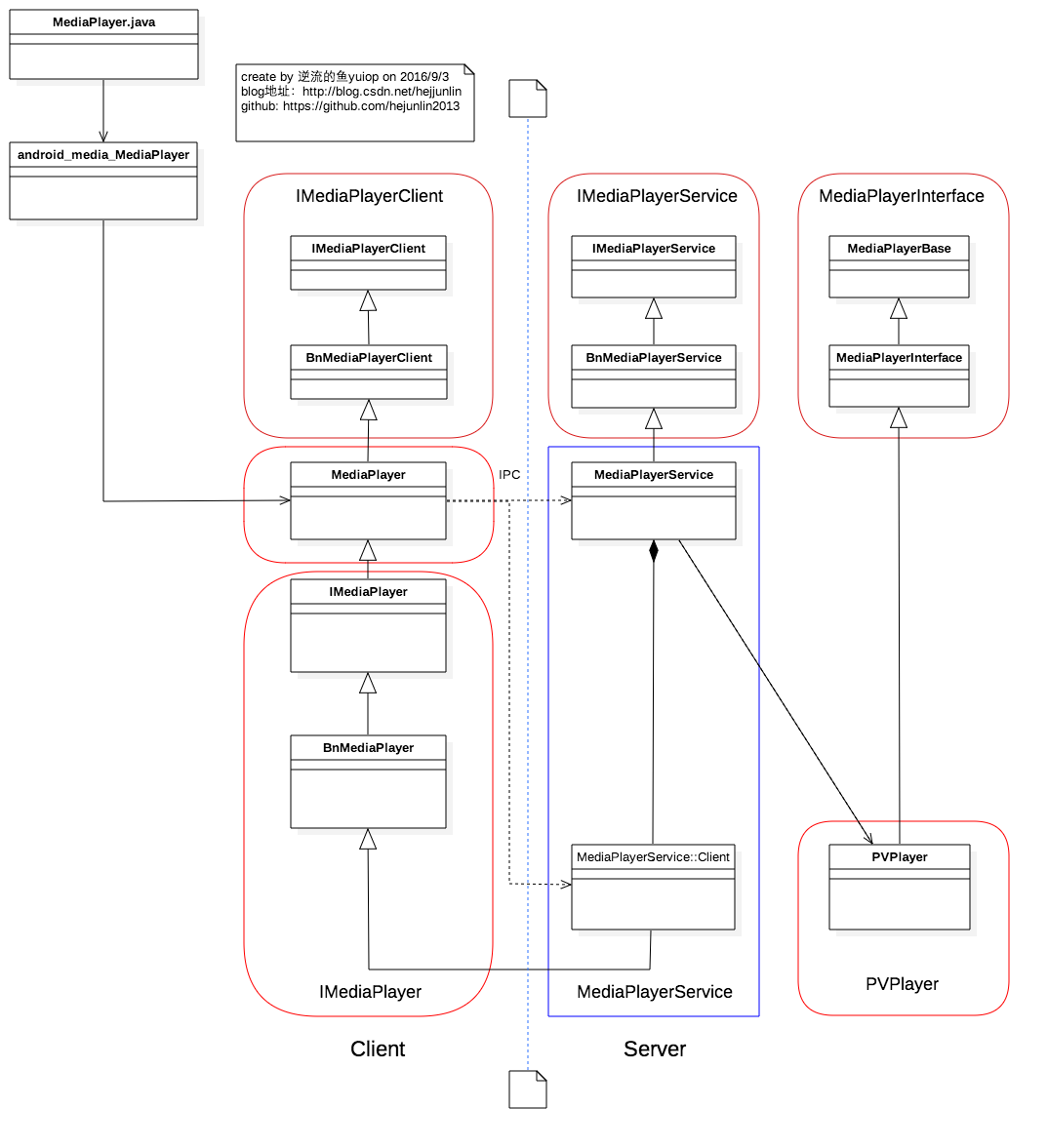 Android Multimedia框架總結(四)MediaPlayer中從Java層到C++層類關系及prepare及之後其他過程
前言:在上篇中,分析了MediaPlayer的從創建到setDataSource過程,盡管看了代碼,但是沒有從MediaPlayer生態上認識各類庫之間依賴調用關系,在本
 分享Android中ExpandableListView控件使用教程
本文采用一個Demo來展示Android中ExpandableListView控件的使用,如如何在組/子ListView中綁定數據源。直接上代碼如下:程序結構圖:layo
 皮膚亮白白——美顏算法
找到第一份實習,老大給我的第一個任務是實現美顏功能,網上找了一大堆資料,總的來說美顏的實現的步驟是:1.用具有保邊效果的濾波算法對圖像進行模糊處理2.用膚色檢測算法保護非
 Unity3D —— protobuf網絡框架
前言:protobuf是google的一個開源項目,主要的用途是:1.數據存儲(序列化和反序列化),這個功能類似xml和json等;2.制作網絡通信協議;一、資源下載:1