編輯:關於Android編程
	// 獲取外網IP
	public static String GetNetIp() {
		URL infoUrl = null;
		InputStream inStream = null;
		try {
			// http://iframe.ip138.com/ic.asp
			// infoUrl = new URL(http://city.ip138.com/city0.asp);
			infoUrl = new URL(http://ip38.com);
			URLConnection connection = infoUrl.openConnection();
			HttpURLConnection httpConnection = (HttpURLConnection) connection;
			int responseCode = httpConnection.getResponseCode();
			if (responseCode == HttpURLConnection.HTTP_OK) {
				inStream = httpConnection.getInputStream();
				BufferedReader reader = new BufferedReader(
						new InputStreamReader(inStream, utf-8));
				StringBuilder strber = new StringBuilder();
				String line = null;
				while ((line = reader.readLine()) != null)
					strber.append(line +
);
				inStream.close();
				// 從反饋的結果中提取出IP地址
				// int start = strber.indexOf([);
				// Log.d(zph,  + start);
				// int end = strber.indexOf(], start + 1);
				// Log.d(zph,  + end);
				line = strber.substring(378, 395);
				line.replaceAll( , );
				return line;
			}
		} catch (MalformedURLException e) {
			e.printStackTrace();
		} catch (IOException e) {
			e.printStackTrace();
		}
		return null;
	}
另有一個獲取外網IP的高端方法
public static String GetNetIp()
{
String IP = ;
try
{
String address = http://ip.taobao.com/service/getIpInfo2.php?ip=myip;
URL url = new URL(address);
HttpURLConnection connection = (HttpURLConnection) url
.openConnection();
connection.setUseCaches(false);

if (connection.getResponseCode() == HttpURLConnection.HTTP_OK)
{
InputStream in = connection.getInputStream();

// 將流轉化為字符串
BufferedReader reader = new BufferedReader(
new InputStreamReader(in));

String tmpString = ;
StringBuilder retJSON = new StringBuilder();
while ((tmpString = reader.readLine()) != null)
{
retJSON.append(tmpString +
);
}

JSONObject jsonObject = new JSONObject(retJSON.toString());
String code = jsonObject.getString(code);
if (code.equals(0))
{
JSONObject data = jsonObject.getJSONObject(data);
IP = data.getString(ip) + ( + data.getString(country)
+ data.getString(area) + 區
+ data.getString(region) + data.getString(city)
+ data.getString(isp) + );

Log.e(提示, 您的IP地址是: + IP);
}
else
{
IP = ;
Log.e(提示, IP接口異常,無法獲取IP地址!);
}
}
else
{
IP = ;
Log.e(提示, 網絡連接異常,無法獲取IP地址!);
}
}
catch (Exception e)
{
IP = ;
Log.e(提示, 獲取IP地址時出現異常,異常信息是: + e.toString());
}
return IP;
}
 為Android添加一門新語言的解決辦法
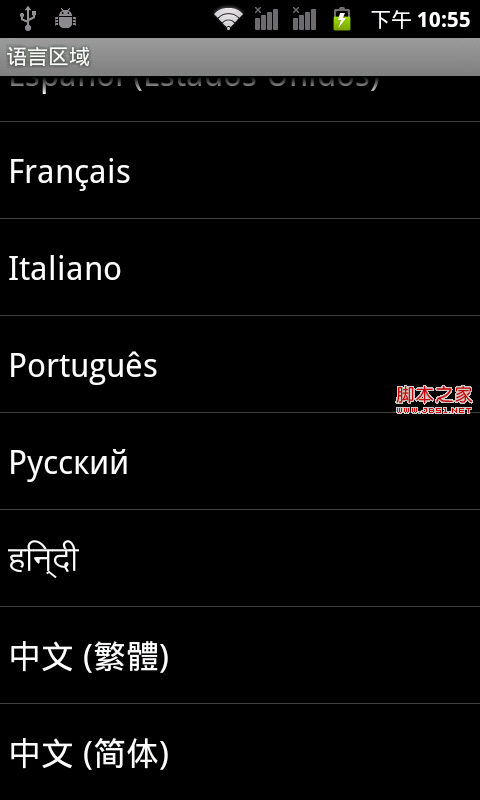
雖然Android從2.3開始已經支持50種以上的語言,但是不是每種語言都有字體可以顯示。遇到一個新需求,有客戶要求對hindi語言的支持。於是上網找了一些資料,發現網上
 Android shape和selector 結合使用實例代碼
shape和selector是Android UI設計中經常用到的,比如我們要自定義一個圓角Button,點擊Button有些效果的變化,就要用到shape和select
 Android-PullRefreshLayout
Android-PullRefreshLayout簡介:基於SwipeRefreshLayout,通吃所有的AbsListView、RecyclerViewAndroid
 Unity3D+moba+技能指示器(一)
1 功能描述類似王者榮耀,按下的技能如果是需要預判的或者是可以選擇單一目標,產生一個搖桿,在地形上顯示輔助的UI提示。存在以下幾種情況:1.扇形范圍技能 2.方