編輯:關於Android編程
獲取屏幕信息:狀態欄高度、content大小
public void getScreenInfo(final Activity activity){
        final View v = activity.getWindow().findViewById(Window.ID_ANDROID_CONTENT);
        v.getViewTreeObserver().addOnPreDrawListener(new ViewTreeObserver.OnPreDrawListener() {
            @Override
            public boolean onPreDraw() {
                Rect frame = new Rect();
                activity.getWindow().getDecorView().getWindowVisibleDisplayFrame(frame);
                int statusBarHeight = frame.top;
                v.getViewTreeObserver().removeOnPreDrawListener(this);
                Log.e("", "ScreenInfo===ContentVIew===Height:" + v.getHeight() + "  Width:" + v.getWidth() + " Top:" + v.getTop() + "  Left:" + v.getLeft()+"   Bottom:"+v.getBottom()+"   狀態欄高度:"+statusBarHeight);


                return true;

            }
        });
    }
private static int widthPixels = 0;
    private static int heightPixels = 0;
    private static float density = 0;

    public static DisplayMetrics getMetrics(Context context) {
        DisplayMetrics metrics = new DisplayMetrics();
        getWindowManager(context).getDefaultDisplay().getMetrics(metrics);

        return metrics;
    }

    public static String getOrientation(Context context) {
        switch (getWindowManager(context).getDefaultDisplay().getRotation()) {
            case Surface.ROTATION_0:
                return "portrait";
            case Surface.ROTATION_90:
                return "landscape";
            case Surface.ROTATION_180:
                return "reverse portrait";
            default:
                return "reverse landscape";
        }
    }

    public static WindowManager getWindowManager(Context context) {
        return (WindowManager) context.getSystemService(Context.WINDOW_SERVICE);
    }

    public static int getWidth(Context context) {
        if (widthPixels == 0) {
            widthPixels = getMetrics(context).widthPixels;
        }
        return widthPixels;
    }

    public static int getHeight(Context context) {
        if (heightPixels == 0) {
            ViewConfiguration.get(context).hasPermanentMenuKey();
            heightPixels = getMetrics(context).heightPixels;
        }
        return heightPixels;
    }

    public static float getDensity(Context context) {
        if (density == 0) {
            density = getMetrics(context).density;
        }
        return density;
    }
 分享Android仿刮獎效果控件
本文實例為大家分享了Android刮刮卡效果控件,供大家參考,具體內容如下刮刮卡類: package com.reyo.view;import android.conte
 Android-Launcher開發之ShortCut(1)
以下源碼來自Launcher2.3的例子 1.默認每個應用的主Activity都會自帶 ,表示該應用安裝到Launcher時點擊打開該Activity 2.
 Android 混淆問題記錄can't find superclass or interface
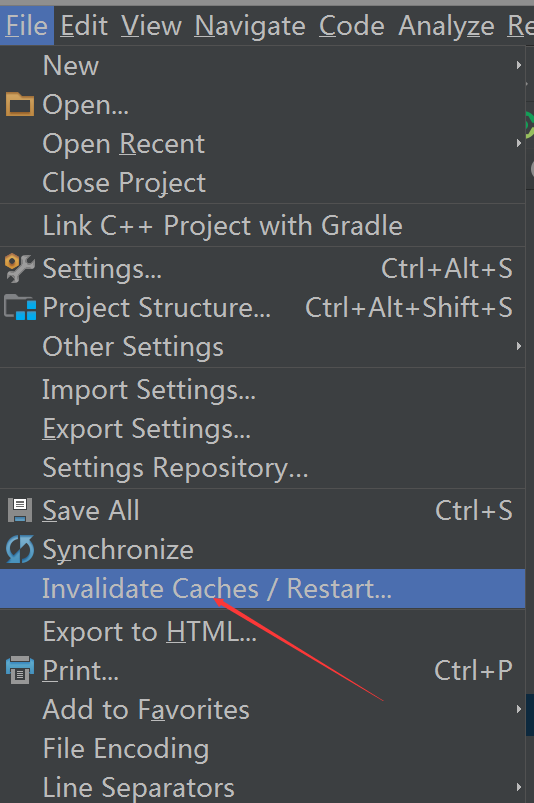
今天用了AS混淆項目,工程使用了fastjson解析數據,混淆出現以下問題:Warning:com.alibaba.fastjson.support.jaxrs.Fast
 為Android的apk應用程序文件加殼以防止反編譯的教程
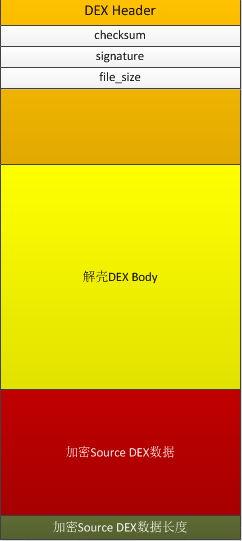
一、什麼是加殼?加殼是在二進制的程序中植入一段代碼,在運行的時候優先取得程序的控制權,做一些額外的工作。大多數病毒就是基於此原理。二、加殼作用加殼的程序可以有效阻止對程序