編輯:關於Android編程
提到Netroid或許很多人不知道這個框架,但我如果說Volley想必沒有人不知道吧。Netroid是一個基於Volley實現的Android Http庫。提供執行網絡請求、緩存返回結果、批量圖片加載、大文件斷點下載的常見Http交互功能,關於網絡請求,圖片加載沒什麼好說的,Volley已經有很多人解析過了,這裡來說一下大文件斷點下載。
關於大文件斷點下載,網上也有很多實現的demo,為什麼要單單說Netroid呢?因為Netroid斷點續傳不依賴數據庫,我在網上看到過很多的斷點續傳的例子,無一例外都是依賴於數據庫,包括DownloadManager,大名鼎鼎的xutils,但是這兩個都有一定的問題。
1.DownloadManager在三星手機上必須打開下載管理才能應用,而打開這個管理必須需要手動打開,一般情況下無傷大雅,視情況而定
2.xutils這個框架別的不知道,文件下載這塊慎用
好了,進入正題,Netroid的地址:www.2cto.com下面簡單的說一下這個框架文件下載的實現和原理,
	// 1
		RequestQueue queue = Netroid.newRequestQueue(getApplicationContext(), null);
		// 2
		mDownloder = new FileDownloader(queue, 1) {
			@Override
			public FileDownloadRequest buildRequest(String storeFilePath, String url) {
				return new FileDownloadRequest(storeFilePath, url) {
					@Override
					public void prepare() {
						addHeader("Accept-Encoding", "identity");
						super.prepare();
					}
				};
			}
		};
		// 3
		task.controller = mDownloder.add(mSaveDirPath + task.storeFileName, task.url, new Listener() {
			@Override
			public void onPreExecute() {
				task.invalidate();
			}

			@Override
			public void onSuccess(Void response) {
				showToast(task.storeFileName + " Success!");
			}

			@Override
			public void onError(NetroidError error) {
				NetroidLog.e(error.getMessage());
			}

			@Override
			public void onFinish() {
				NetroidLog.e("onFinish size : " + Formatter.formatFileSize(
						FileDownloadActivity.this, new File(mSaveDirPath + task.storeFileName).length()));
				task.invalidate();
			}

			@Override
			public void onProgressChange(long fileSize, long downloadedSize) {
				task.onProgressChange(fileSize, downloadedSize);
//				NetroidLog.e("---- fileSize : " + fileSize + " downloadedSize : " + downloadedSize);
			}
		});
實現的話很簡單,主要分為三步就可以了
1.創建一個請求隊列
2.構建一個文件下載管理器
3.將下載任務添加到隊列
現在根據上面的三步來看一下它的實現原理:
第一步:創建一個請求隊列:RequestQueue queue = Netroid.newRequestQueue(getApplicationContext(), null);
/**
     * Creates a default instance of the worker pool and calls {@link RequestQueue#start()} on it.
     * @param context A {@link Context} to use for creating the cache dir.
     * @return A started {@link RequestQueue} instance.
     */
    public static RequestQueue newRequestQueue(Context context, DiskCache cache) {
		int poolSize = RequestQueue.DEFAULT_NETWORK_THREAD_POOL_SIZE;

		HttpStack stack;
		String userAgent = "netroid/0";
		try {
			String packageName = context.getPackageName();
			PackageInfo info = context.getPackageManager().getPackageInfo(packageName, 0);
			userAgent = packageName + "/" + info.versionCode;
		} catch (NameNotFoundException e) {
		}

		if (Build.VERSION.SDK_INT >= Build.VERSION_CODES.GINGERBREAD) {
			stack = new HurlStack(userAgent, null);
		} else {
			// Prior to Gingerbread, HttpUrlConnection was unreliable.
			// See: http://android-developers.blogspot.com/2011/09/androids-http-clients.html
			stack = new HttpClientStack(userAgent);
		}
		//實例化BasicNetwork,主要用於執行下載請求
		Network network = new BasicNetwork(stack, HTTP.UTF_8);
		//創建請求隊列
		RequestQueue queue = new RequestQueue(network, poolSize, cache);
		//很重要的一步
		queue.start();

        return queue;
    }
  /**
     * Starts the dispatchers in this queue.
     */
    public void start() {
        stop();  // Make sure any currently running dispatchers are stopped.
        // Create the cache dispatcher and start it.
        mCacheDispatcher = new CacheDispatcher(mCacheQueue, mNetworkQueue, mCache, mDelivery);
        mCacheDispatcher.start();

        // Create network dispatchers (and corresponding threads) up to the pool size.
        for (int i = 0; i < mDispatchers.length; i++) {
        	//一個線程,從請求隊列中獲取任務並執行
            NetworkDispatcher networkDispatcher =
					new NetworkDispatcher(mNetworkQueue, mNetwork, mCache, mDelivery);
            mDispatchers[i] = networkDispatcher;
            //Thread run()
            networkDispatcher.start();
        }
    }

    /**
     * Stops the cache and network dispatchers.
     */
    public void stop() {
        if (mCacheDispatcher != null) {
            mCacheDispatcher.quit();
        }
		for (NetworkDispatcher mDispatcher : mDispatchers) {
			//Thread interrupt()線程中斷
			if (mDispatcher != null) mDispatcher.quit();
		}
    }
框架中對於文件是沒有緩存機制的,所以mCacheDispatcher可以不用理它,看一下NetworkDispatcher這個線程做了什麼:com.duowan.mobile.netroid.NetworkDispatcher
public class NetworkDispatcher extends Thread {

    @Override
    public void run() {
    	//設置線程優先級
        Process.setThreadPriority(Process.THREAD_PRIORITY_BACKGROUND);
        Request request;
        while (true) {
            try {
                // Take a request from the queue.如果隊列為空,則阻塞
                request = mQueue.take();
            } catch (InterruptedException e) {
                // We may have been interrupted because it was time to quit.唯有線程中斷的時候mQuit才為true,InterruptedException為中斷異常
            	//mQueue.take()如果隊列為null,只會阻塞,不會跑出異常
                if (mQuit) return;
                continue;
            }

            try {
                request.addMarker("network-queue-take");
                //准備執行
				mDelivery.postPreExecute(request);

                // If the request was cancelled already,
                // do not perform the network request.
                if (request.isCanceled()) {
                    request.finish("network-discard-cancelled");
					mDelivery.postCancel(request);
					mDelivery.postFinish(request);
                    continue;
                }

                // Perform the network request.最重要一步!Netroid實例化的BasicNetwork在這裡執行網絡請求
                NetworkResponse networkResponse = mNetwork.performRequest(request);
                request.addMarker("network-http-complete");

                // Parse the response here on the worker thread.重命名一下,沒做什麼
                Response response = request.parseNetworkResponse(networkResponse);
                request.addMarker("network-parse-complete");

                // Write to cache if applicable.
				if (mCache != null && request.shouldCache() && response.cacheEntry != null) {
					response.cacheEntry.expireTime = request.getCacheExpireTime();
					mCache.putEntry(request.getCacheKey(), response.cacheEntry);
					request.addMarker("network-cache-written");
				}

                // Post the response back.
                request.markDelivered();
                mDelivery.postResponse(request, response);
            } catch (NetroidError netroidError) {
				mDelivery.postError(request, request.parseNetworkError(netroidError));
            } catch (Exception e) {
				NetroidLog.e(e, "Unhandled exception %s", e.toString());
				mDelivery.postError(request, new NetroidError(e));
			}
        }
    }

}
這裡最重要的一步就是NetworkResponse networkResponse = mNetwork.performRequest(request);執行網絡請求,但是我們不要忘記我們的mQueue還是空的,mQueue.take()正在阻塞著呢,所以,現在還沒有辦法進行網絡請求,因此我們需要在mQueue中填充任務,才能進行我們的網絡請求。不要忘記這裡哦,因為我們還會回到這裡!
第二步:創建一個文件下載管理器:new FileDownloader(queue, 1)
mDownloder = new FileDownloader(queue, 1) {
			@Override
			public FileDownloadRequest buildRequest(String storeFilePath, String url) {
				return new FileDownloadRequest(storeFilePath, url) {
					@Override
					public void prepare() {
						addHeader("Accept-Encoding", "identity");
						super.prepare();
					}
				};
			}
		};
這裡有沒有看著很嚇人,我起初看的時候也嚇了一跳,其實就是實例化的時候,順手override了一下
/** The parallel task count, recommend less than 3. */ private final int mParallelTaskCount; /** The linked Task Queue. */ private final LinkedList這裡是需要注意的一點,mParallelTaskCount並發的數量最好<3.mTaskQueue; /** * Construct Downloader and init the Task Queue. * @param queue The RequestQueue for dispatching Download task. * @param parallelTaskCount * Allows parallel task count, * don't forget the value must less than ThreadPoolSize of the RequestQueue. */ public FileDownloader(RequestQueue queue, int parallelTaskCount) { if (parallelTaskCount >= queue.getThreadPoolSize()) { throw new IllegalArgumentException("parallelTaskCount[" + parallelTaskCount + "] must less than threadPoolSize[" + queue.getThreadPoolSize() + "] of the RequestQueue."); } mTaskQueue = new LinkedList (); mParallelTaskCount = parallelTaskCount; mRequestQueue = queue; }
第三步:將下載任務添加到隊列,task.controller = mDownloder.add(mSaveDirPath + task.storeFileName, task.url, new Listener
	/**
	 * Create a new download request, this request might not run immediately because the parallel task limitation,
	 * you can check the status by the {@link DownloadController} which you got after invoke this method.
	 *
	 * Note: don't perform this method twice or more with same parameters, because we didn't check for
	 * duplicate tasks, it rely on developer done.
	 *
	 * Note: this method should invoke in the main thread.
	 *
	 * @param storeFilePath Once download successed, we'll find it by the store file path.
	 * @param url The download url.
	 * @param listener The event callback by status;
	 * @return The task controller allows pause or resume or discard operation.
	 */
	public DownloadController add(String storeFilePath, String url, Listener listener) {
		// only fulfill requests that were initiated from the main thread.(reason for the Delivery?)
		//看名字就知道
		throwIfNotOnMainThread();
		//創建一個下載控制器
		DownloadController controller = new DownloadController(storeFilePath, url, listener);
		synchronized (mTaskQueue) {
			//這可不是mQueue,這裡只是一個DownloadController的LinkedList集合
			mTaskQueue.add(controller);
		}
		//重點來了
		schedule();
		return controller;
	}
	/**
	 * Traverse the Task Queue, count the running task then deploy more if it can be.
	 */
	private void schedule() {
		// make sure only one thread can manipulate the Task Queue.
		synchronized (mTaskQueue) {
			// counting ran task.
			int parallelTaskCount = 0;
			for (DownloadController controller : mTaskQueue) {
				//累計隊列中正在下載的的任務數
				if (controller.isDownloading()) parallelTaskCount++;
			}
			//當正在下載的個數大於並行任務數的時候,不在執行下載任務
			/*
			 * 這裡舉個例子說明一下:我們默認mParallelTaskCount=1
			 * 當我們添加第一個任務的時候,這個的controller.isDownloading()肯定是false
			 * 所以parallelTaskCount >= mParallelTaskCount是不成立的,當我們再添加一個任務的時候,現在mTaskQueue.size是2了
			 * 且第一個isDownloading,為了保證並發數量為1,會return,說的有點亂,不知道說明白了沒有
			 */
			if (parallelTaskCount >= mParallelTaskCount) return;

			// try to deploy all Task if they're await.
			for (DownloadController controller : mTaskQueue) {
				//deploy(),將任務添加到隊列中
				if (controller.deploy() && ++parallelTaskCount == mParallelTaskCount) return;
			}
		}
	}
		/**
		 * For the parallel reason, only the {@link FileDownloader#schedule()} can call this method.
		 * @return true if deploy is successed.
		 */
		private boolean deploy() {
			if (mStatus != STATUS_WAITING) return false;
			//第二步我說很嚇人那個地方
			mRequest = buildRequest(mStoreFilePath, mUrl);

			// we create a Listener to wrapping that Listener which developer specified,
			// for the onFinish(), onSuccess(), onError() won't call when request was cancel reason.
			mRequest.setListener(new Listener() {
				boolean isCanceled;

				@Override
				public void onPreExecute() {
					mListener.onPreExecute();
				}

				@Override
				public void onFinish() {
					// we don't inform FINISH when it was cancel.
					if (!isCanceled) {
						mStatus = STATUS_PAUSE;
						mListener.onFinish();
						// when request was FINISH, remove the task and re-schedule Task Queue.
//						remove(DownloadController.this);
					}
				}

				@Override
				public void onSuccess(Void response) {
					// we don't inform SUCCESS when it was cancel.
					if (!isCanceled) {
						mListener.onSuccess(response);
						mStatus = STATUS_SUCCESS;
						remove(DownloadController.this);
					}
				}

				@Override
				public void onError(NetroidError error) {
					// we don't inform ERROR when it was cancel.
					if (!isCanceled) mListener.onError(error);
				}

				@Override
				public void onCancel() {
					mListener.onCancel();
					isCanceled = true;
				}

				@Override
				public void onProgressChange(long fileSize, long downloadedSize) {
					mListener.onProgressChange(fileSize, downloadedSize);
				}
			});

			mStatus = STATUS_DOWNLOADING;
			//我擦,終於把任務加到隊列中了
			mRequestQueue.add(mRequest);
			return true;
		}
mRequestQueue.add(mRequest);任務加到隊列中了,都到了這裡了看一下怎麼加的吧
 public Request add(Request request) {
        // Tag the request as belonging to this queue and add it to the set of current requests.
        request.setRequestQueue(this);
        synchronized (mCurrentRequests) {
            mCurrentRequests.add(request);
        }

        // Process requests in the order they are added.
        request.setSequence(getSequenceNumber());
        request.addMarker("add-to-queue");

        // If the request is uncacheable or forceUpdate, skip the cache queue and go straight to the network.
        if (request.isForceUpdate() || !request.shouldCache()) {
			mDelivery.postNetworking(request);
			mNetworkQueue.add(request);
			return request;
        }

}
request.shouldCache()有興趣的可以自己去看一下,這裡說明了文件下載沒有緩存機制,這裡就不多說了,因為如果你還沒有忘記的話,mQueue.take()還在阻塞著呢,好了讓我們回到第一步,執行網絡請求
NetworkResponse networkResponse = mNetwork.performRequest(request);
	@Override
	public NetworkResponse performRequest(Request request) throws NetroidError {
		// Determine if request had non-http perform.
		NetworkResponse networkResponse = request.perform();
		if (networkResponse != null) return networkResponse;

		long requestStart = SystemClock.elapsedRealtime();
		while (true) {
			// If the request was cancelled already,
			// do not perform the network request.
			if (request.isCanceled()) {
				request.finish("perform-discard-cancelled");
				mDelivery.postCancel(request);
				throw new NetworkError(networkResponse);
			}

			HttpResponse httpResponse = null;
			byte[] responseContents = null;
			try {
				// prepare to perform this request, normally is reset the request headers.
				request.prepare();

				httpResponse = mHttpStack.performRequest(request);

				StatusLine statusLine = httpResponse.getStatusLine();
				int statusCode = statusLine.getStatusCode();
				responseContents = request.handleResponse(httpResponse, mDelivery);
				if (statusCode < 200 || statusCode > 299) throw new IOException();


				// if the request is slow, log it.
				long requestLifetime = SystemClock.elapsedRealtime() - requestStart;
				logSlowRequests(requestLifetime, request, responseContents, statusLine);

				return new NetworkResponse(statusCode, responseContents, parseCharset(httpResponse));
			} catch (SocketTimeoutException e) {
				attemptRetryOnException("socket", request, new TimeoutError());
			} catch (ConnectTimeoutException e) {
				attemptRetryOnException("connection", request, new TimeoutError());
			} catch (MalformedURLException e) {
				throw new RuntimeException("Bad URL " + request.getUrl(), e);
			} catch (IOException e) {
				if (httpResponse == null) throw new NoConnectionError(e);

				int statusCode = httpResponse.getStatusLine().getStatusCode();
				NetroidLog.e("Unexpected response code %d for %s", statusCode, request.getUrl());
				if (responseContents != null) {
					networkResponse = new NetworkResponse(statusCode, responseContents, parseCharset(httpResponse));
					if (statusCode == HttpStatus.SC_UNAUTHORIZED || statusCode == HttpStatus.SC_FORBIDDEN) {
						attemptRetryOnException("auth", request, new AuthFailureError(networkResponse));
					} else {
						// TODO: Only throw ServerError for 5xx status codes.
						throw new ServerError(networkResponse);
					}
				} else {
					throw new NetworkError(networkResponse);
				}
			}
		}
	}
responseContents = request.handleResponse(httpResponse, mDelivery);,寫文件,斷點續傳的原理
	/**
	 * In this method, we got the Content-Length, with the TemporaryFile length,
	 * we can calculate the actually size of the whole file, if TemporaryFile not exists,
	 * we'll take the store file length then compare to actually size, and if equals,
	 * we consider this download was already done.
	 * We used {@link RandomAccessFile} to continue download, when download success,
	 * the TemporaryFile will be rename to StoreFile.
	 */
	@Override
	public byte[] handleResponse(HttpResponse response, Delivery delivery) throws IOException, ServerError {
		// Content-Length might be negative when use HttpURLConnection because it default header Accept-Encoding is gzip,
		// we can force set the Accept-Encoding as identity in prepare() method to slove this problem but also disable gzip response.
		HttpEntity entity = response.getEntity();
		//獲取文件的總大小
		long fileSize = entity.getContentLength();
		if (fileSize <= 0) {
			NetroidLog.d("Response doesn't present Content-Length!");
		}

		long downloadedSize = mTemporaryFile.length();
		/*
		 * 是否支持斷點續傳
		 *
		 * 客戶端每次提交下載請求時,服務端都要添加這兩個響應頭,以保證客戶端和服務端將此下載識別為可以斷點續傳的下載:
		 *  Accept-Ranges:告知下載客戶端這是一個可以恢復續傳的下載,存放本次下載的開始字節位置、文件的字節大小;
		 *  ETag:保存文件的唯一標識(我在用的文件名+文件最後修改時間,以便續傳請求時對文件進行驗證);
		 *  Last-Modified:可選響應頭,存放服務端文件的最後修改時間,用於驗證
		 */
		boolean isSupportRange = HttpUtils.isSupportRange(response);
		if (isSupportRange) {
			fileSize += downloadedSize;

			// Verify the Content-Range Header, to ensure temporary file is part of the whole file.
			// Sometime, temporary file length add response content-length might greater than actual file length,
			// in this situation, we consider the temporary file is invalid, then throw an exception.
			String realRangeValue = HttpUtils.getHeader(response, "Content-Range");
			// response Content-Range may be null when "Range=bytes=0-"
			if (!TextUtils.isEmpty(realRangeValue)) {
				String assumeRangeValue = "bytes " + downloadedSize + "-" + (fileSize - 1);
				if (TextUtils.indexOf(realRangeValue, assumeRangeValue) == -1) {
					throw new IllegalStateException(
							"The Content-Range Header is invalid Assume[" + assumeRangeValue + "] vs Real[" + realRangeValue + "], " +
									"please remove the temporary file [" + mTemporaryFile + "].");
				}
			}
		}

		// Compare the store file size(after download successes have) to server-side Content-Length.
		// temporary file will rename to store file after download success, so we compare the
		// Content-Length to ensure this request already download or not.
		if (fileSize > 0 && mStoreFile.length() == fileSize) {
			// Rename the store file to temporary file, mock the download success. ^_^
			mStoreFile.renameTo(mTemporaryFile);

			// Deliver download progress.
			delivery.postDownloadProgress(this, fileSize, fileSize);

			return null;
		}
		//之所以能夠實現斷點續傳的原因所在
		RandomAccessFile tmpFileRaf = new RandomAccessFile(mTemporaryFile, "rw");

		// If server-side support range download, we seek to last point of the temporary file.
		if (isSupportRange) {
			//移動文件讀寫指針位置
			tmpFileRaf.seek(downloadedSize);
		} else {
			// If not, truncate the temporary file then start download from beginning.
			tmpFileRaf.setLength(0);
			downloadedSize = 0;
		}

		try {
			InputStream in = entity.getContent();
			// Determine the response gzip encoding, support for HttpClientStack download.
			if (HttpUtils.isGzipContent(response) && !(in instanceof GZIPInputStream)) {
				in = new GZIPInputStream(in);
			}
			byte[] buffer = new byte[6 * 1024]; // 6K buffer
			int offset;

			while ((offset = in.read(buffer)) != -1) {
				//寫文件
				tmpFileRaf.write(buffer, 0, offset);

				downloadedSize += offset;
				long currTime = SystemClock.uptimeMillis();
				//控制下載進度的速度
				if (currTime - lastUpdateTime >= DEFAULT_TIME) {
					lastUpdateTime = currTime;
					delivery.postDownloadProgress(this, fileSize,
							downloadedSize);
				}

				if (isCanceled()) {
					delivery.postCancel(this);
					break;
				}
			}
		} finally {
			try {
				// Close the InputStream and release the resources by "consuming the content".
				if (entity != null) entity.consumeContent();
			} catch (Exception e) {
				// This can happen if there was an exception above that left the entity in
				// an invalid state.
				NetroidLog.v("Error occured when calling consumingContent");
			}
			tmpFileRaf.close();
		}

		return null;
	}
實現斷點續傳主要靠的RandomAccessFile,你如果對c語言不陌生的話tmpFileRaf.seek(downloadedSize)和int fseek(FILE *stream, long offset, int fromwhere);是不是有點眼熟,只與RandomAccessFile就不說了。
好了,Netroid的原理基本上就是這些了,講一下我用的時候遇到的兩個問題:
1.下載進度的速度太快,你如果用notifition來顯示,會出現ANR,所以我們要控制一下它的速度,具體方法在上面
//控制下載進度的速度
				if (currTime - lastUpdateTime >= DEFAULT_TIME) {
					lastUpdateTime = currTime;
					delivery.postDownloadProgress(this, fileSize,
							downloadedSize);
				}
	@Override
				public void onFinish() {
					// we don't inform FINISH when it was cancel.
					if (!isCanceled) {
						mStatus = STATUS_PAUSE;
						mListener.onFinish();
						// when request was FINISH, remove the task and re-schedule Task Queue.
//						remove(DownloadController.this);
					}
				}

				@Override
				public void onSuccess(Void response) {
					// we don't inform SUCCESS when it was cancel.
					if (!isCanceled) {
						mListener.onSuccess(response);
						mStatus = STATUS_SUCCESS;
						remove(DownloadController.this);
					}
				}
把onFinish的status改成STATUS_PAUSE,並去掉remove(DownloadController.this);,在onSuccess中再將status修改為STATUS_SUCCESS,並remove,當然這個辦法治標不治本,如果有誰知道請告之,謝謝!
 初始Servlet監聽器
Servlet監聽器簡介Servlet監聽器的作用是監聽Web容器的有效事件,由容器管理。利用Listener接口監聽在容器中的某個執行程序,並更具應用程序的需求做出適當
 淺談Android中的MVP
前言為什麼使用MVP,網上有很多說法,最主要就是減輕了Activity的責任,相比於MVC中的Activity承擔的責任太多,因此有必要講講MVP。MVP入門在MVC框架
 android開發步步為營之22:處理Activity中的back按鈕事件
在手機應用中,用戶點擊回退按鈕一般是返回上個頁面,一般頁面不用處理,如果在首頁,點回退,沒任何提示,就把應用給關了,這個用戶體驗就不太好了,所以一般都會給用戶一個確認的提
 關於JNI
關於JNI
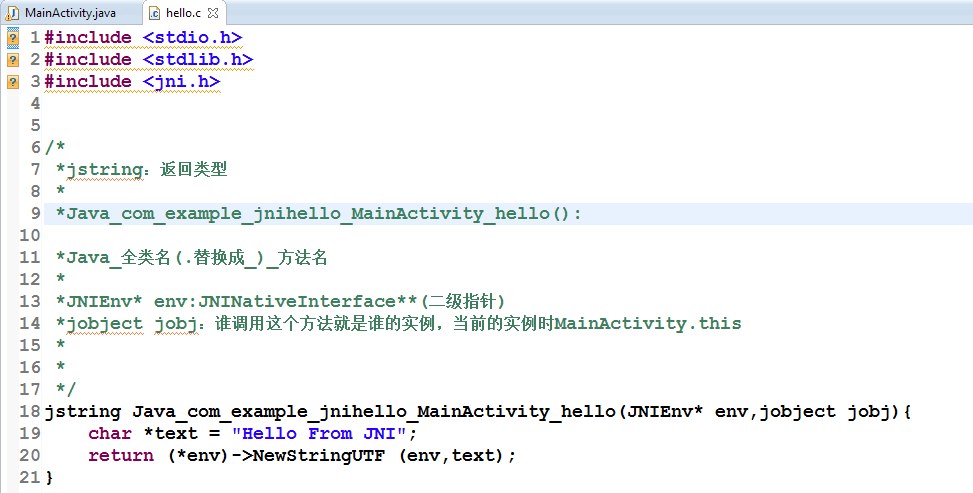
JNINDK開發環境的搭建將NDK的路徑拷貝到環境變量path中 cmd中運行ndk-build可驗證是否添加成功JNI_HelloWorld步驟1.創建Android工