編輯:關於Android編程
BitmapFactory.Options options = new BitmapFactory.Options();
options.inJustDecodeBounds = true;
BitmapFactory.decodeResource(getResources(), R.id.myimage, options);
// 獲取屬性值
int imageHeight = options.outHeight;
int imageWidth = options.outWidth;
String imageType = options.outMimeType;
/**
 * 獲取合適的inSampleSize
 * @param options
 * @param targetWidth 期望Width
 * @param targetHeight 期望Height
 * @return
 */
public static int getInSampleSize(BitmapFactory.Options options,
                                        int targetWidth, int targetHeight) {
    // 原始圖片的高度和寬度
    final int height = options.outHeight;
    final int width = options.outWidth;
    int inSampleSize = 1;
    if (height > targetHeight || width > targetWidth) {
        // 計算出實際寬高和目標寬高的比率
        final int heightRate = Math.round((float) height / (float) targetHeight);
        final int widthRate = Math.round((float) width / (float) targetWidth);
        inSampleSize = heightRate < widthRate ? heightRate : widthRate;
    }
    return inSampleSize;
}
/**
 * 使用targetWidth、targetHeight來獲取合適的inSampleSize
 * 並使用inSampleSize來縮放得到合適大小的圖像
 * @param res getResources()
 * @param resId id
 * @param targetWidth
 * @param targetHeight
 * @return
 */
public static Bitmap decodeSuitableBitmap(Resources res, int resId,
                                          int targetWidth, int targetHeight) {
    // 空手套白狼
    final BitmapFactory.Options options = new BitmapFactory.Options();
    options.inJustDecodeBounds = true;
    BitmapFactory.decodeResource(res, resId, options);
    // 計算合適的inSampleSize
    options.inSampleSize = getInSampleSize(options, targetWidth, targetHeight);
    // 加載到內存
    options.inJustDecodeBounds = false;
    return BitmapFactory.decodeResource(res, resId, options);
}
 安全重於泰山 尋找Android手機最強程序鎖
剛剛介紹的“偽鎖”僅適用於微信,而微信之外的APP又該如何加密上鎖呢?通過“LockdownPro”這款軟件
 Android的二維碼功能實現以及長按識別二維碼
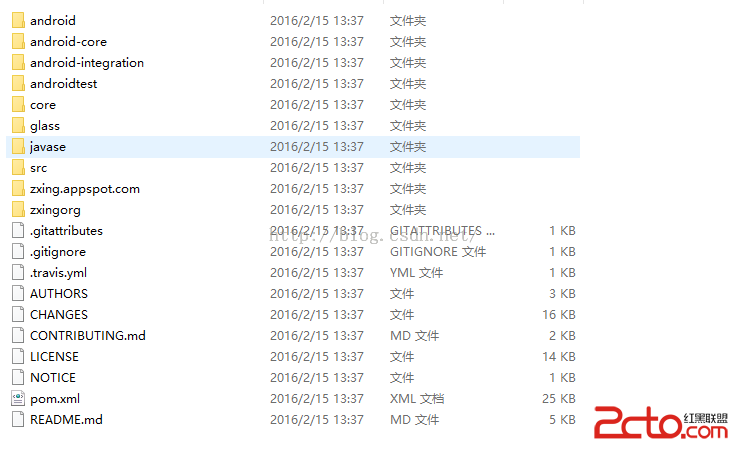
一、初步集成Zxing項目二維碼的識別可是在生活中隨處可見的,現在基本上所有APP都有二維碼的相關操作,如果識別二維碼從頭開始開發做起來還是相當復雜和麻煩的,從零開始開發
 android適配器中的觀察者模式
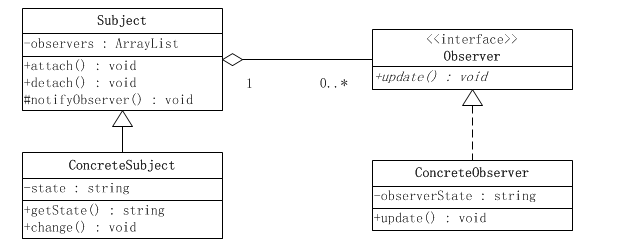
1. 模式介紹模式的定義定義對象間一種一對多的依賴關系,使得每當一個對象改變狀態,則所有依賴於它的對象都會得到通知並被自動更新。模式的使用場景關聯行為場景。需要注意的是,
 社會化三方分享集成詳細介紹
相信做開發的猿友們肯定會接觸三方分享,那麼三方分享怎麼具體集成呢,當初我吃過苦頭,現在想為新手們寫一個詳細的集成介紹。大神請自行走開。。。我這裡就介紹友盟的三方了吧,目前