編輯:關於Android編程
import android.content.Context;
import android.view.inputmethod.InputMethodManager;
import android.widget.EditText;

//打開或關閉軟鍵盤
public class KeyBoardUtils
{
	/**
	 * 打卡軟鍵盤
	 *
	 * @param mEditText輸入框
	 * @param mContext上下文
	 */
	public static void openKeybord(EditText mEditText, Context mContext)
	{
		InputMethodManager imm = (InputMethodManager) mContext
				.getSystemService(Context.INPUT_METHOD_SERVICE);
		imm.showSoftInput(mEditText, InputMethodManager.RESULT_SHOWN);
		imm.toggleSoftInput(InputMethodManager.SHOW_FORCED,
				InputMethodManager.HIDE_IMPLICIT_ONLY);
	}

	/**
	 * 關閉軟鍵盤
	 *
	 * @param mEditText輸入框
	 * @param mContext上下文
	 */
	public static void closeKeybord(EditText mEditText, Context mContext)
	{
		InputMethodManager imm = (InputMethodManager) mContext.getSystemService(Context.INPUT_METHOD_SERVICE);

		imm.hideSoftInputFromWindow(mEditText.getWindowToken(), 0);
	}
}
 Android提供的系統服務之--SmsManager(短信管理器)
Android提供的系統服務之--SmsManager(短信管理器)
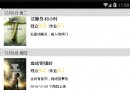 詳解android使用ItemDecoration 懸浮導航欄效果
開始逐漸領略到ItemDecoration的美~今天讓我 使用 ItemDecoration 來完成 可推動的懸浮導航欄的效果,最終實現的效果如下圖:具體實現步驟如下:根
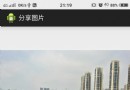 【Android圖像處理】從相冊選擇一張圖片並分享
說到圖像處理,第一件事就是要從手機相冊選擇圖片,然後才是處理。其實,用代碼實現從手機相冊選擇一張圖片其實非常簡單:添加一個Button,id設為btnOpen;對該But
 Android應用性能優化系列視圖篇——ListView自適應導致的嚴重性能問題
ListView是Android中最常用的視圖之一,使用的頻率僅僅次於三大基礎布局,雖然由於使用性和擴展性等原因備受爭議,且盡管後來出現了RecyclerView的替代方