編輯:關於Android編程
main.xml代碼:
package org.lxh.demo;

import android.app.Activity;
import android.app.AlertDialog;
import android.app.Dialog;
import android.content.DialogInterface;
import android.content.pm.ActivityInfo;
import android.os.Bundle;
import android.view.View;
import android.view.View.OnClickListener;
import android.view.View.OnFocusChangeListener;
import android.widget.Button;
import android.widget.EditText;
import android.widget.ImageView;
import android.widget.TextView;

public class Hello extends Activity {
	private Button change = null;
	private ImageView img = null;

	public void onCreate(Bundle savedInstanceState) {
		super.onCreate(savedInstanceState); // 生命周期方法
		super.setContentView(R.layout.main); // 設置要使用的布局管理器

		this.change = (Button) super.findViewById(R.id.mybtn);
		this.img = (ImageView) super.findViewById(R.id.myview);
		this.change.setOnClickListener(new OnClickListenerImpl());

	}

	private class OnClickListenerImpl implements OnClickListener {

		public void onClick(View arg0) {
			if (Hello.this.getRequestedOrientation() == ActivityInfo.SCREEN_ORIENTATION_UNSPECIFIED) {
				Hello.this.change.setText("無法進行屏幕方向");
			} else {
				if (Hello.this.getRequestedOrientation() == ActivityInfo.SCREEN_ORIENTATION_LANDSCAPE) {
					Hello.this
							.setRequestedOrientation(ActivityInfo.SCREEN_ORIENTATION_PORTRAIT);
				} else if (Hello.this.getRequestedOrientation() == ActivityInfo.SCREEN_ORIENTATION_PORTRAIT) {
					Hello.this
							.setRequestedOrientation(ActivityInfo.SCREEN_ORIENTATION_LANDSCAPE);
				}
			}

		}

	}
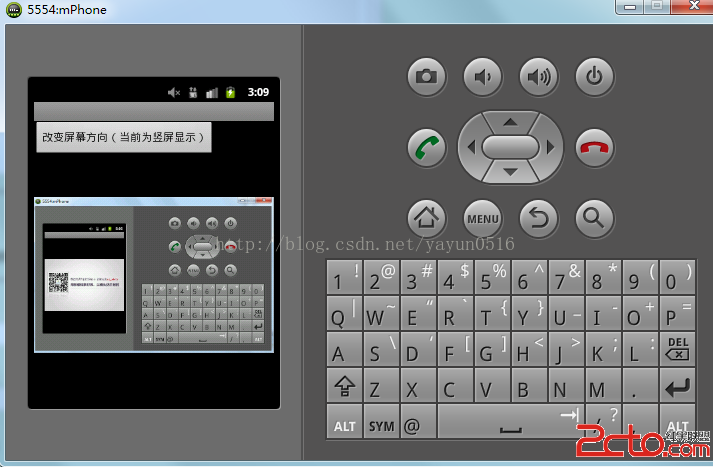
}android:configChanges="orientation|keyboard" android:screenOrientation="portrait">
 Android-點擊事件分發機制驗證
簡介點擊事件的事件分發,其實就是對MotionEvent事件的分發過程,即當一個MotionEvent產生之後,系統需要這個事件傳遞給一個具體的View,而這個傳遞過程就
 Android實習札記(8)---ViewPager+Fragment實例詳解
Android實習札記(8)---ViewPager+Fragment實例講解 在札記(5)中我們就說過要弄一個模仿微信頁面切換的東東,就是V
 Android性能優化之Performance Tips
如果你真的願意去努力,你人生最壞的結果,也不過是大器晚成。 原文鏈接:http://developer.android.com/training/articles/per
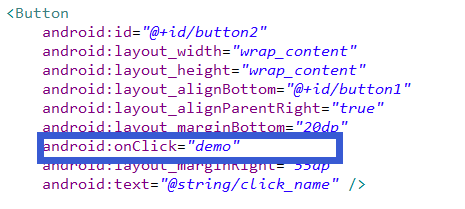 Android為按鈕控件綁定事件的五種實現方式
一、寫在最前面本次,來介紹一下安卓中為控件--Button綁定事件的五種方式。二、具體的實現第一種:直接綁定在Button控件上:步驟1.在Button控件上設置andr