編輯:關於Android編程
package com.liang.netpicture;

import android.graphics.Bitmap;
import android.graphics.BitmapFactory;
import android.os.Handler;
import android.os.Message;
import android.support.v7.app.ActionBarActivity;
import android.os.Bundle;
import android.util.Log;
import android.view.Menu;
import android.view.MenuItem;
import android.view.View;
import android.widget.ImageView;
import android.widget.Toast;
import java.io.IOException;
import java.io.InputStream;
import java.net.HttpURLConnection;
import java.net.URL;
import java.net.URLConnection;
public class MainActivity extends ActionBarActivity {
    ImageView iv_main;
    private final int SUCCESS=0;
    private final int ERROR=1;
    @Override
    protected void onCreate(Bundle savedInstanceState) {
        super.onCreate(savedInstanceState);
        setContentView(R.layout.activity_main);
        iv_main = (ImageView) findViewById(R.id.iv_main);
        //handler接受消息
        final Handler handler=new Handler(){
            @Override
            public void handleMessage(Message msg) {
                super.handleMessage(msg);
                if(msg.what==SUCCESS){
                    iv_main.setImageBitmap((Bitmap) msg.obj);
                }else{
                    Toast.makeText(MainActivity.this,抓取失敗,Toast.LENGTH_SHORT).show();
                }
            }
        };
        //耗時操作都需要在子線程中完成,並且不能在子線程中更改UI線程的組件狀態,需使用Handler進行線程通信
        new Thread(new Runnable() {
            @Override
            public void run() {
                Bitmap bitmap = getNetPicture();
                Message msg=new Message();
                if(bitmap!=null){
                    msg.what=SUCCESS;
                    msg.obj=bitmap;
                }else{
                    msg.what=ERROR;
                }
                handler.sendMessage(msg);
            }
        }).start();
    }
    private Bitmap getNetPicture() {
        Bitmap bitmap=null;
        int responseCode = 0;
        InputStream is = null;
        try {
            URL url = new URL(http://f.hiphotos.baidu.com/image/pic/item/3801213fb80e7beca9bfb6e02d2eb9389b506b4e.jpg);
            HttpURLConnection conn = (HttpURLConnection) url.openConnection();
            conn.setRequestMethod(GET);
            conn.setConnectTimeout(10 * 1000);
            conn.setReadTimeout(5 * 1000);
            conn.connect();
            responseCode = conn.getResponseCode();
            if (responseCode == 200) {
                is = conn.getInputStream();
                bitmap = BitmapFactory.decodeStream(is);
            }
        } catch (IOException e) {
            Log.i(test, 訪問失敗: + responseCode);
            e.printStackTrace();
        } finally {
            if (is != null)
                try {
                    is.close();
                } catch (IOException e) {
                    e.printStackTrace();
                }
        }
        return  bitmap;
    }
}
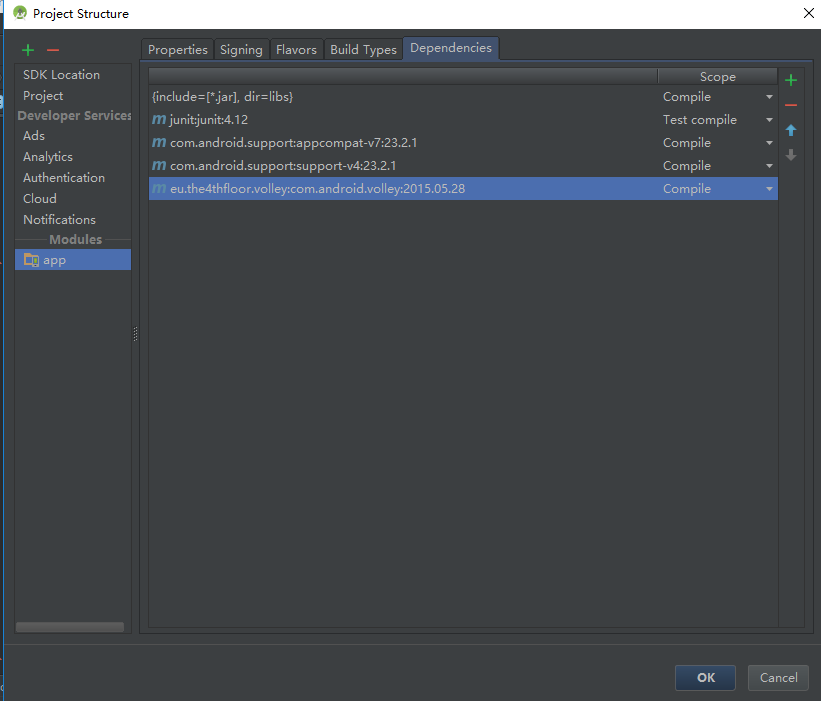 android 網絡請求庫volley方法詳解
使用volley進行網絡請求:需先將volley包導入androidstudio中File下的Project Structrue,點加號導包 volley網絡請
 Android平台調用Web Service:示例
最近在學習Android,隨著移動設備的流行,當軟件走上商業化的道路,為了爭奪市場,肯定需要支持Android的,所以開始接觸了Android,不過只了解皮毛就好,因為我
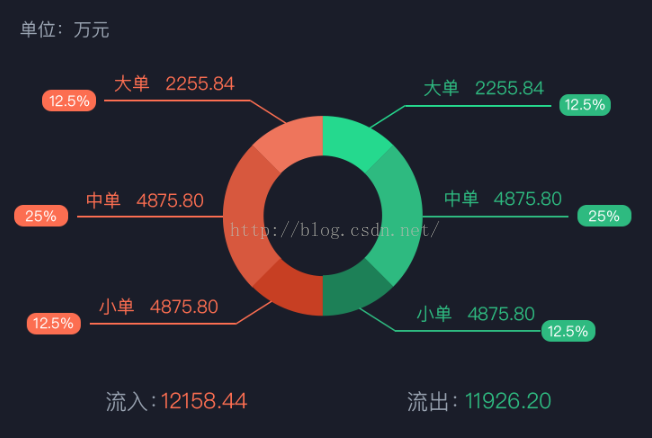 自定義View控件之特殊的餅形圖(環形圖)
單位項目要實現如下圖這種環形圖或是說特殊的餅形圖,在網上找了半天,沒有發現開源的,沒法子,只能硬著頭皮自己寫一個了。最近也在學習自定義view。正好拿這個來進行練習一下。
 Android 中LayoutInflater原理分析
概述在Android開發中LayoutInflater的應用非常普遍,可以將res/layout/下的xml布局文件,實例化為一個View或者ViewGroup的控件。與