編輯:關於Android編程
public class BaseView extends RelativeLayout{

	public Context context;

	public BaseView(Context context) {
		super(context);
		this.context = context;
	}

	public BaseView(Context context, AttributeSet attrs) {
		super(context, attrs);
		this.context = context;
	}

	public BaseView(Context context, AttributeSet attrs, int defStyle) {
		super(context, attrs, defStyle);
		this.context = context;
	}


	@Override
	protected void onDraw(Canvas canvas) {
		super.onDraw(canvas);
	}
}
public class SearchDevicesView extends BaseView{
public static final String TAG = "SearchDevicesView";
public static final boolean D = BuildConfig.DEBUG;
@SuppressWarnings("unused")
private long TIME_DIFF = 1500;
int[] lineColor = new int[]{0x7B, 0x7B, 0x7B};
int[] innerCircle0 = new int[]{0xb9, 0xff, 0xFF};
int[] innerCircle1 = new int[]{0xdf, 0xff, 0xFF};
int[] innerCircle2 = new int[]{0xec, 0xff, 0xFF};
int[] argColor = new int[]{0xF3, 0xf3, 0xfa};
private float offsetArgs = 0;
private boolean isSearching = false;
private Bitmap bitmap;
private Bitmap bitmap1;
private Bitmap bitmap2;
public boolean isSearching() {
return isSearching;
}
public void setSearching(boolean isSearching) {
this.isSearching = isSearching;
offsetArgs = 0;
invalidate();
}
public SearchDevicesView(Context context) {
super(context);
initBitmap();
}
public SearchDevicesView(Context context, AttributeSet attrs) {
super(context, attrs);
initBitmap();
}
public SearchDevicesView(Context context, AttributeSet attrs, int defStyle) {
super(context, attrs, defStyle);
initBitmap();
}
private void initBitmap(){
if(bitmap == null){
bitmap = Bitmap.createBitmap(BitmapFactory.decodeResource(context.getResources(), R.drawable.gplus_search_bg));
}
if(bitmap1 == null){
bitmap1 = Bitmap.createBitmap(BitmapFactory.decodeResource(context.getResources(), R.drawable.locus_round_click));
}
if(bitmap2 == null){
bitmap2 = Bitmap.createBitmap(BitmapFactory.decodeResource(context.getResources(), R.drawable.gplus_search_args));
}
}
@SuppressLint("DrawAllocation")
@Override
protected void onDraw(Canvas canvas) {
super.onDraw(canvas);
canvas.drawBitmap(bitmap, getWidth() / 2 - bitmap.getWidth() / 2, getHeight() / 2 - bitmap.getHeight() / 2, null);
if(isSearching){
Rect rMoon = new Rect(getWidth()/2-bitmap2.getWidth(),getHeight()/2,getWidth()/2,getHeight()/2+bitmap2.getHeight());
canvas.rotate(offsetArgs,getWidth()/2,getHeight()/2);
canvas.drawBitmap(bitmap2,null,rMoon,null);
offsetArgs = offsetArgs + 3;
}else{
canvas.drawBitmap(bitmap2, getWidth() / 2 - bitmap2.getWidth() , getHeight() / 2, null);
}
canvas.drawBitmap(bitmap1, getWidth() / 2 - bitmap1.getWidth() / 2, getHeight() / 2 - bitmap1.getHeight() / 2, null);
if(isSearching) invalidate();
}
@Override
public boolean onTouchEvent(MotionEvent event) {
switch (event.getAction()) {
case MotionEvent.ACTION_DOWN:
handleActionDownEvenet(event);
return true;
case MotionEvent.ACTION_MOVE:
return true;
case MotionEvent.ACTION_UP:
return true;
}
return super.onTouchEvent(event);
}
private void handleActionDownEvenet(MotionEvent event){
RectF rectF = new RectF(getWidth() / 2 - bitmap1.getWidth() / 2,
getHeight() / 2 - bitmap1.getHeight() / 2,
getWidth() / 2 + bitmap1.getWidth() / 2,
getHeight() / 2 + bitmap1.getHeight() / 2);
if(rectF.contains(event.getX(), event.getY())){
if(D) Log.d(TAG, "click search device button");
if(!isSearching()) {
setSearching(true);
}else{
setSearching(false);
}
}
}
} 限時搶購秒殺系統架構分析與實戰
1 秒殺業務分析正常電子商務流程(1)查詢商品;(2)創建訂單;(3)扣減庫存;(4)更新訂單;(5)付款;(6)賣家發貨秒殺業務的特性(1)低廉價格;(2)大幅推廣;(
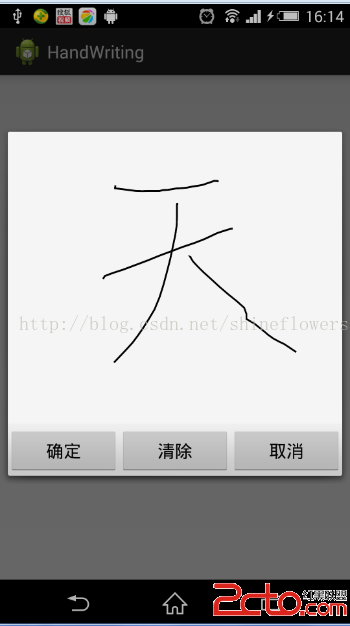 Android實現手寫板和塗鴉功能
下面仿一個Android手寫板和塗鴉的功能,直接上代碼:write_pad.xml <framelayout android:id=@+id/ta
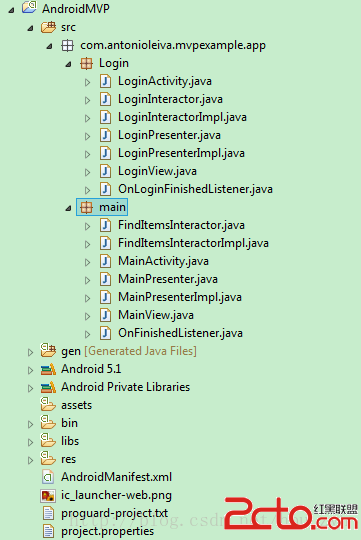 Android MVP 學習
先看一下項目的結構 可以看出每個功能模塊包含 XXActivity,XXView (Interface),XXPresenter(interfac
 如何在XML中定義菜單
和Android UI layout一樣,我們也可以在XML中定義應用程序的菜單。通過在菜單的onCreateOptionsMenu方法中膨脹菜單layout。這樣做會使