編輯:關於Android編程
相對於第一篇來講,這裡講的是磁盤緩存的延續。在這裡我們主要是關注四個類,分別是DiskLruCache、LruDiskCache、StrictLineReader以及工具類Util。
接下來逐一的對它們進行剖析。廢話不多說。
首先來看一下DiskLruCache。
這個類的主要功能是什麼呢?我們先來看一段類的注釋:
 /**
 * A cache that uses a bounded amount of space on a filesystem. Each cache
 * entry has a string key and a fixed number of values. Each key must match
 * the regex [a-z0-9_-]{1,64}. Values are byte sequences,
 * accessible as streams or files. Each value must be between {@code 0} and
 * {@code Integer.MAX_VALUE} bytes in length.
 * This class is tolerant of some I/O errors. If files are missing from the
 * filesystem, the corresponding entries will be dropped from the cache. If
 * an error occurs while writing a cache value, the edit will fail silently.
 * Callers should handle other problems by catching {@code IOException} and
 * responding appropriately.
 */
對英文不感興趣的童鞋別急,下面稍微翻譯一下:
這是基於文件系統所構建的一個基於有限空間的緩存。每一個緩存入口都有一個字符串秘鑰與固定的數字的序列。每一個秘鑰一定要與正則表達式[a-z0-9_-]{1,64}進行匹配。數值則是一些字節序列,是可以作為流或者文件被訪問的。每一個數值在長度上一定是在0與最大的整數之間的。這個緩存類對部分的I/O操作室容忍的。如果有一些文件從文件系統中丟失,相應的緩存的入口?會從緩存中移除。如果在寫入一個緩存的數值的時候發生了以外的錯誤,
當前的編輯也會默默的撤銷,回調者則會通過捕獲一些I/O異常與核實的回應來處理一些其他的問題。
由於DiskLruCache的代碼量較多,我們還是從一些核心的變量與方法上來講述它。核心變量如下:
	static final String JOURNAL_FILE = "journal";
	static final String JOURNAL_FILE_TEMP = "journal.tmp";
	static final String JOURNAL_FILE_BACKUP = "journal.bkp";
	static final String MAGIC = "libcore.io.DiskLruCache";
	static final String VERSION_1 = "1";
	static final long ANY_SEQUENCE_NUMBER = -1;
	static final Pattern LEGAL_KEY_PATTERN = Pattern.compile("[a-z0-9_-]{1,64}");
	private static final String CLEAN = "CLEAN";
	private static final String DIRTY = "DIRTY";
	private static final String REMOVE = "REMOVE";
	private static final String READ = "READ";
	private final File directory;
	private final File journalFile;
	private final File journalFileTmp;
	private final File journalFileBackup;
	private final int appVersion;
	private long maxSize;
	private int maxFileCount;
	private final int valueCount;
	private long size = 0;
	private int fileCount = 0;
	private Writer journalWriter;
	private final LinkedHashMap lruEntries =
			new LinkedHashMap(0, 0.75f, true);
	private int redundantOpCount;
	private long nextSequenceNumber = 0;
	final ThreadPoolExecutor executorService =
			new ThreadPoolExecutor(0, 1, 60L, TimeUnit.SECONDS, new LinkedBlockingQueue());
上面的變量大致進行歸類,包括:日志文件的命名,日志文件的開始5行內容的變量的定義,文件尺寸與數量的限制以及一個LinkedHashMap來維持一個緩存隊列,最後還有一個線程池。
接下來大致介紹一下裡面的函數的功能:
1、readJournal 這個函數的功能是1、計算當前的日志的緩存的行數、2、計算當前的緩存的日志文件中冗余的行數 3、讀取並且處理緩存的日志中的每一行的數據
2、readJournalLine 這個函數的功能是真正的執行每一行日志的操作 當在日志中遇到一個關鍵字的時候,從當前的緩存的度列中查看當前的關鍵字所映射的對象是否存在,如果不存在,以當前的關鍵字創建一個新的對象並且放到當前的緩存的隊列中。
3、processJournal 計算初始化的尺寸,並且回收緩存中的一些垃圾。髒的入口將會被認為是前後矛盾的,將會被回收。
4、rebuildJournal 這個函數的功能是創建一個新的刪除大量冗余信息的日志文件,如果當前的日志文件存在,將會替換掉當前的日志文件。
5、
public synchronized Snapshot get(String key) throws IOException
6、
public synchronized boolean remove(String key) throws IOException
如果當前的文件實體是存在的並且是可以刪除的,那麼就刪除當前的文件的實體。當前正在被編輯的文件實體是不能夠被刪除的。
接下來關注一下這個類中的三個比較重要的內部類,分別是Snapshot、Editor與Entry。
大致介紹一些這三個類的功能。
Snapshot是緩存的文件實體的數值的一個快照。Editor是編輯緩存的文件實體的數值。Entry是緩存的文件實體的數據模型。
接下來我們分下一下LruDiskCache這個類的主要功能。
正如這個類的名稱一樣,這是一個最近最久未使用的磁盤緩存。這樣這個類的大致的功能我們清楚了。
我們會在這個類中看到這樣一個成員變量
protected DiskLruCache cache;
由此可見當前的類,是DiskLruCache針對磁盤緩存的接口的一個適配器。不信?我們從下面的方法中可以看出:
1、
@Override
	public File getDirectory() {
		return cache.getDirectory();
}2、
public File get(String imageUri) {
		DiskLruCache.Snapshot snapshot = null;
		try {
			snapshot = cache.get(getKey(imageUri));
			return snapshot == null ? null : snapshot.getFile(0);
		} catch (IOException e) {
			L.e(e);
			return null;
		} finally {
			if (snapshot != null) {
				snapshot.close();
			}
		}
	}
3、
public boolean save(String imageUri, InputStream imageStream, IoUtils.CopyListener listener) throws IOException {
		DiskLruCache.Editor editor = cache.edit(getKey(imageUri));
		if (editor == null) {
			return false;
		}

		OutputStream os = new BufferedOutputStream(editor.newOutputStream(0), bufferSize);
		boolean copied = false;
		try {
			copied = IoUtils.copyStream(imageStream, os, listener, bufferSize);
		} finally {
			IoUtils.closeSilently(os);
			if (copied) {
				editor.commit();
			} else {
				editor.abort();
			}
		}
		return copied;
}其余的函數也是以此類推。
接下來要講的類StrictLineReader,我們也是可將將其理解為一個幫助類,它是專門為讀取緩存日志的內容而特別設計的。
主要觀察下面的一個方法:
public String readLine() throws IOException {
		synchronized (in) {
			if (buf == null) {
				throw new IOException("LineReader is closed");
			}
			if (pos >= end) {
				fillBuf();
			}
			for (int i = pos; i != end; ++i) {
				if (buf[i] == LF) {
					int lineEnd = (i != pos && buf[i - 1] == CR) ? i - 1 : i;
					String res = new String(buf, pos, lineEnd - pos, charset.name());
					pos = i + 1;
					return res;
				}
			}
			ByteArrayOutputStream out = new ByteArrayOutputStream(end - pos + 80) {
				@Override
				public String toString() {
					int length = (count > 0 && buf[count - 1] == CR) ? count - 1 : count;
					try {
						return new String(buf, 0, length, charset.name());
					} catch (UnsupportedEncodingException e) {
						throw new AssertionError(e); // Since we control the charset this will never happen.
					}
				}
			};

			while (true) {
				out.write(buf, pos, end - pos);
				// Mark unterminated line in case fillBuf throws EOFException or IOException.
				end = -1;
				fillBuf();
				for (int i = pos; i != end; ++i) {
					if (buf[i] == LF) {
						if (i != pos) {
							out.write(buf, pos, i - pos);
						}
						pos = i + 1;
						return out.toString();
					}
				}
			}
		}
}1、readFully 從Reader中讀取內容,並且拼接成為一個完整的字符串
2、deleteContents 迭代刪除文件的目錄的內容
3、closeQuietly 靜默關閉文件流
Ok,關於磁盤存儲的擴展就講到這裡,希望對各位童鞋有所幫助。
 Android App中使用ViewPager實現滑動分頁的要點解析
以前如果要做 Tab 分頁的話,必須要用一個很難用的 TabActivity,而且做出來的效果很差,彈性也很小忘了從什麼時候開始,Google release 了 Vie
 Android中FontMetrics的幾個屬性全面講解
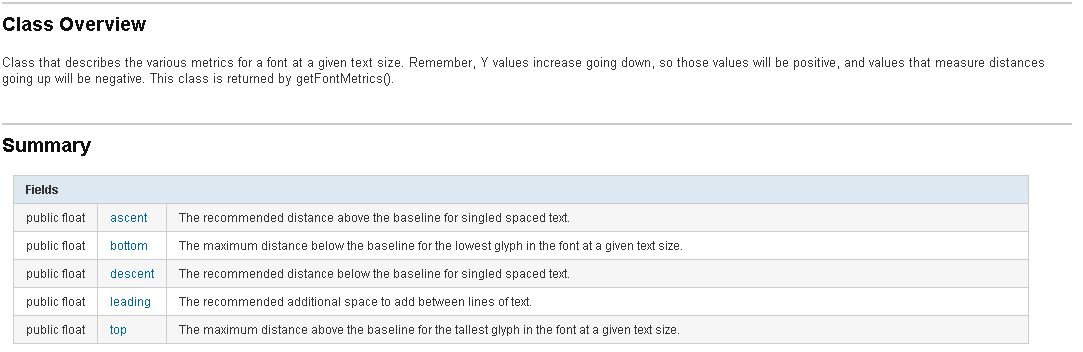
今天和大家聊一聊Android中關於FontMetrics的幾個屬性的理解,在Android中用畫筆繪制文字時,文字最終的大小是和繪制文字的字體的類型和字體的大小是相關的
 Android-shareSDK
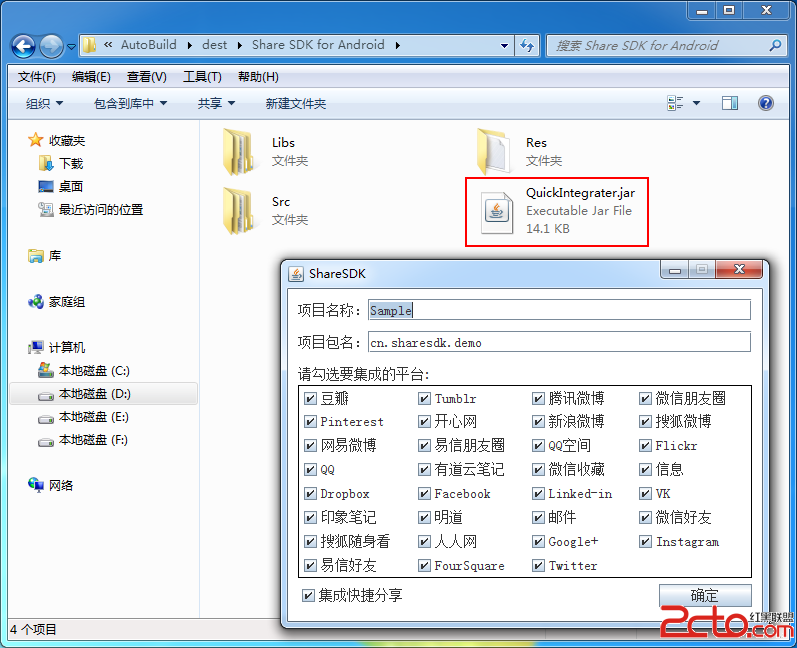
1.當數據: 2.集成數據: DOS命令: java -jar QuickIntegrater.jar (輸入自己的項目名稱和包名) 把聲成的代碼復制進自
 Android編程之SurfaceView學習示例詳解
本文實例講述了Android編程之SurfaceView學習示例。分享給大家供大家參考,具體如下:SurfaceView是View的子類,使用的方式與任何View所派生的