編輯:關於Android編程
首先說明的是,該方法已經被我拋棄了。之前用它,發現加載速度不好。具體沒怎麼細心的看。
現在我用volley了。拿出來只是給大家批判的。
package com.souya.seller.util.ex;

import java.io.File;
import java.io.FileInputStream;
import java.io.InputStream;
import java.lang.ref.SoftReference;
import java.util.HashMap;
import java.util.concurrent.ThreadPoolExecutor;
import java.util.concurrent.TimeUnit;

import AXLib.Utility.Console;
import AXLib.Utility.HttpClient;
import AXLib.Utility.Queue;
import AXLib.Utility.RuntimeExceptionEx;
import android.content.Context;
import android.graphics.Bitmap;
import android.graphics.BitmapFactory;
import android.graphics.drawable.BitmapDrawable;
import android.graphics.drawable.Drawable;
import android.media.ThumbnailUtils;
import android.net.Uri;
import android.os.Handler;
import android.os.Message;
import android.provider.MediaStore.Video.Thumbnails;
import android.util.Log;
import android.widget.ImageView;

import com.souya.seller.app.SellerApplication;


public class AsyncImageLoader {
	private static boolean _D =  false;//AppConfig._D &&
	private static final String TAG = "AsyncImageLoader";
	public static String CachePath = null;
	private static String ThumbnailPath = null;
	private static boolean _isInit = false;
	private static Context _ctx;
	private static Bitmap _empty = Bitmap.createBitmap(1, 1, Bitmap.Config.RGB_565);
	private static HashMap> imageCache = new HashMap>();
	private static Queue queue = new Queue();
	// 線程池:最大50條,每次執行:1條,空閒線程結束的超時時間:180秒
	private static ThreadPoolExecutor executor = new ThreadPoolExecutor(1, 20, 300, TimeUnit.SECONDS, queue);
	public final static AsyncImageLoader Instance = new AsyncImageLoader();

	public static void Init(final Context context) {
		CachePath = SellerApplication.getInstance().mAppCacheDir + "";
		ThumbnailPath = CachePath + "/thumbnails";
		if (!new File(ThumbnailPath).exists())
			new File(ThumbnailPath).mkdirs();
		_ctx = context;
		_isInit = true;
	}

	public static Drawable loadDrawable(final Context context, final String url, final ImageCallback imageCallback) {
		if (!_isInit)
			Init(context);
		final String key = url;
		synchronized (imageCache) {
			if (imageCache.containsKey(key)) {
				SoftReference softReference = imageCache.get(key);
				Bitmap bmp = softReference.get();
				if (bmp != null && !bmp.isRecycled()) {
					if (bmp == _empty) {
						bmp = bmp;
					} else
						return new BitmapDrawable(bmp);
				}
			} else {
				imageCache.put(key, new SoftReference(_empty));
			}
		}

		final Handler handler = new Handler() {
			public void handleMessage(Message message) {
				imageCallback.imageLoaded((Drawable) message.obj, url);
			}
		};

		// 用線程池來做下載圖片的任務
		executor.execute(new Runnable() {
			@Override
			public void run() {
				Bitmap bmp = loadImage(url);
				if (bmp != null) {
					synchronized (imageCache) {
						if (imageCache.containsKey(key)) {
							imageCache.put(key, new SoftReference(bmp));
							Message message = handler.obtainMessage(0, new BitmapDrawable(bmp));
							handler.sendMessage(message);
						} else {
							if (!bmp.isRecycled())
								bmp.recycle();
							bmp = null;
							System.gc();
						}
					}
				}
			}
		});
		return null;
	}

	public static Drawable loadDrawable(final Context context, final String url, final int width, final int height, final ImageCallback imageCallback) {
		if (!_isInit)
			Init(context);
		final String key = String.format("%s_%d_%d", url, width, height);
		if (imageCache.containsKey(key)) {
			SoftReference softReference = imageCache.get(key);
			Bitmap bmp = softReference.get();
			if (bmp != null && !bmp.isRecycled()) {
				if (bmp == _empty) {
					bmp = bmp;
				} else
					return new BitmapDrawable(bmp);
			}

		} else {
			imageCache.put(key, new SoftReference(_empty));
		}

		final Handler handler = new Handler() {
			public void handleMessage(Message message) {
				imageCallback.imageLoaded((Drawable) message.obj, url);
			}
		};

		// 用線程池來做下載圖片的任務
		executor.execute(new Runnable() {
			@Override
			public void run() {
				Bitmap bmp = loadImageAndScale(url, width, height);
				if (imageCache.containsKey(key)) {
					imageCache.put(key, new SoftReference(bmp));
					Message message = handler.obtainMessage(0, new BitmapDrawable(bmp));
					handler.sendMessage(message);
				} else {
					if (!bmp.isRecycled())
						bmp.recycle();
					bmp = null;
					System.gc();
				}
			}
		});

		return null;
	}


	public static void releaseDrawable(String url, int width, int height) {
		log("releaseDrawable" + url);
		String key = String.format("%s_%d_%d", url, width, height);
		releaseDrawable(key);

	}

	public static void releaseDrawable(String url) {
		try {
			log("releaseDrawable" + url);
			String key = url;
			synchronized (imageCache) {
				if (imageCache.containsKey(key)) {
					SoftReference softReference = imageCache.get(key);
					imageCache.remove(key);
					Bitmap bmp = softReference.get();
					if (bmp != null && bmp != _empty && !bmp.isRecycled()) {
						bmp.recycle();
						bmp = null;
					}
					System.gc();
				}
			}
		} catch (Exception e) {
			String stack = RuntimeExceptionEx.GetStackTraceString(e);

		}
	}

	private static HashMap _loadImageLocks = new HashMap();

	public static Bitmap loadImage(String url) {
		log("londImage:" + url);
		Object lockObj = null;
		synchronized (_loadImageLocks) {
			if (_loadImageLocks.containsKey(url))
				lockObj = _loadImageLocks.get(url);
			else {
				lockObj = new Object();
				_loadImageLocks.put(url, lockObj);
			}
		}
		synchronized (lockObj) {
			if (isLocalImage(url))
				return loadLocalImage(url);
			else {
				String localUrl = getCacheFileName(url);
				Bitmap bmp = null;
				if (new File(localUrl).exists())
					bmp = loadLocalImage(localUrl);
				try {
					if (bmp == null)
						bmp = loadHttpImage(url, 0, 0);
				} catch (Throwable e) {
					if (_D)
						throw RuntimeExceptionEx.Create(e);
				}
				return bmp;
			}
		}

	}

	public static Bitmap loadImage(String url, int width, int height) {
		log("londImage:" + url);
		Object lockObj = null;
		synchronized (_loadImageLocks) {
			if (_loadImageLocks.containsKey(url))
				lockObj = _loadImageLocks.get(url);
			else {
				lockObj = new Object();
				_loadImageLocks.put(url, lockObj);
			}
		}
		synchronized (lockObj) {
			if (isLocalImage(url))
				return loadLocalImage(url, width, height);
			else {
				String localUrl = getCacheFileName(url);
				Bitmap bmp = null;
				if (new File(localUrl).exists())
					bmp = loadLocalImage(localUrl, width, height);
				try {
					if (bmp == null)
						bmp = loadHttpImage(url, width, height);
				} catch (Throwable e) {
					if (_D)
						throw RuntimeExceptionEx.Create(e);
				}
				return bmp;
			}
		}

	}

	private static Bitmap loadLocalImageByVideo(String url) {
		log("loadLocalImageByVideo:" + url);
		if (!new File(url).exists())
			return null;
		Bitmap bmp = ThumbnailUtils.createVideoThumbnail(url, Thumbnails.MINI_KIND);
		return bmp;
	}

	private static Bitmap loadLocalImage(String url) {
		return loadLocalImage(url, 0);
	}

	private static Bitmap loadLocalImage(String url, int width, int height) {
		if (width == 0 && height == 0)
			return loadLocalImage(url);
		else
			return _loadLocalImage(url, width, height);
	}

	private static Bitmap _loadLocalImage(String url, int width, int height) {
		try {

			if (!new File(url).exists())
				return null;

			// 獲取屏幕的寬和高
			/**
			 * 為了計算縮放的比例,我們需要獲取整個圖片的尺寸,而不是圖片
			 * BitmapFactory.Options類中有一個布爾型變量inJustDecodeBounds,將其設置為true
			 * 這樣,我們獲取到的就是圖片的尺寸,而不用加載圖片了。 當我們設置這個值的時候,我們接著就可以從BitmapFactory.
			 * Options的outWidth和outHeight中獲取到值
			 */
			BitmapFactory.Options op = new BitmapFactory.Options();
			op.inJustDecodeBounds = true;

			Uri uri = Uri.fromFile(new File(url));

			// 由於使用了MediaStore存儲,這裡根據URI獲取輸入流的形式
			Bitmap pic = BitmapFactory.decodeStream(_ctx.getContentResolver().openInputStream(uri), null, op);

			int wRatio = (int) Math.ceil(op.outWidth / (float) width); // 計算寬度比例
			int hRatio = (int) Math.ceil(op.outHeight / (float) height); // 計算高度比例
			if (pic != null && !pic.isRecycled())
				pic.recycle();
			/**
			 * 接下來,我們就需要判斷是否需要縮放以及到底對寬還是高進行縮放。 如果高和寬不是全都超出了屏幕,那麼無需縮放。
			 * 如果高和寬都超出了屏幕大小,則如何選擇縮放呢》 這需要判斷wRatio和hRatio的大小
			 * 大的一個將被縮放,因為縮放大的時,小的應該自動進行同比率縮放。 縮放使用的還是inSampleSize變量
			 */
			if (wRatio > 1 && hRatio > 1) {
				if (wRatio > hRatio) {
					op.inSampleSize = wRatio;
				} else {
					op.inSampleSize = hRatio;
				}
			}
			op.inJustDecodeBounds = false; // 注意這裡,一定要設置為false,因為上面我們將其設置為true來獲取圖片尺寸了
			try {
				pic = BitmapFactory.decodeStream(_ctx.getContentResolver().openInputStream(uri), null, op);
			} catch (OutOfMemoryError e) {
				loadLocalImage(url, 1);
			}
			return pic;
		} catch (Throwable e) {
			throw RuntimeExceptionEx.Create(e);
		}
	}

	private static Bitmap loadLocalImage(String url, int inSampleSize) {
		log("loadLocalImage:" + url);
		if (!new File(url).exists())
			return null;
		if (url.endsWith(".mp4") || url.endsWith(".3gp")) {
			return loadLocalImageByVideo(url);
		}
		BitmapFactory.Options opt = new BitmapFactory.Options();
		// opt.inPreferredConfig = Bitmap.Config.RGB_565;
		// opt.inPurgeable = true;
		// opt.inInputShareable = true;
		opt.inSampleSize = inSampleSize;
		// 獲取資源圖片
		InputStream is = null;
		try {
			is = new FileInputStream(url);
			if (is != null) {

				Bitmap map = BitmapFactory.decodeStream(is, null, opt);
				if (map == null)
					return null;
				int height = map.getHeight();
				int width = map.getWidth();

				if (width > 1920 || height > 1080) {
					if (inSampleSize == 0)
						inSampleSize = 2;
					else
						inSampleSize++;
					if (is != null) {
						try {
							is.close();
						} catch (Exception ex) {

						}
					}
					map.recycle();
					map = null;
					return loadLocalImage(url, inSampleSize);
				} else {
					return map;
				}
			}
		} catch (OutOfMemoryError e) {
			if (is != null) {
				try {
					is.close();
				} catch (Exception ex) {

				}
			}
			System.gc();
			if (inSampleSize < 50) {
				if (inSampleSize == 0)
					inSampleSize = 2;
				else
					inSampleSize++;
				return loadLocalImage(url, inSampleSize);
			} else
				return null;

		} catch (Throwable e) {
			String stack = RuntimeExceptionEx.GetStackTraceString(e);
			//CLLog.Error(e);
			//if (_D)
		    //	throw RuntimeExceptionEx.Create(e);
		} finally {
			if (is != null) {
				try {
					is.close();
				} catch (Exception e) {

				}
			}
			System.gc();

		}
		return null;
	}

	private static Bitmap loadHttpImage(String url, int width, int height) {
		log("loadHttpImage:" + url);
		String localUrl = getCacheFileName(url);
		try {
			HttpClient hc = new HttpClient();
			if (hc.downFile(url, localUrl))
				return loadLocalImage(localUrl, width, height);
			else
				return null;
		} catch (Exception e) {
			String stack = RuntimeExceptionEx.GetStackTraceString(e);
			//CLLog.Error(e);
			//if (_D)
			//	throw RuntimeExceptionEx.Create(e);
		}

		return null;
	}

	public static Bitmap loadImageAndScale(String url, int width, int height) {
		log("loadImageAndScale:" + url);
		String thumbnailUrl = getThumbnailFileName(url, width, height);
		Bitmap bmp = loadLocalImage(url, width, height);
		if (bmp == null) {
			try {
				bmp = loadImage(url, width, height);
			} catch (Exception e) {
				String stack = RuntimeExceptionEx.GetStackTraceString(e);
			}
			if (bmp != null) {
				Bitmap bmpThumbnail = ImageHelper.ScaleAndSave(bmp, thumbnailUrl, width, height, true, true);
				if (bmpThumbnail != bmp && !bmp.isRecycled())
					bmp.recycle();
				bmp = null;
				System.gc();
				bmp = bmpThumbnail;
			}
		}
		return bmp;
	}

	private static boolean isLocalImage(String url) {
		return new File(url).exists();
	}

	private static String getCacheFileName(String url) {
		if (isLocalImage(url))
			return url;
		String localUrl = null;
		if (url != null && url.length() != 0) {
			localUrl = CachePath + "/" + url.substring(url.lastIndexOf("/") + 1);
		}
		return localUrl;
	}

	private static String getThumbnailFileName(String url, int width, int height) {
		String thumbnailUrl = null;
		if (url != null && url.length() != 0) {
			thumbnailUrl = String.format("%s/%d_%d_%s", ThumbnailPath, width, height, url.substring(url.lastIndexOf("/") + 1));
		}
		return thumbnailUrl;
	}

	private static void log(String msg) {
		// Console.d("AsyncImageLoader", msg);
	}

	public interface ImageCallback {
		public void imageLoaded(Drawable imageDrawable, String imageUrl);
	}

}
 簡單6步 把安卓機變得和蘋果系統一樣快
眾所周知,Android系統對硬件擁有較高的要求,使用一段時間以後就會出現速度變慢、多任務處理卡頓的現象,其實通過一些小技巧,便能提升設備的運行速度,大家不
 android sdk 8-10M/S下載速度,有圖有教程
1.強制使用http替換https鏈接 Tools》選擇Options,勾選上”Use Download Cache”和”Force
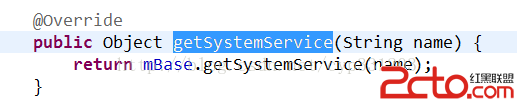 高版本Android如何利用反射調用系統隱藏的遠程服務攔截來電
要說攔截Android系統來電,就不得不說起在低版本的時候Android提供給開發者使用的一個方法:endCall(),但由於谷歌後來考慮到對於一部手機來說,最重要的功能
 Android 多線程之HandlerThread 完全詳解
之前對線程也寫過幾篇文章,不過倒是沒有針對android,因為java與android在線程方面大部分還是相同,不過本篇我們要介紹的是android的專屬類Handler