編輯:關於Android編程
package com.example.mynotification;

import android.os.Bundle;
import android.app.Activity;
import android.app.Notification;
import android.app.NotificationManager;
import android.app.PendingIntent;
import android.content.Intent;
import android.support.v4.app.NotificationCompat;
import android.view.Menu;

public class MainActivity extends Activity {

	public PendingIntent getDefalutIntent(int flags){
		PendingIntent pendingIntent= PendingIntent.getActivity(this, 1, new Intent(), flags);
	    return pendingIntent;
	}

	@Override
	protected void onCreate(Bundle savedInstanceState) {
		super.onCreate(savedInstanceState);
		setContentView(R.layout.activity_main);
		NotificationManager mNotificationManager = (NotificationManager) getSystemService(NOTIFICATION_SERVICE);
		NotificationCompat.Builder mBuilder = new NotificationCompat.Builder(this);
		mBuilder.setContentTitle("測試標題")//設置通知欄標題
				.setContentText("測試內容")//設置通知欄顯示內容
				.setContentIntent(getDefalutIntent(Notification.FLAG_AUTO_CANCEL))//設置通知欄點擊意圖
			   //.setNumber(number);
				.setTicker("測試通知來啦")//通知欄首次出現在通知欄,帶上動畫效果
				.setWhen(System.currentTimeMillis())//通知欄時間,一般是直接用系統的
				.setPriority(Notification.DEFAULT_ALL)//設置通知欄優先級
			//	.setAutoCancel(true)//用戶單擊面板後消失
				.setOngoing(false)//true,設置他為一個正在進行的通知。他們通常是用來表示一個後台任務,用戶積極參與(如播放音樂)或以某種方式正在等待,因此
				//占用設備(如一個文件下載,同步操作,主動網絡連接)
				.setDefaults(Notification.DEFAULT_VIBRATE)//向通知添加聲音、閃燈和振動效果的最簡單、最一致的方式是使用當前的用戶默認設置,
				//使用default屬性,可以組合
				//Notification.DEFAULT_ALL  Notification.DEFAULT_SOUND 添加聲音 // requires VIBRATE permission
				.setSmallIcon(R.drawable.ic_launcher);
		Notification notification = mBuilder.build();
		notification.flags = Notification.FLAG_ONGOING_EVENT  ;
		notification.flags = Notification.FLAG_NO_CLEAR;//點擊清除的時候不清除
		Intent intent = new Intent(getApplicationContext(),MainActivity.class);
		intent.addCategory(Intent.CATEGORY_LAUNCHER);
		intent.setFlags(Intent.FLAG_ACTIVITY_NEW_TASK|Intent.FLAG_ACTIVITY_RESET_TASK_IF_NEEDED);
		PendingIntent pendingIntent = PendingIntent.getActivity(getApplicationContext(), 0, intent, 0);
		mBuilder.setContentIntent(pendingIntent);
		mNotificationManager.notify(0,mBuilder.build());

	}

	@Override
	public boolean onCreateOptionsMenu(Menu menu) {
		// Inflate the menu; this adds items to the action bar if it is present.
		getMenuInflater().inflate(R.menu.main, menu);
		return true;
	}

}
不知道為什麼我的點擊還是會清除,郁悶。
 (Android 基礎(十三)) selector
介紹A StateListDrawable is a drawable object defined in XML that uses a several differe
 Android IM之基於Openfire+Smack的聊天服務器的搭建與測試
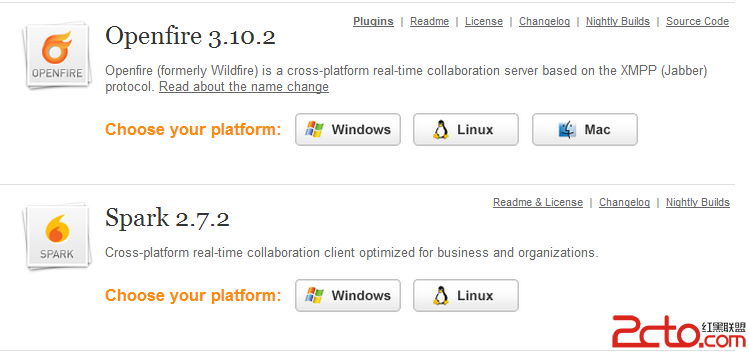
XMPP協議(Extensible Messaging and PresenceProtocol,可擴展消息處理現場協議)是一種基於XML的協議,目的是為了解決及時通信
 Android rom解包打包工具
eMMC主要是針對手機和平板電腦等產品的內嵌式存儲器,由於其在封裝中集成了一個控制器,且提供標准接口並管理閃存等優勢,越來越受到Android手機廠商的青睐,以eMMC為
 Android進階——Material Design新控件之Snackbar
引言上一篇講解了TabLayout,接下來我們繼續學習Google I/O 2015 推出的 Android Design Support Library的其他成員,這一