編輯:關於Android編程
首先需要一個Layout界面:
 AlertDialog.Builder builder =new AlertDialog.Builder(this);

	     LayoutInflater inflater = getLayoutInflater();
	     View layout = inflater.inflate(R.layout.home_phone, null);
	     builder.setView(layout);
	      homePhoneNameEt = (EditText)layout.findViewById(R.id.alert_homephone_nameEt);
	      homePhoneEt = (EditText)layout.findViewById(R.id.alert_homephone_phoneEt);
	      homePhoneEt.setText(13195338922);
		 homePhoneNameEt.setText(老王);
	     builder.setPositiveButton(確定, new DialogInterface.OnClickListener() {
			@Override
			public void onClick(DialogInterface dialog, int which) {

			}
		});
	     builder.setNegativeButton(取消, new DialogInterface.OnClickListener() {

	    	 @Override
				public void onClick(DialogInterface dialog, int which) {
					dialog.dismiss();

				}
	        });
builder.show();
總結:方法就是自定義一個layout。然後用layoutInflater進行填充,然後使用AlertDialog.Builder的setView()方法進行指定。然後調用show(),注意show()方法的API說明:
Creates a AlertDialog with the arguments supplied to this builder and Dialog.show()'s the dialog.也就是說創建一個Dialog然後顯示
 Android 從StackTraceElement反觀Log庫
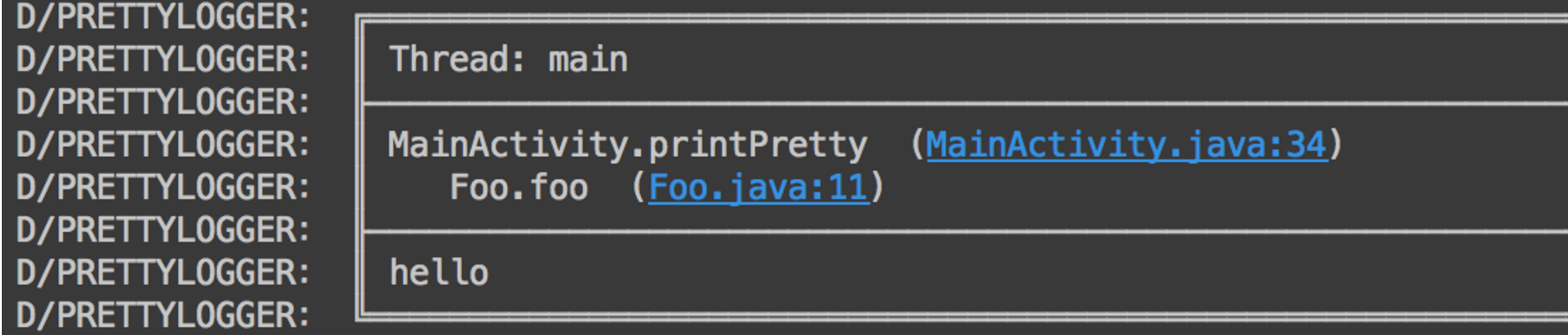
一、概述大家編寫項目的時候,肯定會或多或少的使用Log,尤其是發現bug的時候,會連續在多個類中打印Log信息,當問題解決了,然後又像狗一樣一行一行的去刪除剛才隨便添加的
 跟我學Android之九 日期時間組件
本章內容 第1節 AnalogClock和DigitalClock 第2節 CalendarView 第3節 DatePicker和TimerPicker 第4節 Chr
 安卓實戰開發之JNI再深入了解
JNI重新認識頭文件:1.頭文件中存放的是對某個庫中所定義的函數、宏(define)、類型、全局變量等進行聲明,它類似於一份倉庫清單。若用戶程序中需要使用某個庫中的函數,
 Android AsyncTask 源碼解析
1、概述 相信大家對AsyncTask都不陌生,對於執行耗時任務,然後更新UI是一把利器,當然也是替代Thread + Handler 的一種方式。如果你對