編輯:關於Android編程
自定義checkbox中的勾選框圖標,這次因為想偷懶,圖標弄的大了些,然後一系列的問題就都引出來了。
1、圖標比checkbox的layout_height高,看不見了。
很吐血吧,CompoundButton中的源碼可以看到下面代碼
protected void onDraw(Canvas canvas) {
    super.onDraw(canvas);

    final Drawable buttonDrawable = mButtonDrawable;
    if (buttonDrawable != null) {
        final int verticalGravity = getGravity() & Gravity.VERTICAL_GRAVITY_MASK;
        final int height = buttonDrawable.getIntrinsicHeight();//可以看到是根據圖片的原始高度對圖片進行繪制的,,danielinbiti

        int y = 0;

        switch (verticalGravity) {
            case Gravity.BOTTOM:
                y = getHeight() - height;
                break;
            case Gravity.CENTER_VERTICAL:
                y = (getHeight() - height) / 2;
                break;
        }

        buttonDrawable.setBounds(0, y, buttonDrawable.getIntrinsicWidth(), y + height);
        buttonDrawable.draw(canvas);
    }
}第一種方法:把原始圖片縮小,這就就是制作圖片了
第二種方法:重寫onDraw方法
@Override
    protected void onDraw(Canvas canvas) {
        setButtonDrawable(parentds);//danielinbiti,parentds是occupyPosDrawable方法返回的。
        super.onDraw(canvas);
        setButtonDrawable(ds);//真正要顯示的圖片
        final Drawable buttonDrawable = ds;
        if (buttonDrawable != null) {
            final int verticalGravity = getGravity() & Gravity.VERTICAL_GRAVITY_MASK;
            final int drawableHeight = buttonDrawable.getIntrinsicHeight()>selfHeight
            		?selfHeight:buttonDrawable.getIntrinsicHeight();
            final int drawableWidth = buttonDrawable.getIntrinsicWidth()>selfHeight
            		?selfHeight:buttonDrawable.getIntrinsicWidth();
            //selfHeight為要定義的圖片高度
            int top = 0;
            switch (verticalGravity) {
                case Gravity.BOTTOM:
                    top = getHeight() - drawableHeight;
                    break;
                case Gravity.CENTER_VERTICAL:
                    top = (getHeight() - drawableHeight) / 2;
                    break;
            }

            int left = 0;
            int right = left+drawableWidth;
            int bottom = top+drawableHeight;

            buttonDrawable.setBounds(left, top, right, bottom);
            buttonDrawable.draw(canvas);
        }
    }
    // drawable 轉換成bitmap
    private Drawable occupyPosDrawable(int height){//
    	Picture p=new Picture();
    	Canvas c=p.beginRecording(height,height);
    	p.endRecording();

    	PictureDrawable pd=new PictureDrawable(p);

    	return pd;
}這真的是花了不少時間,結果發現4.1.2版本中CompoundButton沒有getCompoundPaddingLeft,這不坑人嘛。兩個版本的計算方式不一樣,4.2.2版本繪制文字時,會把圖片的寬度和paddingLeft的寬度加上,而4.1.2版本只計算設置的paddingLeft,從這裡看也是4.2.2版本人性化一些。
於是又查了一下前後版本,發現4.1.2版本是分界線,後續版本CompoundButton都有getCompoundPaddingLeft方法。於是又重寫了getCompoundPaddingLeft方法,根據版本判斷
@Override
    public int getCompoundPaddingLeft() {
        int padding = super.getCompoundPaddingLeft();
        if(getAndroidSDKVersion()<=16){//4.1.2
	        if (!isLayoutRtl()) {
	            padding = selfHeight + padding;
	        }
        }
        return padding;
    }
 Android 馬賽克(Mosaics)效果
前幾天看見開源項目效果好贊,看了下代碼,實現大致就是在原界面之上覆蓋一成自定義的View,獲取到點擊的那個View的內容(Bitmap),然後在覆蓋的那個自定義View的
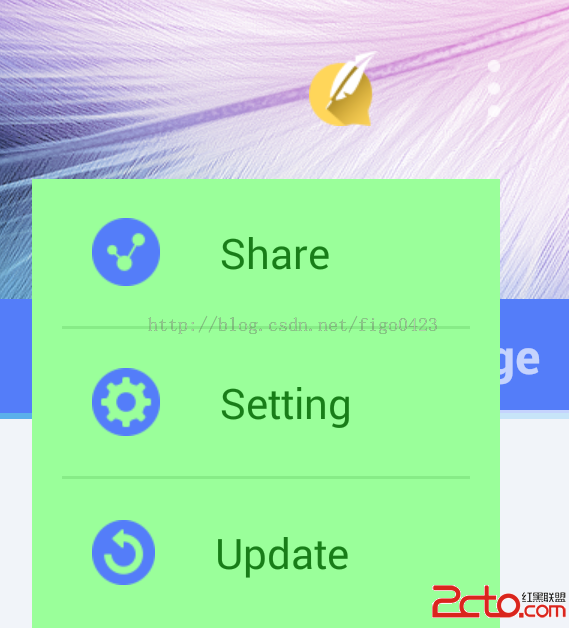 android開發步步為營之64:PopupWindow實現自定義彈出菜單
打開PopupWindow的源碼,你會發現它其實也是通過WindowManager來添加view的。 private void invoke
 Android中Adapter中edittext,checkbox記住狀態解決方案(二)
Android中Adapter中edittext,checkbox記住狀態解決方案(一) 在上篇文章解決了adapter中checkbox記住狀態和edittext可編
 Android 之Handle的使用原理理解
Handle的使用,首先我們要明白一點,那就是Handle的用處,Handle是用來做什麼的,明白了這點,那麼我在來理解下面的內容。 一:接下來我來說明一下Handl