編輯:關於Android編程
Android 最火的快速開發框架androidannotations配置詳解文章中有eclipse配置步驟,Android 最火快速開發框架AndroidAnnotations簡介文章中的簡單介紹,本篇注重講解AndroidAnnotations中注解方法的使用。
@EActivity
示例:
@EActivity(R.layout.main)
public class MyActivity extends Activity {

}
@fragment
示例:
@EFragment(R.layout.my_fragment_layout)
public class MyFragment extends Fragment {
}創建:
MyFragment fragment = new MyFragment_();
普通類:
@EBean
public class MyClass {

}
Activity中使用:
@EActivity
public class MyActivity extends Activity {

  @Bean
  MyOtherClass myOtherClass;

}
也可以用來聲明接口:
@Bean(MyImplementation.class)
    MyInterface myInterface;
在普通類中還可以注入根環境:
@EBean
public class MyClass {

  @RootContext
  Context context;

  // Only injected if the root context is an activity
  @RootContext
  Activity activity;

  // Only injected if the root context is a service
  @RootContext
  Service service;

  // Only injected if the root context is an instance of MyActivity
  @RootContext
  MyActivity myActivity;

}
如果想在類創建時期做一些操作可以:
@AfterInject
  public void doSomethingAfterInjection() {
    // notificationManager and dependency are set
  }
單例類需要如下聲明:
@EBean(scope = Scope.Singleton)
public class MySingleton {

}
注意:在單例類裡面不可以注入view和事件綁定,因為單例的生命周期比Activity和Service的要長,以免發生內存溢出。
@EView
@EView
public class CustomButton extends Button {

        @App
        MyApplication application;

        @StringRes
        String someStringResource;

    public CustomButton(Context context, AttributeSet attrs) {
        super(context, attrs);
    }
}
注冊:
創建:
CustomButton button = CustomButton_.build(context);
@EViewGroup
@EViewGroup(R.layout.title_with_subtitle)
public class TitleWithSubtitle extends RelativeLayout {

    @ViewById
    protected TextView title, subtitle;

    public TitleWithSubtitle(Context context, AttributeSet attrs) {
        super(context, attrs);
    }

    public void setTexts(String titleText, String subTitleText) {
        title.setText(titleText);
        subtitle.setText(subTitleText);
    }

}
注冊:
@EApplication
@EApplication
public class MyApplication extends Application {

}
@EActivity
public class MyActivity extends Activity {

  @App
  MyApplication application;

}
@EService
public class MyService extends Service {

}
MyService_.intent(getApplication()).start();
MyService_.intent(getApplication()).stop();
@EReceiver
public class MyReceiver extends BroadcastReceiver {

}
@EActivity
public class MyActivity extends Activity {

  @Receiver(actions = "org.androidannotations.ACTION_1")
  protected void onAction1() {

  }

}
@EProvider
public class MyContentProvider extends ContentProvider {

}
@EActivity
public class MyActivity extends Activity {

  // Injects R.id.myEditText,變量名稱必須和布局的id名稱一致
  @ViewById
  EditText myEditText;

  @ViewById(R.id.myTextView)
  TextView textView;
}
@EActivity(R.layout.main)
public class MyActivity extends Activity {

    @ViewById
    TextView myTextView;

    @AfterViews
    void updateTextWithDate() {//一定要在這裡進行view的一些設置,不要在oncreate()中設置,因為oncreate()在執行時 view還沒有注入        myTextView.setText("Date: " + new Date());    }[...]
@EActivity
public class MyActivity extends Activity {

  @StringRes(R.string.hello)
  String myHelloString;//不能設置成私有變量

  @StringRes
  String hello;

}
@EActivity
public class MyActivity extends Activity {

  @ColorRes(R.color.backgroundColor)
  int someColor;

  @ColorRes
  int backgroundColor;

}
@EActivity
public class MyActivity extends Activity {

  @AnimationRes(R.anim.fadein)
  XmlResourceParser xmlResAnim;

  @AnimationRes
  Animation fadein;

}
@EActivity
public class MyActivity extends Activity {

  @DimensionRes(R.dimen.fontsize)
  float fontSizeDimension;

  @DimensionRes
  float fontsize;

}
@EActivity
public class MyActivity extends Activity {

  @DimensionPixelOffsetRes(R.string.fontsize)
  int fontSizeDimension;

  @DimensionPixelOffsetRes
  int fontsize;

}
@EActivity
public class MyActivity extends Activity {

  @DimensionPixelSizeRes(R.string.fontsize)
  int fontSizeDimension;

  @DimensionPixelSizeRes
  int fontsize;

}
@BooleanRes@ColorStateListRes@DrawableRes@IntArrayRes@IntegerRes@LayoutRes@MovieRes@TextRes@TextArrayRes@StringArrayRes
@EActivity
public class MyActivity extends Activity {

  @Extra("myStringExtra")
  String myMessage;

  @Extra("myDateExtra")
  Date myDateExtraWithDefaultValue = new Date();

}
@EActivity
public class MyActivity extends Activity {

  // The name of the extra will be "myMessage",名字必須一致
  @Extra
  String myMessage;
}
MyActivity_.intent().myMessage("hello").start() ;
@EActivity
public class MyActivity extends Activity {//
  @SystemService
  NotificationManager notificationManager;

}
@EActivity
public class MyActivity extends Activity {

  // Injects R.string.hello_html
  @HtmlRes(R.string.hello_html)
  Spanned myHelloString;

  // Also injects R.string.hello_html
  @HtmlRes
  CharSequence helloHtml;

}
@EActivity
public class MyActivity extends Activity {//必須用在TextView

  @ViewById(R.id.my_text_view)
  @FromHtml(R.string.hello_html)
  TextView textView;

  // Injects R.string.hello_html into the R.id.hello_html view
  @ViewById
  @FromHtml
  TextView helloHtml;

}
public class MyActivity extends Activity {//等同於 Activity.onRetainNonConfigurationInstance()

  @NonConfigurationInstance
  Bitmap someBitmap;

  @NonConfigurationInstance
  @Bean
  MyBackgroundTask myBackgroundTask;

}
@HttpsClient
HttpClient httpsClient;
@EActivity
public class MyActivity extends Activity {

    @HttpsClient(trustStore=R.raw.cacerts,
        trustStorePwd="changeit",
        hostnameVerif=true)
    HttpClient httpsClient;

    @AfterInject
    @Background
    public void securedRequest() {
        try {
            HttpGet httpget = new HttpGet("https://www.verisign.com/");
            HttpResponse response = httpsClient.execute(httpget);
            doSomethingWithResponse(response);
        } catch (Exception e) {
            e.printStackTrace();
        }
    }

    @UiThread
    public void doSomethingWithResponse(HttpResponse resp) {
        Toast.makeText(this, "HTTP status " + resp.getStatusLine().getStatusCode(), Toast.LENGTH_LONG).show();
    }
}
@EFragment
public class MyFragment extends Fragment {//等同於 Fragment Argument

  @FragmentArg("myStringArgument")
  String myMessage;

  @FragmentArg
  String anotherStringArgument;

  @FragmentArg("myDateExtra")
  Date myDateArgumentWithDefaultValue = new Date();

}
MyFragment myFragment = MyFragment_.builder()
  .myMessage("Hello")
  .anotherStringArgument("World")
  .build();
@Click(R.id.myButton)
void myButtonWasClicked() {
    [...]
}
@Click
void anotherButton() {//如果不指定則函數名和id對應
    [...]
}
@Click
void yetAnotherButton(View clickedView) {
    [...]
}
@Click@LongClick@Touch
@ItemClick@ItemLongClick@ItemSelect
有兩種方式調用:
1.
@EActivity(R.layout.my_list)
public class MyListActivity extends Activity {

    // ...

    @ItemClick
    public void myListItemClicked(MyItem clickedItem) {//MyItem是adapter的實體類,等同於adapter.getItem(position)

    }

    @ItemLongClick
    public void myListItemLongClicked(MyItem clickedItem) {

    }

    @ItemSelect
    public void myListItemSelected(boolean selected, MyItem selectedItem) {

    }

}
@EActivity(R.layout.my_list)
public class MyListActivity extends Activity {

    // ...

    @ItemClick
    public void myListItemClicked(int position) {//位置id

    }

    @ItemLongClick
    public void myListItemLongClicked(int position) {

    }

    @ItemSelect
    public void myListItemSelected(boolean selected, int position) {

    }

}
//等同於SeekBar.OnSeekBarChangeListener.onProgressChanged(SeekBar, int, boolean)
@SeekBarProgressChange(R.id.seekBar)
 void onProgressChangeOnSeekBar(SeekBar seekBar, int progress, boolean fromUser) {
    // Something Here
 }

 @SeekBarProgressChange(R.id.seekBar)
 void onProgressChangeOnSeekBar(SeekBar seekBar, int progress) {
    // Something Here
 }

 @SeekBarProgressChange({R.id.seekBar1, R.id.seekBar2})
 void onProgressChangeOnSeekBar(SeekBar seekBar) {
    // Something Here
 }

 @SeekBarProgressChange({R.id.seekBar1, R.id.seekBar2})
 void onProgressChangeOnSeekBar() {
    // Something Here
 }@SeekBarTouchStart and @SeekBarTouchStop
@TextChange(R.id.helloTextView)
 void onTextChangesOnHelloTextView(CharSequence text, TextView hello, int before, int start, int count) {
    // Something Here
 }

 @TextChange
 void helloTextViewTextChanged(TextView hello) {
    // Something Here
 }

 @TextChange({R.id.editText, R.id.helloTextView})
 void onTextChangesOnSomeTextViews(TextView tv, CharSequence text) {
    // Something Here
 }

 @TextChange(R.id.helloTextView)
 void onTextChangesOnHelloTextView() {
    // Something Here
 }
@BeforeTextChange(R.id.helloTextView)
 void beforeTextChangedOnHelloTextView(TextView hello, CharSequence text, int start, int count, int after) {
    // Something Here
 }

 @BeforeTextChange
 void helloTextViewBeforeTextChanged(TextView hello) {
    // Something Here
 }

 @BeforeTextChange({R.id.editText, R.id.helloTextView})
 void beforeTextChangedOnSomeTextViews(TextView tv, CharSequence text) {
    // Something Here
 }

 @BeforeTextChange(R.id.helloTextView)
 void beforeTextChangedOnHelloTextView() {
    // Something Here
 }
@AfterTextChange(R.id.helloTextView)
 void afterTextChangedOnHelloTextView(Editable text, TextView hello) {
    // Something Here
 }

 @AfterTextChange
 void helloTextViewAfterTextChanged(TextView hello) {
    // Something Here
 }

 @AfterTextChange({R.id.editText, R.id.helloTextView})
 void afterTextChangedOnSomeTextViews(TextView tv, Editable text) {
    // Something Here
 }

 @AfterTextChange(R.id.helloTextView)
 void afterTextChangedOnHelloTextView() {
    // Something Here
 }
@EActivity
@OptionsMenu(R.menu.my_menu)
public class MyActivity extends Activity {

    @OptionMenuItem
    MenuItem menuSearch;

    @OptionsItem(R.id.menuShare)
        void myMethod() {
          // You can specify the ID in the annotation, or use the naming convention
        }

    @OptionsItem
    void homeSelected() {
      // home was selected in the action bar
          // The "Selected" keyword is optional
    }

    @OptionsItem
    boolean menuSearch() {
          menuSearch.setVisible(false);
          // menuSearch was selected
          // the return type may be void or boolean (false to allow normal menu processing to proceed, true to consume it here)
          return true;
    }

    @OptionsItem({ R.id.menu_search, R.id.menu_delete })
    void multipleMenuItems() {
      // You can specify multiple menu item IDs in @OptionsItem
    }

    @OptionsItem
    void menu_add(MenuItem item) {
      // You can add a MenuItem parameter to access it
    }
}
@EActivity
@OptionsMenu({R.menu.my_menu1, R.menu.my_menu2})
public class MyActivity extends Activity {

}
void myMethod() {
    someBackgroundWork("hello", 42);
}

@Background
void someBackgroundWork(String aParam, long anotherParam) {
    [...]
}
void myMethod() {
    someCancellableBackground("hello", 42);
    [...]
    boolean mayInterruptIfRunning = true;
    BackgroundExecutor.cancelAll("cancellable_task", mayInterruptIfRunning);
}

@Background(id="cancellable_task")
void someCancellableBackground(String aParam, long anotherParam) {
    [...]
}
void myMethod() {
    for (int i = 0; i < 10; i++)
        someSequentialBackgroundMethod(i);
}

@Background(serial = "test")
void someSequentialBackgroundMethod(int i) {
    SystemClock.sleep(new Random().nextInt(2000)+1000);
    Log.d("AA", "value : " + i);
}
@Background(delay=2000)
void doInBackgroundAfterTwoSeconds() {
}
void myMethod() {
    doInUiThread("hello", 42);
}

@UiThread
void doInUiThread(String aParam, long anotherParam) {
    [...]
}
@UiThread(delay=2000)
void doInUiThreadAfterTwoSeconds() {
}
@UiThread(propagation = Propagation.REUSE)
void runInSameThreadIfOnUiThread() {
}
@EActivity
public class MyActivity extends Activity {

  @Background
  void doSomeStuffInBackground() {
    publishProgress(0);
    // Do some stuff
    publishProgress(10);
    // Do some stuff
    publishProgress(100);
  }

  @UiThread
  void publishProgress(int progress) {
    // Update progress views
  }

}
@OnActivityResult(REQUEST_CODE)
 void onResult(int resultCode, Intent data) {
 }

 @OnActivityResult(REQUEST_CODE)
 void onResult(int resultCode) {
 }

 @OnActivityResult(ANOTHER_REQUEST_CODE)
 void onResult(Intent data) {
 }

 @OnActivityResult(ANOTHER_REQUEST_CODE)
 void onResult() {
 }
 Android簡易實戰教程--第二十七話《自定義View入門案例之開關按鈕詳細分析》
對於自定義view,可能是一個比較大的瓶頸期。筆者也是如此,就像毛主席說的,抓住主要矛盾,一切都不難。一些大神也聲稱過自定義view並不難。PS筆者比較實在,是真還沒到感
 Android復習之BroadCastReceiver
是什麼BroadCastReceiver是四大組件之一,相當於一個全局的監聽器,用於監聽系統全局的廣播。怎麼樣由於BroadCastReceiver是全局監聽器,因此它可
 事件處理機制之AnsyncTask異步任務
(一)概述本節給大家帶來的是Android給我們提供的一個輕量級的用於處理異步任務的類:AsyncTask,我們一般是 繼承AsyncTask,然後在類中實現異步操作,然
 Android實現文字和圖片混排(文字環繞圖片)效果
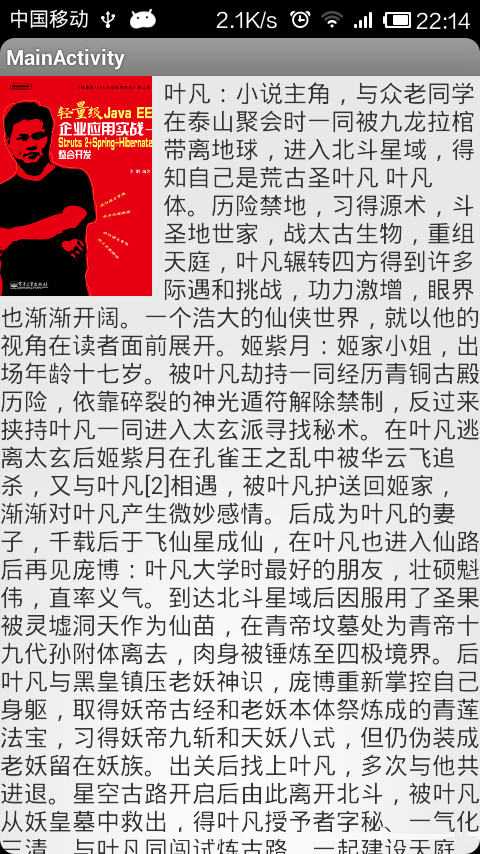
本文實例講述了Android實現文字和圖片混排(文字環繞圖片)效果。分享給大家供大家參考,具體如下:在平時我們做項目中,或許有要對一張圖片或者某一個東西進行文字和圖片說明