編輯:關於Android編程
package eoe.mobile;


import java.io.Serializable;
// 需要序列化的類必須實現Serializable接口
public class Product implements Serializable{
private String id;
private String name;
private float price;
Product product = new Product();
product.setId(etProductID.getText().toString());
product.setName(etProductName.getText().toString());
product.setPrice(Float.parseFloat(etProductPrice.getText().toString()));
ByteArrayOutputStream baos = new ByteArrayOutputStream();
ObjectOutputStream oos = new ObjectOutputStream(baos);
// 將Product對象放到OutputStream中
oos.writeObject(product);
mySharedPreferences = getSharedPreferences("base64", Activity.MODE_PRIVATE);
// 將Product對象轉換成byte數組,並將其進行base64編碼
String productBase64 = new String(Base64.encodeBase64(baos.toByteArray()));
SharedPreferences.Editor editor = mySharedPreferences.edit();
// 將編碼後的字符串寫到base64.xml文件中
editor.putString("product", productBase64);
editor.commit();
java代碼:
ByteArrayOutputStream baos = new ByteArrayOutputStream();
// 將ImageView組件中的圖像壓縮成JPEG格式,並將壓縮結果保存在ByteArrayOutputStream對象中
((BitmapDrawable) imageView.getDrawable()).getBitmap().compress(CompressFormat.JPEG, 50, baos);
String imageBase64 = new String(Base64.encodeBase64(baos.toByteArray()));
// 保存由圖像字節流轉換成的Base64格式字符串
editor.putString("productImage", imageBase64);
editor.commit();
java代碼:
String productBase64 = mySharedPreferences.getString("product", "");
// 對Base64格式的字符串進行解碼
byte[] base64Bytes = Base64.decodeBase64(productBase64.getBytes());
ByteArrayInputStream bais = new ByteArrayInputStream(base64Bytes);
ObjectInputStream ois = new ObjectInputStream(bais);
// 從ObjectInputStream中讀取Product對象
Product product = (Product) ois.readObject();
java代碼:
String imageBase64 = mySharedPreferences.getString("productImage","");
base64Bytes = Base64.decodeBase64(imageBase64.getBytes());
bais = new ByteArrayInputStream(base64Bytes);
// 在ImageView組件上顯示圖像
imageView.setImageDrawable(Drawable.createFromStream(bais,"product_image"));
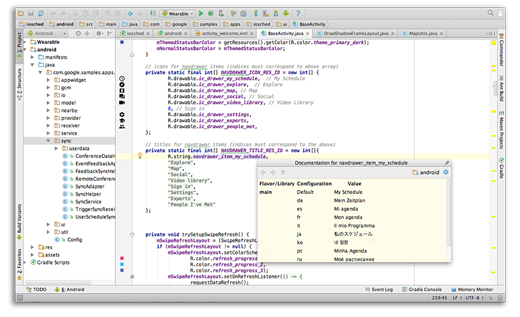 Android Studio重構之路
Android Studio,自Google2013年發布以來,就倍受Android開發者的喜愛,我們本書,就是基於Android Studio來進行案例演示的,大家都
 Android 自定義控件之可多選課程日歷CalendarView
效果圖開發環境IDE版本:AndroidStudio2.0物理機版本:Win7旗艦版(64位)前言最近的項目中用到了一個課程選擇的日歷View,於是在網上搜了搜自定義日歷
 Android開發之ScrollView中嵌套ListView的解決方案
在工作中,曾多次碰到ScrollView嵌套ListView的問題,網上的解決方法有很多種,但是雜而不全。我試過很多種方法,它們各有利弊。 在這裡我將會從使用Sc
 Android賬號注冊實現點擊獲取驗證碼倒計時效果
網站中為了防止惡意獲取驗證短信、驗證郵箱,都會在點擊獲取驗證碼的按鈕上做個倒計時的效果,如何實現這個效果,具體內容如下效果圖: 代碼:RegisterActiv
 Android開發系列(十四):ListView用法、對ListView監聽的三種方法以及ListView中Adapter的使用方法
一、ArrayAdapter的介紹以及ListView的用法: Adap