編輯:關於Android編程
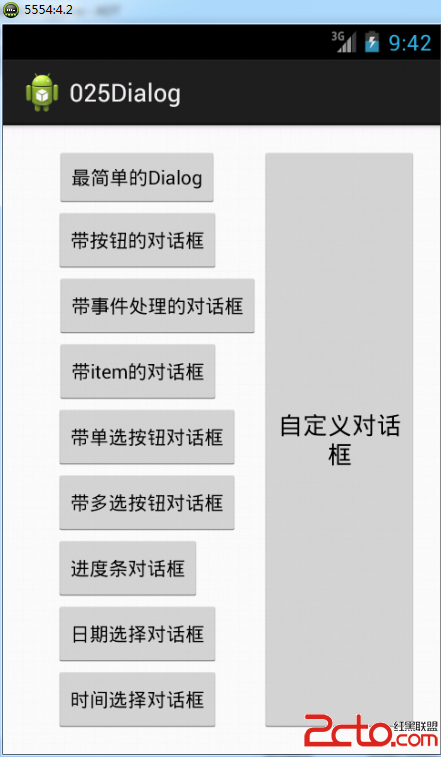
package com.example.dialog;

import android.app.Activity;
import android.app.AlertDialog;
import android.app.DatePickerDialog;
import android.app.DatePickerDialog.OnDateSetListener;
import android.app.Dialog;
import android.app.ProgressDialog;
import android.app.TimePickerDialog;
import android.app.TimePickerDialog.OnTimeSetListener;
import android.content.DialogInterface;
import android.os.Bundle;
import android.view.LayoutInflater;
import android.view.View;
import android.view.View.OnClickListener;
import android.widget.Button;
import android.widget.DatePicker;
import android.widget.TimePicker;
import android.widget.Toast;

public class MainActivity extends Activity {
	private Button button1, button2, button3, button4, button5, button6,
			button7, button8, button9,button10;
	private String CityData[] = { "河南", "北京", "上海", "天津", "湖南", "深圳" };//city數據
	private String SexData[] = { "男", "女" };//性別數據
	private String ColorData[] = { "紅", "橙", "黃", "綠", "青", "藍", "紫" };//顏色數據
	private boolean ColorChoiced[] = { false, false, false, false, false,
			false, false };// 設置默認選中項

	@Override
	protected void onCreate(Bundle savedInstanceState) {
		super.onCreate(savedInstanceState);
		setContentView(R.layout.activity_main);
//		為按鈕實例化
		button1 = (Button) this.findViewById(R.id.button1);
		button2 = (Button) this.findViewById(R.id.button2);
		button3 = (Button) this.findViewById(R.id.button3);
		button4 = (Button) this.findViewById(R.id.button4);
		button5 = (Button) this.findViewById(R.id.button5);
		button6 = (Button) this.findViewById(R.id.button6);
		button7 = (Button) this.findViewById(R.id.button7);
		button8 = (Button) this.findViewById(R.id.button8);
		button9 = (Button) this.findViewById(R.id.button9);
		button10 = (Button) this.findViewById(R.id.button10);

		// 最簡單的對話框
		button1.setOnClickListener(new OnClickListener() {

			@Override
			public void onClick(View view) {
				// TODO Auto-generated method stub
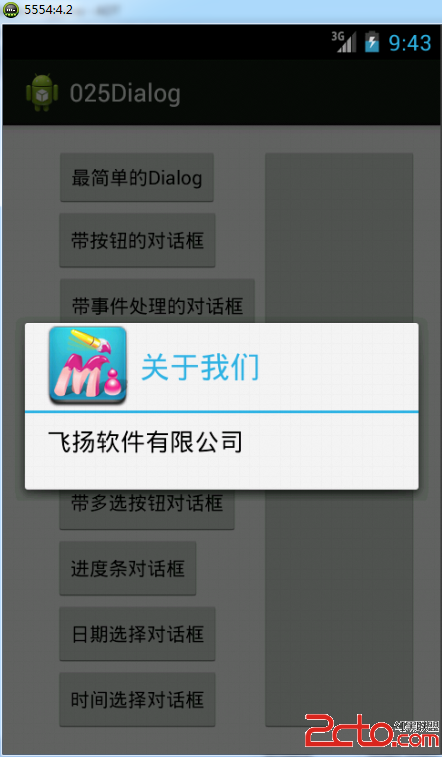
				Dialog dialog = new AlertDialog.Builder(MainActivity.this)
						.setTitle("關於我們")//設置標題
						.setMessage("飛揚軟件有限公司")//設置提示信息
						.setIcon(R.drawable.a2)//設置圖標
						.create();//創建對話框
				dialog.show();//顯示對話框
			}
		});

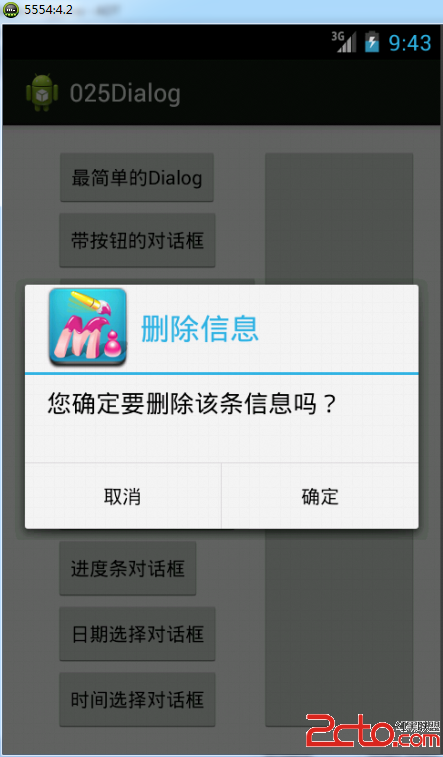
		// 帶按鈕的信息處理對話框
		button2.setOnClickListener(new View.OnClickListener() {

			@Override
			public void onClick(View view) {
				// TODO Auto-generated method stub
				Dialog dialog = new AlertDialog.Builder(MainActivity.this)
						.setTitle("刪除信息")//設置標題
						.setMessage("您確定要刪除該條信息嗎?")//設置提示信息
						.setIcon(R.drawable.a2)//設置圖標
						.setNegativeButton("取消", null)//設置取消按鈕
						.setPositiveButton("確定", null)//設置確定按鈕
						.create();//創建對話框
				dialog.show();//顯示對話框
			}
		});

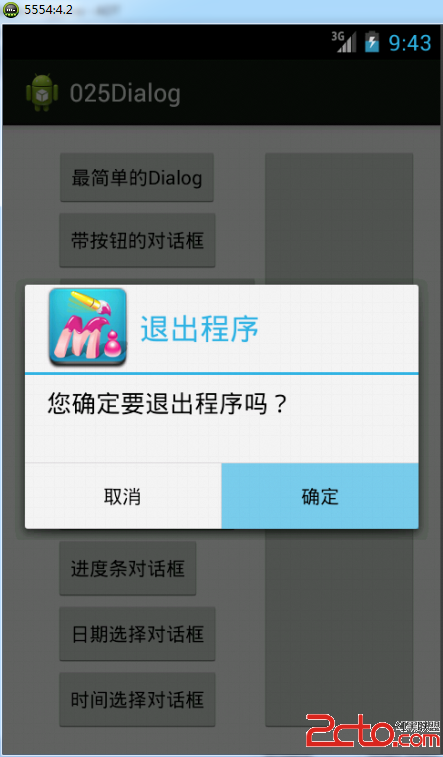
		// 帶事件處理的對話框

		button3.setOnClickListener(new OnClickListener() {

			@Override
			public void onClick(View view) {
				// TODO Auto-generated method stub
				Dialog dialog = new AlertDialog.Builder(MainActivity.this)
						.setTitle("退出程序")
						.setMessage("您確定要退出程序嗎?")
						.setIcon(R.drawable.a2)
						.setPositiveButton("確定",
								new DialogInterface.OnClickListener() {

									@Override
									public void onClick(
											DialogInterface dialogInterface,
											int whitch) {
										// TODO Auto-generated method stub
										Toast.makeText(MainActivity.this,
												"程序即將退出", 2).show();
										// finish(); 為了演示效果,不進行真實退出,用土司代替
									}
								})
						.setNegativeButton("取消",
								new DialogInterface.OnClickListener() {

									@Override
									public void onClick(DialogInterface arg0,
											int arg1) {
										// TODO Auto-generated method stub

									}
								}).create();
				dialog.show();
			}
		});

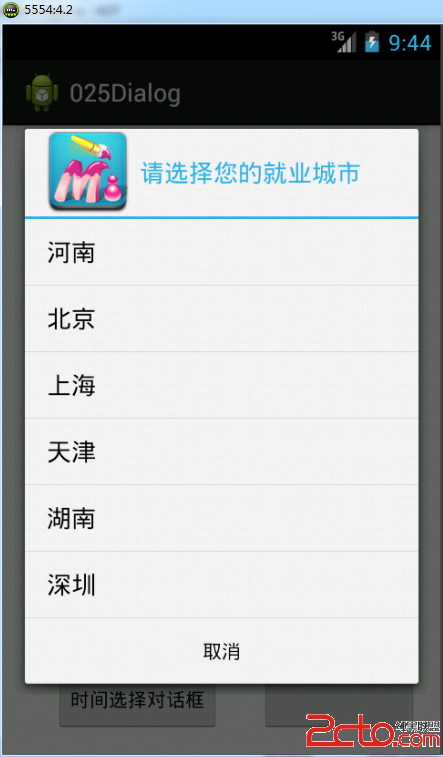
		// 對話框列表
		button4.setOnClickListener(new View.OnClickListener() {

			@Override
			public void onClick(View view) {
				// TODO Auto-generated method stub
				Dialog dialog = new AlertDialog.Builder(MainActivity.this)
						.setTitle("請選擇您的就業城市")
						.setIcon(R.drawable.a2)
						.setNegativeButton("取消", null)
						.setItems(CityData,
								new DialogInterface.OnClickListener() {

									@Override
									public void onClick(
											DialogInterface dInterface,
											int whitch) {
										// TODO Auto-generated method stub
										Toast.makeText(MainActivity.this,
												"您選擇了:" + CityData[whitch], 2)
												.show();
									}
								}).create();
				dialog.show();
			}
		});

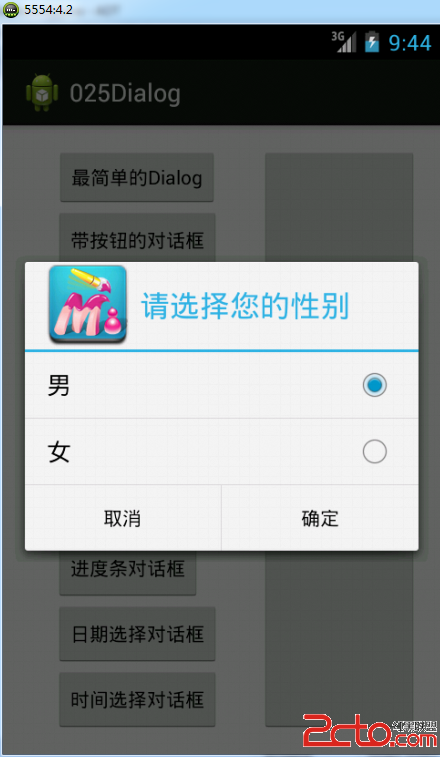
		// 帶單選按鈕的對話框
		button5.setOnClickListener(new View.OnClickListener() {

			@Override
			public void onClick(View view) {
				// TODO Auto-generated method stub
				Dialog dialog = new AlertDialog.Builder(MainActivity.this)
						.setTitle("請選擇您的性別")
						.setSingleChoiceItems(SexData, 0,
								new DialogInterface.OnClickListener() {

									@Override
									public void onClick(
											DialogInterface dInterface,
											int whitch) {
										// TODO Auto-generated method stub
										Toast.makeText(MainActivity.this,
												"您選擇了:" + SexData[whitch], 2)
												.show();
									}
								}).setIcon(R.drawable.a2)
						.setNegativeButton("取消", null)
						.setPositiveButton("確定", null).create();
				dialog.show();
			}
		});
		// 帶多選框的對話框
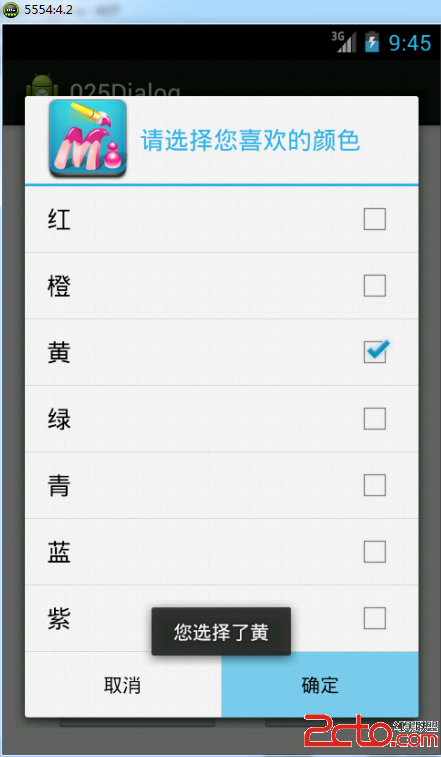
		button6.setOnClickListener(new View.OnClickListener() {

			@Override
			public void onClick(View view) {
				// TODO Auto-generated method stub
				Dialog dialog = new AlertDialog.Builder(MainActivity.this)
						.setTitle("請選擇您喜歡的顏色")
						.setMultiChoiceItems(
								ColorData,
								ColorChoiced,
								new DialogInterface.OnMultiChoiceClickListener() {

									@Override
									public void onClick(DialogInterface dialog,
											int whitch, boolean isChecked) {
										// TODO Auto-generated method stub
										Toast.makeText(MainActivity.this,
												"您選擇了" + ColorData[whitch], 2)
												.show();
										// 在這裡沒有做判斷,所以無論是選中還是去選都會觸發該事件,有興趣的讀者可以設置IsChecked判斷
									}
								}).setIcon(R.drawable.a2)
						.setNegativeButton("取消", null)
						.setPositiveButton("確定", null).create();
				dialog.show();
			}
		});
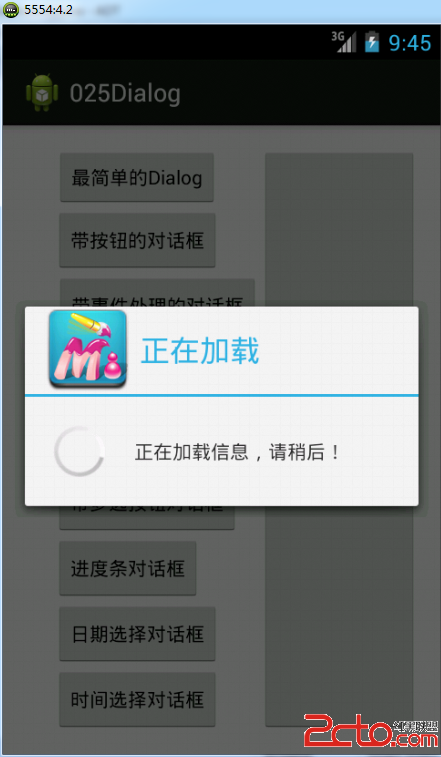
		button7.setOnClickListener(new View.OnClickListener() {

			@Override
			public void onClick(View view) {
				// TODO Auto-generated method stub
				final ProgressDialog dialog = new ProgressDialog(
						MainActivity.this);
				dialog.setMessage("正在加載信息,請稍後!");
				dialog.setTitle("正在加載");
				dialog.setIcon(R.drawable.a2);
				dialog.onStart();
				new Thread() {

					@Override
					public void run() {
						// TODO Auto-generated method stub
						try {
							Thread.sleep(3 * 1000);
						} catch (InterruptedException e) {
							// TODO Auto-generated catch block
							e.printStackTrace();
						} finally {

							dialog.dismiss();
						}
					}
				}.start();
				dialog.show();
			}

		});

		// 日期選擇對話框
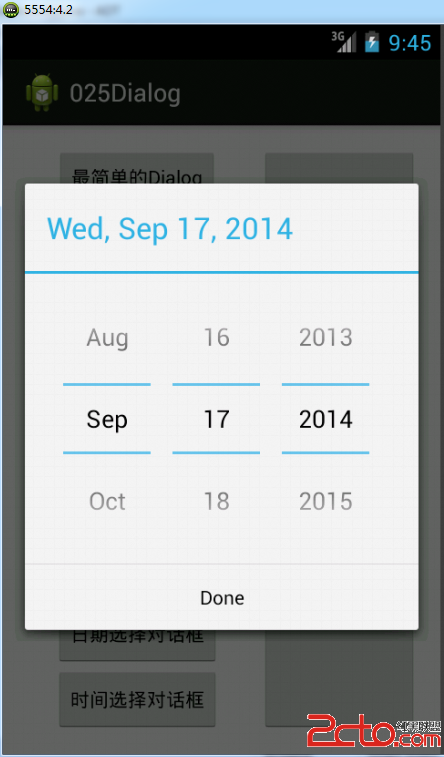
		button8.setOnClickListener(new View.OnClickListener() {

			@Override
			public void onClick(View view) {
				// TODO Auto-generated method stub
				DatePickerDialog dialog = new DatePickerDialog(
						MainActivity.this, new OnDateSetListener() {

							@Override
							public void onDateSet(DatePicker datePicker,
									int year, int monthOfYear, int dayOfMonth) {
								// TODO Auto-generated method stub
								Toast.makeText(
										MainActivity.this,
										"設置的時間為:" + year + "年" + (monthOfYear+1)
	//此處month要加1,原始月份從零開始了
												+ "月" + dayOfMonth + "日", 2)
										.show();
							}
						}, 2014, 8, 17);
				dialog.show();
			}
		});

//	時間選擇對話框

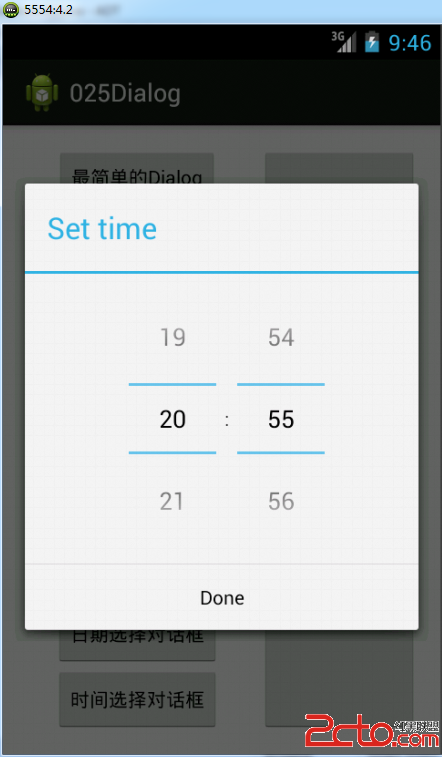
		button9.setOnClickListener(new View.OnClickListener() {

			@Override
			public void onClick(View view) {
				// TODO Auto-generated method stub
			TimePickerDialog dialog =new TimePickerDialog(MainActivity.this, new OnTimeSetListener() {

				@Override
				public void onTimeSet(TimePicker arg0, int hourOfDay, int minute) {
					// TODO Auto-generated method stub
					Toast.makeText(MainActivity.this, "設置時間為:"+hourOfDay+"時"+minute+"分", 2).show();
				}
			}, 20, 55, true);
			dialog.show();
			}
		});

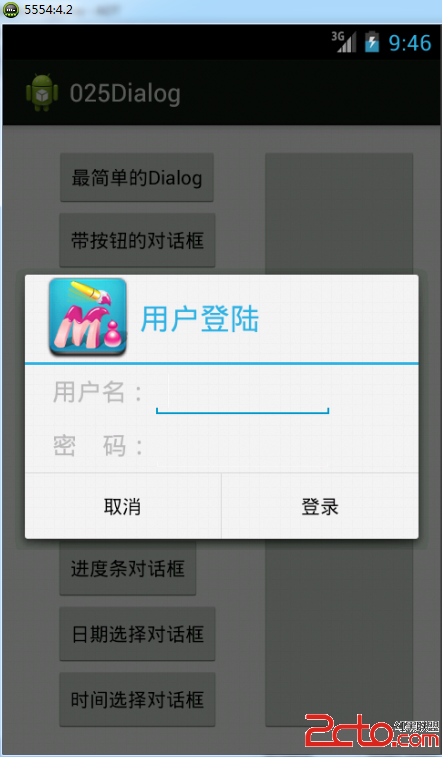
//	自定義對話框


		button10.setOnClickListener(new View.OnClickListener() {

			@Override
			public void onClick(View view) {
				// TODO Auto-generated method stub
				View myView=LayoutInflater.from(getApplication()).inflate(R.layout.custom, null);//將layout對象轉換為VIew對象
				Dialog dialog = new AlertDialog.Builder(MainActivity.this)
						.setTitle("用戶登陸")
						.setIcon(R.drawable.a2)
						.setNegativeButton("取消", null)
						.setPositiveButton("登錄", null)
						.setView(myView)//設置要顯示的View組件
						.create();
				dialog.show();
			}
		});


	}
}
 實例詳解Android自定義ProgressDialog進度條對話框的實現
Android SDK已經提供有進度條組件ProgressDialog組件,但用的時候我們會發現可能風格與我們應用的整體風格不太搭配,而且ProgressDialog的可
 Mac中Eclipse連不上Android手機的解決方法
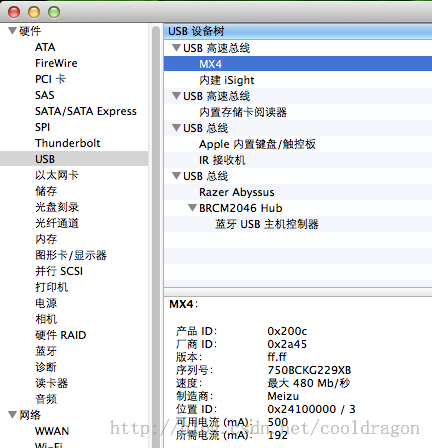
現象是:Windows下Eclipse可以連接Device裡能顯示設備名稱,但是在Mac OS X下的Eclipse Device始終不能顯示連接。解決方法:1.把And
 Android基礎
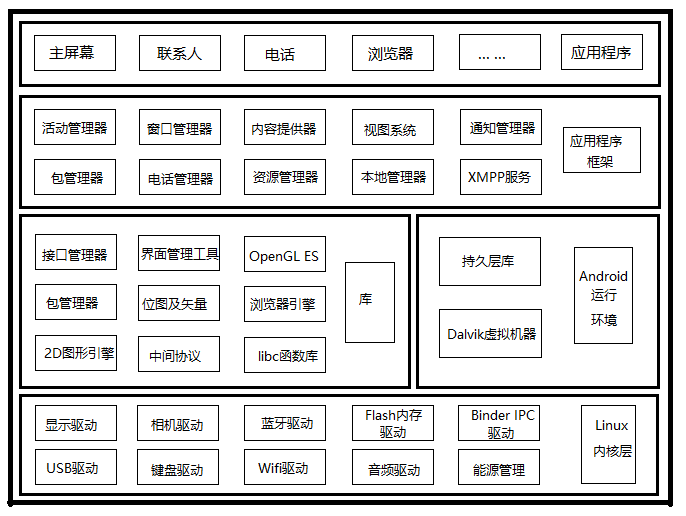
本來不想寫這些基礎中的基礎,但是想想這些內容雖然用不到,但需要做這樣的了解和學習,也是概念性的居多,理解至上。不過還是不多說,就講兩個部分吧。一。系統架構這次的沒有Xm
 安卓開發中關於軟鍵盤處理的一些問題
1.控件焦點問題一些通知在開發過程中,會發現EditText這個控件如果處理不當會出現自動獲取焦點的情況,也就是當你打開你的應用是,界面會自動跳出軟件盤,那麼經過本人多次
 非ROOT實現靜默安裝的一些思考與體會,AIDL獲取IPackageManager,反射ServiceManager,系統簽名
最近自家的系統要做一個升級服務,裡面有三個功能,第一個是系統升級,也就是