編輯:關於Android編程
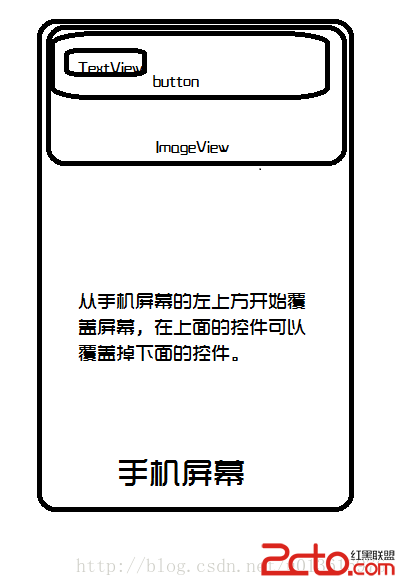
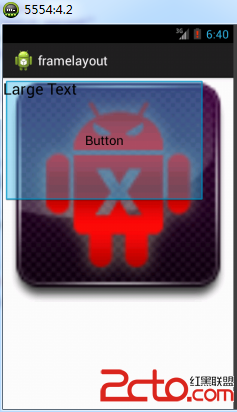
<frameLayout xmlns:android="http://schemas.android.com/apk/res/android"
android:layout_width="match_parent"
android:layout_height="match_parent" >
package com.example.framelayout;

import android.os.Bundle;
import android.app.Activity;
import android.view.ViewGroup;
import android.widget.Button;
import android.widget.FrameLayout;
import android.widget.ImageView;
import android.widget.TextView;

public class MainActivity extends Activity {

	@Override
	protected void onCreate(Bundle savedInstanceState) {
		super.onCreate(savedInstanceState);

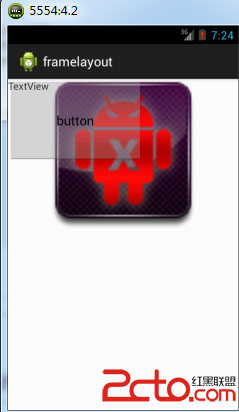
		FrameLayout layout = new FrameLayout(this);
		// 為布局設置寬度和高度
		FrameLayout.LayoutParams LayoutParams = new FrameLayout.LayoutParams(
				ViewGroup.LayoutParams.FILL_PARENT,
				ViewGroup.LayoutParams.FILL_PARENT);
		// 為圖片設置高度和寬度
		FrameLayout.LayoutParams imageLayoutParams = new FrameLayout.LayoutParams(
				ViewGroup.LayoutParams.MATCH_PARENT, 311);
		// 為按鈕設置寬度和高度

		FrameLayout.LayoutParams buttonLayoutParams = new FrameLayout.LayoutParams(
				281, 173);
		// 為文字設置寬和高
		FrameLayout.LayoutParams textLayoutParams = new FrameLayout.LayoutParams(
				183, 85);

		ImageView imageView = new ImageView(this);// 創建ImageView對象
		imageView.setImageResource(R.drawable.kill);// 設置圖片信息
		layout.addView(imageView, imageLayoutParams);// 將imageView添加到Framelayout布局當中

		Button button = new Button(this);//創建Button對象
		button.setText("button");//設置標題
		layout.addView(button, buttonLayoutParams);//將按鈕增加到Framelayout布局當中

		TextView textView=new TextView(this);//創建textView對象
		textView.setText("TextView");//設置標題
		layout.addView(textView, textLayoutParams);//將TextView添加到Framelayout當中

		super.addContentView(layout,LayoutParams);//將framelayout添加到content中
	}

}
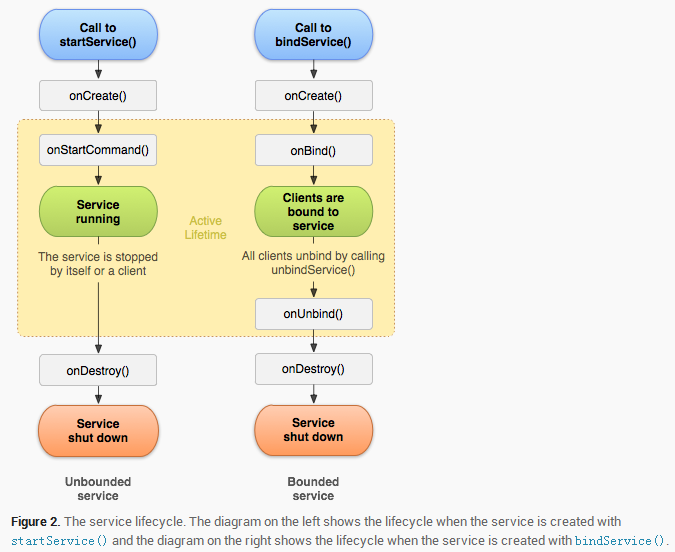 關於Service的總結
Service是什麼 它是android App的四大組件之一,在開發中我們有時需要做一些耗時的但不需要與用戶建立界面交互的操作可以考慮使用service。比如:比如我
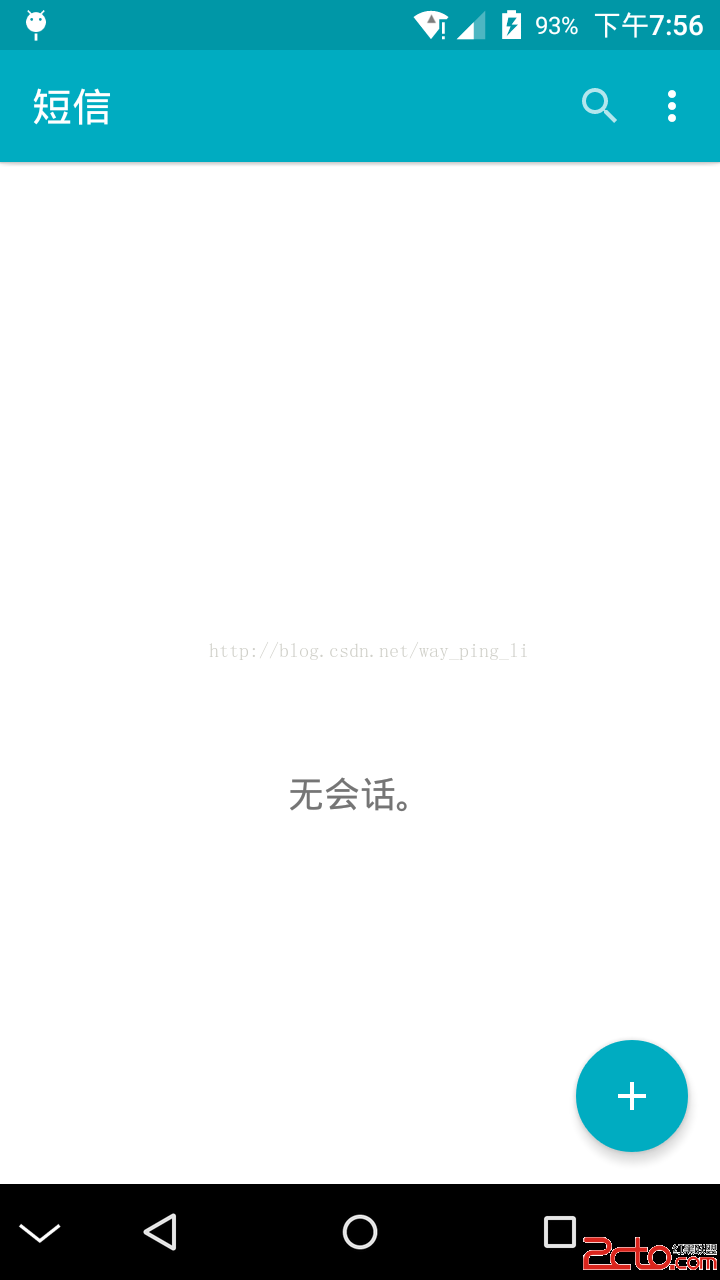 Android之framework修改底部導航欄NavigationBar動態顯示和隱藏
大家都知道,Android從3.0版本開始就加入了NavigationBar,主要是為那些沒有實體按鍵的設備提供虛擬按鍵,但是,它始終固定在底部,占用48dp的像素高度,
 android游戲開發——簡單的例子(笑臉)
程序運行效果圖: package com.njupt.surface; import android.os.Bundle; import android.app
 android--日期時間控件
一、先看看實現的效果:點擊日期2015-03-24會彈出選擇日期的對話框點擊時間,則彈出時間的對話框二、代碼如下:1.xml文件 2.後台代碼如下 &