編輯:關於Android編程
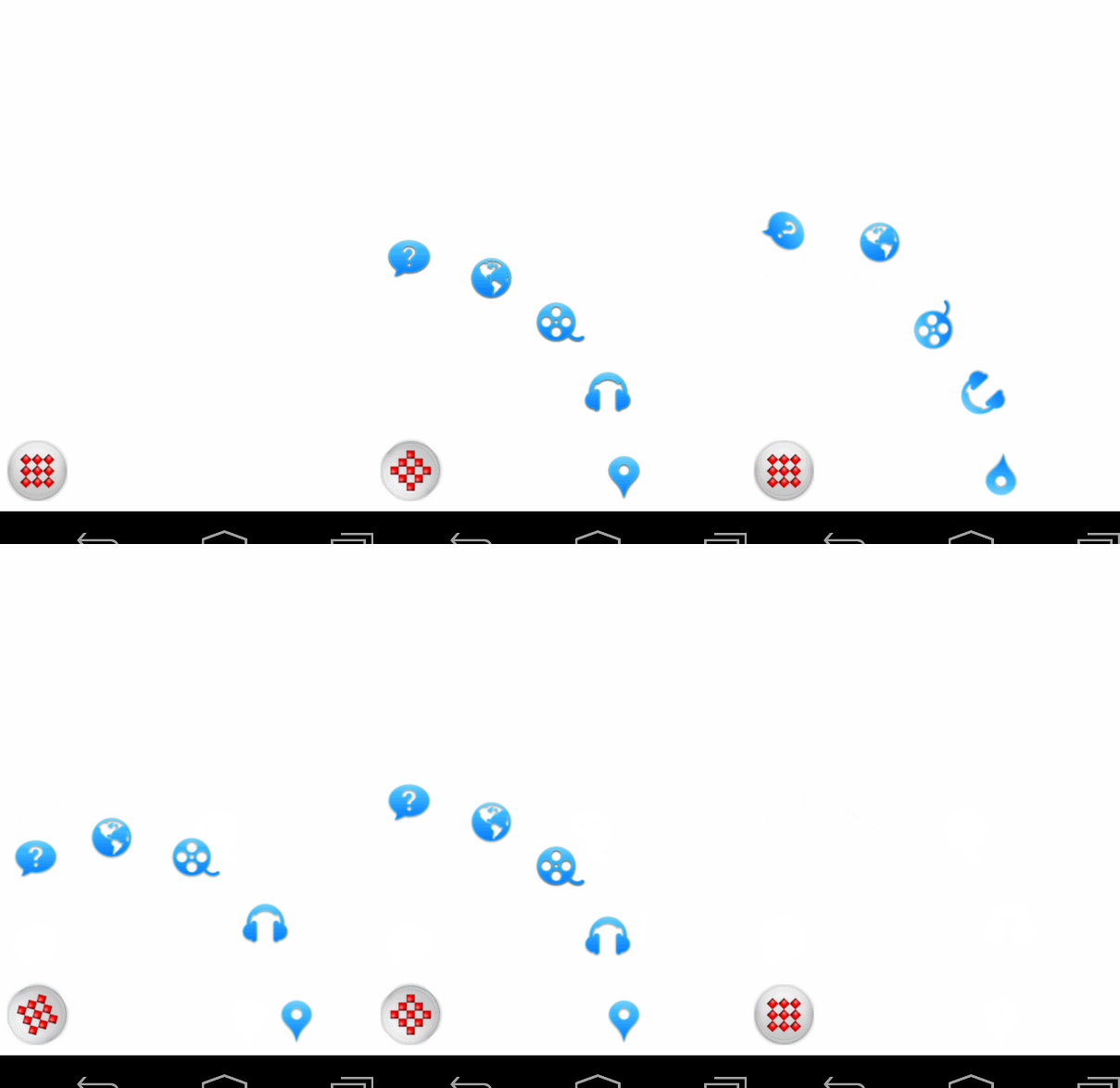
如果做一個彈出的控件,我們可以進行添加view:
寫class SatelliteMenu extends FrameLayout
private void init(Context context, AttributeSet attrs, int defStyle) {
		inflate(context, R.layout.sat_main, this);
		imgMain = (ImageView) findViewById(R.id.sat_main);

		if(attrs != null){
            TypedArray typedArray = context.obtainStyledAttributes(attrs, R.styleable.SatelliteMenu, defStyle, 0);
			satelliteDistance = typedArray.getDimensionPixelSize(R.styleable.SatelliteMenu_satelliteDistance, DEFAULT_SATELLITE_DISTANCE);
			totalSpacingDegree = typedArray.getFloat(R.styleable.SatelliteMenu_totalSpacingDegree, DEFAULT_TOTAL_SPACING_DEGREES);
			closeItemsOnClick = typedArray.getBoolean(R.styleable.SatelliteMenu_closeOnClick, DEFAULT_CLOSE_ON_CLICK);
			expandDuration = typedArray.getInt(R.styleable.SatelliteMenu_expandDuration, DEFAULT_EXPAND_DURATION);
			//float satelliteDistance = TypedValue.applyDimension(TypedValue.COMPLEX_UNIT_DIP, 170, getResources().getDisplayMetrics());
			typedArray.recycle();
		}


		mainRotateLeft = SatelliteAnimationCreator.createMainButtonAnimation(context);
		mainRotateRight = SatelliteAnimationCreator.createMainButtonInverseAnimation(context);

		Animation.AnimationListener plusAnimationListener = new Animation.AnimationListener() {
			@Override
			public void onAnimationStart(Animation animation) {
			}

			@Override
			public void onAnimationRepeat(Animation animation) {
			}

			@Override
			public void onAnimationEnd(Animation animation) {
				plusAnimationActive.set(false);
			}
		};

		mainRotateLeft.setAnimationListener(plusAnimationListener);
		mainRotateRight.setAnimationListener(plusAnimationListener);

		imgMain.setOnClickListener(new View.OnClickListener() {
			@Override
			public void onClick(View v) {
				SatelliteMenu.this.onClick();
			}
		});

		internalItemClickListener = new InternalSatelliteOnClickListener(this);
	}
public void addItems(Listitems) { menuItems.addAll(items); this.removeView(imgMain); TextView tmpView = new TextView(getContext()); tmpView.setLayoutParams(new FrameLayout.LayoutParams(0, 0)); float[] degrees = getDegrees(menuItems.size()); int index = 0; for (SatelliteMenuItem menuItem : menuItems) { int finalX = SatelliteAnimationCreator.getTranslateX( degrees[index], satelliteDistance); int finalY = SatelliteAnimationCreator.getTranslateY( degrees[index], satelliteDistance); ImageView itemView = (ImageView) LayoutInflater.from(getContext()) .inflate(R.layout.sat_item_cr, this, false); ImageView cloneView = (ImageView) LayoutInflater.from(getContext()) .inflate(R.layout.sat_item_cr, this, false); itemView.setTag(menuItem.getId()); cloneView.setVisibility(View.GONE); itemView.setVisibility(View.GONE); cloneView.setOnClickListener(internalItemClickListener); cloneView.setTag(Integer.valueOf(menuItem.getId())); FrameLayout.LayoutParams layoutParams = getLayoutParams(cloneView); layoutParams.bottomMargin = Math.abs(finalY); layoutParams.leftMargin = Math.abs(finalX); cloneView.setLayoutParams(layoutParams);//這裡是將cloneView置於itemview動畫結束的位置 if (menuItem.getImgResourceId() > 0) { itemView.setImageResource(menuItem.getImgResourceId()); cloneView.setImageResource(menuItem.getImgResourceId()); } else if (menuItem.getImgDrawable() != null) { itemView.setImageDrawable(menuItem.getImgDrawable()); cloneView.setImageDrawable(menuItem.getImgDrawable()); } Animation itemOut = SatelliteAnimationCreator.createItemOutAnimation(getContext(), index,expandDuration, finalX, finalY); Animation itemIn = SatelliteAnimationCreator.createItemInAnimation(getContext(), index, expandDuration, finalX, finalY); Animation itemClick = SatelliteAnimationCreator.createItemClickAnimation(getContext()); menuItem.setView(itemView); menuItem.setCloneView(cloneView); menuItem.setInAnimation(itemIn); menuItem.setOutAnimation(itemOut); menuItem.setClickAnimation(itemClick); menuItem.setFinalX(finalX); menuItem.setFinalY(finalY); itemIn.setAnimationListener(new SatelliteAnimationListener(itemView, true, viewToItemMap)); itemOut.setAnimationListener(new SatelliteAnimationListener(itemView, false, viewToItemMap)); itemClick.setAnimationListener(new SatelliteItemClickAnimationListener(this, menuItem.getId())); this.addView(itemView); this.addView(cloneView); viewToItemMap.put(itemView, menuItem); viewToItemMap.put(cloneView, menuItem); index++; } this.addView(imgMain); }
	private static class SatelliteAnimationListener implements Animation.AnimationListener {
		private WeakReference viewRef;
		private boolean isInAnimation;
		private Map viewToItemMap;

		public SatelliteAnimationListener(View view, boolean isIn, Map viewToItemMap) {
			this.viewRef = new WeakReference(view);
			this.isInAnimation = isIn;
			this.viewToItemMap = viewToItemMap;
		}

		@Override
		public void onAnimationStart(Animation animation) {
			if (viewRef != null) {
				View view = viewRef.get();
				if (view != null) {
					SatelliteMenuItem menuItem = viewToItemMap.get(view);
					if (isInAnimation) {
						menuItem.getView().setVisibility(View.VISIBLE);
						menuItem.getCloneView().setVisibility(View.GONE);
					} else {
						menuItem.getCloneView().setVisibility(View.GONE);
						menuItem.getView().setVisibility(View.VISIBLE);
					}
				}
			}
		}

		@Override
		public void onAnimationRepeat(Animation animation) {
		}

		@Override
		public void onAnimationEnd(Animation animation) {
			if (viewRef != null) {
				View view = viewRef.get();
				if (view != null) {
					SatelliteMenuItem menuItem = viewToItemMap.get(view);

					if (isInAnimation) {
						menuItem.getView().setVisibility(View.GONE);
						menuItem.getCloneView().setVisibility(View.GONE);
					} else {
						menuItem.getCloneView().setVisibility(View.VISIBLE);
						menuItem.getView().setVisibility(View.GONE);
					}
				}
			}
		}
} private void recalculateMeasureDiff() {
int itemWidth = 0;
if (menuItems.size() > 0) {
itemWidth = menuItems.get(0).getView().getWidth();
}
measureDiff = Float.valueOf(satelliteDistance * 0.2f).intValue()
+ itemWidth;
}
@Override
protected void onMeasure(int widthMeasureSpec, int heightMeasureSpec) {
super.onMeasure(widthMeasureSpec, heightMeasureSpec);
recalculateMeasureDiff();
int totalHeight = imgMain.getHeight() + satelliteDistance + measureDiff;
int totalWidth = imgMain.getWidth() + satelliteDistance + measureDiff;
System.out.println("====totalWidth="+totalWidth+"height="+totalHeight+"measureDiff="+measureDiff+"imgMain.getWidth()="+imgMain.getWidth());
setMeasuredDimension(totalWidth, totalHeight);
}
@Override
	protected Parcelable onSaveInstanceState() {
		Parcelable superState = super.onSaveInstanceState();
		SavedState ss = new SavedState(superState);
		ss.rotated = rotated;
		ss.totalSpacingDegree = totalSpacingDegree;
		ss.satelliteDistance = satelliteDistance;
		ss.measureDiff = measureDiff;
		ss.expandDuration = expandDuration;
		ss.closeItemsOnClick = closeItemsOnClick;
		return ss;
	}

	@Override
	protected void onRestoreInstanceState(Parcelable state) {
		SavedState ss = (SavedState) state;
		rotated = ss.rotated;
		totalSpacingDegree = ss.totalSpacingDegree;
		satelliteDistance = ss.satelliteDistance;
		measureDiff = ss.measureDiff;
		expandDuration = ss.expandDuration;
		closeItemsOnClick = ss.closeItemsOnClick;

		super.onRestoreInstanceState(ss.getSuperState());
	}

	static class SavedState extends BaseSavedState {
		boolean rotated;
		private float totalSpacingDegree;
		private int satelliteDistance;
		private int measureDiff;
		private int expandDuration;
		private boolean closeItemsOnClick;

		SavedState(Parcelable superState) {
			super(superState);
		}

		public SavedState(Parcel in) {
			super(in);
			rotated = Boolean.valueOf(in.readString());
			totalSpacingDegree = in.readFloat();
			satelliteDistance = in.readInt();
			measureDiff = in.readInt();
			expandDuration = in.readInt();
			closeItemsOnClick = Boolean.valueOf(in.readString());
		}

		@Override
		public int describeContents() {
			return 0;
		}

		@Override
		public void writeToParcel(Parcel out, int flags) {
			out.writeString(Boolean.toString(rotated));
			out.writeFloat(totalSpacingDegree);
			out.writeInt(satelliteDistance);
			out.writeInt(measureDiff);
			out.writeInt(expandDuration);
			out.writeString(Boolean.toString(closeItemsOnClick));
		}

		public static final Parcelable.Creator CREATOR = new Parcelable.Creator() {
			public SavedState createFromParcel(Parcel in) {
				return new SavedState(in);
			}

			public SavedState[] newArray(int size) {
				return new SavedState[size];
			}
		};
	}
代碼:http://download.csdn.net/detail/baidu_nod/7731115
 listview的上拉加載,下拉刷新
感覺用到的次數無比多,要是要把它記下來,免得要用的時候又要重來一遍(個人記性太差)先看效果圖接下來,說說要怎麼寫1.首先在.gradle中添加一個jar包gradle-w
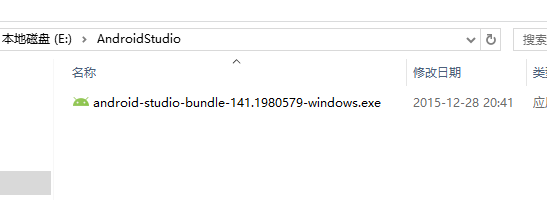 圖解Windows環境下Android Studio安裝和使用教程
鑒於谷歌最新推出的Android Studio備受開發者的推崇,所以也跟著體驗一下。一、介紹Android Studio Android Studio 是一個A
 Android Drawable及其相關類的使用
一個讓人賞心悅目的界面對軟件來說非常重要,因此圖形圖像資源也顯得非常重要。本講就要談一談Android中處理圖形圖像的最重要的一個類Drawable。Drawable就是
 Android 兩種制作圓形/圓角圖片的方法
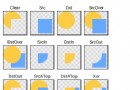
前言: 目前網上有很多圓角圖片的實例,Github上也有一些成熟的項目。之前做項目,為了穩定高效都是選用Github上的項目直接用。但這種結束也是Android開發必備技