編輯:關於Android編程
/**
 * @author intbird@163.com
 * @time 20140606
 */
package com.intbird.utils;

import java.io.BufferedReader;
import java.io.DataOutputStream;
import java.io.File;
import java.io.FileInputStream;
import java.io.IOException;
import java.io.InputStream;
import java.io.InputStreamReader;
import java.net.HttpURLConnection;
import java.net.URL;
import java.net.URLConnection;
import java.net.URLDecoder;
import java.net.URLEncoder;
import java.nio.charset.Charset;
import java.util.ArrayList;
import java.util.HashMap;
import java.util.Iterator;
import java.util.Map;

import org.apache.http.HttpResponse;
import org.apache.http.client.HttpClient;
import org.apache.http.client.methods.HttpGet;
import org.apache.http.client.methods.HttpPost;
import org.apache.http.entity.mime.MultipartEntity;
import org.apache.http.entity.mime.content.FileBody;
import org.apache.http.entity.mime.content.StringBody;
import org.apache.http.impl.client.DefaultHttpClient;
import org.apache.http.util.EntityUtils;

import android.graphics.Bitmap;
import android.graphics.BitmapFactory;
import android.os.Handler;
import android.os.Message;

public class ConnInternet {
	/**
	 * 開始連接
	 */
	public static int HTTP_STATUS_START=0;
	/**
	 * 連接過程出錯
	 */
	public static int HTTP_STATUS_ERROR=400;
	/**
	 * 請求成功,返回數據
	 */
	public static int HTTP_STATUS_REULTOK=200;
	/**
	 * 服務器未響應
	 */
	public static int HTTP_STATUS_NORESP=500;

	/**
	 * 普通GET請求
	 * @param api
	 * @param callBack
	 */
	public static void get1(final String api,final ConnInternetCallback callBack) {
		final Handler handler=getHandle(api, callBack);
		new Thread(){
			@Override
			public void run() {
				Message msg=handler.obtainMessage(HTTP_STATUS_START, "開始連接");
				try {
					URL url = new URL(api);
					HttpURLConnection urlConn =  (HttpURLConnection) url.openConnection();
					int resCode=urlConn.getResponseCode();
					if(resCode!=HTTP_STATUS_REULTOK){
						msg.what=HTTP_STATUS_NORESP;
						msg.obj=resCode;
						handler.sendMessage(msg);
						return ;
					}
					InputStreamReader inStream=new InputStreamReader(urlConn.getInputStream());
					BufferedReader buffer=new BufferedReader(inStream);

					String result="";
					String inputLine=null;
					while((inputLine=buffer.readLine())!=null){
						result+=inputLine;
					}
					msg.what=HTTP_STATUS_REULTOK;
				    msg.obj=URLDecoder.decode(result,"UTF-8");

					inStream.close();
					urlConn.disconnect();
				} catch (Exception ex) {
					msg.what=HTTP_STATUS_ERROR;
				    msg.obj=ex.getMessage().toString();
				}
				finally{
					handler.sendMessage(msg);
				}
			}
		}.start();
	}

	public void get3(final String api,final ConnInternetCallback callBack) {
		final Handler handler=getHandle(api, callBack);
		new Thread(){
			@Override
			public void run() {
				Message msg=handler.obtainMessage(HTTP_STATUS_START, "開始連接");
				try {
					HttpGet httpGet=new HttpGet(api);
					HttpClient httpClient = new DefaultHttpClient();
					HttpResponse httpResp = httpClient.execute(httpGet);

					int resCode=httpResp.getStatusLine().getStatusCode();
					if(resCode!=HTTP_STATUS_REULTOK){
						msg.what=HTTP_STATUS_NORESP;
						msg.obj=resCode;
						handler.sendMessage(msg);
						return ;
					}
					msg.what=HTTP_STATUS_REULTOK;
					msg.obj= EntityUtils.toString(httpResp.getEntity());

				}catch (Exception e) {
					msg.what=HTTP_STATUS_ERROR;
					msg.obj= e.getMessage();
				}
				finally{
					handler.sendMessage(msg);
				}
			}
		}.start();
	}

	private static Handler getHandle(final String api,final ConnInternetCallback callBack){
		return new Handler() {
			@Override
			public void handleMessage(Message message) {
				//不 在 這裡寫!
				callBack.callBack(message.what,api, message.obj.toString());
			}
		};
	}

	/**
	 * 簡單類型,只進行文字信息的POST;
	 * @param api api地址
	 * @param params 僅字段參數
	 * @param callBack 返回調用;
	 */
	public static void post1(final String api,final HashMap params,final ConnInternetCallback callBack){
		final Handler handler=getHandle(api, callBack);
		new Thread(){
			@Override
			public void run() {
				Message msg=handler.obtainMessage(HTTP_STATUS_START,"開始連接");
				try {
					URL url=new URL(api);
					HttpURLConnection urlConn = (HttpURLConnection) url.openConnection();
					urlConn.setDoInput(true);
					urlConn.setDoOutput(true);
					urlConn.setRequestMethod("POST");
					urlConn.setUseCaches(false);
					urlConn.setInstanceFollowRedirects(true);
					urlConn.setRequestProperty("Content-Type","application/x-www-form-urlencoded");
					urlConn.setRequestProperty("Charset", "UTF-8");

					urlConn.connect();
		            DataOutputStream out = new DataOutputStream(urlConn.getOutputStream());
		            Iterator iterator=params.keySet().iterator();
		            while(iterator.hasNext()){
		            	String key= iterator.next();
		            	String value= URLEncoder.encode(params.get(key),"UTF-8");
		            	out.write((key+"="+value+"&").getBytes());
		             }
		            out.flush();
		            out.close();

		        	int resCode=urlConn.getResponseCode();
					if(resCode!=HTTP_STATUS_REULTOK){
						msg.what=HTTP_STATUS_NORESP;
						msg.obj=resCode;
						handler.sendMessage(msg);
						return ;
					}
		            String result="";
		            String readLine=null;
		            InputStreamReader inputStream=new InputStreamReader(urlConn.getInputStream());
		            BufferedReader bufferReader=new BufferedReader(inputStream);
		            while((readLine=bufferReader.readLine())!=null){
		            	result+=readLine;
		            }
		            msg.what=HTTP_STATUS_REULTOK;
			        msg.obj=URLDecoder.decode(result,"UTF-8");
		            inputStream.close();
		            bufferReader.close();
		            urlConn.disconnect();
				}catch(Exception ex){
					msg.what=HTTP_STATUS_ERROR;
				    msg.obj=ex.getMessage().toString()+".";
				}
				finally{
		            handler.sendMessage(msg);
				}
			}
		}.start();
	}

	/**
	 * 自定義文字和文件傳輸協議[示例在函數結尾];
	 * @param apiUrl api地址
	 * @param mapParams 文字字段參數
	 * @param listUpFiles 多文件參數
	 * @param callBack 返回調用;
	 */
	public static void post2(final String apiUrl,final HashMap mapParams,final ArrayList listUpFiles,ConnInternetCallback callBack){
		final Handler handler=getHandle(apiUrl, callBack);
		new Thread(new Runnable() {
			public void run() {
				Message msg=handler.obtainMessage(HTTP_STATUS_START, "開始連接");

				String BOUNDARY="———7d4a6454354fe54scd";
				String PREFIX="--";
				String LINE_END="\r\n";

				try{
					URL url=new URL(apiUrl);
					HttpURLConnection urlConn=(HttpURLConnection) url.openConnection();
					urlConn.setDoOutput(true);
					urlConn.setDoInput(true);
					urlConn.setUseCaches(false);
					urlConn.setRequestMethod("POST");
					urlConn.setRequestProperty("Connection", "Keep-Alive");
					urlConn.setRequestProperty("Charset", "UTF-8");
					urlConn.setRequestProperty("Content-Type","multipart/form-data ;boundary="+BOUNDARY);

					DataOutputStream outStream=new DataOutputStream(urlConn.getOutputStream());

					for(Map.Entry entry:mapParams.entrySet()){
						StringBuilder sbParam=new StringBuilder();
						sbParam.append(PREFIX);
						sbParam.append(BOUNDARY);
						sbParam.append(LINE_END);
						sbParam.append("Content-Disposition:form-data;name=\""+ entry.getKey()+"\""+LINE_END);
						sbParam.append("Content-Transfer-Encoding: 8bit" + LINE_END);
						sbParam.append(LINE_END);
						sbParam.append(entry.getValue());
						sbParam.append(LINE_END);
						outStream.write(sbParam.toString().getBytes());
					}

					for(ConnInternetUploadFile file:listUpFiles){
						StringBuilder sbFile=new StringBuilder();
						sbFile.append(PREFIX);
						sbFile.append(BOUNDARY);
						sbFile.append(LINE_END);
						sbFile.append("Content-Disposition:form-data;name=\""+file.getFormname()+"\";filename=\""+file.getFileName()+"\""+LINE_END);
						sbFile.append("Content-type:"+file.getContentType()+"\""+LINE_END);
						outStream.write(sbFile.toString().getBytes());
						writeFileToOutStream(outStream,file.getFileUrl());
						outStream.write(LINE_END.getBytes("UTF-8"));
					}

					byte[] end_data=(PREFIX+BOUNDARY+PREFIX+LINE_END).getBytes("UTF-8");
					outStream.write(end_data);
					outStream.flush();
					outStream.close();

					int resCode=urlConn.getResponseCode();
					if(resCode!=HTTP_STATUS_REULTOK){
						msg.what=HTTP_STATUS_NORESP;
						msg.obj=resCode;
						handler.sendMessage(msg);
						return ;
					}
		            String result="";
		            String readLine=null;
		            InputStreamReader inputStream=new InputStreamReader(urlConn.getInputStream());
		            BufferedReader bufferReader=new BufferedReader(inputStream);
		            while((readLine=bufferReader.readLine())!=null){
		            	result+=readLine;
		            }
		            msg.what=HTTP_STATUS_REULTOK;
			        msg.obj=URLDecoder.decode(result,"UTF-8");
			        inputStream.close();
		            bufferReader.close();
		            urlConn.disconnect();
				}catch(Exception ex){
					msg.what=HTTP_STATUS_ERROR;
				    msg.obj=ex.getMessage().toString();
				}
				finally{
		            handler.sendMessage(msg);
				}
			}
		}).start();
//		HashMap params=new HashMap();
//		params.put("pid", fileHelper.getShareProf("PassportId"));
//		params.put("json",postJson(text));

//		ArrayList uploadFiles=new ArrayList();
//		if(url.length()>0){
//			UploadFile upfile=new UploadFile(url,url,"Images");
//			uploadFiles.add(upfile);
//		}
//		Internet.post(Api.api_messageCreate, params,uploadFiles,new InternetCallback() {
//			@Override
//			public void callBack(int msgWhat, String api, String result) {
//				if(msgWhat==Internet.HTTP_STATUS_OK){
//					//跟新數據
//					adapter.notifyDataSetChanged();
//					//顯示沒有數據
//				}else showToast("網絡錯誤");
//			}
//		});
	}

	/**
	 * 第三方Apache集成POST
	 * @param url api地址
	 * @param mapParams 參數
	 * @param callBack
	 */
	public static void post3(final String url, final HashMap mapParams,final HashMap mapFileInfo,ConnInternetCallback callBack) {
		final Handler handler=getHandle(url	, callBack);
		new Thread() {
			@Override
			public void run() {
				Message msg=handler.obtainMessage(HTTP_STATUS_START, "開始連接");
				try {
					HttpPost httpPost = new HttpPost(url);
			        //多類型;
					MultipartEntity multipartEntity = new MultipartEntity();
			        //字段
			        Iterator it=mapParams.keySet().iterator();
			        while(it.hasNext()){
				        String key=(String) it.next();
				        String value=mapParams.get(key);
					    multipartEntity.addPart(key,new StringBody(value,Charset.forName("UTF-8")));
			        }
			        //文件
			        it=mapFileInfo.keySet().iterator();
			        while(it.hasNext()){
			        	String key=(String)it.next();
			        	String value=mapFileInfo.get(key);
			        	multipartEntity.addPart(key, new FileBody(new File(value)));
			        }

			        httpPost.setEntity(multipartEntity);
					HttpClient httpClient = new DefaultHttpClient();
					HttpResponse httpResp = httpClient.execute(httpPost);

					int resCode=httpResp.getStatusLine().getStatusCode();
					if(resCode!=HTTP_STATUS_REULTOK){
						msg.what=HTTP_STATUS_NORESP;
						msg.obj=resCode;
						handler.sendMessage(msg);
						return ;
					}
					msg.what=HTTP_STATUS_REULTOK;
					msg.obj= EntityUtils.toString(httpResp.getEntity());

				}catch (Exception e) {
					msg.what=HTTP_STATUS_ERROR;
					msg.obj= e.getMessage();
				}
				finally{
					handler.sendMessage(msg);
				}
			}
		}.start();
	}

	public static Bitmap loadBitmapFromNet(String imgUrl,BitmapFactory.Options options){
		Bitmap bitmap = null;
		URL imageUrl = null;
		if (imgUrl == null || imgUrl.length() == 0) 	return null;
		try {
			imageUrl = new URL(imgUrl);
			URLConnection conn = imageUrl.openConnection();
			conn.setDoInput(true);
			conn.connect();
			InputStream is = conn.getInputStream();
			int length = conn.getContentLength();
			if (length != -1) {
				byte[] imgData = new byte[length];
				byte[] temp = new byte[512];
				int readLen = 0;
				int destPos = 0;
				while ((readLen = is.read(temp)) != -1) {
					System.arraycopy(temp, 0, imgData, destPos, readLen);
					destPos += readLen;
				}
				bitmap = BitmapFactory.decodeByteArray(imgData, 0, imgData.length,options);
				options.inJustDecodeBounds=false;
				bitmap = BitmapFactory.decodeByteArray(imgData, 0, imgData.length,options);
			}
		} catch (IOException e) {
			return null;
		}
		return bitmap;
	}

	public static void writeFileToOutStream(DataOutputStream outStream,String url){
		try {
			InputStream inputStream = new FileInputStream(new File(url));
			int ch;
			while((ch=inputStream.read())!=-1){
				outStream.write(ch);
			}
			inputStream.close();
		}
		catch (Exception e) {
			e.printStackTrace();
		}
	}

	public interface ConnInternetCallback{
		public void callBack(int msgWhat,String api,String result);
	}

	public class ConnInternetUploadFile {
		private String filename;
		private String fileUrl;
		private String formname;
		private String contentType = "application/octet-stream";
													//image/jpeg
		public ConnInternetUploadFile(String filename, String fileUrl, String formname) {
			this.filename = filename;
			this.fileUrl=fileUrl;
			this.formname = formname;
		}

		public String getFileUrl() {
			return fileUrl;
		}

		public void setFileUrl(String url) {
			this.fileUrl=url;
		}

		public String getFileName() {
			return filename;
		}

		public void setFileName(String filename) {
			this.filename = filename;
		}

		public String getFormname() {
			return formname;
		}

		public void setFormname(String formname) {
			this.formname = formname;
		}

		public String getContentType() {
			return contentType;
		}
		public void setContentType(String contentType) {
			this.contentType = contentType;
		}
	}

}
 Android6.0權限系統
Android權限系統是一個非常重要的安全問題,因為它只有在安裝時會詢問一次。一旦軟件本安裝之後,應用程序可以在用戶毫不知情的情況下使用這些權限來獲取所有的內容。很多壞蛋
 Android中的JSONObject和JSONArray的使用
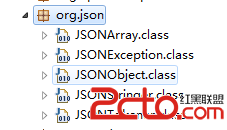
在Android的jdk開發包中已經包含了JSON的幾個API:也可以下載JSON包:http://files.cnblogs.com/java-pan/lib.rarJ
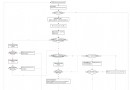 Android7.0 PowerManagerService(3) 核心函數updatePowerStateLocked的主要流程
前面的博客中,我們已經分析過,當Android中的進程要使用電量時,需要向PMS申請WakeLock;當進程完成工作後,需要釋放對應的WakeLock。PMS收到申請和釋
 Android Action Bar 詳解篇(推薦)
作為Android 3.0之後引入的新的對象,ActionBar可以說是一個方便快捷的導航神器。它可以作為活動的標題,突出活動的一些關鍵操作(如“搜索”、“創建”、“共享