編輯:關於Android編程
Android組件之間的通信有多種實現方式,Broadcast就是其中一種。在activity和fragment之間的通信,broadcast用的更多本文以一個activity為例。
效果如圖:
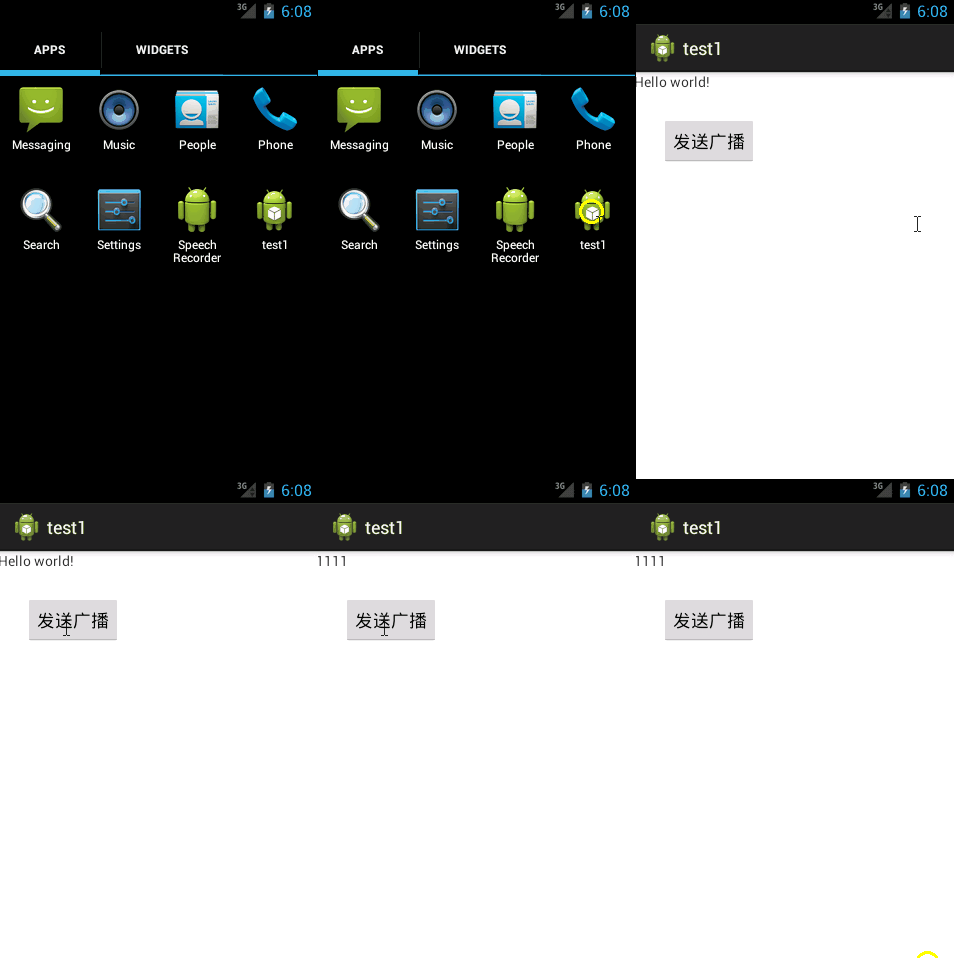
布局文件:
<LinearLayout xmlns:android="http://schemas.android.com/apk/res/android"
  xmlns:tools="http://schemas.android.com/tools"
  android:layout_width="match_parent"
  android:layout_height="match_parent"
  android:orientation="vertical" >

  <TextView
    android:id="@+id/textView1"
    android:layout_width="wrap_content"
    android:layout_height="wrap_content"
    android:text="@string/hello_world" />

  <Button
    android:id="@+id/button1"
    android:layout_width="wrap_content"
    android:layout_height="wrap_content"
    android:layout_alignLeft="@+id/textView1"
    android:layout_marginLeft="27dp"
    android:layout_marginTop="26dp"
    android:text="發送廣播" />

</LinearLayout>
MainActivity.java
public class MainActivity extends Activity {

  private Button btn;
  private TextView tv;

  @Override
  protected void onCreate(Bundle savedInstanceState) {
    super.onCreate(savedInstanceState);
    setContentView(R.layout.activity_main);
    tv = (TextView) this.findViewById(R.id.textView1);

    //接收廣播
    LocalBroadcastManager broadcastManager = LocalBroadcastManager
        .getInstance(MainActivity.this);
    IntentFilter intentFilter = new IntentFilter();
    intentFilter.addAction("com.example.test1");
    BroadcastReceiver mItemViewListClickReceiver = new BroadcastReceiver() {
      @Override
      public void onReceive(Context context, Intent intent) {
        tv.setText("1111");
      }
    };
    broadcastManager.registerReceiver(mItemViewListClickReceiver,
        intentFilter);

    btn = (Button) this.findViewById(R.id.button1);
    btn.setOnClickListener(new OnClickListener() {

      @Override
      public void onClick(View v) {

        //發送廣播
        Intent intent = new Intent("com.example.test1");
        LocalBroadcastManager.getInstance(MainActivity.this)
            .sendBroadcast(intent);
      }
    });
  }
}
原文鏈接:http://blog.csdn.net/u012702547/article/details/46816331
以上就是本文的全部內容,希望對大家的學習有所幫助,也希望大家多多支持本站。
 Android 關於使用LruCache緩存你想緩存的數據
今天我們來一起學習一下緩存技術,相信大家做開發的時候都知道請求網絡數據的重要,但是有一些只用請求一次就過時性的消息比如某些新聞信息,如果我們每次進入新聞界面
 Android初識之簡易計算器
之前自己的編程完全是在PC上進行的,而且主要是在算法和數據結構上。由於某些需要加之認識到Android的重要性,且大學走到現在基本上沒什麼課了,空閒時間很多,於是就開始學
 Android記錄17-sdk更新、Eclipse下查看源碼、chm文檔提供等干貨
Android記錄17-sdk更新、Eclipse下查看源碼、chm文檔提供等干貨 本篇博客分享一些Android開發者提高開發效率的一些干貨,之從Google被和諧了之
 Android安卓手機正確恢復出廠設置方法
安卓手機是目前用的最多的智能手機,全中國有2億用戶在用。很多安卓機友們在手機用過一段時間後發現自己的手機並不像以前那麼好用了,而且還出現各種問題,比如卡頓、