編輯:關於Android編程
在Android開發中有時我們需要訪問網絡實時刷新數據,比如QQ好友在線狀態最新信息,QQ空間需要顯示更多的好友動態信息,EOE論壇客戶端顯示更多的文章帖子信息等。android-pulltorefresh開源項目提供一個向下滑動即刷新列表的功能,將該項目稍作修改即可應用到自己的項目中。
1.下載地址
2.工程組成
PullToRefreshListView.java
OnRefreshListener 監聽刷新操作的接口 ,onRefresh()刷新函數 在列表頭部顯示正在進行的刷新操作進度條
onRefreshComplete() 刷新操作完成後,恢復列表常態
上述類和接口的具體實現:
public class PullToRefreshListView extends ListView implements OnScrollListener{

  /**Interface definition for a callback to be invoked when list should be refreshed.
     */
    public interface OnRefreshListener {
        /**
         * Called when the list should be refreshed.
         *
* A call to {@link PullToRefreshListView #onRefreshComplete()} is expected to indicate that the refresh has completed. */ public void onRefresh(); } /** * Resets the list to a normal state after a refresh. * @param lastUpdated Last updated at. */ public void onRefreshComplete(CharSequence lastUpdated) { setLastUpdated(lastUpdated); onRefreshComplete(); } /** * Resets the list to a normal state after a refresh. */ public void onRefreshComplete() { Log.d(TAG, onRefreshComplete); resetHeader(); // If refresh view is visible when loading completes, scroll down to // the next item. if (getFirstVisiblePosition() == 0) { invalidateViews(); setSelection(1); } } }
pull_to_refresh_header.xml
PullToRefreshListView頭部 顯示刷新進度條信息 ,在 PullToRefreshListView.java調用下面的語句將該子布局添加到列表頂部
private LayoutInflater mInflater;
private RelativeLayout mRefreshView;
mInflater = (LayoutInflater) context.getSystemService(
Context.LAYOUT_INFLATER_SERVICE);
//header part of PullToRefreshListView
mRefreshView = (RelativeLayout) mInflater.inflate(R.layout.pull_to_refresh_header, this, false);
//add header part to the ListView
addHeaderView(mRefreshView);
PullToRefreshActivity.java (MainActivity)
pull_to_refresh.xml
注:
LiveActivity本身繼承了關於List操作的眾多接口,我們可以方便的重寫這些操作中需要的方法來實現自己需要的功能。如果要用ListActivity,則 Activity的Layout文件中必須包括一個(只能一個)ListView,且ListView的id= @id/android:list。
3.PullToRefreshActivity.java
刷新額外的列表數據String mExtras[],當額外列表數據顯示完畢時,不再進行刷新操作。
例如下面這個例子刷新三次以後,就沒有額外需要顯示的數據,拉松列表進行刷新操作將提示“No More Messages”
package com.markupartist.android.example.pulltorefresh;

import java.util.Arrays;
import java.util.LinkedList;

import android.annotation.SuppressLint;
import android.app.ListActivity;
import android.os.AsyncTask;
import android.os.Bundle;
import android.widget.ArrayAdapter;
import android.widget.Toast;

import com.markupartist.android.widget.PullToRefreshListView;
import com.markupartist.android.widget.PullToRefreshListView.OnRefreshListener;

@SuppressLint(NewApi)
public class PullToRefreshActivity extends ListActivity {
    private LinkedList mListItems;
    int count = 0;


    /** Called when the activity is first created. */
    @SuppressLint(NewApi)
	@Override
    public void onCreate(Bundle savedInstanceState) {
        super.onCreate(savedInstanceState);
        setContentView(R.layout.pull_to_refresh);

        // Set a listener to be invoked when the list should be refreshed.
        ((PullToRefreshListView) getListView()).setOnRefreshListener(new OnRefreshListener() {
            @Override
            public void onRefresh() {
                // Do work to refresh the list here.
            	if(count < mExtras.length)
            		new GetDataTask().execute(count++);
            	else{
            		Toast.makeText(getApplicationContext(), No More Messages,
            				Toast.LENGTH_LONG).show();

            		//Resets the list to a normal state after a refresh
            		((PullToRefreshListView) getListView()).onRefreshComplete();
            	}

            }
        });

        mListItems = new LinkedList();
        mListItems.addAll(Arrays.asList(mStrings));

        ArrayAdapter adapter = new ArrayAdapter(this,
                android.R.layout.simple_list_item_1, mListItems);

        setListAdapter(adapter);
    }

    private class GetDataTask extends AsyncTask {

    	private int count;

        @Override
        protected String[] doInBackground(Integer... params) {
        	count = params[0];
        	// Simulates a background job.
            try {
                Thread.sleep(2000);
            } catch (InterruptedException e) {
                ;
            }
            return mStrings;
        }

        @SuppressLint(NewApi)
		@Override
        protected void onPostExecute(String[] result) {
           // mListItems.addFirst(Added after refresh...);
        	mListItems.addFirst(mExtras[count]);

            // Call onRefreshComplete when the list has been refreshed.
            ((PullToRefreshListView) getListView()).onRefreshComplete();

           // super.onPostExecute(result);
        }
    }

    private String[] mStrings = {
            Abbaye de Belloc, Abbaye du Mont des Cats, Abertam,
            Abondance, Ackawi, Acorn, Adelost, Affidelice au Chablis,
            Afuega'l Pitu, Airag, Airedale, Aisy Cendre,
            Allgauer Emmentaler};

    private String[] mExtras = {extra1,extra2,extra3};

}
 Android Studio顯示行數
Android Studio在打開的文件左側單擊鼠標右鍵,也能像Eclipse一樣設置顯示代碼行數,如圖1。但是這邊跟Eclipse有一個很大的區別,Eclipse設置後
 從root的android手機中導出app的db文件
前提:手機已經root; 1.手機連接電腦,打開Cmd,運行命令adb shell;//因為android用的Linux內核,很多linux的命令,在Android也可以
 Android上傳圖片之調用系統拍照和從相冊選擇圖片
Android上傳圖片之調用系統拍照和從相冊選擇圖片前言:萬丈高樓平底起,萬事起於微末。不知不覺距離上篇博文已近四個月,2015年12月17日下午發了第一篇博文,現在是2
 Android實現仿通訊錄側邊欄滑動SiderBar效果代碼
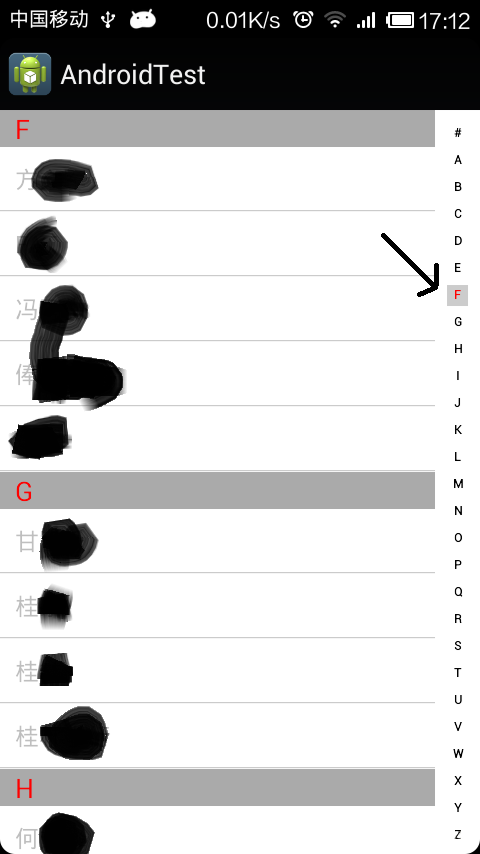
本文實例講述了Android實現仿通訊錄側邊欄滑動SiderBar效果代碼。分享給大家供大家參考,具體如下:之前看到某些應用的側邊欄做得不錯,想想自己也弄一個出來,現在分