編輯:關於Android編程
XML文件裡有一個textView 和 一個按鈕。
package com.wjj.day_01_genesis;

import android.app.Activity;
import android.graphics.Color;
import android.os.Bundle;
import android.view.Menu;
import android.view.View;
import android.view.View.OnClickListener;
import android.widget.Button;
import android.widget.TextView;

public class MainActivity extends Activity {

	private TextView textView;
	private Button button;
	int count = 0;

	@Override
	protected void onCreate(Bundle savedInstanceState) {
		super.onCreate(savedInstanceState);
		setContentView(R.layout.activity_main); // 設置布局文件
		textView = (TextView) findViewById(R.id.textView); // 找到文本
		textView.setBackgroundColor(Color.BLUE); // 設置文本背景的顏色
		button = (Button) findViewById(R.id.button); // 找到按鈕
		buttonOnClickLisnter lisnter = new buttonOnClickLisnter(); // 初識化一個監聽器
		button.setOnClickListener(lisnter); // 給按鈕設置監聽器
	}

	class buttonOnClickLisnter implements OnClickListener { // 實現OnClickListener接口

		@Override
		public void onClick(View view) { // 當綁定此監聽器的按鈕被按下時會調用此方法
			// TODO Auto-generated method stub
			count++;
			textView.setText(count + ""); // 設置文本的顯示
		}

	}

	@Override
	public boolean onCreateOptionsMenu(Menu menu) {
		// Inflate the menu; this adds items to the action bar if it is present.
		getMenuInflater().inflate(R.menu.main, menu);
		return true;
	}

}
 Android 將Activity及其他類打包成jar包供第三方調用
在開發java工程時,一個項目可能分為多個模塊,為了實現模塊間的解耦和獨立,提高模塊的復用性,通常將項目按模塊分為多個java工程進行開發,最後通過jar包等工
 android源碼解析之(五)--)Log相關介紹
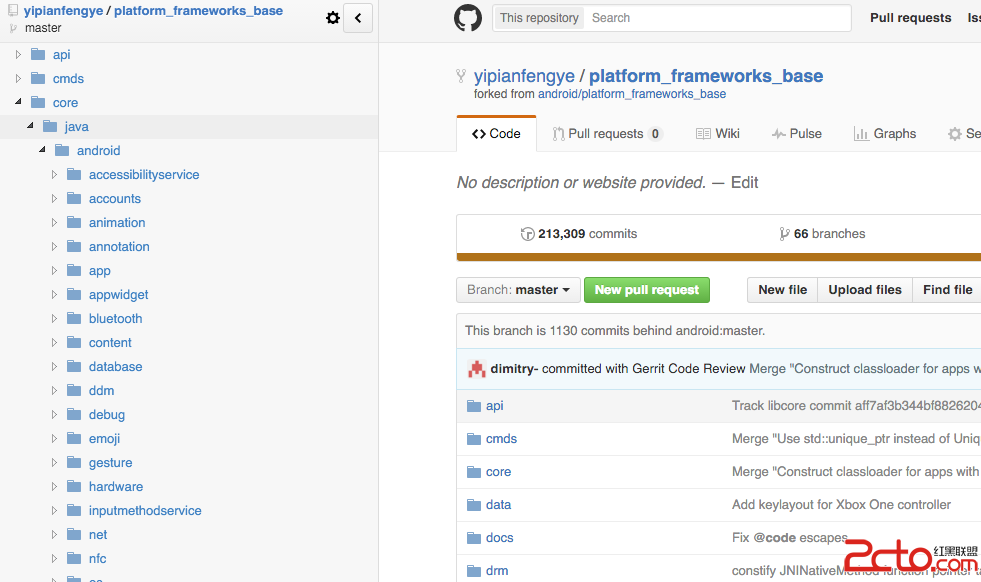
這裡面基本都是android framework層的源碼了。而且最近發現了一個比較不錯的github插件:OctoTree,它 是一個浏覽器插件,它可以讓你在Github
 Android 底部導航控件實例代碼
一、先給大家展示下最終效果 通過以上可以看到,圖一是簡單的使用,圖二、圖三中為結合ViewPager共同使用,而且都可以隨ViewPager的滑動漸變色,不同點是圖二為
 快速自動更新Android Studio版本
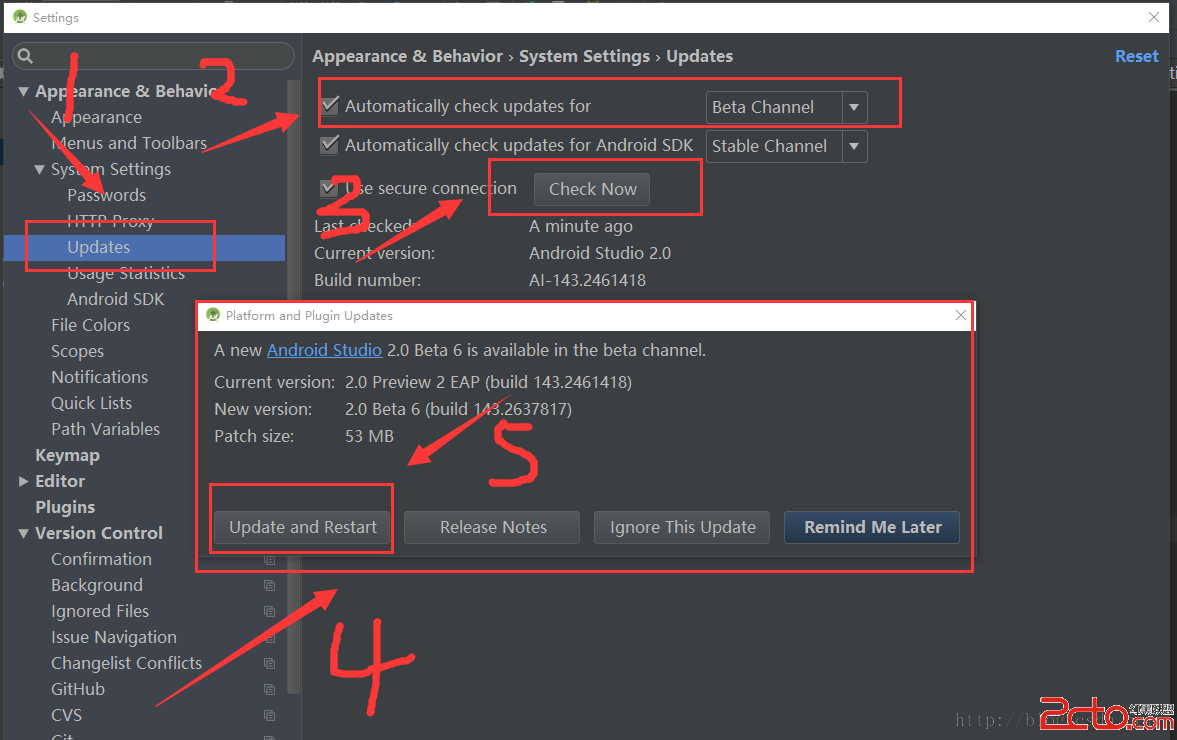
快速自動更新Android Studio版本在開發過程中,有些時候總是會報一些Android Studio vesion 版本低,要求升級之類的錯誤,然而大家又會嫌麻煩去