編輯:關於Android編程
Fragment與Activity之間的數據交換,大體上包括三種:
一、Fragment從Activity獲取數據(本文章只介紹第一種);
二、Activity從Fragment獲取數據;
三、Fragment之間獲取數據。
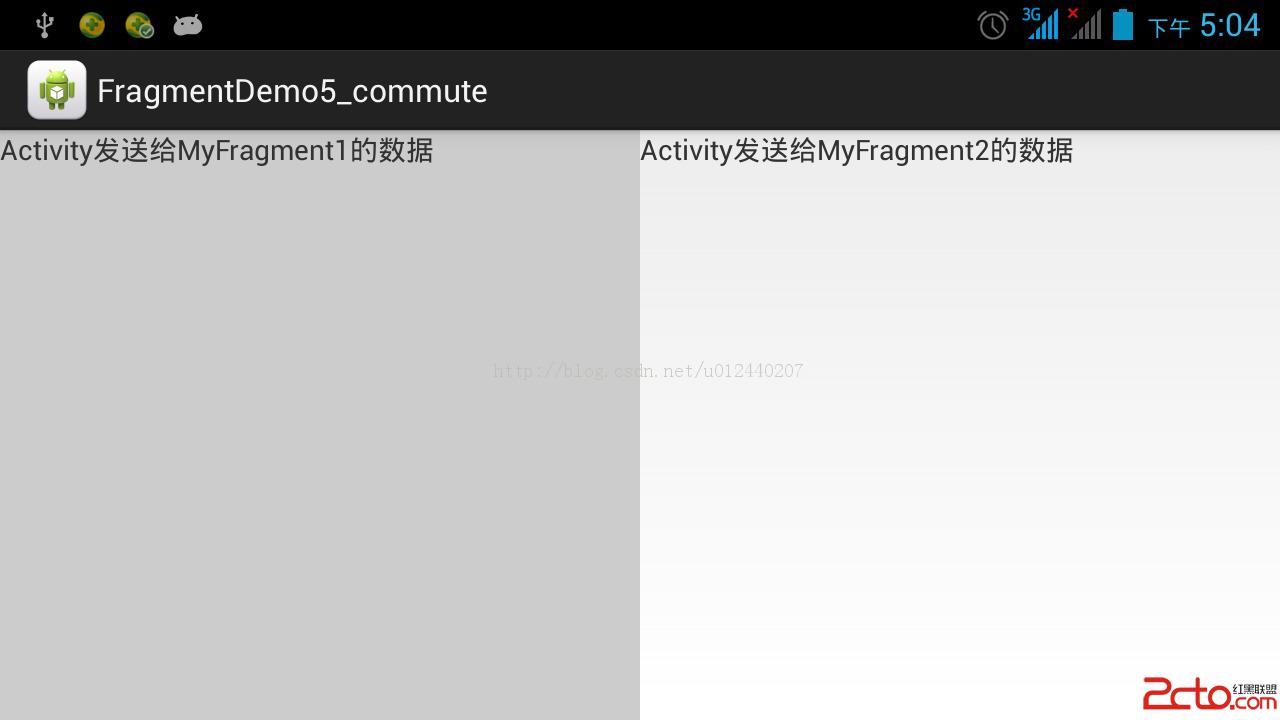
實現效果圖:
從Activity傳遞數據到兩個Fragment中,Fragment獲取數據後,展示出來。
源代碼:
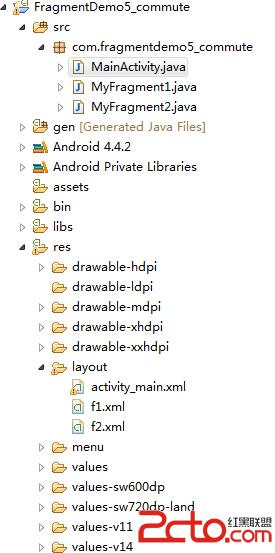
布局文件:
activity_main:
MainActivity:
package com.fragmentdemo5_commute;

import android.app.Activity;
import android.app.FragmentManager;
import android.app.FragmentTransaction;
import android.os.Bundle;

/**
 * 一、Fragment從Activity獲取數據。
 */
public class MainActivity extends Activity {
	private FragmentManager manager;
	private FragmentTransaction transaction;

	@Override
	protected void onCreate(Bundle savedInstanceState) {
		super.onCreate(savedInstanceState);
		setContentView(R.layout.activity_main);

		manager = getFragmentManager();
		transaction = manager.beginTransaction();

		MyFragment1 fragment1 = new MyFragment1();
		Bundle bundle1 = new Bundle();
		bundle1.putString("id", "Activity發送給MyFragment1的數據");
		fragment1.setArguments(bundle1);
		transaction.replace(R.id.left, fragment1, "left");

		MyFragment2 fragment2 = new MyFragment2();
		Bundle bundle2 = new Bundle();
		bundle2.putString("id", "Activity發送給MyFragment2的數據");
		fragment2.setArguments(bundle2);
		transaction.replace(R.id.right, fragment2, "right");

		transaction.commit();
	}

}
package com.fragmentdemo5_commute;

import android.app.Fragment;
import android.os.Bundle;
import android.view.LayoutInflater;
import android.view.View;
import android.view.ViewGroup;
import android.widget.TextView;

public class MyFragment1 extends Fragment {
	@Override
	public void onCreate(Bundle savedInstanceState) {
		super.onCreate(savedInstanceState);
	}

	@Override
	public View onCreateView(LayoutInflater inflater, ViewGroup container,
			Bundle savedInstanceState) {
		View view = inflater.inflate(R.layout.f1, null);

		TextView textView = (TextView) view.findViewById(R.id.textView);
		Bundle bundle1 = getArguments();
		textView.setText(bundle1.getString("id"));
		return view;
	}

}
package com.fragmentdemo5_commute;

import android.app.Fragment;
import android.os.Bundle;
import android.view.LayoutInflater;
import android.view.View;
import android.view.ViewGroup;
import android.widget.TextView;

public class MyFragment2 extends Fragment {
	@Override
	public void onCreate(Bundle savedInstanceState) {
		super.onCreate(savedInstanceState);
	}

	@Override
	public View onCreateView(LayoutInflater inflater, ViewGroup container,
			Bundle savedInstanceState) {
		View view = inflater.inflate(R.layout.f2, null);

		TextView textView = (TextView) view.findViewById(R.id.textView);
		Bundle bundle2 = getArguments();
		textView.setText(bundle2.getString("id"));
		return view;
	}

}
點擊下載源碼
 Android常用UI組件 - TextView
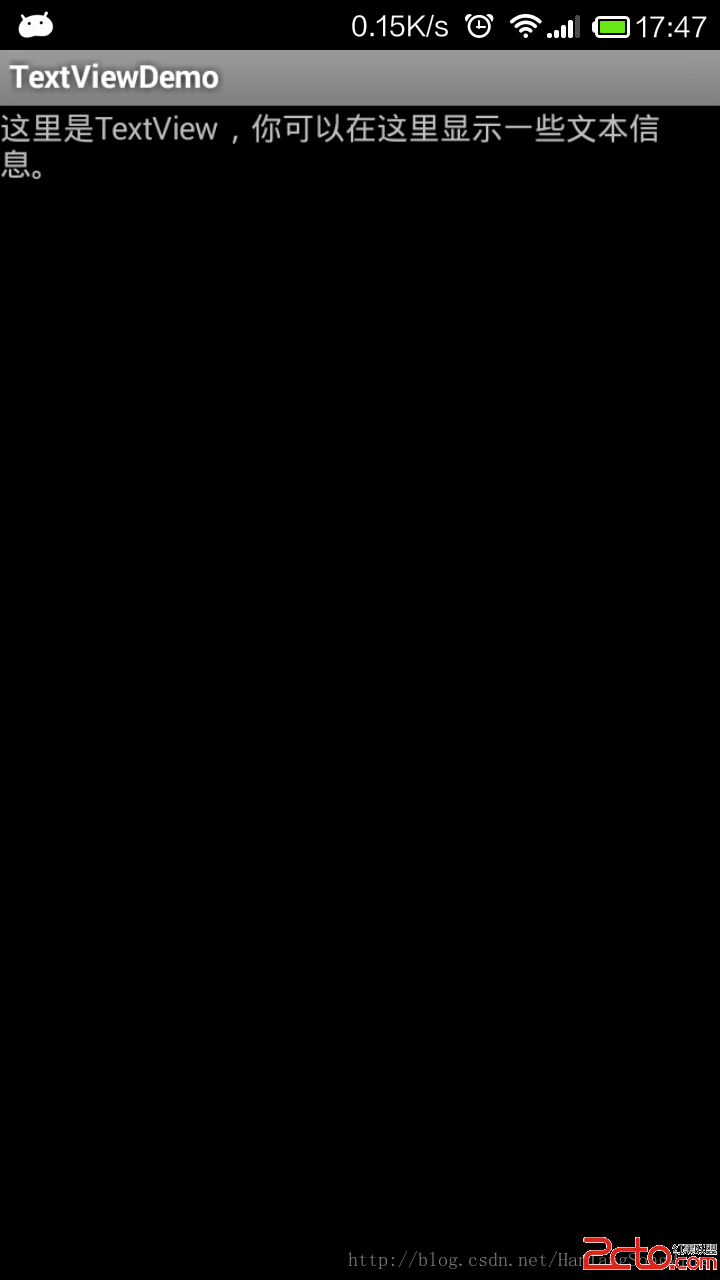
TextView是Android裡面用的最多的UI組件,一般使用在需要顯示一些信息的時候,其不能輸入,只能初始設定或者在程序中修改。 實例:TextViewDemo
 如何正確使用Android線程詳解
前言對於移動開發者來說,“將耗時的任務放到子線程去執行,以保證UI線程的流暢性”是線程編程的第一金科玉律,但這條鐵則往往也是UI線程不怎麼流暢的主因。我們在督促自己更多的
 (Android 基礎(十三)) selector
介紹A StateListDrawable is a drawable object defined in XML that uses a several differe
 Android Service的啟動過程
剛開始學習Service的時候以為它是一個線程的封裝,也可以執行耗時操作。其實不然,Service是運行在主線程的。直接執行耗時操作是會阻塞主線程的。長時間就直接ANR了