編輯:關於Android編程
眾所周知,一般我們將播放的邏輯都放入service當中,這樣就能實現在後台繼續播放音樂的功能。後台service被系統回收的概率相對來說比較低,但是這種情況也確實存在。
前台服務是那些被認為用戶知道的並且在內存低的時候不允許系統殺死的服務。前台服務必須給狀態欄提供一個通知,他被放到了“正在進行中(Ongoing)”標題之下,這就意味著直到這個服務被終止或從前台刪除通知才能被解除。
例如,一個播放音樂的音樂播放器服務應該被設置在前台運行,因為用戶明確的知道它們的操作。狀態欄中的通知可能指明了當前的歌曲,並且用戶啟動一個跟這個音樂播放器交互的Activity。
要讓你的服務在前台運行,需要調用startForeground()方法,這個方法需要兩個參數:一個唯一標識通知的整數和給狀態欄的通知,如:
Notification notification = new Notification(R.drawable.icon, getText(R.string.ticker_text),System.currentTimeMillis());
Intent notificationIntent = new Intent(this, ExampleActivity.class);
PendingIntent pendingIntent = PendingIntent.getActivity(this, 0, notificationIntent, 0);
notification.setLatestEventInfo(this, getText(R.string.notification_title),getText(R.string.notification_message), pendingIntent);
startForeground(ONGOING_NOTIFICATION, notification);
要從前台刪除服務,需要調用stopForeground()方法,這個方法需要一個布爾型參數,指示是否刪除狀態欄通知。這個方法不終止服務。但是,如果你終止了正在運行的前台服務,那麼通知也會被刪除。
示例代碼如下:
ForgroundService.java
import java.io.File;

import android.app.Notification;
import android.app.PendingIntent;
import android.app.Service;
import android.content.Intent;
import android.media.MediaPlayer;
import android.net.Uri;
import android.os.Binder;
import android.os.IBinder;

public class ForgroundService extends Service {

	private static final int NOTIFICATION_ID = 100;
	private static final Uri mMusicUri = Uri.fromFile(new File("/sdcard/sound_file_1.mp3"));
	private MediaPlayer mMediaPlayer = null;

	public class ForgroundServiceBinder extends Binder {

		public void playMusic() {

			stopCurrentMediaPlayer();
			mMediaPlayer = MediaPlayer.create(getApplicationContext(), mMusicUri);
			mMediaPlayer.start();

			String songName = "Test Music";
			// assign the song name to songName
			PendingIntent pi = PendingIntent.getActivity(getApplicationContext(), 0, new Intent(getApplicationContext(), ForgroundServiceActivity.class), PendingIntent.FLAG_UPDATE_CURRENT);
			Notification notification = new Notification();
			notification.tickerText = "Forground Service";
			notification.icon = R.drawable.icon;
			notification.flags |= Notification.FLAG_ONGOING_EVENT;
			notification.setLatestEventInfo(getApplicationContext(), "MusicPlayerSample", "Playing: " + songName, pi);
			startForeground(NOTIFICATION_ID, notification);//啟動前台服務

		}

		public void stopMusic() {
			stopCurrentMediaPlayer();
			stopForeground(true);	//關閉前台服務
		}
	}

	private ForgroundServiceBinder mBinder = new ForgroundServiceBinder();

	@Override
	public IBinder onBind(Intent arg0) {
		return mBinder;
	}


	@Override
	public void onDestroy() {
		stopCurrentMediaPlayer();
		super.onDestroy();
	}


	private void stopCurrentMediaPlayer() {
		if (mMediaPlayer != null) {
			mMediaPlayer.stop();
			mMediaPlayer.release();
			mMediaPlayer = null;
		}
	}

}import ForgroundService.ForgroundServiceBinder;
import android.app.Activity;
import android.content.ComponentName;
import android.content.Intent;
import android.content.ServiceConnection;
import android.os.Bundle;
import android.os.IBinder;
import android.view.View;
import android.view.View.OnClickListener;
public class ForgroundServiceActivity extends Activity {
@Override
protected void onDestroy() {
unbindService(mServiceConnection);
super.onDestroy();
}
@Override
protected void onCreate(Bundle savedInstanceState) {
super.onCreate(savedInstanceState);
setContentView(R.layout.layout_forground_service);
final Intent serviceIntent = new Intent(this, ForgroundService.class);
//startService(serviceIntent);
bindService(serviceIntent, mServiceConnection, BIND_AUTO_CREATE);
}
private ServiceConnection mServiceConnection = new ServiceConnection() {
@Override
public void onServiceConnected(ComponentName name, IBinder binder) {
final ForgroundServiceBinder service = (ForgroundServiceBinder) binder;
findViewById(R.id.start).setOnClickListener(new OnClickListener() {
@Override
public void onClick(View v) {
service.playMusic();
}
});
findViewById(R.id.stop).setOnClickListener(new OnClickListener() {
@Override
public void onClick(View v) {
service.stopMusic();
}
});
}
@Override
public void onServiceDisconnected(ComponentName name) {
}
};
} android相對布局RelativeLayout介紹
序:本文講RelativeLayout兩點:1. 簡單例子說明RelativeLayout使用方法 2.強調 用gravity 而不是用layout_gravity來總體
 Android Launcher 設置壁紙
版本:1.0 日期:2014.11.25 2014.11.26版權:©kince特別推薦:泡在網上的日子一、概述 一般Launcher都帶有壁紙設置的功能,A
 Android字體大小怎麼自適應不同分辨率?
今天有人問我,android系統不同分辨率,不同大小的手機,字體大小怎麼去適應呢?其實字體的適應和圖片的適應是一個道理的。 一、 原理如下: 假設需要適應320x240,
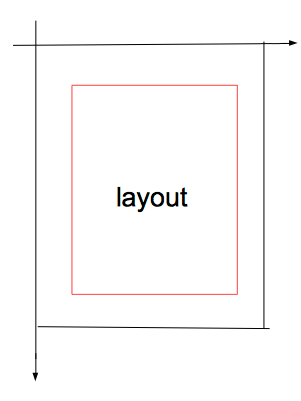 Android群英傳知識點回顧——第五章:Android Scroll分析
知識點目錄 5.1 滑動效果是如何產生的 5.1.1 Android坐標系 5.1.2 視圖坐標系 5.1.3 觸控事件——MotionEvent