編輯:關於Android編程
上一篇文章主要介紹的圖片文件的下載與顯示,這一篇文章主要介紹如何根據網頁的地址,獲取網頁源代碼的獲取
其實,網站源代碼的獲取比圖片的下載與顯示更加簡單,只需要對之前的代碼稍作修改即可
public class OtherActivity extends Activity {

	private TextView tv;
	private static final int LOAD_SUCCESS = 1;
	private static final int LOAD_ERROR = -1;
	private Handler handler = new Handler() {
		public void handleMessage(Message msg) {

			switch (msg.what) {
			case LOAD_SUCCESS:
				tv.setText((String) msg.obj);
				break;
			case LOAD_ERROR:
				Toast.makeText(getApplicationContext(), "加載失敗", 0).show();
				break;
			}

		};
	};

	@Override
	protected void onCreate(Bundle savedInstanceState) {
		super.onCreate(savedInstanceState);
		setContentView(R.layout.activity_main);
		tv = (TextView) findViewById(R.id.tv);
	}

	// Button的點擊事件
	public void show(View view) {
		new Thread(new Runnable() {
			public void run() {
				getHttp();
			}
		}).start();

	}

	// 下載圖片的主方法
	private void getHttp() {
		URL url = null;
		InputStream is = null;
		ByteArrayOutputStream byteArrayOutputStream = null;
		try {
			// 構建圖片的url地址
			url = new URL("http://www.baidu.com");
			// 開啟連接
			HttpURLConnection conn = (HttpURLConnection) url.openConnection();
			// 設置超時的時間,5000毫秒即5秒
			conn.setConnectTimeout(5000);
			// 設置獲取圖片的方式為GET
			conn.setRequestMethod("GET");
			if (conn.getResponseCode() == 200) {
				is = conn.getInputStream();
				byteArrayOutputStream = new ByteArrayOutputStream();
				int len = 0;
				byte[] buffer = new byte[1024];
				while ((len = is.read(buffer)) != -1) {
					byteArrayOutputStream.write(buffer, 0, len);
				}
				byteArrayOutputStream.flush();
				byte[] arr = byteArrayOutputStream.toByteArray();
				Message msg = handler.obtainMessage();
				msg.what = LOAD_SUCCESS;
				msg.obj = new String(arr);
				handler.sendMessage(msg);
			}
		} catch (Exception e) {
			handler.sendEmptyMessage(LOAD_ERROR);
			e.printStackTrace();
		} finally {

			try {
				if (is != null) {
					is.close();
				}
				if (byteArrayOutputStream != null) {
					byteArrayOutputStream.close();
				}
			} catch (Exception e) {
				handler.sendEmptyMessage(LOAD_ERROR);
				e.printStackTrace();
			}
		}
	}

}
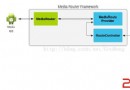 Android 的媒體路由功能應用與框架解析
一、功能描述 Android 的媒體路由API被設計用來允許多種媒體(視頻、音樂、圖片)在與ANDROID設備連接(無線或有線)的輔助設備(如電視、立
 android listview優化幾種寫法詳細介紹
這篇文章只是總結下getView裡面優化視圖的幾種寫法,就像孔乙己寫茴香豆的茴字的幾種寫法一樣,高手勿噴,勿笑,只是拿出來分享,有錯誤的地方歡迎大家指正,謝謝。 list
 win7配置adb環境變量的方法步驟
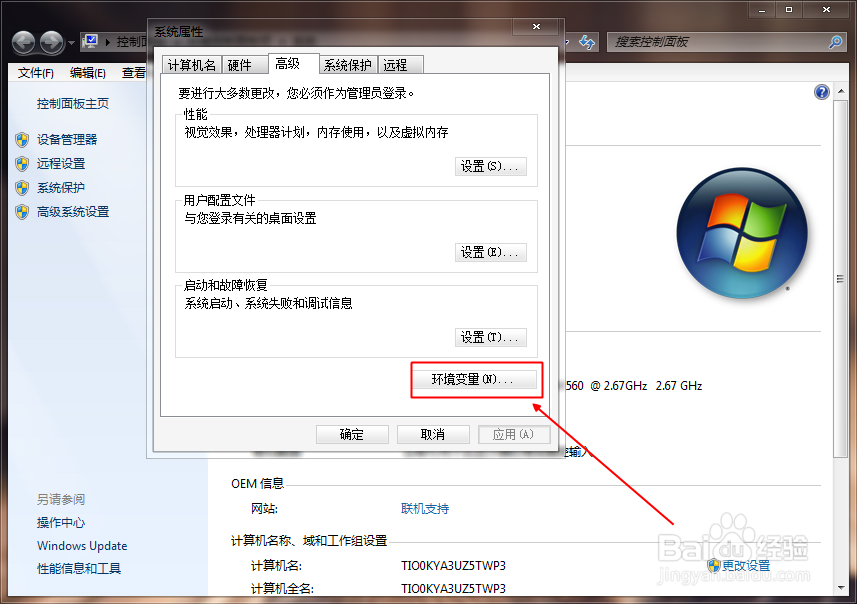
下面是配置Android開發ADB環境變量的操作步驟。工具/原料win7系統電腦+Android SDK方法/步驟1.首先右擊計算機——屬性——高級系統設置——環境變量;
 Android -- RecyclerView的使用
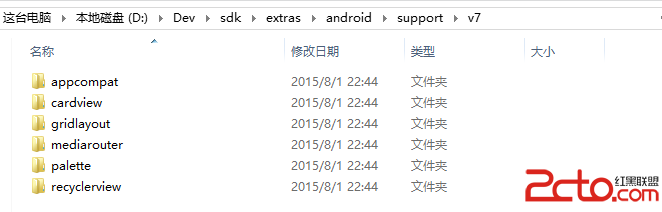
說明:RecyclerView是support-v7包中的新組件,你可以使用該組件替代ListView和CridView,從命名可以看出RecyclerView會自動回