編輯:關於Android編程
在Android的消息機制中,不僅提供了供Application 開發使用的java的消息循環。其實java的機制最終還是靠native來實現的。在native不僅提供一套消息傳遞和處理的機制,還提供了自定義文件描述符的I/O時間的監聽機制。下面我們從具體代碼中分析一下。
Native層的關鍵類:
Looper.cpp.該類中提供了pollOnce 和wake的休眠和喚醒機制。同時在構造函數中也創建 管道 並加入epoll的機制中,來監聽其狀態變化。
Looper::Looper(bool allowNonCallbacks) :
        mAllowNonCallbacks(allowNonCallbacks), mSendingMessage(false),
        mResponseIndex(0), mNextMessageUptime(LLONG_MAX) {
    int wakeFds[2];
    int result = pipe(wakeFds);
    LOG_ALWAYS_FATAL_IF(result != 0, "Could not create wake pipe.  errno=%d", errno);

    mWakeReadPipeFd = wakeFds[0];
    mWakeWritePipeFd = wakeFds[1];

    result = fcntl(mWakeReadPipeFd, F_SETFL, O_NONBLOCK);
    LOG_ALWAYS_FATAL_IF(result != 0, "Could not make wake read pipe non-blocking.  errno=%d",
            errno);

    result = fcntl(mWakeWritePipeFd, F_SETFL, O_NONBLOCK);
    LOG_ALWAYS_FATAL_IF(result != 0, "Could not make wake write pipe non-blocking.  errno=%d",
            errno);

    // Allocate the epoll instance and register the wake pipe.
    mEpollFd = epoll_create(EPOLL_SIZE_HINT);
    LOG_ALWAYS_FATAL_IF(mEpollFd < 0, "Could not create epoll instance.  errno=%d", errno);

    struct epoll_event eventItem;
    memset(& eventItem, 0, sizeof(epoll_event)); // zero out unused members of data field union
    eventItem.events = EPOLLIN;
    eventItem.data.fd = mWakeReadPipeFd;
    result = epoll_ctl(mEpollFd, EPOLL_CTL_ADD, mWakeReadPipeFd, & eventItem);
    LOG_ALWAYS_FATAL_IF(result != 0, "Could not add wake read pipe to epoll instance.  errno=%d",
            errno);
}
具體epoll機制,請參看我另一篇,轉載的epoll機制。一種高效改良的poll機制。
其實looper在整個消息循環中,主要是實現MessageQueue中休眠和喚醒機制。
 struct epoll_event eventItems[EPOLL_MAX_EVENTS];
    int eventCount = epoll_wait(mEpollFd, eventItems, EPOLL_MAX_EVENTS, timeoutMillis);

    // Acquire lock.
    mLock.lock();

    // Check for poll error.
    if (eventCount < 0) {
        if (errno == EINTR) {
            goto Done;
        }
        ALOGW("Poll failed with an unexpected error, errno=%d", errno);
        result = ALOOPER_POLL_ERROR;
        goto Done;
    }

    // Check for poll timeout.
    if (eventCount == 0) {
#if DEBUG_POLL_AND_WAKE
        ALOGD("%p ~ pollOnce - timeout", this);
#endif
        result = ALOOPER_POLL_TIMEOUT;
        goto Done;
    }

    // Handle all events.
#if DEBUG_POLL_AND_WAKE
    ALOGD("%p ~ pollOnce - handling events from %d fds", this, eventCount);
#endif

    for (int i = 0; i < eventCount; i++) {
        int fd = eventItems[i].data.fd;
        uint32_t epollEvents = eventItems[i].events;
        if (fd == mWakeReadPipeFd) {
            if (epollEvents & EPOLLIN) {
                awoken();
            } else {
                ALOGW("Ignoring unexpected epoll events 0x%x on wake read pipe.", epollEvents);
            }
        } else {
            ssize_t requestIndex = mRequests.indexOfKey(fd);
            if (requestIndex >= 0) {
                int events = 0;
                if (epollEvents & EPOLLIN) events |= ALOOPER_EVENT_INPUT;
                if (epollEvents & EPOLLOUT) events |= ALOOPER_EVENT_OUTPUT;
                if (epollEvents & EPOLLERR) events |= ALOOPER_EVENT_ERROR;
                if (epollEvents & EPOLLHUP) events |= ALOOPER_EVENT_HANGUP;
                pushResponse(events, mRequests.valueAt(requestIndex));
            } else {
                ALOGW("Ignoring unexpected epoll events 0x%x on fd %d that is "
                        "no longer registered.", epollEvents, fd);
            }
        }
具體獲取下個消息,還是在MessageQueue.java 的next()實現並返回一個msg。
那什麼時候應該喚醒和怎麼喚醒呢?
參看MessageQueue的代碼,在相關隊列中添加一個msg時。調用用nativeWake方法
static void android_os_MessageQueue_nativeWake(JNIEnv* env, jobject obj, jint ptr) {
    NativeMessageQueue* nativeMessageQueue = reinterpret_cast(ptr);
    return nativeMessageQueue->wake();
}
void Looper::wake() {
#if DEBUG_POLL_AND_WAKE
    ALOGD("%p ~ wake", this);
#endif

    ssize_t nWrite;
    do {
        nWrite = write(mWakeWritePipeFd, "W", 1);
    } while (nWrite == -1 && errno == EINTR);

    if (nWrite != 1) {
        if (errno != EAGAIN) {
            ALOGW("Could not write wake signal, errno=%d", errno);
        }
    }
}
喚醒的方法就是向mWakeWirtePipeFd寫一個‘w',觸發epoll的mWakeReadPipFdd喚醒進程,進而從MessageQueue的next方法,獲取下一個msg。
final Message next() {
        int pendingIdleHandlerCount = -1; // -1 only during first iteration
        int nextPollTimeoutMillis = 0;

        for (;;) {
            if (nextPollTimeoutMillis != 0) {
                Binder.flushPendingCommands();
            }
            nativePollOnce(mPtr, nextPollTimeoutMillis);

            synchronized (this) {
                if (mQuiting) {
                    return null;
                }

                // Try to retrieve the next message.  Return if found.
                final long now = SystemClock.uptimeMillis();
                Message prevMsg = null;
                Message msg = mMessages;
                if (msg != null && msg.target == null) {
                    // Stalled by a barrier.  Find the next asynchronous message in the queue.
                    do {
                        prevMsg = msg;
                        msg = msg.next;
                    } while (msg != null && !msg.isAsynchronous());
                }
                if (msg != null) {
                    if (now < msg.when) {
                        // Next message is not ready.  Set a timeout to wake up when it is ready.
                        nextPollTimeoutMillis = (int) Math.min(msg.when - now, Integer.MAX_VALUE);
                    } else {
                        // Got a message.
                        mBlocked = false;
                        if (prevMsg != null) {
                            prevMsg.next = msg.next;
                        } else {
                            mMessages = msg.next;
                        }
                        msg.next = null;
                        if (false) Log.v("MessageQueue", "Returning message: " + msg);
                        msg.markInUse();
                        return msg;
                    }
                } else {
                    // No more messages.
                    nextPollTimeoutMillis = -1;
                }
Looper對文件描述符監控和處理:
looper可以對普通文件,設備文件或套接字都可以監聽。android本身已經提供了一套機制。
/**
 * Adds a new file descriptor to be polled by the looper.
 * If the same file descriptor was previously added, it is replaced.
 *
 * "fd" is the file descriptor to be added.
 * "ident" is an identifier for this event, which is returned from ALooper_pollOnce().
 * The identifier must be >= 0, or ALOOPER_POLL_CALLBACK if providing a non-NULL callback.
 * "events" are the poll events to wake up on.  Typically this is ALOOPER_EVENT_INPUT.
 * "callback" is the function to call when there is an event on the file descriptor.
 * "data" is a private data pointer to supply to the callback.
 *
 * There are two main uses of this function:
 *
 * (1) If "callback" is non-NULL, then this function will be called when there is
 * data on the file descriptor.  It should execute any events it has pending,
 * appropriately reading from the file descriptor.  The 'ident' is ignored in this case.
 *
 * (2) If "callback" is NULL, the 'ident' will be returned by ALooper_pollOnce
 * when its file descriptor has data available, requiring the caller to take
 * care of processing it.
 *
 * Returns 1 if the file descriptor was added or -1 if an error occurred.
 *
 * This method can be called on any thread.
 * This method may block briefly if it needs to wake the poll.
 */
int ALooper_addFd(ALooper* looper, int fd, int ident, int events,
        ALooper_callbackFunc callback, void* data);
這些都在Looper.h文件中,大家有時間可以研究一下。
/**
 * Interface for a Looper message handler.
 *
 * The Looper holds a strong reference to the message handler whenever it has
 * a message to deliver to it.  Make sure to call Looper::removeMessages
 * to remove any pending messages destined for the handler so that the handler
 * can be destroyed.
 */
class MessageHandler : public virtual RefBase {
protected:
    virtual ~MessageHandler() { }

public:
    /**
     * Handles a message.
     */
    virtual void handleMessage(const Message& message) = 0;
};
感覺和java的很類似吧。
 Android實現顯示電量的控件代碼
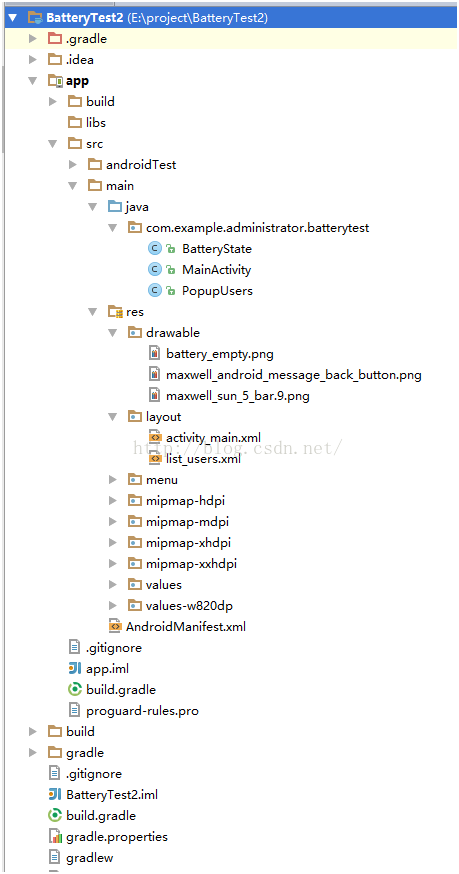
下面介紹了Android實現顯示電量的控件代碼,具體代碼如下:1、目錄結構,本人是使用安卓死丟丟。2、運行界面,輸入框中輸入數值,點擊刷新,會再電池中顯示出相應的電量3、
 Android制作簡單的普通購物車
本文實例為大家分享了Android普通購物車制作過程,供大家參考,具體內容如下1.最新項目新增了類似購物車功能,如下圖所示:當時剛看到此頁面的時候,第一反應是利用 Lis
 android 將開源項目發布到JCenter及問題總結
大家都知道,android studio 有一個功能就是使用第三方jar的時候在build.gradle中直接 compile 'com.android.supp
 Android常用逆向工具總結(未完待續)
寫在前面的話突然覺得我好無聊,寫這個有種浪費生命的感覺有沒有,不過項目結束的時候這個還是要寫的,以後寫還不如現在趁現在,趁著現在鏈接就在身邊直接寫了。1.apktool的