編輯:關於Android編程
項目中經常碰到需要處理大圖片的問題,因為android對應用分配資源的限制,如果不進行相應的處理,容易造成OOM。
Android處理大圖的方法:
對於大圖先獲取出圖片的width和height, 然後根據view的width和height, 換算出圖片inSampleSize,,最後壓縮生成相應的圖片。
其中重要的兩個參數是:
/**
111         * If set to true, the decoder will return null (no bitmap), but
112         * the out... fields will still be set, allowing the caller to query
113         * the bitmap without having to allocate the memory for its pixels.
114         */
115        public boolean inJustDecodeBounds;
116
117        /**
118         * If set to a value > 1, requests the decoder to subsample the original
119         * image, returning a smaller image to save memory. The sample size is
120         * the number of pixels in either dimension that correspond to a single
121         * pixel in the decoded bitmap. For example, inSampleSize == 4 returns
122         * an image that is 1/4 the width/height of the original, and 1/16 the
123         * number of pixels. Any value <= 1 is treated the same as 1. Note: the
124         * decoder uses a final value based on powers of 2, any other value will
125         * be rounded down to the nearest power of 2.
126         */
127        public int inSampleSize;
InJustDecodeBounds能在不分配資源給圖片的情況下獲取圖片的大小
inSampleSize計算圖片的壓縮比
開源項目xutils, Universal-Image-Loader和Foursquare對於大圖的處理都類似的
下面是Foursquare處理大圖的代碼:
public class ImageUtils {

    private ImageUtils() {
    }

    public static void resampleImageAndSaveToNewLocation(String pathInput, String pathOutput)
        throws Exception
    {
        Bitmap bmp = resampleImage(pathInput, 640);

        OutputStream out = new FileOutputStream(pathOutput);
        bmp.compress(Bitmap.CompressFormat.JPEG, 90, out);
    }

    public static Bitmap resampleImage(String path, int maxDim)
        throws Exception {

        BitmapFactory.Options bfo = new BitmapFactory.Options();
        bfo.inJustDecodeBounds = true;
        BitmapFactory.decodeFile(path, bfo);

        BitmapFactory.Options optsDownSample = new BitmapFactory.Options();
        optsDownSample.inSampleSize = getClosestResampleSize(bfo.outWidth, bfo.outHeight, maxDim);

        Bitmap bmpt = BitmapFactory.decodeFile(path, optsDownSample);

        Matrix m = new Matrix();

        if (bmpt.getWidth() > maxDim || bmpt.getHeight() > maxDim) {
            BitmapFactory.Options optsScale = getResampling(bmpt.getWidth(), bmpt.getHeight(), maxDim);
            m.postScale((float)optsScale.outWidth  / (float)bmpt.getWidth(),
                        (float)optsScale.outHeight / (float)bmpt.getHeight());
        }

        int sdk = new Integer(Build.VERSION.SDK).intValue();
        if (sdk > 4) {
            int rotation = ExifUtils.getExifRotation(path);
            if (rotation != 0) {
                m.postRotate(rotation);
            }
        }

        return Bitmap.createBitmap(bmpt, 0, 0, bmpt.getWidth(), bmpt.getHeight(), m, true);
    }

    private static BitmapFactory.Options getResampling(int cx, int cy, int max) {
        float scaleVal = 1.0f;
        BitmapFactory.Options bfo = new BitmapFactory.Options();
        if (cx > cy) {
            scaleVal = (float)max / (float)cx;
        }
        else if (cy > cx) {
            scaleVal = (float)max / (float)cy;
        }
        else {
            scaleVal = (float)max / (float)cx;
        }
        bfo.outWidth  = (int)(cx * scaleVal + 0.5f);
        bfo.outHeight = (int)(cy * scaleVal + 0.5f);
        return bfo;
    }

    private static int getClosestResampleSize(int cx, int cy, int maxDim) {
        int max = Math.max(cx, cy);

        int resample = 1;
        for (resample = 1; resample < Integer.MAX_VALUE; resample++) {
            if (resample * maxDim > max) {
                resample--;
                break;
            }
        }

        if (resample > 0) {
            return resample;
        }
        return 1;
    }

    public static BitmapFactory.Options getBitmapDims(String path) throws Exception {
        BitmapFactory.Options bfo = new BitmapFactory.Options();
        bfo.inJustDecodeBounds = true;
        BitmapFactory.decodeFile(path, bfo);
        return bfo;
    }
}
 Android studio 快捷鍵大全
Android Studio常用快捷鍵、Android Studio快捷鍵大全接下來這篇android studio使用教程,主要為大家介紹的是android studi
 android數據傳遞(三)之Activity傳遞到Fragment
其實Activity和fragment之間傳遞數據有很多方法,我這裡說一個用的比較多的一個方法——接口回調,後面有運行效果接口回調有幾個步驟:1,
 三行Android代碼實現白天夜間模式流暢切換
Usage xml android:background= ?attr/zzbackground app:backgroundAttr= zzbackground
 我寫的Android圖表庫XCL-Charts,整理好現在開源了!!!
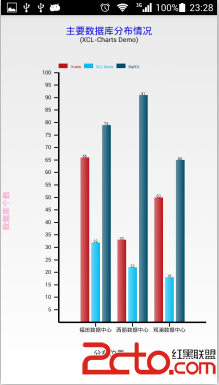
XCL-Charts v0.1 Android開源圖表庫,基於原生的Canvas來繪制各種圖表。目前支持3D/非3D柱形圖、3D/非3D餅圖、堆疊圖、面積圖、折線圖、曲線