編輯:關於Android編程
import android.app.Activity;
import android.content.Context;
import android.graphics.Canvas;
import android.graphics.Color;
import android.graphics.ComposePathEffect;
import android.graphics.CornerPathEffect;
import android.graphics.DashPathEffect;
import android.graphics.DiscretePathEffect;
import android.graphics.Paint;
import android.graphics.Path;
import android.graphics.PathDashPathEffect;
import android.graphics.SumPathEffect;
import android.graphics.PathEffect;
import android.os.Bundle;
import android.view.View;

public class PathTest extends Activity
{
	@Override
	protected void onCreate(Bundle savedInstanceState)
	{
		super.onCreate(savedInstanceState);
		setContentView(new MyView(this));
	}

	class MyView extends View
	{
		float phase;
		PathEffect[] effects = new PathEffect[7];
		int[] colors;
		private Paint paint;
		Path path;

		public MyView(Context context)
		{
			super(context);
			paint = new Paint();
			paint.setStyle(Paint.Style.STROKE);
			paint.setStrokeWidth(4);
			// 創建、並初始化Path
			path = new Path();
			path.moveTo(0, 0);
			for (int i = 1; i <= 15; i++)
			{
				// 生成15個點,隨機生成它們的Y座標。並將它們連成一條Path
				path.lineTo(i * 20, (float) Math.random() * 60);
			}
			// 初始化7個顏色
			colors = new int[] { Color.BLACK, Color.BLUE, Color.CYAN,
				Color.GREEN, Color.MAGENTA, Color.RED, Color.YELLOW };
			// -----------下面開始初始化7中路徑效果----------
			// 不使用路徑效果。
			effects[0] = null;
			// 使用CornerPathEffect路徑效果
			effects[1] = new CornerPathEffect(10);
			// 初始化DiscretePathEffect
			effects[2] = new DiscretePathEffect(3.0f, 5.0f);
		}

		@Override
		protected void onDraw(Canvas canvas)
		{
			// 將背景填充成白色
			canvas.drawColor(Color.WHITE);
			// 初始化DashPathEffect,DashPathEffect有動畫效果
			effects[3] = new DashPathEffect(new float[] { 20, 10, 5, 10 },
					phase);
			// 初始化PathDashPathEffect,PathDashPathEffect有動畫效果
			Path p = new Path();
			p.addRect(0, 0, 8, 8, Path.Direction.CCW);
			effects[4] = new PathDashPathEffect(p, 12, phase,
					PathDashPathEffect.Style.ROTATE);
			// 初始化PathDashPathEffect
			effects[5] = new ComposePathEffect(effects[2], effects[4]);
			effects[6] = new SumPathEffect(effects[4], effects[3]);
			// 對Canvas執行坐標變換:將畫布“整體位移”到8、8處開始繪制
			canvas.translate(8, 8);
			// 依次使用7中不同路徑效果、7種不同的顏色來繪制路徑
			for (int i = 0; i < effects.length; i++)
			{
				paint.setPathEffect(effects[i]);
				paint.setColor(colors[i]);
				canvas.drawPath(path, paint);
				canvas.translate(0, 60);
			}
			// 改變phase值,形成動畫效果
			phase += 1;
			invalidate();
		}
	}
} Android微信支付開發問題
並不是所有的BAT的API都是非常好用的,微信支付就有不少的缺陷,總結一下微信支付實現中出現的問題 坑點一: PayReq的參數 sign的生成&
 Unity3D —— protobuf網絡框架
前言:protobuf是google的一個開源項目,主要的用途是:1.數據存儲(序列化和反序列化),這個功能類似xml和json等;2.制作網絡通信協議;一、資源下載:1
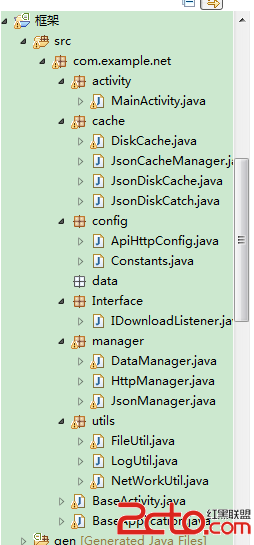 android 從零開始搭建框架系列(1)
工作幾年發現自己沒留下啥東西,天天開發開發,沒總結過。 這次想總結下。故而寫這個系列的博客。希望對廣大的開發者有所幫助。OK 首先先分析下 框架的作用,以及框架所應擁有的
 Android 面試題總結之Android 基礎(四)
Service常見面試題Service 是否在 main thread 中執行, service 裡面是否 能執行耗時的操作?默認情況,如果沒有顯示的指 servic 所