編輯:關於Android編程
正文
            	String paths = mCurrentPath + MountPointManager.SEPARATOR
                + mAdapter.getCheckedFileInfoItemsList().get(0).getFileName();
            	settingRingertone(paths);
 private void settingRingertone(String path) {
       ContentValues cv = new ContentValues();
       Uri uri = MediaStore.Audio.Media.EXTERNAL_CONTENT_URI;

       Cursor cursor = this.getContentResolver().query(uri,
    		   null, MediaStore.MediaColumns.DATA + =?, new String[] { path }, MediaStore.Audio.Media.DEFAULT_SORT_ORDER);
       if (cursor.moveToFirst()) {
    	   String _id = cursor.getString(0);
	       cv.put(AudioColumns.IS_RINGTONE, true);
	       cv.put(AudioColumns.IS_MUSIC, true);
	       // Insert the bell library
	       getContentResolver().update(uri, cv,MediaStore.MediaColumns.DATA + =?, new String[] { path });
	       Uri newUri = ContentUris.withAppendedId(uri, Long.valueOf(_id));
	       // Set up the bell
	       RingtoneManager.setActualDefaultRingtoneUri(this,RingtoneManager.TYPE_RINGTONE, newUri );
	       Toast.makeText(this, R.string.ring_set_succeed, Toast.LENGTH_SHORT).show();
      }
     }
如果不成功請檢查_id的值。
 論Android應用進程長存的可行性
如何能讓我們的應用能夠在系統後台持續地運行是一個自Android從娘(ma)胎(bi)裡出來時就議論不停的話題,而且這似乎成了一個牛(liu)逼(mang)應用標配的功能
 谷歌推出Android 響應式布局控件 FlexboxLayout -彈性盒子模型
今天github 排行榜上突然出現了 谷歌最新推出的Android 最新控件FlexboxLayout 。 FlexboxLayout究竟是什麼東西
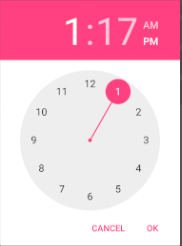 Android 日期和時間的使用實例詳解
Android 日期和時間的使用日期和時間的使用;1:彈出框TimePickerDialog,DatePickerDialog2:組件TimePicker,DatePic
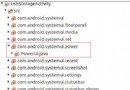 Android4.4 SystemUI分析之PowerUI
以下分析是基於MTK Android4.4原生的SystemUI與Google 的SystemUI有微小的區別,但兩者的整體框架是差不多的。這一篇是分析SystemUI的